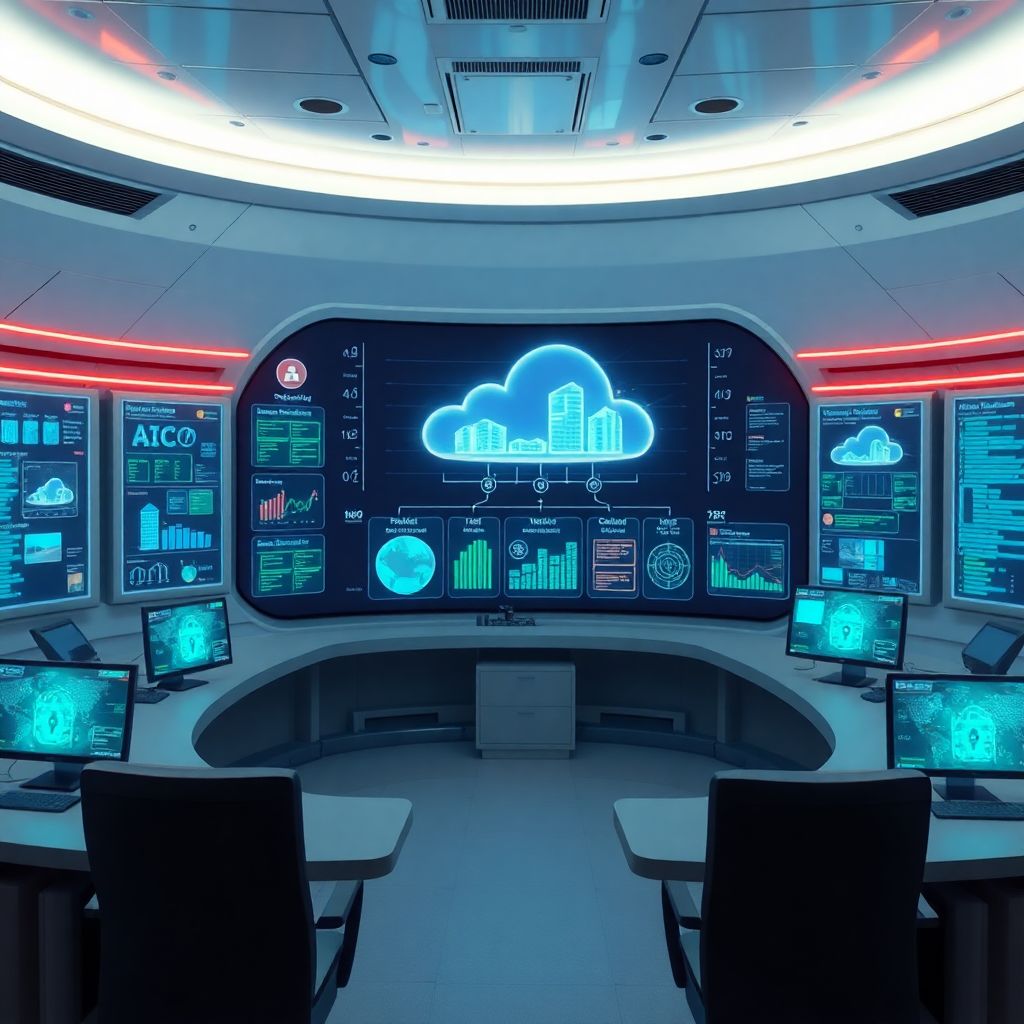
Cloud container vulnerability detection means scanning images in registries and running containers for known flaws, misconfigurations and secrets, then prioritising and fixing issues automatically. Use cloud‑native registries, integrated scanners and CI/CD gates to keep images safe. Start with inventory, then add automated scans, runtime monitoring and structured patch and rollback procedures.
Prep checklist: essential steps before scanning
- Define which clusters, registries and projects are in scope for scanning.
- Map who owns each application, image and Kubernetes namespace.
- Choose a primary scanner de vulnerabilidades em containers cloud per cloud provider or platform.
- Decide how you will break builds and deployments when critical risks appear.
- Prepare secure credentials for registries and clusters (read‑only where possible).
- Plan reporting: who receives alerts and how often they are reviewed.
Threat modeling and inventory for container assets
| Action | Owner | Verification |
|---|---|---|
| List all container clusters, registries and projects per cloud account | Cloud platform engineer | Central inventory document or CMDB entry exists and is updated |
| Identify applications and business impact per namespace or service | Product owner with security architect | Each service tagged with criticality and data sensitivity |
| Map who can approve changes, outages and emergency patches | Engineering manager | Contact runbook and on‑call rotation documented |
| Define threat scenarios specific to containers in cloud | Security engineer | Threat model diagram and list of abuse cases created |
| Agree on minimum baseline controls for all container workloads | Security and platform teams | Baseline policy approved and published in internal wiki |
Threat modeling for containers is most useful when you already run multiple workloads in Kubernetes or ECS and have different data sensitivity levels. It may be overkill for a single experimental microservice with no production data. In Brazil (pt_BR context), focus first on internet‑facing services and workloads processing personal data.
Build a simple view of your container landscape:
- By environment: development, homologação, staging, production.
- By cloud: separate assets per AWS, Azure, GCP or on‑prem.
- By criticality: map where customer data, payment data or internal admin functions run.
From this inventory, highlight where a solução de segurança para imagens docker em cloud is mandatory (production, customer data) and where lighter controls are acceptable (ephemeral dev sandboxes). This ensures scanning and automation effort go where they reduce risk the most.
Registry image scanning: tools, policies and configuration
| Action | Owner | Verification |
|---|---|---|
| Enable built‑in registry scanning or connect an external scanner | Cloud or DevOps engineer | Sample image scanned and report visible in console or API |
| Define severity thresholds that block image promotion | Security architect | Documented policy for critical, high, medium and low issues |
| Tag images by environment and application | Development team | Registry shows consistent naming and tagging conventions |
| Restrict who can push images to production registries | Platform owner | IAM policies reviewed and least privilege confirmed |
| Automate periodic rescans of existing images | Security platform team | Schedule or event‑based rescan jobs configured |
To start using ferramentas para análise de imagens de containers em registry safely, choose a scanner aligned with your platform and compliance needs. Below is a simplified decision helper.
| Scanner type | Typical tools | Best suited for | Notes |
|---|---|---|---|
| Cloud‑native registry scanner | Built‑in features from major cloud registries | Teams already using managed registries in a single cloud | Easy to enable; good default for most pt_BR mid‑size companies |
| Open‑source CLI scanner | Generic image and filesystem scanners | Developers needing local scans and CI integration | Lightweight, flexible, but needs some maintenance and tuning |
| Commercial multi‑cloud platform | Dedicated container security suites | Enterprises with many clusters and registries across clouds | Centralised visibility, policy engine and compliance reporting |
Use this conditional checklist to select automation level:
- If you only run one or two clusters and one registry in a single cloud, start with the built‑in scanner de vulnerabilidades em containers cloud and enable automatic blocking for critical vulnerabilities.
- If developers build locally and push from different environments, add a CLI scanner in the developer workflow to catch issues before pushing.
- If you operate multi‑cloud, with regulated data, prioritise a central commercial platform that unifies policies and reporting.
- If you lack dedicated security staff, prefer tools with clear default policies and minimal tuning requirements.
Typical minimal configuration steps, independent of the specific product:
- Register or enable the scanner in the registry or security console.
- Grant read‑only access to the registry projects or repositories to be scanned.
- Configure automatic scan on image push and periodic rescan of stored images.
- Set thresholds, for example block images with critical issues, warn for high, log for medium and low.
- Integrate notification channels such as email, Slack or issue trackers for failed scans.
Runtime detection: monitoring containers and orchestration layers
| Action | Owner | Verification |
|---|---|---|
| Deploy an agent or daemonset for runtime visibility in clusters | Platform engineer | Agent pods running and sending telemetry successfully |
| Enable rules for suspicious process, network and file activity | Security engineer | Test alerts triggered in non‑production environment |
| Connect runtime alerts to central SIEM or alerting tool | Security operations | Events visible and triaged in standard workflows |
| Define playbooks for runtime vulnerability exploitation attempts | Incident response lead | Runbook approved and tested in tabletop exercise |
Before implementing runtime detection, confirm this mini‑checklist:
- Have at least basic cluster logging working (Kubernetes events, pod logs).
- Document which namespaces and workloads are allowed to run privileged or with host access (ideally none).
- Ensure you can safely deploy and roll back DaemonSets or agents.
- Prepare a non‑production cluster for testing detection rules.
-
Choose a safe runtime monitoring approach
Pick a tool that supports your orchestrator (Kubernetes, ECS, Nomad) and cloud. Start with a managed or lightweight option to minimise operational risk.
- Prefer agentless or eBPF‑based solutions if you want minimal changes on nodes.
- For regulated environments, ensure audit logs are exportable to your SIEM.
-
Deploy monitoring in observation mode first
Install the runtime sensor or agent as a DaemonSet in Kubernetes or equivalent in your cluster, but keep it in detect‑only mode initially.
- Apply only in test and staging clusters for the first rollout.
- Check that CPU and memory overhead remain within safe limits.
-
Enable core detection rules and tune noise
Start with vendor or project recommended rule sets focused on container breakout attempts, privilege escalation and suspicious networking.
- Review alerts for a few days; mark clear false positives and tune filters.
- Avoid deleting rules; use exceptions scoped to namespaces, images or labels.
-
Integrate with alerting and incident workflows
Forward runtime alerts to your existing incident response channels so teams do not need to watch yet another console.
- Connect to your SIEM, chat tools or ticket system.
- Define on‑call responsibilities for runtime security events.
-
Correlate runtime events with image vulnerabilities
Link runtime detections to the underlying image and its vulnerabilities in the registry. This supports risk‑based prioritisation.
- If a vulnerable image is actively probed or exploited, raise its priority.
- Automatically create issues to patch or replace the vulnerable image.
-
Gradually enforce preventive controls
Once confident, enable preventive actions like blocking containers that violate key policies, starting with low‑risk environments.
- Test kill or quarantine actions on non‑critical workloads first.
- Document which rules can trigger automatic remediation.
Automated triage, risk scoring and remediation pipelines
| Action | Owner | Verification |
|---|---|---|
| Define risk scoring logic combining severity, exposure and runtime evidence | Security architect | Documented scoring formula shared with teams |
| Configure automatic ticket creation for high‑risk findings | Security operations | Tickets appear with correct owners and SLAs |
| Implement bot or pipeline jobs to trigger rebuilds with patched bases | DevOps engineer | Sample vulnerable image rebuilt automatically after new base image release |
| Track exceptions and temporary risk acceptances | Risk manager | List of active exceptions with expiry dates maintained |
Use this checklist to validate your automated triage and remediation:
- Each vulnerability finding is automatically mapped to a specific team (repository, namespace or service owner).
- High‑risk findings generate work items with clear due dates and recommended fixes.
- Automations respect maintenance windows and do not patch or restart critical services during business‑critical hours.
- Risk scores consider both CVSS‑like technical severity and business impact (data sensitivity, internet exposure).
- Exceptions for vulnerabilities (for example, missing vendor patches) are documented with justification and expiry dates.
- Dashboards show trends: number of high‑risk issues open, time to remediate and services repeatedly affected.
- Security and platform teams periodically review automation rules for safety and effectiveness.
- Developers understand when automated pipelines will rebuild images based on new base images or library versions.
When designing como automatizar varredura de vulnerabilidades em containers, start small: automate ticket creation and image rebuild triggers first, keep approvals manual for production rollout until your organisation is comfortable with the reliability of these flows.
CI/CD shift-left: embedding scans and gating releases
| Action | Owner | Verification |
|---|---|---|
| Add image vulnerability scanning to build or test stages | DevOps engineer | Pipeline logs show scan results and pass or fail outcome |
| Configure policies to fail builds on critical vulnerabilities | Security engineer | Intentional test with vulnerable image causes build failure |
| Ensure only approved registries are used for base images | Platform team | Pipeline checks block images from untrusted registries |
| Publish guidance for developers on fixing common findings | Application security | Internal docs linked from pipeline failure messages |
Typical pitfalls when building a pipeline CI CD with scan de vulnerabilidades em containers are predictable and avoidable:
- Scanning only after deployment: scanning must happen at build time and again in the registry, not just occasionally in production.
- Failing builds on any vulnerability: instead, start with blocking only critical (and maybe high) issues to avoid constant friction.
- Running scans on every job without caching: this slows pipelines; reuse scan results for unchanged layers where the tool supports it.
- Not aligning timeouts: heavy scans with short CI timeouts cause random failures; tune timeouts and concurrency settings carefully.
- Ignoring infrastructure as code: do not forget to scan Kubernetes manifests and Helm charts for misconfigurations alongside images.
- Lack of local scan options: give developers CLI tools to scan before pushing, otherwise they only discover issues after pipeline failures.
- Missing clear error messages: include direct links to reports and remediation hints in pipeline logs to reduce frustration.
- Letting exceptions accumulate: implement expiration for allowlists or suppressions added in the CI configuration.
Incorporate a solução de segurança para imagens docker em cloud directly in your pipeline CI CD with scan de vulnerabilidades em containers by enforcing that only scanned and approved images can be deployed to production clusters, using signed images and admission controllers where possible.
Patching, rollback and post-incident verification for containers
| Action | Owner | Verification |
|---|---|---|
| Define standard procedure to rebuild images with updated bases | DevOps and application teams | Playbook documented, tested in staging and reviewed yearly |
| Implement safe rollback strategy using image tags or digests | Platform engineer | Rollback tested without data loss or long downtime |
| Run post‑deployment scans and runtime checks after patching | Security engineer | Reports show no unexpected new critical vulnerabilities |
There are several safe patterns for dealing with vulnerable containers and images; select by maturity and risk tolerance:
- Controlled rebuild and rolling upgrade: default option. Rebuild images with patched base images and dependencies, deploy with rolling updates, monitor errors and performance, then decommission old image versions. Works best when your registry scanning and runtime monitoring are already in place.
- Blue‑green deployment with verification: for high‑risk or highly regulated workloads. Deploy patched images as a separate environment, run automated smoke tests and targeted security tests, then switch traffic. Roll back instantly if issues appear.
- Emergency rollback to last known good image: when a new image introduces instability or unexpected behaviour. Keep a short list of trusted image digests per service to roll back quickly, but combine this with a follow‑up plan to patch vulnerabilities properly.
- Compensating controls at runtime: when immediate patching is impossible (for example, vendor delay). Tighten network policies, disable non‑essential features and increase monitoring for signatures related to the vulnerability. Treat this as temporary and track end dates.
Whichever option you choose, always perform a final verification: rescan the deployed image in the registry, confirm that remediated vulnerabilities no longer appear, and review runtime logs for suspicious activity around the time of the change, especially when using a scanner de vulnerabilidades em containers cloud as part of your end‑to‑end process.
Practical clarifications and recurring implementation pitfalls
Do I need both image scanning and runtime detection for containers?
Yes, they serve different purposes. Image scanning finds known vulnerabilities and misconfigurations before deployment, while runtime detection observes actual behaviour and exploitation attempts. For most production environments, use both, even if you start with registry scanning and add runtime monitoring later.
How strict should my build pipeline failure policy be initially?
Start by failing builds only on critical vulnerabilities, and maybe high ones in internet‑facing services. As teams mature and fix backlog issues, you can gradually tighten policies. Overly strict rules from day one usually cause bypasses and frustration.
What is the safest way to introduce new scanners into production clusters?
Deploy new scanner components first in a test or staging cluster, in detect‑only mode, and monitor performance impact and alert noise. After tuning, roll out incrementally to production namespaces, starting with lower‑risk services.
Can I rely only on cloud‑native registry scanners?
Cloud‑native scanners are a solid starting point and often enough for smaller teams. Larger or regulated environments usually add dedicated platforms for deeper checks, unified policies across clouds and better integration with ticketing and SIEM tools.
How often should I rescan stored images in registries?
At minimum, rescan when your vulnerability database updates or when major new issues emerge. Many scanners support automatic periodic rescans. Combine this with rescans triggered by base image updates to minimise manual work.
What is the best place to store scan results and reports?
Use the scanner or platform console for detailed reports, but synchronise key findings to a central system such as a SIEM or issue tracker. This keeps your security picture consistent across different tools and teams.
How do I avoid overwhelming developers with vulnerability noise?
Prioritise issues that affect internet‑facing services, production environments and sensitive data. Provide clear remediation guidance, templates for safe Dockerfiles and base image standards. Regularly review rules and suppressions to keep signal high and noise low.