To harden containers and Kubernetes on public cloud providers, start by enforcing secure images, strong runtime isolation, least‑privilege RBAC, and strict network policies. Combine cloud‑native controls from AWS, Azure, and GCP with Kubernetes primitives, automate checks in CI/CD, and continuously monitor drift, vulnerabilities, and misconfigurations across all clusters and namespaces.
Essential Security Outcomes and Risk Priorities
- Prevent compromised container images from reaching production through build‑time validation, signing, and scanning.
- Limit blast radius of any container escape or pod compromise using strong isolation, minimal privileges, and strict policies.
- Reduce control‑plane abuse with hardened API access, scoped RBAC, and admission controls enforcing your guardrails.
- Block lateral movement with Kubernetes NetworkPolicies and cloud‑native firewall rules, tailored per environment and namespace.
- Protect secrets at rest and in transit using managed KMS/HSM services and short‑lived credentials instead of static keys.
- Detect and respond quickly to incidents through consolidated logging, runtime security alerts, and rehearsed playbooks.
- Align with compliance using automated checks from ferramentas de hardening e compliance para containers na nuvem integrated into CI/CD.
Cloud Container Risk Model: Threats, Attack Surfaces and Shared Responsibility
This guide is for intermediate teams running workloads in public cloud and concerned with segurança em containers kubernetes na nuvem pública, especially when adopting managed services like EKS, AKS, and GKE. It assumes you already have basic Kubernetes and Docker knowledge and at least one non‑production cluster available.
Where hardening Kubernetes em provedores cloud makes the most sense:
- You run customer or regulated data in containers on AWS, Azure, or GCP.
- You use managed Kubernetes (EKS/AKS/GKE) and want to understand where the provider stops and your responsibility starts.
- You are building or modernizing CI/CD pipelines and want melhores práticas de segurança para containers docker e kubernetes from the start.
- You need repeatable guidance safe enough for platform teams and application squads to execute without breaking everything.
When this guide is not ideal on its own:
- You operate self‑managed Kubernetes (on‑prem/bare metal) and must also harden OS, control plane binaries, and etcd directly.
- You have no basic Kubernetes familiarity; you should first learn core objects (Pods, Deployments, Services, Ingress, RBAC).
- You need deep, audit‑ready compliance mappings; use specialized serviços gerenciados de segurança kubernetes em cloud pública or consultants on top of this baseline.
Shared responsibility high‑level view:
- Cloud provider: Data center, physical hosts, and (for managed Kubernetes) control plane availability and basic security.
- You: Image security, workloads, RBAC, network policies, secrets, logging, and incident response tuning.
Image Hygiene: Build-time Controls, Supply Chain Protection, and Scanning
Before hardening runtime, ensure every image is trustworthy. You will need these tools, accesses, and practices.
Prerequisites and Required Access
- Admin or maintainer role on your cloud container registry:
- AWS: ECR registries and repositories.
- GCP: Artifact Registry or Container Registry.
- Azure: Azure Container Registry (ACR).
- Ability to modify CI/CD pipelines (GitHub Actions, GitLab CI, Azure DevOps, Jenkins, etc.).
- Cluster admin or platform role to enforce image policies via Admission Controllers on Kubernetes.
Core Tools and Services for Image Hygiene
- Image scanning: Use managed or open‑source scanners in CI and in registry:
- AWS: ECR image scanning, Amazon Inspector for container images.
- GCP: Container analysis and built‑in scanning in Artifact Registry.
- Azure: Microsoft Defender for Cloud container image scanning for ACR.
- Image signing and provenance: Cosign, Sigstore, or cloud‑native signing features to prove who built an image and from which source.
- Policy engines: OPA Gatekeeper or Kyverno enforcing rules like “no latest tags”, “only images from approved registries”.
- Minimal base images: Distroless, Alpine (carefully), or vendor minimal OS images to reduce attack surface and patch overhead.
Example CI/CD Scan and Policy Flow
- Build image with Docker or BuildKit using a minimal base.
- Scan image (e.g., Trivy, Grype, or provider native scanners) and fail pipeline on high/critical vulnerabilities.
- Sign image using Cosign, storing signatures in your registry.
- Deploy only if:
- Image comes from your approved registry.
- Signature is valid and built by your CI service account.
- Vulnerability thresholds are not exceeded.
AWS, GCP, and Azure Image Security Controls Compared
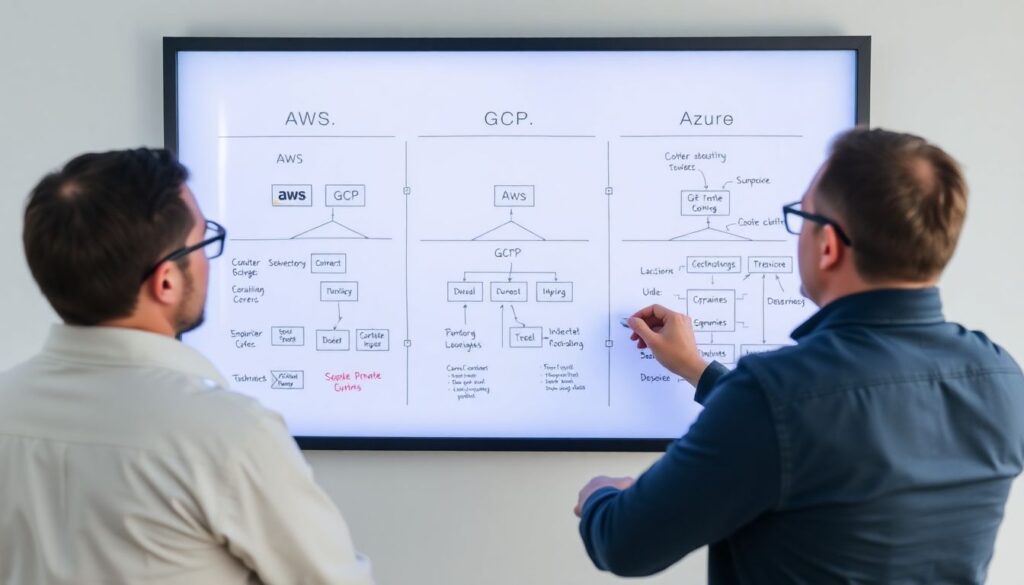
| Control Objective | AWS | GCP | Azure | Mitigation vs Impact (Risk‑Aware Note) |
|---|---|---|---|---|
| Private container registries | ECR + VPC endpoints | Artifact Registry | Azure Container Registry (ACR) | Strongly recommended; low operational impact if you migrate gradually and keep old registry read‑only for rollback. |
| Built‑in image scanning | ECR scanning, Amazon Inspector | Container Analysis / Artifact Registry scanning | Defender for Cloud scanning for ACR | High mitigation value; can initially run in report‑only mode to avoid blocking critical deployments unexpectedly. |
| Enforce images from trusted registries only | OPA Gatekeeper / Kyverno on EKS | Gatekeeper / Kyverno on GKE | Gatekeeper / Kyverno on AKS | Very strong control; may break legacy workloads, so start with non‑prod clusters and clear exception process. |
| Store and manage secrets used in image builds | AWS Secrets Manager / SSM Parameter Store | Secret Manager | Azure Key Vault | Protects credentials with low impact; ensure CI runners have only the minimum secret access required. |
| Enforce vulnerability thresholds in CI/CD | Security Hub aggregating Inspector findings | Security Command Center | Defender for Cloud with CI/CD integrations | Excellent risk reduction; initially set thresholds to warn for production while blocking only non‑critical environments. |
Runtime Defenses: Container Hardening, Seccomp, AppArmor and Minimal Runtimes
Before you start, understand these risks and limitations when applying runtime hardening to your clusters.
- Over‑restrictive seccomp or AppArmor profiles may cause containers to crash; always test in staging first.
- Dropping capabilities can break legacy applications that rely on Linux features; you must know what your app really needs.
- Not all managed Kubernetes offerings support all security features equally; verify EKS/AKS/GKE versions and node OS.
- Changes to PodSecurity (or Pod Security Admission) may prevent existing workloads from deploying until manifests are updated.
-
Adopt minimal and non‑root container runtimes
Use minimal images and avoid running processes as root inside containers.- In your Dockerfile, define an explicit non‑root user:
FROM gcr.io/distroless/base USER 1000:1000 ENTRYPOINT ["myapp"] - In Kubernetes manifests, enforce non‑root:
securityContext:
  runAsNonRoot: true
  runAsUser: 1000
- In your Dockerfile, define an explicit non‑root user:
-
Drop unnecessary Linux capabilities
Limit container capabilities to reduce the impact of a compromise.- Start from no capabilities and add only what is required:
securityContext: allowPrivilegeEscalation: false capabilities: drop: ["ALL"] - For workloads that really need specific capabilities, document them and justify why:
capabilities:
  drop: ["ALL"]
  add: ["NET_BIND_SERVICE"]
- Start from no capabilities and add only what is required:
-
Enable and tune seccomp profiles
Seccomp restricts syscalls a container can use, significantly reducing kernel attack surface.- Use the RuntimeDefault profile when available (recent Kubernetes + containerd):
securityContext: seccompProfile: type: RuntimeDefault - Where needed, define custom profiles on the node OS and reference them with type Localhost (EKS/AKS/GKE node access required).
- Use the RuntimeDefault profile when available (recent Kubernetes + containerd):
-
Apply AppArmor (where supported)
AppArmor confines programs to a limited set of resources.- On Kubernetes, reference profiles as annotations (often on EKS and some GKE/AKS OS images):
metadata: annotations: container.apparmor.security.beta.kubernetes.io/my-container: runtime/default - Start with complain mode on test clusters, then switch to enforce once you are confident.
- On Kubernetes, reference profiles as annotations (often on EKS and some GKE/AKS OS images):
-
Use PodSecurity admission to standardize baseline policies
PodSecurity (or legacy PodSecurityPolicy alternatives) can standardize restrictions.- Label namespaces with the level you require, for example:
kubectl label namespace dev pod-security.kubernetes.io/enforce=baseline pod-security.kubernetes.io/enforce-version=latest - Use "restricted" for production namespaces but test thoroughly; it may block DaemonSets or monitoring agents that need extra privileges.
- Label namespaces with the level you require, for example:
-
Deploy runtime threat detection
Use tools that observe syscalls and container behavior to detect attacks.- Examples: Falco, cloud‑native workload protection from serviços gerenciados de segurança kubernetes em cloud pública, or integrated EDR agents.
- Route alerts to your central incident management tool and define clear on‑call responsibilities.
Kubernetes Control Plane and API Hardening: RBAC, Admission Controls, and Network Policies
Use this checklist to confirm your control plane hardening is effective.
- RBAC roles are scoped by namespace and function; cluster‑admin is restricted to a very small trusted group.
- ServiceAccounts are unique per application or component, not shared across multiple services or namespaces.
- Kubeconfig files use short‑lived credentials or SSO integrations rather than long‑lived static tokens.
- Admission controllers (Gatekeeper/Kyverno) enforce at least: no privileged pods; no hostPath mounts; no hostNetwork; approved registries only.
- Audit logging is enabled on the API server (for EKS/AKS/GKE, ensure control‑plane logs are flowing into the native logging service).
- Access to the Kubernetes API from the public internet is restricted via IP allowlists or private endpoints where possible.
- Namespace isolation is in place: separate namespaces for dev, staging, and production with tailored RBAC and PodSecurity levels.
- Secrets are encrypted at rest with cloud KMS integration enabled for etcd.
- Cluster‑level administrative operations (upgrades, node changes) follow change management and are automated via IaC (Terraform, Pulumi, etc.).
Networking and Ingress/Egress Controls Across Public Cloud Providers
Avoid these typical mistakes when designing networking for hardening kubernetes em provedores cloud.
- Exposing the Kubernetes API endpoints to the entire internet instead of using private endpoints or IP‑restricted access.
- Relying only on cloud security groups or firewalls and forgetting to add Kubernetes NetworkPolicies for pod‑to‑pod isolation.
- Allowing unrestricted egress to the internet from application namespaces, which enables data exfiltration during compromise.
- Sharing the same VPC/VNet/subnet between production and non‑production clusters, increasing blast radius and complicating firewall rules.
- Using a single Ingress controller with shared configuration across unrelated applications, making it hard to apply specific TLS and WAF rules.
- Not integrating cloud WAF and DDoS protections with your Kubernetes Ingress or load balancers.
- Forgetting to restrict access to cloud metadata endpoints from pods, which can leak cloud credentials if compromised.
- Misconfiguring DNS so that internal services become reachable from the public internet unintentionally.
- Skipping periodic review of network rules, causing “temporary” broad access to become permanent.
Operational Practices: Secrets Management, Patch Strategy, Monitoring and Incident Response
Several approaches exist to operationalize security for containers and Kubernetes; pick what matches your team maturity and constraints.
-
Cloud‑native first strategy
Use managed services as much as possible: KMS/Key Vault, cloud logging, native monitoring, and cloud SOAR/SIEM. This is ideal when you are heavily invested in a single provider and want tight integration with serviços gerenciados de segurança kubernetes em cloud pública. -
Vendor‑neutral platform stack
Standardize on cross‑cloud tools for secrets (e.g., HashiCorp Vault), logging, and monitoring. This is suitable for organizations deploying to multiple clouds and wanting consistent melhores práticas de segurança para containers docker e kubernetes across environments. -
Lightweight baseline plus periodic assessments
Apply only essential guardrails (PodSecurity, basic RBAC, NetworkPolicies, mandatory scanning) and run quarterly security reviews using ferramentas de hardening и compliance para containers na nuvem. This fits smaller teams in pt_BR contexts that lack 24×7 security staff but still need a reasonable baseline. -
Managed security services engagement
Outsource continuous monitoring and incident response to MSSPs or cloud‑native managed services; you focus on development and platform reliability. This works when your risk is high but your internal security engineering capacity is limited.
Practical Clarifications and Common Implementation Pitfalls
Do I need different hardening for development, staging, and production clusters?
You should use the same principles everywhere but stricter enforcement in production. For example, run PodSecurity in enforce mode in production and initially in audit mode in development, gradually closing gaps as teams fix manifests.
How can I reduce downtime risk when enabling seccomp and AppArmor?
Start with a non‑production cluster, enable RuntimeDefault profiles, and run realistic load tests. Use gradual rollout strategies (canary or blue‑green deployments) and observe logs for denied syscalls before enforcing in production namespaces.
What if a third‑party vendor requires privileged containers?
Challenge the requirement and request documented justification. If you must allow it, isolate those workloads in a dedicated namespace and node pool, with stronger monitoring, and avoid colocating sensitive workloads on the same nodes.
How do I choose between cloud‑native and third‑party security tools?
If you are mostly single‑cloud and want low operational overhead, start with cloud‑native tools. If you run multi‑cloud or hybrid and need one pane of glass, a vendor‑neutral solution often pays off despite the extra complexity.
Is using distroless or minimal images always safe?

They reduce attack surface but reduce debuggability because common tools (shell, package managers) are absent. Combine them with good observability and, if required, sidecar containers for debugging instead of adding tools into the main image.
How often should I rotate Kubernetes secrets and cloud credentials?
Rotate secrets and access keys regularly, and always after any suspected compromise. Integrate rotation into CI/CD and use short‑lived tokens (OIDC, workload identity) where possible to reduce the need for manual key rotation.
What is the minimum viable hardening I should apply in a new cluster?
Enforce non‑root containers, drop all capabilities by default, restrict images to trusted registries, enable basic PodSecurity and NetworkPolicies, and integrate image scanning in CI. This gives a strong baseline with relatively low risk of breaking workloads.