To fix frequent IAM mistakes in cloud without breaking production, start with read-only checks: list identities, roles and policies, compare them with least-privilege expectations, and search for overbroad permissions. Then phase changes: first test in non‑prod, then apply narrowly scoped updates and enable stricter monitoring and conditional access.
Critical IAM pitfalls to recognize
- Overprivileged users, groups and roles that can access far more cloud resources than necessary.
- Broken or overly trusting role assumptions and cross-account trusts between workloads and providers.
- Weak credential lifecycle: never-expiring keys, shared passwords and unmanaged service accounts.
- Lack of conditional access rules for network, device posture and risk-based login controls.
- Gaps in monitoring and alerting, meaning IAM misuse is detected late or not at all.
- Third-party vendors and tools granted broad, persistent access into critical environments.
- No alignment between gestão de identidades e acessos em nuvem iam processes and change-management.
Overprivileged identities: detection and remediation
Overprivileged identities are the most common and dangerous IAM issue in cloud environments. They often grow organically as teams add permissions to “unblock” work. Before changing policies, run only read-only inspections and export current configurations for backup.
What users usually see when identities are overprivileged
- Users can list or modify resources outside their team scope (other projects, accounts, regions, subscriptions).
- Service accounts or roles can create new identities or elevate their own privileges.
- “Break-glass” or admin accounts are used for daily tasks instead of rare emergencies.
- Audit reviews show policies with wildcards (for actions, resources or conditions).
- New soluções iam em cloud para empresas are onboarded by simply attaching Administrator or Owner roles.
Quick mapping: common IAM mistakes and safe remediation
| Mistake | Quick remediation (safe-first) | Priority |
|---|---|---|
| Users or roles with full admin in production | Identify which tasks truly need admin; create limited roles; move daily work off admin identities, but keep break-glass path. | Critical |
| Policies with wildcards on actions/resources | Log actual usage for a period, then narrow permissions to only used actions and required resources. | High |
| Unused or stale IAM accounts | List sign-in and key usage; disable accounts with no activity after confirming with HR and managers. | High |
| Long-lived access keys | Rotate keys, prefer federated SSO, and set maximum key lifetime policies. | Medium |
| Unrestricted third-party integrations | Scope vendor access to dedicated roles/projects with least privilege and limited duration. | Critical |
Detect: safe ways to find overprivileged identities
- Export all IAM identities and their attached policies in read-only mode (CLI, SDK or console export).
- Generate a list of identities with admin-equivalent permissions (Owner, Administrator, root-like roles).
- Search policies for wildcards on actions and resources; flag those for review.
- Use your ferramentas de gestão de acesso na nuvem or built-in analyzers (e.g., access advisor, policy analyzer) to see unused permissions.
- Cross-check identities with HR and team leads to spot accounts that no longer correspond to active users.
Mitigate: reduce exposure without breaking workloads
- Create “shadow” least-privilege roles that mirror current usage (based on logs), but do not attach them yet.
- In non-production, attach these new roles to test identities and validate critical workflows.
- For humans, move routine tasks to limited roles and keep a separate just-in-time admin process for escalations.
- For service accounts, replace admin roles with narrowly scoped custom roles tied to specific resource groups or projects.
- Implement temporary elevation mechanisms (for example, approval-based role assignment) instead of permanent admin roles.
Prevent: embed least privilege into daily operations
- Adopt role templates that align with melhores práticas de segurança iam em cloud and are centrally approved.
- Require justification and ticket references for any role with write or admin capabilities in production.
- Schedule quarterly reviews using your IAM tools’ reports to adjust roles as workloads change.
- Enforce SSO with strong MFA to reduce reliance on raw cloud credentials.
- Include IAM impact assessment in every change request for new services or features.
Misconfigured role assumptions and trust relationships
Misconfigured role assumptions and trust relationships often manifest as “access denied” errors, roles that can be assumed from unintended places, or third parties with more reach than expected. Focus first on inspecting trust policies and logs; only then adjust trust rules in small, reversible increments.
Diagnostic checklist before changing any trust policy
- Confirm which identity (user, group, service account, workload identity) is attempting to assume the role or access the resource.
- Check the role’s trust configuration: who is allowed to assume it, from which accounts/projects/tenants, and under what conditions.
- Review recent audit logs for assumption attempts, including source IPs, user agents and error reasons.
- Verify that time synchronization and token lifetimes are correct to avoid “expired token” style rejections.
- Ensure that source identities actually have the permission to assume the target role (often a separate permission from resource actions).
- Look for overly broad trust rules such as “any principal in this organization” or “any workload in this project”.
- Identify cross-account or cross-tenant trusts that were created for temporary projects but never removed.
- Map all vendors and external partners that rely on role assumptions, noting which roles they use.
- In AWS, double-check IAM role trust policies separately from identity policies; in Azure, review app registrations and service principals; in GCP, review IAM policy bindings and service account impersonation.
- Confirm that conditional access or network conditions are not blocking assumptions in subtle ways, such as location-based rules.
Mitigation steps for unsafe trusts
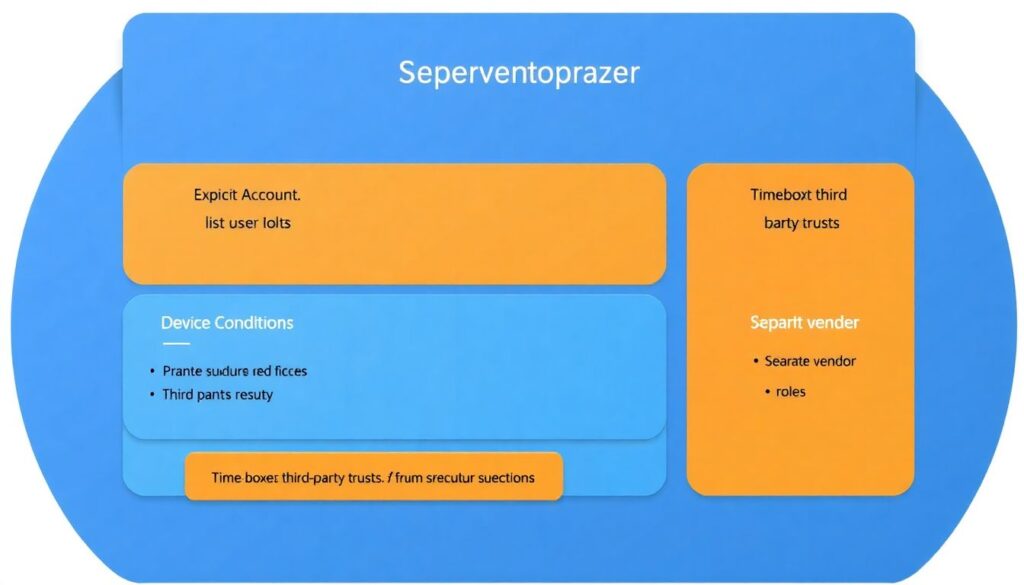
- Replace “any principal” with explicit lists of allowed accounts, projects or tenants.
- Introduce conditions on device, network or workload identity where supported.
- Time-box third-party trusts with expiration dates and recurring reviews.
- Create separate roles for vendors’ operational tasks and support tasks, each with narrower permissions.
Inadequate credential lifecycle management
Weak credential lifecycle management leads to long-lived, shared or forgotten credentials that attackers love. Fixing this safely means first mapping all credential types, then progressively rotating them, and finally enforcing policies that push teams toward short-lived and federated access.
Typical causes of lifecycle issues
- Manual creation of access keys without rotation policies.
- Shared credentials in scripts, CI pipelines or configuration files.
- Lack of ownership: nobody is clearly responsible for particular keys or secrets.
- Old integrations with legacy systems that still use static credentials.
- Focus on platform de gestão de identidades em nuvem preço instead of process maturity and automation.
Causes and fixes: read-only checks first
| Symptom | Likely causes | How to verify (safe, read-only) | How to fix (phased approach) |
|---|---|---|---|
| Many active access keys with unknown owners | Historic key creation, lack of tagging and no owner registry. | List all keys, sort by last used date, check tags and correlate with HR and team rosters. | Tag each key with owner and purpose, then deprecate unused ones after owner confirmation and monitoring. |
| Access keys never rotated | No automation, fear of breaking integrations, no rotation policy. | Query key creation dates and rotation history; identify keys older than your internal threshold. | Introduce rotation playbooks per system, test in staging, then roll out periodic rotation with alerts for failures. |
| Credentials embedded in code or CI/CD configs | Convenience practices during initial setup, lack of secrets management tools. | Scan repositories and pipeline configs with secret-scanning tools in read-only mode. | Move secrets into a managed vault, update apps to pull from vault, then revoke hard-coded credentials. |
| Former employees’ access still works | No integration between HR and IAM, manual deprovisioning. | Compare active identities with HR termination lists and last login timestamps. | Implement automated deprovisioning tied to HR events and disable rather than delete identities initially. |
| Service accounts used for interactive logins | Confusion between human and technical identities, missing SSO. | Review login logs for service accounts; check interactive vs non-interactive sessions. | Move users to SSO with MFA, restrict service accounts to non-interactive usage and specific workloads. |
Remediation strategy for credential lifecycle
- Classify credentials into human, service account, API key, certificate and secret categories.
- For each category, define maximum acceptable lifetime, rotation frequency and storage mechanism (vault, HSM, SSO).
- Implement detection of stale credentials using cloud logs and IAM reports.
- Automate rotation where possible, especially for CI/CD, databases and application-to-application calls.
- For AWS, prefer STS and IAM roles; for Azure, use managed identities; for GCP, favor service account impersonation and short-lived tokens.
Neglecting conditional access and contextual controls
Ignoring conditional access leaves you with “all or nothing” permissions. You can significantly reduce risk by layering contextual checks: network, device, risk signals and session controls. The steps below go from safe, low-impact analysis to higher-impact enforcement.
Step 1 – Inventory existing conditional access and policies
- Document all current network-based restrictions, device policies and login risk rules in your IAM and SSO platforms.
- Identify high-value applications and cloud consoles with admin capabilities.
- Note legacy applications that may break if strong conditional access is enforced too aggressively.
Step 2 – Analyze sign-in patterns safely
- Collect login data: locations, IP ranges, devices, OS versions and times of day.
- Highlight risky patterns: foreign logins without business justification, impossible travel events, TOR or anonymizer usage.
- Run these analyses in monitoring-only mode first; do not block anything yet.
Step 3 – Pilot stricter controls in report-only mode
- Create conditional policies for admin and privileged roles only, targeting cloud consoles and sensitive apps.
- Start in report-only or audit-only mode so you see who would be blocked without actually blocking them.
- Adjust conditions (allowed locations, compliant devices, MFA requirements) based on observed impact.
Step 4 – Enforce low-risk protections
- Mandate MFA for all cloud admin and break-glass accounts.
- Block logins from clearly malicious networks and locations with no business presence.
- Require compliant or hybrid-joined devices for access to management consoles where possible.
Step 5 – Phase in stronger restrictions
- Gradually extend conditional access to all users for critical apps, not only admins.
- Introduce session controls such as limited session duration and step-up MFA for sensitive operations.
- Revisit app exceptions regularly and remove them once technical blockers are resolved.
Cloud notes: in AWS, combine IAM with AWS SSO and network controls; in Azure, leverage Entra ID Conditional Access; in GCP, use BeyondCorp Enterprise and context-aware access around IAM.
Insufficient monitoring, logging and incident response
Without high-quality logs and clear playbooks, IAM incidents are hard to detect and even harder to contain. Prioritize enabling logging in a centralized, immutable location before tightening any policies, so you can quickly roll back and investigate side effects.
When to escalate IAM incidents to specialists
- Suspicious admin activity: unexpected role creations, policy changes or new trust relationships in production without approved change tickets.
- Evidence of compromised credentials: impossible travel events, logins from unusual locations, or successful logins shortly after failed brute-force attempts.
- Unexpected access to sensitive data: data exports or mass downloads triggered by identities that normally do not handle that data.
- Inability to explain access paths: users can reach systems or data, but nobody can clearly describe which roles or trusts enable this.
- Break-glass account usage outside of documented incident response tests or real incidents.
- Vendor or third-party accounts performing operations outside the scope of their contracts.
Whom to engage, and in what order
- Internal security team or cloud security architect to assess blast radius and decide initial containment steps.
- Cloud platform support (AWS, Azure, GCP) when IAM behavior does not align with documented configuration, or logs appear incomplete.
- Identity provider or SSO vendor when conditional access, MFA or risk-based rules misbehave.
- Legal and compliance teams if personal or regulated data may have been accessed.
- Third-party vendors whose integrations are involved, especially managed security providers.
Minimum monitoring baseline for IAM
- Enable and centralize audit logs for login events, role assumptions, policy changes and trust relationship updates.
- Create alerts for high-risk events: new admin role assignments, root or owner logins, and changes to conditional access policies.
- Retain logs for long enough to investigate slow-moving attacks, aligned with your compliance needs.
- Test your incident response runbooks in staging environments at regular intervals.
Third-party access, service accounts and cross-account risks
Third-party access and service accounts often bypass normal human-focused security controls. The safest strategy is to isolate them, minimize their permissions and monitor them closely, especially in multi-account or multi-project setups.
Preventive controls for external and non-human access
- Segment vendors and tools into dedicated projects, subscriptions or accounts with tightly scoped roles.
- Create one role per vendor use case (monitoring, backup, ticketing), each with minimal permissions.
- Prohibit sharing of service account credentials across environments; use separate identities for dev, test and prod.
- Rotate service account keys frequently and prefer keyless mechanisms where supported.
- Enforce IP allowlists or private connectivity for critical vendor integrations whenever possible.
- Require contractual commitments for security practices, including key management and incident reporting timelines.
- Regularly review vendor access logs for unusual behavior, especially out-of-hours activity and configuration changes.
- In multi-cloud setups, document clearly how each ferramenta de gestão de acesso na nuvem interacts with AWS, Azure and GCP IAM.
- Use just-in-time elevation for support sessions instead of permanent high-privilege vendor roles.
- Decommission vendor access promptly when contracts end, including removal of roles, keys, and webhooks.
Troubleshooting: concise answers for recurring IAM incidents
How can I safely identify overprivileged users without breaking anything?
Run read-only exports of IAM identities and policies, then use built-in analyzers or reports to see unused permissions and admin-equivalent roles. Correlate this with access logs to understand real usage before changing any permissions, and test proposed least-privilege roles in non-production first.
What is the best approach to fix broken role assumptions?
Start by confirming which identity is failing to assume which role, then review trust configurations and logs for that path only. Narrow overly broad trusts to explicit principals, test the corrected trust in a lower environment, and finally roll out to production with close monitoring.
How often should I rotate access keys and secrets in cloud IAM?

Define a maximum lifetime for each credential type based on risk and technical constraints, then automate rotation where possible. Any unrotated, long-lived key used for critical workloads should be prioritized, but always test rotation procedures in staging before applying them to production systems.
When should conditional access move from report-only to enforcement?
After at least one full business cycle where report-only mode shows low predicted impact and no critical workflows would be blocked. Start enforcement for admins and high-value apps, communicate changes clearly to users, and maintain rollback plans in case misconfigurations appear.
How do I know if an IAM incident requires escalation?
Escalate when there are signs of credential compromise, unexplained privilege changes, or access to sensitive data that cannot be justified. Also escalate if logs are missing or inconsistent, or if break-glass accounts are used unexpectedly outside of documented tests or real emergencies.
What is the safest way to handle third-party access to production?
Give each vendor isolated, least-privilege roles in dedicated scopes, enforce MFA or strong authentication, and restrict network paths where possible. Enable detailed logging for their activities, review their access periodically, and strictly remove all access when the contract ends.
How can I improve IAM without immediately buying a new platform?
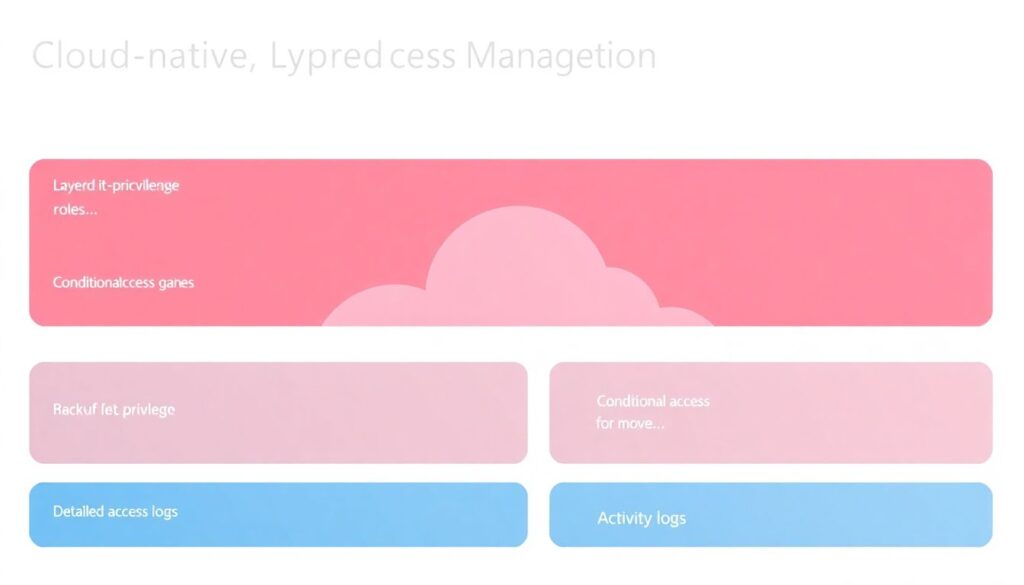
Focus first on processes: least-privilege role design, credential lifecycle, conditional access and logging. Many cloud-native IAM capabilities already support these; additional ferramentas de gestão de acesso na nuvem or a new plataforma de gestão de identidades em nuvem may help later but cannot replace sound operational practices.