
Hardening containers and Kubernetes on public cloud in Brazil means combining secure images, locked down runtimes, strict RBAC, network policies, and cloud-native monitoring. Focus on practical baselines that work across AWS, Azure, and GCP, then refine for each workload. Start small, validate each control, and avoid breaking production with untested changes.
Critical Security Controls Overview for Cloud Containers
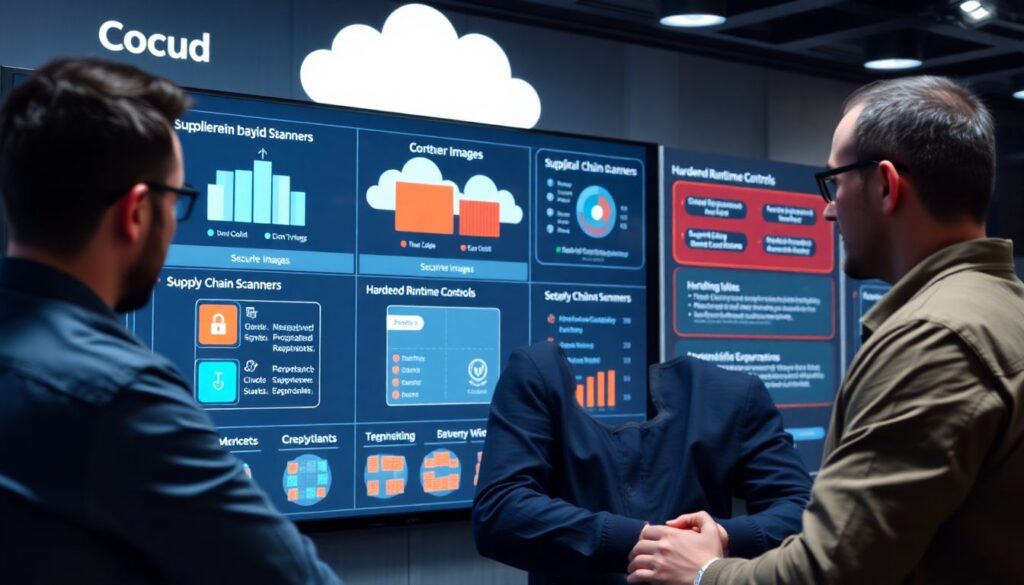
- Define cloud-specific threat models before deploying: who can access what, from where, and through which managed services.
- Use minimal, verified images with a controlled supply chain and automated scanning at build and deploy time.
- Harden container runtimes with kernel controls, read-only filesystems, and strict capabilities, avoiding privileged workloads.
- Apply least-privilege RBAC, protected Kubernetes API servers, and separate roles per team and environment.
- Enforce Kubernetes NetworkPolicies and, when needed, service mesh mTLS to restrict east-west and north-south traffic.
- Leverage cloud-native logs, managed security services, and container-aware detection to shorten incident response time.
- Continuously test changes with staging clusters and simple smoke tests to keep security and availability balanced.
Threat Modeling for Cloud Container Deployments
This guide focuses on hardening de containers em kubernetes na nuvem pública for intermediate teams that already run workloads in production. It is suitable when you have at least a basic CI/CD pipeline and use managed Kubernetes like EKS, AKS, or GKE.
Avoid a big-bang project. Instead, apply melhores práticas de segurança kubernetes em provedores de nuvem in small, testable increments. Threat modeling here should be fast and pragmatic:
- Identify critical assets – APIs handling PII, payment data, or business secrets, plus CI/CD systems and container registries.
- Map entry points – Ingress controllers, public Load Balancers, bastion hosts, VPNs, and cloud identity providers.
- List likely attackers – Compromised developer laptops, leaked cloud keys, supply chain attacks, and abused service accounts.
- Review cloud-specific paths – For como proteger clusters kubernetes e containers na aws azure gcp, include roles, managed node groups, and managed control plane boundaries.
- Decide risk tolerances – What must never be reachable from the internet, and what downtime is acceptable during hardening.
You probably should not run a full formal threat modeling workshop for every tiny microservice. Instead, apply this lightweight checklist per cluster or per application group, and revisit when you add new public endpoints or highly privileged workloads.
Secure Base Images and Image Supply Chain Controls
Before you start, gather the tools, access, and processes needed to secure images end to end. This will also clarify which ferramentas de hardening de containers docker e kubernetes you rely on daily.
Prerequisites and tooling
- Access to your container registries:
- AWS: ECR repositories and IAM permissions for push, pull, and scan.
- Azure: ACR with role assignments (AcrPush, AcrPull) per team or workload.
- GCP: Artifact Registry or GCR with appropriate IAM roles.
- Image scanning and signing tools:
- Scanner (e.g., built-in ECR/ACR/GCR scanning or third-party) integrated into CI.
- Signature tooling (e.g., Cosign, Notary v2) and a key management plan using KMS or Key Vault.
- Base image strategy:
- Choose minimal, distro-less, or vendor-supported base images.
- Maintain an internal catalog of approved base images with version tags.
- CI/CD integration:
- Jobs that fail on high-severity vulnerabilities or unsigned images.
- Policies that prevent deploying from untrusted registries and public images.
- Cloud integration:
- AWS: ECR lifecycle policies, Inspector / security hub integrations.
- Azure: Defender for Cloud with ACR scanning, policy assignments via Azure Policy.
- GCP: Security Command Center findings from Artifact Registry scans.
Operational habits
- Regularly rebuild images to pick up base image patches, not only application code changes.
- Prohibit sshd and unnecessary tools in images; rely on kubectl exec and ephemeral debug pods instead.
- Tag images immutably (e.g., git commit SHA) and avoid mutable tags like latest in production.
Runtime Hardening: Kernel, Container Runtimes, and Namespaces
Before applying the step-by-step runtime hardening, consider these risks and limitations:
- Too-aggressive kernel restrictions or PodSecurity policies can cause outages if not tested in staging first.
- Some managed services for kubernetes em nuvem pública limit low-level kernel tweaks; rely on supported features whenever possible.
- Third-party agents may require extra capabilities; coordinate with observability and security teams.
- Advanced isolation (gVisor, Kata) adds overhead; measure performance impact for latency-sensitive workloads.
- Lock down host and kernel configuration – Use the official CIS benchmarks for Linux distributions as a reference, but apply cautiously.
- AWS: Prefer managed node groups with hardened AMIs and disable direct SSH where possible.
- Azure: For AKS, use node image upgrades and restrict direct VM access via Just-In-Time access.
- GCP: Use GKE node auto-upgrade and Shielded GKE nodes where available.
- Verify: Run a lightweight hardening report (e.g., OS-level audit tool) and ensure no required kube components fail.
- Reduce container Linux capabilities and privilege – All clusters should avoid privileged pods and hostPath unless absolutely required.
- Define PodSecurity admission (or Pod Security Standards labels) targeting baseline or restricted profiles as default.
- Explicitly drop all capabilities, then add back only those required for each workload.
- Verify: Deploy a test pod with restricted securityContext and ensure application logs show no permission errors.
- Enforce non-root and read-only filesystems – Running as root inside containers increases impact of any compromise.
- Set runAsNonRoot and runAsUser in pod or namespace-level securityContext defaults.
- Configure readOnlyRootFilesystem where the app does not need to write to the container image layer.
- Verify: Attempt to write to root paths inside a test container and confirm operations fail as expected.
- Use supported sandboxed runtimes where needed – For highly sensitive workloads, consider extra isolation.
- AWS: EKS supports gVisor and Firecracker-based options through add-ons and partners.
- Azure: AKS exposes options for Kata Containers or similar runtimes via node pools.
- GCP: GKE Sandbox (gVisor) can be enabled per node pool for untrusted code paths.
- Verify: Deploy a sample workload on sandboxed nodes and monitor latency, CPU usage, and logs.
- Harden container runtime configuration – Docker, containerd, and CRI-O must be configured safely.
- Disable legacy Docker features such as unauthorized Docker socket access from containers.
- Ensure runtime socket is owned and only accessible by root and the Kubernetes components.
- Verify: Scan nodes for unexpected listeners or open Docker APIs and ensure no container mounts /var/run/docker.sock.
- Apply syscall and seccomp profiles – Limit syscalls accessible from containers to lower the kernel attack surface.
- Start with Kubernetes default seccomp profiles or cloud-provider recommendations.
- Gradually move high-risk workloads to custom profiles built from observed syscall sets.
- Verify: Deploy with new profiles in staging and watch logs for blocked syscalls or crashes.
Kubernetes Control Plane, RBAC and API Server Protection
Use this checklist to validate that your Kubernetes control plane and RBAC configuration follow safe defaults in public cloud environments.
- API server endpoint is private or restricted by IP ranges, VPN, or private connectivity (PrivateLink, ExpressRoute, Cloud VPN).
- kubectl access uses cloud SSO or managed identities, not long-lived static kubeconfig credentials.
- Separate clusters for production and non-production; no shared admin accounts across environments.
- RBAC roles follow least privilege with namespace-scoped roles for most users and service accounts.
- Cluster-admin is granted only to a very small group and used via break-glass procedures with logging.
- Admission controllers (e.g., PodSecurity, image policy webhooks) are enabled for image and security policy enforcement.
- AWS: EKS uses aws-auth mapping with IAM roles rather than embedding static keys in kubeconfigs.
- Azure: AKS integrates with Azure AD; group-based access is configured and audited regularly.
- GCP: GKE uses Google Cloud IAM for cluster access; legacy basic auth and client certs are disabled.
- Audit logs from the Kubernetes API are enabled and shipped to the cloud-native logging service for long-term retention.
Network Policy Enforcement and Service Mesh Hardening

Network segmentation is fundamental to como proteger clusters kubernetes e containers na aws azure gcp, yet teams often introduce problems while enabling policies or service meshes. Avoid these common mistakes.
- Enabling deny-all NetworkPolicies without first defining allow rules for DNS, health checks, and critical dependencies.
- Relying only on cloud security groups or firewalls and ignoring Kubernetes NetworkPolicies for pod-to-pod traffic.
- Deploying a service mesh with mTLS but leaving default permissive policies that still allow unintended access paths.
- Not updating readiness and liveness probes when network restrictions change, leading to cascading pod restarts.
- Skipping performance tests after mesh deployment, which hides latency and resource overhead until peak traffic.
- Exposing service mesh control plane dashboards or admin APIs directly to the internet without strong authentication.
- Assuming that Ingress controllers are secure by default and not tightening TLS settings or allowed ciphers.
- Failing to align mesh identities with cloud IAM, complicating incident response and breaking zero-trust assumptions.
- Not documenting required egress destinations, which makes later egress lockdown efforts painful and error-prone.
- Ignoring managed WAF and DDoS protection in front of public Ingress, despite available serviços gerenciados de segurança para kubernetes em nuvem pública.
Detection, Logging, Incident Response and Forensics in Cloud Kubernetes
There are several practical approaches to detection and incident handling for Kubernetes on public clouds; choose or combine them based on your team size, skills, and regulatory needs.
- Cloud-native baseline with minimal agents – Use built-in services (CloudTrail, CloudWatch, GuardDuty on AWS; Activity Log, Defender for Cloud on Azure; Cloud Logging, Cloud Audit Logs, Security Command Center on GCP) plus basic Kubernetes audit logs. Choose this when you want a low-maintenance baseline with limited customization.
- Dedicated container security platforms – Deploy tools focused on container runtime, Kubernetes events, and image scanning that integrate across AWS, Azure, and GCP. This fits teams needing unified dashboards and guided workflows for hardening de containers em kubernetes na nuvem pública.
- Centralized SIEM with Kubernetes enrichment – Send all cloud and cluster logs to a SIEM, enrich with Kubernetes metadata, and build playbooks for common alerts. This is ideal for organizations with an existing SOC and strict compliance requirements.
- Managed detection and response services – For smaller teams, use MDR or specialized serviços gerenciados de segurança para kubernetes em nuvem pública that monitor runtime behavior and respond to incidents, at the cost of vendor dependence and less fine-grained tuning.
Implementation Pitfalls and Clarifications
Do I need separate clusters for each environment and tenant?
For most intermediate teams, separate production and non-production clusters is a safe baseline. Multi-tenant clusters require strong isolation with NetworkPolicies, PodSecurity, and quotas; if you cannot reliably manage these, prefer more clusters over complex sharing.
How can I harden Kubernetes without breaking existing workloads?
Always introduce new controls in a staging cluster first, then enable them in audit or warning mode when available. Roll out restrictive settings gradually, per namespace or application, and keep a simple rollback plan like removing a label or toggling a feature flag.
Are managed Kubernetes services secure enough by default?
Managed services handle the control plane, patches, and basic security, but defaults still allow risky configurations. You must configure RBAC, NetworkPolicies, image controls, and runtime hardening on top of what the provider offers.
Which security tasks should run in CI/CD versus in the cluster?
Run image scanning, signing, and policy checks in CI/CD to block bad artifacts early. Use in-cluster admission controllers and runtime detection to catch misconfigurations, drift, and behaviors that only appear after deployment.
How often should I review Kubernetes security configurations?

Review critical controls, such as RBAC and public endpoints, at least every few months or after major changes. Automate continuous checks where possible so that configuration drift or dangerous permissions are detected quickly.
What is the best way to start with NetworkPolicies?
Begin with a single namespace and apply a default-allow policy that you gradually tighten. Document required traffic flows first, then move toward a default-deny approach once you are confident that essential paths are covered.
When should I consider a service mesh for security?
Consider a mesh when you need consistent mTLS, fine-grained traffic policies, or multi-cluster routing that simple NetworkPolicies cannot provide. If your team is small and not ready to manage mesh complexity, focus on strong NetworkPolicies and ingress hardening first.