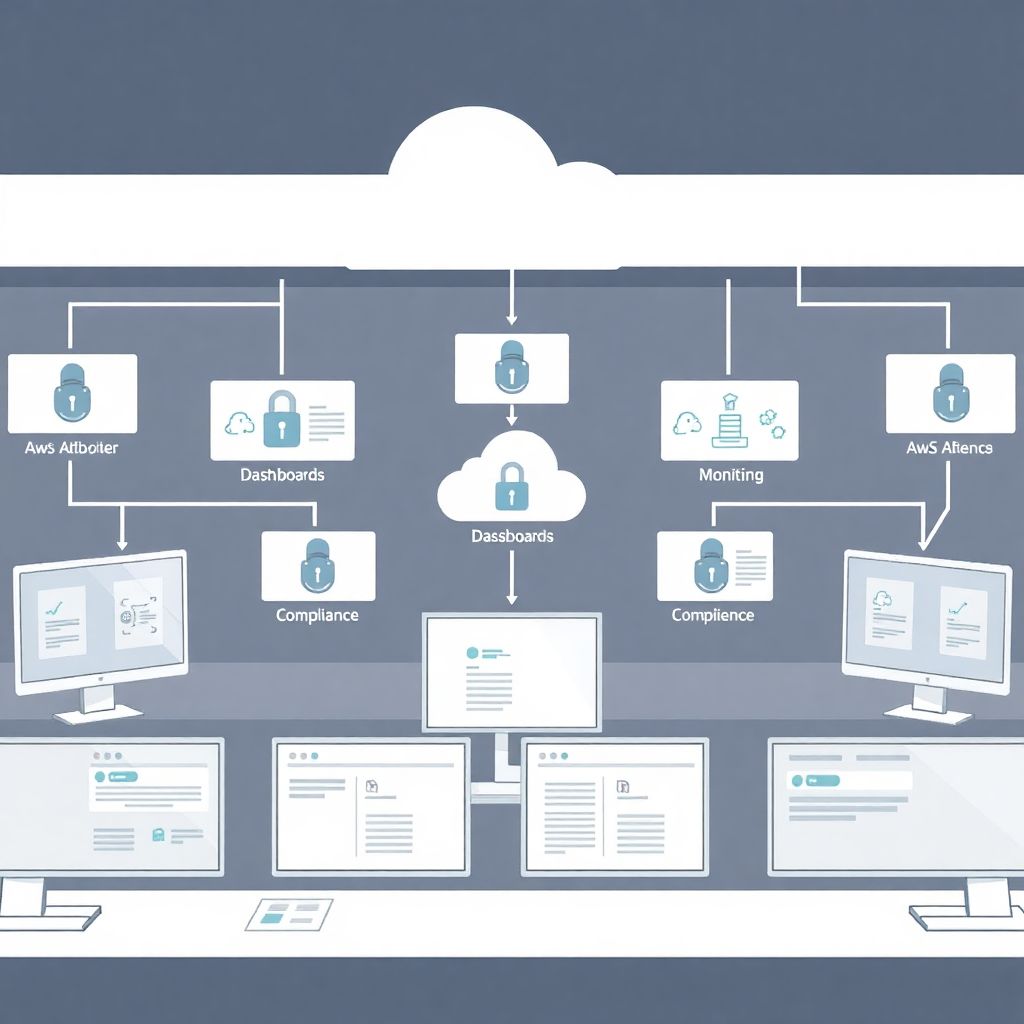
Secure configuration of AWS accounts starts with strong foundations: Organizations, SCPs, MFA, least‑privilege IAM, segmented VPCs, mandatory encryption, and continuous monitoring. For both new and legacy environments, prioritize centralized logging, GuardDuty, backups, and automated remediation. Treat every account as production, and document decisions to enable future auditing and safe scaling.
Immediate Hardening Checklist for New and Legacy AWS Accounts
- Disable direct use of the root user and enforce MFA for all human identities.
- Join accounts to AWS Organizations and apply restrictive Service Control Policies (SCPs).
- Lock down public S3 access and require encryption for data at rest and in transit.
- Standardize VPC design with limited ingress, Flow Logs, and centralized egress.
- Enable CloudTrail, GuardDuty, and Config in every region you use.
- Implement scheduled backups, patching workflows, and minimal standing admin permissions.
- Run periodic auditoria segurança aws contas legadas to catch drift and misconfigurations.
Account Foundations: Organizations, Landing Zones and Service Control Policies
This foundation layer fits companies that want consistent, scalable security across multiple AWS accounts, including Brazil‑based organizations applying melhores práticas segurança aws para empresas. Avoid over‑engineering if you truly have a single experimental account and no production data, but plan for growth to prevent costly rework.
For production or regulated workloads, start by consolidating all accounts (new and legacy) into a single AWS Organizations structure. Use an organization root account only for governance: no workloads, no users, no keys. Attach organizational units (OUs) for security, infrastructure, workloads, and sandbox, with progressively stronger SCPs.
Create or adopt a landing zone. You can use AWS Control Tower, third‑party serviços configuração segura aws, or your own Terraform modules. The key outcomes are:
- Dedicated log archive and security tooling accounts.
- Baseline guardrails as SCPs (for example: block disabling CloudTrail, block leaving the organization).
- Standard tags for cost allocation and ownership.
- Centralized ingress/egress VPCs instead of ad‑hoc internet gateways everywhere.
When dealing with legacy environments, migrate accounts gradually into AWS Organizations. Start with low‑risk accounts to validate SCPs before attaching to critical production OUs. Use read‑only assessments first to avoid accidental lockouts, and always keep a break‑glass role exempted from your strictest policies.
Example SCP snippet (blocking root user use) as part of an implementação arquitetura segura na aws:
{
  "Version": "2012-10-17",
  "Statement": [
    {
      "Sid": "DenyRootUserActions",
      "Effect": "Deny",
      "Action": "*",
      "Principal": {"AWS": "arn:aws:iam::*:root"},
      "Resource": "*"
    }
  ]
}
For organizations without internal expertise, partnering with a local consultoria segurança aws can accelerate the design of a compliant, scalable landing zone while fitting Brazilian regulatory and data residency expectations.
| Area | New AWS Accounts (Greenfield) | Legacy AWS Accounts (Brownfield) |
|---|---|---|
| Organizations & OUs | Create org, root, and OUs before any workloads. Enroll accounts as they are created. | Inventory existing accounts, then migrate in waves. Start with non‑production to test policies. |
| SCP Strategy | Apply strict SCPs from day one, using deny‑by‑default for risky services. | Begin with monitoring‑only and soft guardrails, then tighten SCPs based on audit findings. |
| Landing Zone | Implement standard landing zone (e.g., Control Tower) as the only way to create accounts. | Map current patterns, then converge over time to the same landing‑zone blueprint. |
| Audit Approach | Validate configuration against baseline before first workload is deployed. | Perform focused auditoria segurança aws contas legadas to prioritize remediation. |
Identity and Access Management: MFA, Cross-account Roles and Least-Privilege
This layer requires management‑level access to AWS IAM and possibly your corporate identity provider (IdP). You will need:
- Permissions to configure IAM roles, groups, and policies in each account.
- Access to AWS Organizations for permission boundaries or SCP adjustments.
- Admin access to your SSO/IdP if you are integrating AWS IAM Identity Center (formerly SSO).
- Ability to communicate and enforce MFA usage for all engineers and administrators.
Start by eliminating IAM users wherever possible. Use IAM roles assumed via SSO or federation, with short‑lived sessions. Enforce MFA at the IdP layer and, for remaining IAM users, use MFA‑protected API access. Create separate roles for administration, read‑only operations, and break‑glass, all with clear conditions and session durations.
Cross‑account access should be role‑based, not key‑based. For example, a centralized security account can assume a read‑only role into workload accounts to run vulnerability scans and compliance checks. Define permission boundaries for developer‑created roles to avoid privilege escalation and enforce least‑privilege.
For legacy environments, audit existing IAM users and policies. Remove unused accounts, rotate remaining access keys, and refactor wildcards in policies (such as "Action": "*") into narrower scopes. Align this work with your melhores práticas segurança aws para empresas guidelines and include it in onboarding checklists for new teams.
Simple AWS CLI example to create a read‑only cross‑account role (trust policy managed separately):
aws iam create-role
  --role-name OrgReadOnly
  --assume-role-policy-document file://trust.json

aws iam attach-role-policy
  --role-name OrgReadOnly
  --policy-arn arn:aws:iam::aws:policy/ReadOnlyAccess
This structured IAM layer is a core part of any serious implementação arquitetura segura na aws, especially for companies with multiple teams and compliance requirements.
Network & Perimeter Controls: VPC Design, Transit, Flow Logs and NACLs
This section walks through a safe, incremental way to standardize network security for both new and legacy accounts without breaking connectivity.
-
Standardize VPC and subnet layout
Define a reference VPC design with separate public, private, and isolated subnets across availability zones. For new accounts, create only from this template; for legacy, gradually migrate workloads.
- Use Infrastructure as Code (Terraform, CloudFormation) to avoid drift.
- Assign non‑overlapping CIDR blocks to support future peering or Transit Gateway.
-
Centralize egress and control ingress
Route outbound traffic through NAT gateways or centralized egress VPCs. Avoid direct internet access for databases and internal services. Restrict inbound access to load balancers and bastion hosts only.
- Use security groups tied to application roles instead of IP‑based rules only.
- For Brazil offices, terminate VPN or Direct Connect in a dedicated networking account.
-
Enable and analyze VPC Flow Logs
Turn on Flow Logs for all VPCs, sending them to a log archive account via CloudWatch Logs or S3. Use them to detect unexpected internet access or cross‑VPC communication.
- Align retention with your data governance policies.
- Feed Flow Logs to a SIEM to correlate with GuardDuty and CloudTrail.
-
Harden NACLs and security groups
Keep NACLs stateless and coarse‑grained (for example, block known bad ranges), while security groups stay fine‑grained and application‑centric. Avoid overly permissive rules like 0.0.0.0/0 for SSH and databases.
- Use AWS Managed Prefix Lists to centralize allowed egress destinations where possible.
- Regularly review rules as part of your serviços configuração segura aws or internal change management.
-
Introduce Transit Gateway or hub‑and‑spoke patterns
For multiple VPCs, prefer AWS Transit Gateway over many peerings. Place shared services (logging, security tools, CI/CD) in a central VPC attached to the Transit Gateway.
- Use route tables per OU or environment for isolation.
- Leverage tags to drive automated validation of route configurations.
Example Terraform snippet to enable VPC Flow Logs to CloudWatch Logs:
resource "aws_flow_log" "vpc_flow" {
  log_destination      = aws_cloudwatch_log_group.vpc_logs.arn
  traffic_type         = "ALL"
  vpc_id               = aws_vpc.main.id
  log_destination_type = "cloud-watch-logs"
}
Fast-track mode for network hardening
- Turn on VPC Flow Logs for every VPC and ship them to a central account.
- Audit all security groups; remove 0.0.0.0/0 from SSH, RDP, and database ports.
- Force all outbound traffic through NAT gateways or a dedicated egress VPC.
- For multi‑VPC setups, plan a simple Transit Gateway hub‑and‑spoke and start with dev/test.
Data Protection: Encryption, S3 Policies, KMS and Data Classification
Use this checklist to verify that your data protection controls are working as intended and aligned with your internal and Brazilian regulatory requirements.
- All S3 buckets have public access blocked at the account and bucket level, except for explicitly documented public assets.
- S3 default encryption is enabled (SSE‑KMS or SSE‑S3) for every bucket storing customer, financial, or internal data.
- Bucket policies disallow unencrypted uploads and restrict access by VPC endpoint or IAM principal where feasible.
- Server‑side encryption is enabled for RDS, EBS, EFS, and any data store that supports it, with KMS keys managed centrally.
- Sensitive data types (PII, payment, health) are identified and mapped to specific AWS accounts, regions, and services.
- KMS key policies use least‑privilege, separating key administrators from key users and forbidding wildcard principals.
- Data in transit uses TLS for all public endpoints, with certificates managed through ACM and automated renewals.
- Lifecycle policies are in place for S3 to transition or delete objects according to retention rules.
- Data backup locations (cross‑region or cross‑account) are documented and protected with separate IAM and KMS keys.
- Periodic validation restores are performed from backups and snapshots to confirm recoverability.
Example AWS CLI command to enable default encryption on an S3 bucket with a KMS key:
aws s3api put-bucket-encryption
  --bucket my-secure-bucket
  --server-side-encryption-configuration '{
    "Rules":[{"ApplyServerSideEncryptionByDefault":{"SSEAlgorithm":"aws:kms"}}]
  }'
Monitoring and Incident Readiness: CloudTrail, GuardDuty, SIEM Integration and Playbooks
These are frequent pitfalls that weaken monitoring and incident response, especially when scaling from a single account to many.
- CloudTrail not enabled in all regions, or not configured as an organization‑wide trail writing to a dedicated log archive account.
- GuardDuty disabled in some accounts or regions, leaving blind spots attackers can exploit.
- Logs stored only in the source account, with no cross‑account centralization for investigation and long‑term retention.
- No integration between AWS logs (CloudTrail, VPC Flow Logs, ALB/ELB logs) and your centralized SIEM or SOC tools.
- Playbooks missing for common incidents such as key compromise, public S3 exposure, or suspected EC2 malware.
- Overly noisy alerts that cause alert fatigue, leading teams to ignore or mute critical security notifications.
- Lack of run‑books and rehearsal: teams never practice incident response, so ownership and communication are unclear.
- Monitoring focused only on production; test and sandbox accounts remain unmonitored despite hosting real credentials and data.
- Missing integrity checks on logs, such as CloudTrail log file validation or S3 object lock for critical logs.
- No mapping between AWS security findings and your formal risk register or compliance controls.
Example AWS CLI command to enable GuardDuty for a single account in the current region:
aws guardduty create-detector --enable
Include these topics in your internal training or in engagements with a consultoria segurança aws so that response readiness evolves with your architecture.
Operational Hygiene: Patching, Backups, Cost Controls and Automated Remediation
This section outlines alternative approaches to day‑to‑day security operations. Choose the mix that fits your team size, skills, and regulatory context.
Option 1: Native AWS services as the primary toolbox
Use AWS Systems Manager (SSM) for patching, State Manager for baseline enforcement, Backup for snapshots and retention, and Config + Systems Manager Automation for simple remediation. This option is ideal if most workloads already run on EC2, RDS, and standard AWS managed services.
Option 2: Hybrid with existing enterprise tools

Integrate your current patching platform, backup software, and SIEM with AWS resources. Use SSM agents and CloudWatch metrics for visibility, but keep core processes in tools your operations team already knows. This is often the easiest path for organizations migrating from on‑premises data centers in Brazil.
Option 3: Fully automated, IaC‑driven operations
Codify patch windows, backup plans, and security controls as code (Terraform, CloudFormation, CDK). Use pipelines to apply changes and run policy checks (for example, with Open Policy Agent or AWS Config rules). This works best when your engineering teams already manage infrastructure through Git and CI/CD.
Option 4: Managed services and external partners
Rely on managed databases, serverless (Lambda, Fargate), and platform services to minimize patching work. Complement this with specialized serviços configuração segura aws or a long‑term consultoria segurança aws engagement that continuously tunes guardrails, performs auditoria segurança aws contas legadas, and aligns you with melhores práticas segurança aws para empresas.
Example AWS CLI to start a simple on‑demand patch scan via SSM:
aws ssm start-automation-execution
  --document-name "AWS-RunPatchBaseline"
  --parameters '{"Operation":["Scan"]}'
Targeted Answers on Migration, Cost Optimization and Compliance
How should I prioritize security for a big legacy AWS environment?
Start by centralizing accounts under AWS Organizations, then enable organization‑wide CloudTrail and GuardDuty. Next, perform a targeted auditoria segurança aws contas legadas to rank misconfigurations by impact, focusing first on public exposure, missing encryption, and over‑privileged IAM roles.
Can I improve security while also lowering my AWS costs?
Yes. Standardizing VPC egress, right‑sizing NAT gateways, and decommissioning unused resources discovered during audits often reduce spend. Security tagging also improves cost allocation, making it easier to spot and remove waste.
What is the safest way to migrate workloads into a new landing zone?
Create the new landing zone with all guardrails in place, then move workloads account by account. Use blue/green cutovers where possible and validate logging, backup, and IAM before switching production traffic.
Do I need an external partner to reach compliance on AWS?
Not always, but a specialized consultoria segurança aws can accelerate complex areas such as Brazilian data protection regulations, sector‑specific norms, and audits. For smaller environments, internal teams with clear guidelines can implement most controls.
How can I keep multiple teams from breaking shared security rules?
Enforce high‑level guardrails with SCPs, permission boundaries, and AWS Config rules. Combine them with code reviews and CI checks so unsafe patterns are caught before deployment rather than during production incidents.
Which services are essential for a minimum viable secure AWS setup?
At minimum, use Organizations, IAM Identity Center or strong IAM practices, CloudTrail, GuardDuty, Config, KMS, and basic SSM. Combined with a solid VPC design, these form a practical baseline for an implementação arquitetura segura na aws.
How do I align AWS security with Brazilian compliance requirements?
Classify data types, define which regions are allowed, and document retention policies. Then map controls in this guide to your compliance framework and use recurring assessments to prove that implemented controls are working as designed.
Комментарии