
Use this practical checklist de segurança para deploy em cloud to block common attack paths before first release. Define environments, lock identities, segment networks, secure pipelines, and test runtime behavior. Apply these melhores práticas de segurança para implantação de aplicações na nuvem consistently on every change, not only on the initial launch.
Essential security objectives before cloud deployment

- Have a complete, tagged inventory of all cloud assets involved in the deployment.
- Apply least privilege and strong credential hygiene to every human and machine identity.
- Enforce clear network segmentation and minimal ingress / egress paths.
- Integrate automated security checks inside the CI/CD pipeline, blocking unsafe builds.
- Continuously validate runtime behavior with logging, monitoring and post-deploy tests.
- Prepare, document and test backup, rollback and incident response procedures.
Pre-deployment environment inventory and baseline
This guide fits product teams in Brazilian organizations already running in AWS, Azure or GCP and planning como garantir deploy seguro de aplicações cloud for new workloads. It is less useful if you lack basic cloud access, formal ownership of the application, or the ability to change infrastructure definitions.
Start with a minimal but precise picture of where the application will live and what it depends on.
- Map all environments (dev, stage, production). List accounts/subscriptions/projects, regions and main services (compute, database, storage, messaging).
- Identify owners for each environment: product, engineering, operations and security contacts with clear emails or Slack channels.
- Tag critical assets with environment, application, owner and data classification tags in the cloud provider.
- Baseline current exposure by listing public endpoints, open security groups, public buckets and externally reachable databases.
- Document dependencies such as third-party APIs, SaaS tools and internal services that your deployment will call.
Identity, access management and credential hygiene
Before enforcing políticas de segurança для lançamento de novas aplicações na nuvem, align the tools and access levels that IAM and security operations will use.
- Access to the cloud IAM console (e.g., AWS IAM, Azure AD / Entra ID, Google IAM) with permissions to read and modify roles and policies.
- Source code repository access (GitHub, GitLab, Bitbucket) with admin rights to configure secrets, branch protections and required checks.
- CI/CD platform access (GitHub Actions, GitLab CI, Azure DevOps, Jenkins, Argo CD, etc.) to manage runners, secrets and approvals.
- Organization password manager or secrets manager (AWS Secrets Manager, Azure Key Vault, GCP Secret Manager, HashiCorp Vault).
- Multi-factor authentication (MFA) enabled accounts for cloud admins and CI/CD administrators.
- Policy decision: defined password policies, token rotation frequency, and approval rules for privilege changes.
Network segmentation, perimeter and ingress controls
Use this section as a focused how-to to harden network paths toward the new application, building a safe perimeter before first customer traffic.
Preparation mini-checklist (do this first):
- Confirm you have read-only access to all VPCs / VNets / VPC Networks involved.
- Ensure you can edit security groups / NSGs / firewall rules in non-production.
- Have architectural diagrams or at least a simple drawing of services and data flows.
- Decide which IP ranges and domains are allowed for admin access and customer traffic.
-
Define and isolate network tiers
Create separate subnets or VNets for web, application and data tiers. Only the web tier should be internet-facing; application and data stay private.
- Quick: Ensure production workloads run in private subnets with no direct public IP.
- Standard: Enforce tier-based security groups/NSGs with distinct rules per layer.
- Exhaustive: Apply separate VPCs/VNets per system boundary with peering and strict routing.
-
Harden ingress through load balancers or API gateways
Expose the application only via managed load balancers or API gateways with TLS, WAF and rate limiting.
- Verify (AWS):
aws elbv2 describe-load-balancers --region sa-east-1 - Verify (Azure):
az network application-gateway list -g <rg-name> - Verify (GCP):
gcloud compute forwarding-rules list --global
- Verify (AWS):
-
Lock administrative access
Restrict SSH/RDP and management ports to specific office or VPN IPs; avoid direct access from the internet.
- Quick: Disable 0.0.0.0/0 rules for ports 22, 3389, 3306, 5432 and similar.
- Standard: Route admin traffic through VPN or bastion host with MFA.
- Exhaustive: Use just-in-time access and session recording for admin connections.
-
Control egress traffic
Limit where your workloads can call out on the internet to reduce data exfiltration risk.
- Quick: Deny 0.0.0.0/0 egress and allow only required destinations.
- Standard: Use egress firewall rules plus NAT or proxy with logging.
- Exhaustive: Maintain approved domain/IP lists and inspect traffic via secure web gateways.
-
Apply and test WAF and DDoS protections
Enable managed WAF rulesets and DDoS protections on public endpoints that face customers.
- Verify (AWS):
aws wafv2 list-web-acls --scope REGIONAL --region sa-east-1 - Verify (Azure):
az network application-gateway waf-policy list - Verify (GCP):
gcloud compute security-policies list
- Verify (AWS):
Secure CI/CD and deployment pipeline checklist
Integrate ferramentas de segurança para deploy contínuo em cloud directly into your pipeline so unsafe builds never reach production.
- Require code review and protected main branches; block direct pushes to production branches.
- Store all CI/CD secrets in a managed secret store; never in plain text variables or repository files.
- Run SAST and dependency scanning on every merge request; fail builds on high-risk findings.
- Scan container images for vulnerabilities before pushing to production registries.
- Use separate runners/agents for production deployments with locked-down permissions.
- Sign artifacts (containers, packages) and verify signatures in the deployment step.
- Gate production deployments with manual approval from a different person than the author.
- Log every deployment event with commit hash, user, environment and change description.
| Item | Owner | Command/snippet | Verification step | Priority |
|---|---|---|---|---|
| Enforce protected branches | Repo admin | gh api repos/:owner/:repo/branches/main/protection |
Confirm branch protection requires reviews and disallows force push. | High |
| Enable secret manager | DevOps | aws secretsmanager list-secrets --region sa-east-1 |
Ensure no secrets remain in CI variables or code. | High |
| Add SAST job to pipeline | Security engineer | include: security-sast.yml in pipeline config |
Check pipeline fails on critical findings. | Medium |
| Container image scan | Platform team | trivy image my-app:latest |
Confirm scan runs on each build; track findings. | Medium |
| Deployment approvals | Product owner | Configure environment protection in CI/CD settings | Verify production requires at least one approver. | High |
Runtime validation, monitoring and post-deploy tests
After deployment, move beyond the initial checklist de segurança para deploy em cloud and validate behavior in real conditions.
- Relying only on pre-deploy tests and skipping smoke tests against production endpoints.
- Forgetting to enable structured, centralized logging for application and infrastructure.
- Not setting alerts for error rate, latency and resource exhaustion around the new release.
- Ignoring security logs (WAF, firewall, IAM) for spikes immediately after launch.
- Failing to test authentication, authorization and session handling in the live environment.
- Not running basic data integrity checks on critical tables or storage after migration.
- Leaving debug endpoints, test accounts or verbose logging enabled in production.
- Not measuring rollback success criteria and user impact during canary or phased rollout.
Backup, rollback and incident recovery procedures
Different deployment contexts call for different safety nets when something goes wrong.
- Simple snapshot and restore: suitable for early-stage or low-traffic systems where you can afford short downtime. Take database and configuration snapshots before deploy and test restoration in a non-production environment regularly.
- Blue/green environments: ideal for critical business applications that cannot tolerate long outages. Maintain two identical stacks, switch traffic via load balancer, and keep the previous version ready for fast rollback.
- Canary or progressive delivery: useful when you want tight control over risk; route a small percentage of users to the new version and gradually increase while monitoring metrics and security signals.
- Automated incident playbooks: for mature teams with multiple stakeholders. Define runbooks for rollback, access revocation, public communication and forensic data preservation, and rehearse them via regular game days.
Common deployment pitfalls and concise solutions
How do I align developers on security goals before a cloud deployment?
Document explicit objetivos and políticas de segurança para lançamento de novas aplicações na nuvem, then review them in a short kickoff meeting. Show concrete examples of blocked deployments and required checks so developers see how it affects their daily work.
What is the fastest way to reduce exposure for an existing app about to be migrated?
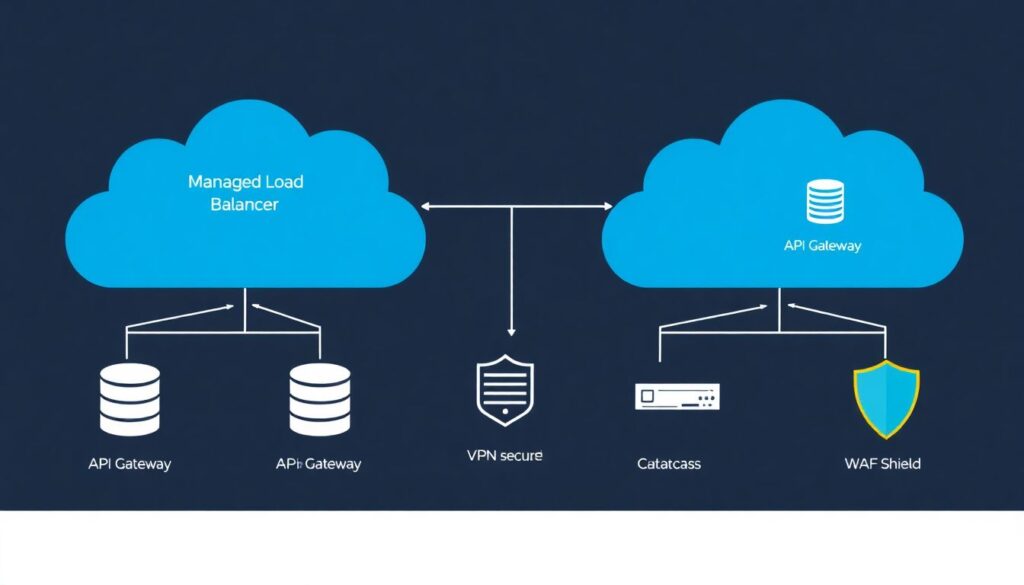
Move workloads behind a managed load balancer or API gateway and close direct public access to instances and databases. Then, restrict admin ports to VPN or office IPs and enable a basic WAF ruleset.
How can I verify that CI/CD does not leak secrets?
Search repositories and pipeline definitions for keys and passwords, then move everything to a secret manager. Run a secret-scanning tool on all repos and configure it to block pushes that contain new secrets.
What should I test immediately after a production deploy?
Run smoke tests on main user flows, confirm authentication and authorization paths, and watch logs for errors and unusual access patterns. Validate rollback works within the agreed time window if key metrics degrade.
How often should I review my cloud security checklist?
Review it whenever you add a new service, change architecture, or adopt a new region or provider. At minimum, revisit the checklist every few months to reflect new platform features and newly discovered threats.
Who should own the cloud deployment security checklist in a mid-size team?
Typically, a platform or DevSecOps lead maintains the checklist, while product and development teams are accountable for applying it to their services. Security teams advise and audit but should not be the only owners.
How do I adapt this checklist to multi-cloud environments?
Keep provider-neutral objectives (identity, network, backups) as the base and add provider-specific steps per platform. Maintain a mapping document linking each control to its implementation in AWS, Azure and GCP.