Common cloud data leaks come from public storage, overprivileged IAM, exposed endpoints, missing encryption, weak monitoring, and CI/CD secret leaks. Start with read-only audits of permissions, network paths, and logs. Then apply least privilege, restrict public access, enforce encryption, harden pipelines, and add continuous auditoria de configuração de cloud e prevenção de vazamento de dados.
Top cloud misconfigurations that lead to data leaks
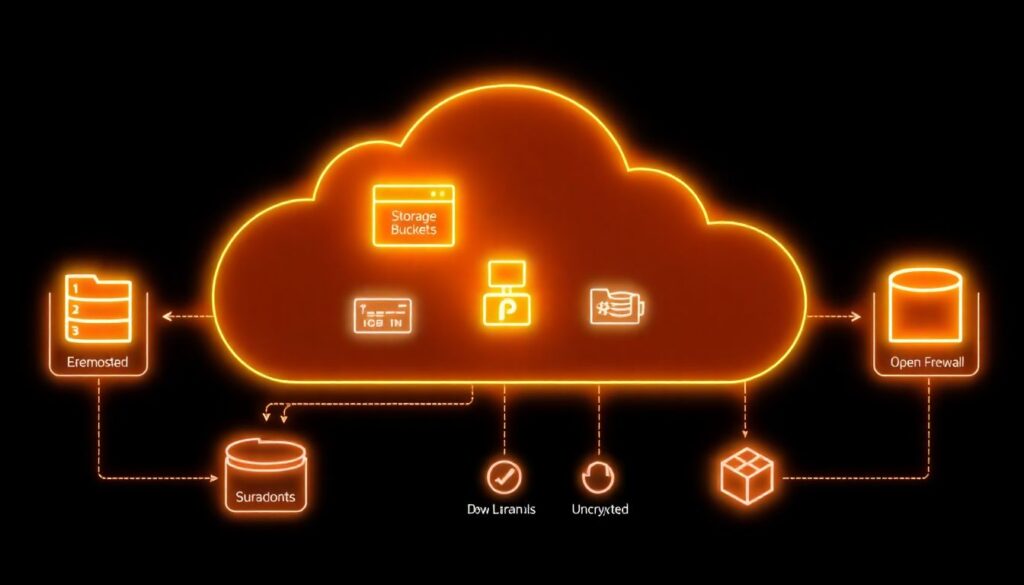
- Public storage buckets or shares exposing sensitive objects to the internet.
- Overprivileged IAM roles, users, and service accounts that attackers can abuse.
- Exposed endpoints, permissive security groups, and misaligned firewall rules.
- Unencrypted data at rest or in transit, and weak/centralized key management.
- Disabled or noisy logging and alerting that hides real exfiltration.
- CI/CD pipelines leaking secrets in code repos, logs, or artifacts.
- Lack of continuous segurança em nuvem para empresas processes and governance.
Public storage buckets and object-permission pitfalls
Risk / priority rating: Critical – fix before other hardening steps.
What a user typically sees (symptoms)
- Anyone with a link can list or download files from an object storage URL.
- Bucket or container marked as “public”, “anonymous”, or “unauthenticated read”.
- Security scans flag open S3 buckets, Azure Blob containers, or GCS buckets.
- Static site buckets accidentally serving private backups or logs.
- Unexpected 200 OK responses when testing URLs from a clean, unauthenticated browser.
Why this misconfiguration happens (cause)
- Using public buckets for quick testing or file sharing and never reverting.
- Copy-pasting examples that include overly broad
Principal: "*"or “public access” flags. - Migrating from on-prem file shares without mapping ACLs correctly.
- Confusing per-object ACLs with bucket-level policies and IAM conditions.
Safe detection checks (read-only)
- List buckets and their public flags:
# AWS aws s3api list-buckets --query 'Buckets[].Name' aws s3api get-bucket-acl --bucket <bucket> aws s3api get-public-access-block --bucket <bucket> # Azure az storage container list --account-name <account> --auth-mode login --query "[].{name:name, public:properties.publicAccess}" # GCP gsutil ls -L -b gs://<bucket> - From an unauthenticated network (no VPN/SSO), curl a known object URL:
curl -I https://<bucket-host>/path/to/file - Use ferramentas de segurança para AWS Azure Google Cloud (CSPM scanners) to list publicly exposed objects.
Concrete remediation steps
- Inventory business-approved public content (e.g., static websites, public datasets).
- For non-public buckets, block public access at the account/project level where supported.
- Remove object ACLs that grant
AllUsers/AllAuthenticatedUsers/ “Container public access”. - Replace ACL-based access with IAM-based policies scoped to roles/groups.
- For required public buckets, restrict to read-only, and separate from private data.
- Enable access logging on storage to detect unusual listing or download patterns.
Minimal rollback plan before changes
- Export current bucket policies / ACLs to versioned files or a Git repo.
- Implement changes on a single low-risk bucket and validate client impact.
- If legitimate applications break, restore the previous ACL/policy file and plan a staged migration to least privilege.
Overprivileged IAM roles and identity mismanagement
Risk / priority rating: Critical – overprivileged identities turn any foothold into a full compromise.
Quick diagnostic checklist (read-only)
- List identities with administrator privileges:
# AWS aws iam list-policies --scope AWS --query "Policies[?PolicyName=='AdministratorAccess']" aws iam list-entities-for-policy --policy-arn <admin-policy-arn> # GCP gcloud projects get-iam-policy <PROJECT_ID> --format=json | jq '.bindings[] | select(.role | contains("admin"))' # Azure az role assignment list --all --query "[?roleDefinitionName=='Owner' || roleDefinitionName=='Contributor']" - Check for policies with wildcards:
# AWS example aws iam list-policies --scope Local --query 'Policies[].Arn' | xargs -I{} aws iam get-policy-version --policy-arn {} --version-id v1 | jq '..|.Action? // empty' | grep '"*"' -n - Identify long-lived access keys that are still active and unused for a long period.
- Verify if CI/CD or automation accounts have “admin” or “owner” permissions instead of scoped roles.
- Check if production and non-production share the same IAM roles or service accounts.
- Confirm MFA is enforced for human users with elevated permissions.
- Search for IAM credentials in code repos and wikis (secrets scanning).
- Review cross-account or cross-tenant trust relationships for excessive assumptions.
Remediation guidelines
- Identify and document which identities truly need admin-level access and for what tasks.
- Create task-specific roles (e.g., “read-logs”, “deploy-app”, “manage-dns”) with least-privilege policies.
- Rotate or disable unused access keys; move to short-lived, federated tokens where possible.
- Apply mandatory MFA for console access of all privileged accounts.
- Segregate identities for production and non-production, including separate cloud accounts/projects when feasible.
- Introduce just-in-time elevation (temporary admin roles) rather than permanent full admin.
Rollback plan if something breaks
- Before reducing permissions, export and snapshot current policies/role bindings.
- Apply least-privilege changes to a test user/service account first and run key workflows.
- If business-critical actions fail, temporarily reapply the previous policy while you refine permissions with audit logs as guidance.
Network controls: exposed endpoints and firewall gaps
Risk / priority rating: High – often the direct path for data exfiltration.
Typical causes
- Security groups or firewall rules allowing
0.0.0.0/0to sensitive ports (databases, admin consoles). - Public IPs attached to workloads that should be internal-only.
- Bypassed WAF or load balancer protection by using direct instance IPs.
- Forgotten test endpoints or old VPNs still exposed.
Diagnostic and remediation table
| Symptom | Possible causes | How to verify | How to fix |
|---|---|---|---|
| Database reachable from the public internet | Ingress rule with 0.0.0.0/0 on DB port; public IP on DB host |
|
|
| Admin console accessible over the internet | Default management port exposed via security group or NSG |
|
|
| Unexpected traffic to storage or APIs from unknown IPs | Storage endpoints or APIs exposed without IP or identity restrictions |
|
|
Concrete network hardening steps
- Export all current security group / firewall rules in a read-only manner.
- Identify rules with
0.0.0.0/0or “Any” and tag them with owners and justification. - For high-risk ports (DB, SSH/RDP, admin UIs), remove public access and restrict to VPN/jump-hosts.
- Create separate subnets for public-facing and internal-only services.
- Introduce WAF and API gateways as the only allowed ingress for HTTP(S) workloads.
- Continuously scan external attack surface using managed or third-party serviços de cloud security gerenciada.
Rollback plan for network changes
- Take a snapshot of all rules (export to JSON/YAML) before editing.
- Change one narrow rule at a time; monitor application metrics and error logs.
- If outages occur, immediately reapply the previous ruleset and then retry with narrower, better-documented changes during a maintenance window.
Encryption oversights and poor key management
Risk / priority rating: High – encryption errors can silently expose large data sets.
Step-by-step remediation sequence (from safest to more invasive)
- Discover unencrypted data stores (read-only)
Identify storage where encryption is disabled or using weak defaults:# AWS example aws s3api get-bucket-encryption --bucket <bucket> # GCP example gcloud sql instances describe <instance> --format=json | jq '.diskEncryptionConfiguration' - Enable provider-managed encryption by default
Turn on “at-rest” encryption for storage, databases, and backups using cloud-managed keys where business-acceptable. - Standardize on key management service (KMS)
Move critical workloads to use a centralized KMS; avoid app-managed custom crypto unless required. - Harden KMS policies and usage
Limit which roles can use each key, and separate key administrators from data users. - Rotate keys on a defined schedule
Use automatic rotation features where possible; plan manual rotations with tests for legacy apps. - Encrypt data in transit everywhere feasible
Enforce TLS for all endpoints; disable weak ciphers and old protocol versions. - Reduce plaintext secrets exposure
Move environment variables, config files, and connection strings to secrets managers integrated with KMS. - Handle legacy data and re-encryption carefully
For older buckets/databases, plan phased re-encryption jobs instead of bulk, disruptive changes.
Rollback plan for encryption-related changes
- Before changing key policies or rotations, export current configurations and keep them versioned.
- Test new encryption settings in a staging environment with realistic data volumes.
- If production failures occur, revert to the previous key policy or encryption setting and roll back only the last change set, not the entire KMS design.
Blind spots in logging, monitoring and alerting
Risk / priority rating: Medium-High – without logs you cannot know what was leaked or when.
Common logging misconfigurations
- Audit logs disabled or kept for too short a retention period.
- Logs stored in the same account/project without write-protection.
- No alerts for anomalous access patterns (e.g., massive downloads, unusual geolocations).
- Security tools not integrated with ticketing/incident workflows.
Practical logging improvements
- Enable cloud-native audit logs (API calls, IAM changes, network changes) in all projects/accounts.
- Ship logs to a separate, write-once or highly restricted logging project/account.
- Implement basic detection rules for mass object listing, data egress spikes, and IAM escalations.
- Integrate with SIEM/SOAR or leverage specialized consultoria em segurança de cloud computing if lacking in-house capacity.
- Regularly test that alerts create tickets and reach on-call responders.
Rollback plan before involving external specialists
- Document recent logging and alerting changes with timestamps and owners.
- If new log routing breaks dashboards or pipelines, revert to the last known-good sink/stream configuration while preserving raw log storage.
- After stabilization, bring in experts or managed detection services to help redesign the monitoring architecture.
CI/CD pipelines and secret-handling failures
Risk / priority rating: High – pipelines often have broad access and can leak secrets at scale.
Preventive practices for pipelines and secrets
- Separate CI/CD identities from human users and assign least-privilege roles for deployments only.
- Store all secrets in a dedicated secrets manager; reference them from pipelines instead of embedding in code or YAML.
- Enable secret-scanning on source repositories, artifact registries, and pipelines.
- Mask secrets in build logs and block step output that accidentally prints credentials.
- Use short-lived tokens for pipeline authentication, not long-lived keys.
- Restrict pipeline agents to private subnets; avoid direct internet exposure where possible.
- Implement approvals for production deployments and for any change that touches IAM, network, or encryption.
- Run periodic auditoria de configuração de cloud e prevenção de vazamento de dados focused on CI/CD roles and permissions.
- Consider onboarding to serviços de cloud security gerenciada that continuously scan pipeline configs and artifacts.
Rollback plan for CI/CD hardening
- Version all pipeline definitions; every security change should be a separate commit with clear message.
- If deployments start failing after permission tightening, temporarily roll back to the last working pipeline version and reproduce the issue in a non-prod project.
- Only reintroduce reduced permissions after updating deployment scripts to follow recommended patterns.
Cross-misconfiguration comparison overview
| Misconfiguration | Primary impact | Short-term fix | Long-term control |
|---|---|---|---|
| Public storage buckets | Direct unauthorized read of sensitive files | Block public access; remove anonymous ACLs | Standardized bucket policies, least-privilege IAM, continuous scanning |
| Overprivileged IAM roles | Privilege escalation and full-account compromise | Disable unused admin roles; enforce MFA | Role-based access model, just-in-time elevation, periodic reviews |
| Exposed endpoints | Network intrusion and large-scale data exfiltration | Restrict ingress rules; remove public IPs from sensitive hosts | Segmentation, WAF/API gateways, automated rule validation |
| Weak encryption practices | Data compromise if storage or backups are accessed | Enable at-rest and in-transit encryption | Centralized KMS, key rotation, secrets management |
| Logging blind spots | Inability to detect or investigate leaks | Turn on audit logs; increase retention | Dedicated logging account, SIEM integration, tuned detections |
| CI/CD secret leaks | Credential theft and unauthorized changes in all environments | Remove secrets from code; rotate exposed keys | Secrets manager, secret scanning, hardened pipeline roles |
Concise practitioner questions on preventing cloud data exposure
How do I quickly check if any of my cloud storage buckets are public?
Use your cloud CLI or console to list bucket ACLs and public access flags, then test a few object URLs from an unauthenticated browser or terminal. Complement this with external CSPM scans or ferramentas de segurança para AWS Azure Google Cloud that specialize in public exposure detection.
What should I fix first: IAM, storage, or network?
Prioritize storage buckets that are publicly exposed and overprivileged IAM roles, since both often lead directly to data leaks. Next, tighten exposed network endpoints and only then refine encryption, logging, and CI/CD hardening as part of a broader segurança em nuvem para empresas program.
How can I avoid breaking production while tightening cloud security?
Always start with read-only discovery, export current configs, and test changes in non-production. Apply the smallest, reversible change first, monitor impact closely, and keep a documented rollback plan ready for IAM, network, and encryption modifications.
When should I involve managed cloud security or external consultants?
Consider serviços de cloud security gerenciada or specialized consultoria em segurança de cloud computing if you lack internal expertise, cannot keep up with alerts, or after a suspected data exposure where forensics and containment exceed your team’s capacity.
How often should we run configuration audits to prevent leaks?
Automate daily or continuous checks for high-risk misconfigurations and perform deeper, manual audits at least every major release or architecture change. Critical environments benefit from ongoing auditoria de configuração de cloud e prevenção de vazamento de dados integrated into CI/CD and change management.
What’s the best way to manage secrets used in CI/CD pipelines?
Centralize secrets in a cloud-native secrets manager integrated with KMS, reference them dynamically in pipelines, and avoid storing them in code or plain-text config. Enforce secret scanning on repos and rotate any credentials that might already be exposed.
Can I rely only on native cloud tools for protection?

Cloud-native controls are a strong baseline and should be fully used first. For larger or regulated environments, combine them with third-party tools or managed services that improve visibility, correlation, and workflow integration across multi-cloud deployments.