Cloud has made it incredibly easy to ship code fast, but it also made it incredibly easy to ship vulnerabilities even faster. The trick is building a DevSecOps pipeline that keeps you safe without turning every deploy into a committee meeting.
Below is a practical, analytical dive into how to design a Pipeline DevSecOps em ambientes cloud that actually works in real teams, with stats, forecasts, economics, and real‑world cases — in conversational language, not a policy document.
—
Why security must live inside the pipeline, not outside it
Most teams still treat security like a final exam: you build for weeks, then throw a release at security, wait for a PDF report, fix a few “Criticals” under pressure, and hope for the best. In cloud, that model simply doesn’t scale.
Industry data shows why: various security reports put the share of breaches caused by misconfigurations, exposed keys, and vulnerable dependencies at well over half of all incidents. At the same time, the average deployment frequency in mature DevOps teams is daily or even multiple times per day. Manual checks cannot keep up with that speed.
So if security is not “inside” your CI/CD, it’s effectively not there at all. That’s exactly what devsecops em nuvem is trying to fix: turning security from a final gate into a set of guardrails that work at the same speed as your builds and deploys.
—
Key principles of a secure CI/CD in the cloud
Shift left, but also “shift everywhere”
“Shift left” has become a cliché, but the useful part is simple: put security checks as close as possible to where the problem is introduced.
Long paragraph example:
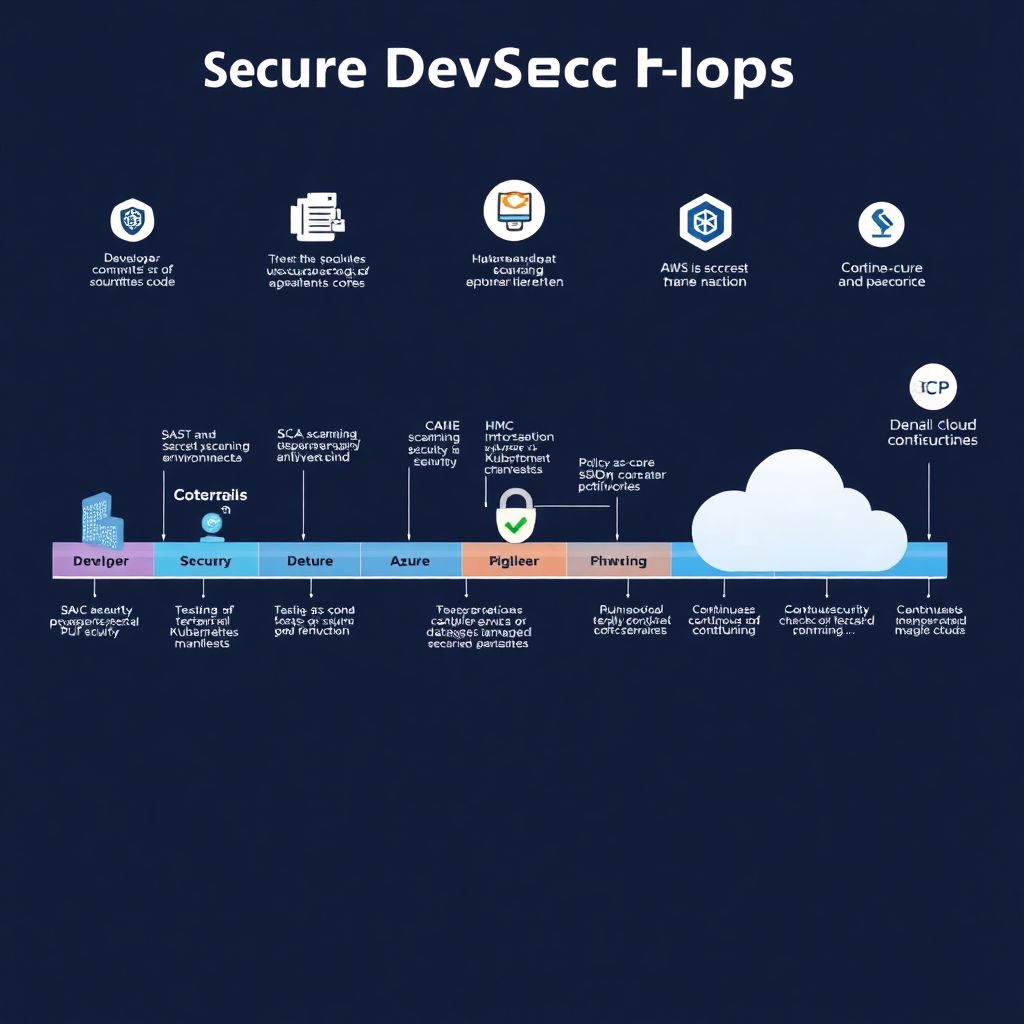
Source code? Do SAST and secret scanning on every commit. Dependencies? Run SCA whenever `package.json`, `pom.xml`, `requirements.txt`, or `go.mod` change. Containers? Scan images during build and again in the registry. Infrastructure? Lint Terraform and Kubernetes manifests before applying them. Cloud configuration? Continuously check your AWS, Azure, or GCP accounts for drift and risky defaults. In a modern pipeline ci cd seguro em cloud, security isn’t one step — it’s a mesh of small checks distributed throughout the lifecycle.
Short version: don’t just move security earlier; make it continuous.
Automate first, then negotiate gates
A practical rule: automate everything you can, and only then decide which checks should block a build.
Typical “blockers” in mature pipelines:
– Found secrets (API keys, tokens, private keys) in code or IaC
– Critical vulnerabilities in internet‑facing components
– Misconfigurations that directly expose data (e.g., public S3 bucket with PII)
Everything else (medium‑risk issues, best‑practice violations) can start as non‑blocking warnings, with SLAs to fix them over time. This keeps your implementação devsecops em pipelines ci cd realistic: devs don’t feel punished for every minor finding, but you still get hard stops on truly dangerous stuff.
—
Real‑world case #1: Fintech that sped up by adding security
A mid‑size fintech operating fully in AWS had a familiar pattern: one huge monthly release, followed by a 1–2 week stabilization phase. Security tests ran manually, after QA. Everyone hated that phase, especially because auditors kept asking why issues reappeared.
When they began adopting DevSecOps in the cloud, they didn’t start with a grand transformation. They focused on three tactical steps:
– Add automatic dependency and container scanning in CI for all services
– Integrate IaC scanning for Terraform modules that touched production VPCs
– Route results into the same issue tracker devs already used
Within three months, they saw two concrete outcomes:
1. The average number of critical vulns found in the final security review dropped to near zero, because they were caught on pull requests.
2. Release frequency doubled (two small releases per month), because that painful “stabilization + last‑minute security review” phase largely disappeared.
Economically, this translated into fewer emergency hotfixes and less weekend work. The CFO didn’t care about SAST vs SCA, but he definitely noticed a measurable drop in overtime costs and production incidents.
—
Cloud‑native specifics: Why DevSecOps in cloud isn’t just “DevSecOps with S3”
From monolith plus firewall to distributed attack surface
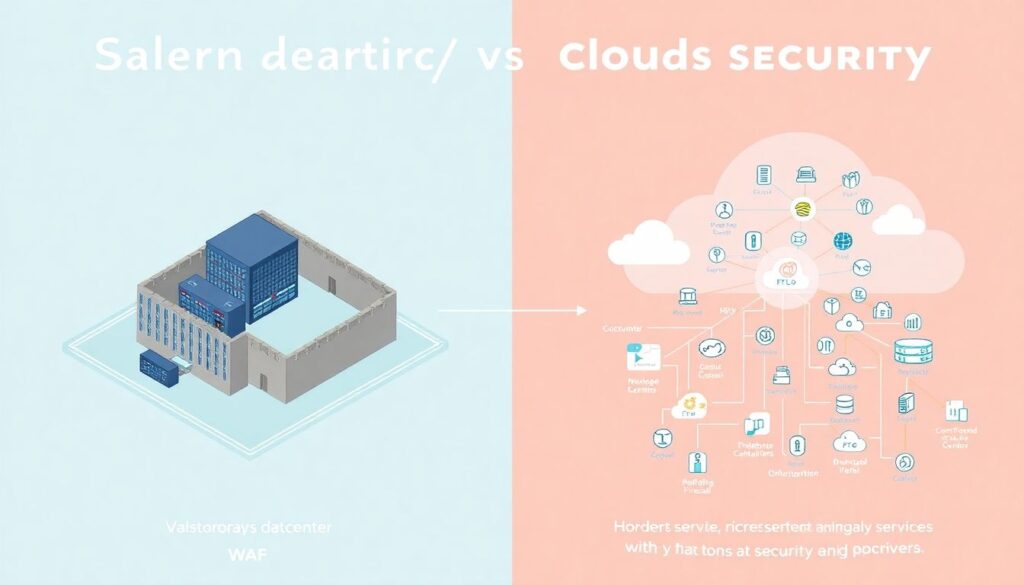
In a traditional datacenter, a lot of security could be concentrated in the perimeter: firewalls, VPNs, WAF. In cloud, the perimeter is blurry. You’ve got:
– Dozens or hundreds of microservices
– Managed services (databases, queues, serverless)
– Multiple regions and possibly multiple clouds
Each of these has its own configuration surface and potential missteps. That’s why ferramentas devsecops para aws azure gcp have become a distinct category: they need to understand IAM, security groups, storage policies, and managed databases for each cloud provider, not just read code.
Shortly: in cloud, misconfiguration is often more dangerous than a single code bug.
Multi‑cloud and hybrid realities

Many organizations are hybrid almost by accident: some workloads on‑prem, some in AWS, one team using Azure because of an enterprise deal, a data team experimenting with GCP. Security tooling that assumes a single environment quickly becomes a bottleneck.
Future‑looking forecasts from multiple analyst firms converge on a similar point: multi‑cloud and hybrid will stay, not disappear. That means the winning DevSecOps tooling and processes are those that can normalize policies across environments: “no public buckets with PII” should apply the same way in S3, Azure Blob, and GCS, regardless of where the policy is defined.
—
What actually goes into a DevSecOps cloud pipeline
Let’s walk through a typical devsecops em nuvem pipeline step by step, from commit to production.
1. Commit and pull request
Longer view:
The moment code hits the repository, you can hook several lightweight checks that run in under a minute. Think of pre‑commit hooks for secret scanning, basic linters, and policy checks for IaC templates. On pull request, you can afford heavier tests:
– SAST on modified code
– SCA on updated dependencies
– IaC scanning on Terraform/CloudFormation/ARM/Bicep/Kubernetes YAML
– Policy‑as‑code checks (e.g., “no security group allows 0.0.0.0/0 on SSH”)
These should comment directly in the PR, not send emails no one will read.
Shorter view: devs should get feedback where they already live — in their IDE and PRs.
2. Build and containerization
At build time, you add depth:
– Container image scanning (base image + layers)
– SBOM generation and storage
– License compliance checks if you care about OSS licensing risk
For a pipeline ci cd seguro em cloud, this is where you start building traceability. Later, if a new critical vuln appears in a library, you can ask: “Which images and environments include this SBOM entry?” and respond surgically instead of freezing everything.
3. Test and ephemeral environments
In cloud, spinning up ephemeral test environments is cheap and powerful. You can:
– Deploy each PR to an isolated namespace or ephemeral stack
– Run DAST for web endpoints where appropriate
– Run basic performance and chaos tests to catch resource limits and timeouts
Short thought: this phase gives you a realistic target for both functional and security testing without touching staging or production.
4. Deploy and runtime protections
Finally, deployment to staging and production. Here DevSecOps overlaps with runtime security:
– Enforce policies on Kubernetes admission controllers (no privileged containers, enforce read‑only file systems when possible)
– Use managed services like WAF and cloud‑native firewalls
– Continuously monitor logs and metrics for anomaly patterns
Cloud‑native detection — IAM abuse, suspicious access patterns, unusual data transfers — completes the picture. Security doesn’t end when the pipeline goes green; it just changes tools.
—
Real‑world case #2: SaaS vendor cutting cloud risk and cloud bills
A B2B SaaS company running mostly on Kubernetes in GCP was under cost pressure. At the same time, they had suffered two painful security incidents: a leaked test database snapshot and a public storage bucket with logs containing hashed user identifiers.
They decided to tackle both problems by tightening their pipeline. Instead of a separate “cost” and “security” project, they built policies that served both:
– IaC policies blocking public buckets unless explicitly tagged as public
– Resource limits and requests enforced by policy to avoid over‑provisioning
– Automated checks for data classification tags on new databases and buckets
Within half a year, they reported two parallel results: security audits became noticeably smoother (fewer red‑flag misconfigurations), and cloud spend per customer went down because over‑sized and public‑by‑default resources were no longer getting through the pipeline.
This is a good example of an economic angle: DevSecOps, done right, doesn’t just prevent breaches; it prevents waste.
—
Economics of DevSecOps in the cloud
Where the money actually goes and how DevSecOps shifts it
Security budgets are often dominated by:
– Compliance (audits, certifications, documentation)
– Incident response (forensics, remediation, legal)
– Tools that don’t integrate with day‑to‑day workflows
DevSecOps tries to flip that balance: spend more on integrating security into the build and deploy process, and less on cleaning up later. While exact numbers vary by industry, there is a consistent pattern in studies and real projects: fixing a vulnerability at design or code‑review stage costs a fraction of fixing it post‑production, once you factor in incident response, downtime, and reputational damage.
For cloud specifically, there’s another angle: misconfigurations can lead to direct financial loss (cryptomining in your cluster, data‑egress storms, unneeded public IPs). Automated checks in the pipeline reduce those hidden costs.
In other words, a mature implementação devsecops em pipelines ci cd is not just a security investment; it’s part of cloud cost optimization.
Forecasts: more automation, more regulation, more accountability
Looking forward, three trends are reasonably clear across analyst reports and regulatory movements:
1. Automation pressure will increase. The volume and speed of releases keep climbing. Manual security checklists will continue to lose ground to automated, codified controls.
2. Regulation will tighten. Data‑protection authorities and sector‑specific regulators are paying more attention to cloud supply chains, SBOMs, and secure development practices. Being able to demonstrate a robust DevSecOps pipeline will help satisfy auditors.
3. Personal accountability will rise. Executives and boards are increasingly named in breach‑related actions. That creates organizational support for making security “everyone’s job,” not just the CISO’s.
Teams that invest early in automation and observability across their pipelines will be better prepared for all three trends.
—
Industry impact: how DevSecOps is reshaping roles and vendors
From “security vs dev” to shared metrics
Culture slowly follows tooling. As more checks move into CI/CD, the old conflict — “security slows us down” vs “dev doesn’t care about risk” — becomes less intense. Instead, teams can align around shared metrics:
– Lead time for changes (DORA metric)
– Number of critical findings per release
– Mean time to remediate high‑risk issues
Once you can show that adding security earlier actually reduces firefighting later, management tends to stop seeing it as pure overhead.
The vendor landscape and multi‑cloud security
The growth of cloud‑native development created a wave of tools promising unified security across providers. Some actually deliver on that; others simply rebrand older products. For buyers, the important question is not “How many dashboards?” but “How well does this integrate with our pipeline and our clouds?”
That’s where consultoria devsecops para ambientes cloud comes in for many organizations. Instead of buying tool after tool, they bring in specialists to:
– Map existing pipelines and environments
– Select tools that cover real gaps, not just buzzwords
– Help codify policies in a way developers can live with
The impact on the industry is that success is less about who has the flashiest UI and more about who can integrate deeply into Git, CI, registries, and cloud APIs — while still respecting developer workflows.
—
How to get started without freezing development
Practical rollout strategy
If you try to “big‑bang” DevSecOps, you’ll usually get rebellion from developers and frustration from security. A gradual, visible‑value approach works better:
– Start with read‑only and non‑blocking checks to build trust
– Pick one pilot team with a modern stack and good deployment hygiene
– Measure before/after: time to fix vulnerabilities, number of production incidents, average PR cycle time
Short, manageable stages beat a giant policy document every time.
Case #3: E‑commerce team that avoided a revolt
An e‑commerce platform wanted to add more security checks, but devs were already complaining about slow pipelines. The security team did something smart: they first optimized the existing CI times (caching, parallelization) and only then added new security steps.
Result: the total pipeline time barely changed, even though they added SAST and IaC scanning. Devs noticed that “security” didn’t automatically mean “slower.” That small detail made later additions — like stricter gates and production protections — much easier to accept.
—
Wrapping up: secure by default, fast by design
A well‑designed DevSecOps pipeline in cloud is not a set of random tools; it’s an opinionated way of shipping software where:
– Risky changes struggle to reach production
– Developers get feedback quickly and in context
– Security and cost surprises are minimized
In other words, security becomes part of “how we build,” not “what we bolt on at the end.” And in the world of cloud, containers, and continuous delivery, that’s no longer a nice‑to‑have — it’s survival.