
A secure cloud migration for Brazilian organizations requires a clear risk inventory, a minimum baseline of controls, and disciplined execution. Start by mapping business impact, then design a segmented architecture, protect data by classification, enforce strong identity and access management, implement monitoring and backup, and finally test with phased cutover and defined rollback.
Executive checklist: top cloud migration risks and must-have controls
- Document business impact, data sensitivity and regulatory obligations before any workload move.
- Design network and account boundaries with explicit trust zones and least-privilege paths.
- Define and enforce data classification with encryption, tokenization and retention rules.
- Harden identity and access management with MFA, role-based access and just-in-time elevation.
- Deploy centralized logging, monitoring and immutable backups with tested restores.
- Use phased migration waves with performance, security and rollback criteria per wave.
- Engage specialized consultoria migração para cloud or an empresa de segurança em nuvem when internal skills are limited.
Pre-migration risk inventory and business impact mapping
This phase suits organizations that already decided to adopt migração para nuvem segura and want to reduce surprises. It is not the right moment to migrate if you cannot yet identify system owners, data sensitivity, or regulatory constraints, or if you lack minimal inventory of applications and integrations.
Key activities before committing to a migration plan
- List all applications, databases, integrations and batch jobs in scope.
- Classify each by business criticality (for example: critical, important, supporting).
- Identify legal, regulatory and contractual obligations (LGPD, sector rules, client SLAs).
- Map dependencies, including on-premise services, third-party APIs and shared credentials.
- Estimate downtime tolerance and data loss tolerance per system.
- Decide which workloads should not move yet due to compliance, latency or vendor constraints.
Risk versus required control (pre-migration)
| Risk | Required Control |
|---|---|
| Unknown critical systems moved without priority | Create and maintain a prioritized inventory with system owners; example: spreadsheet or CMDB with RAG (red/amber/green) impact flags. |
| Regulatory breach after moving sensitive data | Perform a compliance review with legal before migration; example: LGPD impact assessment for each high-risk dataset. |
| Hidden dependencies causing outages | Run dependency mapping workshops and network/application discovery; example: use basic flow logging and interviews to confirm all upstream/downstream calls. |
| Unrealistic downtime and rollback expectations | Agree written RTO/RPO and rollback tolerances with business; example: signed migration runbooks per application. |
Designing a secure cloud architecture: boundaries and trust model
At this stage you translate business and risk requirements into a practical design. For serviços de migração para nuvem aws azure and similar platforms, use native security services as much as possible and complement only where a clear gap remains.
Prerequisites, tools and accesses you will need
- Cloud accounts with landing zone or management groups created and governed.
- Defined network segmentation model (VPC/VNet layout, subnets, security groups, firewalls).
- Dedicated environments for dev/test/homolog/prod with separation of duties.
- Baseline security services:
- Cloud-native firewalling, WAF and DDoS protections.
- Key management service (KMS) or equivalent for encryption keys.
- Centralized logging and monitoring workspace.
- Access to architecture diagrams of current on-premise environment.
- Documented trust model describing which zones can initiate connections to which, and under what authentication.
- Approved set of ferramentas de segurança para migração cloud (CSPM, vulnerability scanner, IaC scanning, SAST/DAST where relevant).
Risk versus required control (architecture)
| Risk | Required Control |
|---|---|
| Flat network where compromise spreads easily | Implement segmented VPC/VNet design with strict security groups and firewalls; example: separate management, app and data subnets with deny-by-default rules. |
| Uncontrolled internet exposure of services | Place internet-facing workloads behind load balancers and WAF only; example: block direct public IP access to databases and admin consoles. |
| Shadow accounts outside governance | Use organization-level account management and mandatory landing zone patterns; example: account vending process integrated with security baselines. |
| Inconsistent encryption practices | Standardize on cloud KMS with mandatory encryption at rest and in transit; example: policies that deny unencrypted storage creation. |
Data classification, protection and lifecycle controls
This is the core how-to section: you define how data will be categorized, protected and deleted across the cloud environment. These safe steps are written for intermediate teams in Brazil and can be executed gradually per application or per data domain.
Risks and limitations to consider before applying the steps
- Misclassification may lead to either over-protection (cost and friction) or under-protection (breach and fines).
- Legacy applications might not support modern encryption or tokenization without code changes.
- Key management mistakes can cause permanent data loss if keys are deleted or rotated incorrectly.
- Retention and deletion rules must align with legal holds; coordinate with legal and compliance in advance.
Step-by-step process for data protection in the cloud
-
Define a simple, usable classification scheme
Create 3-4 levels (for example: Public, Internal, Confidential, Restricted) and define what each means in practice. Document who can access each level, typical examples and what controls are mandatory.- Involve data owners from business areas, not only IT.
- Align with LGPD definitions of personal and sensitive data.
-
Tag and inventory critical datasets
For each application, list its databases, storage buckets, file shares and message queues, then tag them with classification in the cloud metadata. Make this tagging mandatory in IaC templates and manual creation processes.- Use labels/tags like data_class=confidential on all storage resources.
- Automate checks that block resources without classification tags.
-
Apply encryption and key management policies
Require encryption at rest for all classified data and enforce TLS for all connections. Use a central KMS with clearly defined key owners, rotation schedules and access policies.- Separate keys per application or per sensitivity level.
- Test key rotation in lower environments before production.
-
Introduce masking and tokenization for sensitive fields
For Restricted or sensitive personal data, reduce exposure by masking in logs and interfaces and using tokenization for identifiers where possible. Ensure that de-tokenization is limited to a small, audited service boundary.- Avoid storing full CPF, credit card or health records in multiple systems.
- Ensure data masking also applies to test and analytics environments.
-
Define retention, archival and deletion rules
For each classification and dataset, specify how long data is retained, when it is archived and how it is securely deleted. Implement lifecycle policies in object storage and database cleanup jobs.- Coordinate retention with legal and business (audit, tax, contracts).
- Include a clear process to block deletion when a legal hold exists.
-
Continuously monitor access and usage patterns
Enable logs for data access and configure alerts for abnormal patterns, such as mass downloads or access from unusual locations. Review who has access to high-sensitivity datasets regularly.- Use cloud-native analytics to detect anomalies in access logs.
- Schedule periodic access reviews with data owners.
Risk versus required control (data protection)
| Risk | Required Control |
|---|---|
| Unclear which data is sensitive | Adopt a standardized classification scheme and enforce tags; example: policies that deny storage creation without data_class tag. |
| Data breach due to lack of encryption | Mandatory encryption at rest and in transit for all non-public data; example: storage encryption by default and TLS enforcement on databases. |
| Developers overexposed to personal data | Tokenize or mask sensitive fields, especially in non-production; example: synthetic data or anonymization for QA databases. |
| Excessive retention increasing breach impact | Automated lifecycle policies with deletion or archival after defined periods; example: object storage rules per bucket classification. |
Identity, access management and least-privilege enforcement
Identity and access management (IAM) is where many cloud incidents start. This checklist helps you validate if your IAM design really supports least-privilege and aligns with both cloud provider best practices and local governance expectations.
Access control verification checklist
- All human access to consoles and management APIs requires MFA, including contractors and administrators.
- Federated SSO (such as corporate IdP) is used for staff accounts; long-lived local users are minimized and regularly reviewed.
- Permissions are granted via roles or groups mapped to job functions, not to individual users directly.
- Highly privileged roles (e.g., admin, owner) are restricted, logged and, where possible, issued as just-in-time elevation with approval.
- Service accounts and machine identities use short-lived credentials or managed identities, not shared static passwords.
- API keys, secrets and certificates are stored only in secure vault services, never in code repositories or plain configuration files.
- Cross-account or cross-subscription access is explicitly defined and reviewed, especially between dev/test and production.
- Access reviews are performed at least quarterly with application and data owners validating that each user still needs their roles.
- Baseline conditional access policies exist for risky sign-ins (unusual countries, anonymous networks, impossible travel).
- Audit logs of sign-in and privilege changes are retained and integrated with central monitoring for alerting.
Risk versus required control (IAM)
| Risk | Required Control |
|---|---|
| Compromised admin account takes over cloud | Enforce MFA, conditional access and just-in-time elevation; example: privileged access management workflow for admin roles. |
| Excessive permissions for regular users | Role-based access mapped to job functions and periodic reviews; example: least-privilege roles for developers and support teams. |
| Leaked secrets in repositories | Use secrets vaults and secret scanning on code; example: mandatory pipeline checks blocking commits with credentials. |
| Uncontrolled machine-to-machine access | Managed identities and narrow-scoped roles; example: one identity per microservice with explicit resource permissions. |
Operational controls: monitoring, backup, incident readiness
Once workloads start moving, operations keeps them safe. Many organizations in Brazil rely on an external empresa de segurança em nuvem or MSSP to operate continuous monitoring, but you still need clear internal ownership and playbooks.
Frequent mistakes to avoid in operations
- Only enabling basic logs and never actually reviewing or alerting on them.
- Relying on snapshots or backups that were never tested with a full restore and application validation.
- Storing backups in the same security domain or account as production, exposing them to the same ransomware or admin error.
- Not defining incident severity levels and escalation paths for cloud-specific events (key compromise, exposed bucket, IAM misconfigurations).
- Assuming the cloud provider is responsible for application-level security and failing to patch images, containers and runtimes.
- Skipping capacity and performance monitoring after migration, leading to instability and user dissatisfaction.
- Lack of 24×7 coverage or on-call rotation despite critical systems being publicly exposed.
- Ignoring cost anomalies that may indicate abuse (such as cryptomining or uncontrolled scaling).
- No joint exercises with business teams to rehearse incident communication and decision-making.
Risk versus required control (operations)
| Risk | Required Control |
|---|---|
| Incidents detected too late | Centralized logging and alerting with defined thresholds; example: SIEM integration with cloud-native logs and incident runbooks. |
| Backups unusable during crisis | Regular restore tests with documented recovery steps; example: quarterly recovery drills for critical systems. |
| Backups deleted or encrypted by attacker | Immutable or off-account backups with strict access controls; example: write-once storage tiers and separate backup accounts. |
| Unclear response to cloud-specific events | Cloud-focused incident playbooks and training; example: procedure for revoking keys and rotating secrets quickly. |
Validation, testing and phased cutover checklist with rollback triggers
Validation is where all controls prove their value. Use phased waves, compare behavior between old and new environments and define objective metrics that decide whether to continue or rollback. External consultoria migração para cloud can help structure these waves and tests if your team lacks experience.
Alternative migration strategies and when to use them

-
Lift-and-shift with hard cutover
Move the workload with minimal changes, then switch traffic at a defined time.
Suitable when:- The application is simple, with few integrations and clear rollback steps.
- Downtime windows are acceptable and well-communicated.
Rollback trigger example: error rates or latency exceed agreed thresholds for more than a short, pre-defined period.
-
Phased migration by component or service
Break the system into smaller pieces (such as services, modules, databases) and move them in stages.
Suitable when:- You need to reduce risk and learn from each wave.
- You can route only part of the traffic or functionality to the cloud at a time.
Rollback trigger example: specific component fails validation tests or creates data inconsistency, prompting traffic to revert only for that part.
-
Canary or blue/green deployment
Run old and new versions in parallel and send a small portion of traffic to the new environment before gradually increasing.
Suitable when:- You require minimal downtime and fast rollback capabilities.
- The application supports dynamic traffic shifting via load balancer or DNS.
Rollback trigger example: monitoring shows functional or security regression for canary users, so traffic is routed back to the stable environment.
-
Data-first migration with hybrid operation
Move and synchronize data to the cloud while the main application still runs on-premise, then later flip application components.
Suitable when:- Data size is large and needs time to replicate safely.
- You want to validate reporting, analytics or read-only workloads first.
Rollback trigger example: replication lag or data divergence beyond acceptable bounds, leading to suspension of writes in the new environment until corrected.
Risk versus required control (validation and cutover)
| Risk | Required Control |
|---|---|
| Cutover proceeds despite unresolved issues | Predefined acceptance criteria and go/no-go checklist; example: performance, error rate and security tests must all pass. |
| No safe way back if migration fails | Documented rollback plan with validated data sync; example: ability to re-point traffic and restore data snapshots. |
| Data inconsistency between old and new environments | Bidirectional sync rules and reconciliation checks; example: compare record counts and checksums before final cutover. |
| Users surprised by behavior or downtime | Communication plan and controlled pilot users; example: internal beta group during canary phase. |
Practical clarifications on common migration uncertainties
How do I decide which applications to migrate first?
Prioritize applications with high business value and moderate complexity, where benefits are clear and risks manageable. Avoid starting with your most critical or most complex legacy system; instead, use 1-2 medium-impact workloads to refine your approach.
When should I bring in external migration or security specialists?
Consider engaging serviços de migração para nuvem aws azure providers or an empresa de segurança em nuvem when you lack in-house skills for architecture, IAM, or compliance. External experts can also run design reviews and threat modeling before major cutovers.
Is encryption by the cloud provider enough for compliance?
Provider-managed encryption helps, but compliance usually requires you to define key ownership, access policies and monitoring. For highly sensitive data, manage your own keys and combine encryption with masking, tokenization and strict access controls.
How do I keep developers productive while enforcing least privilege?
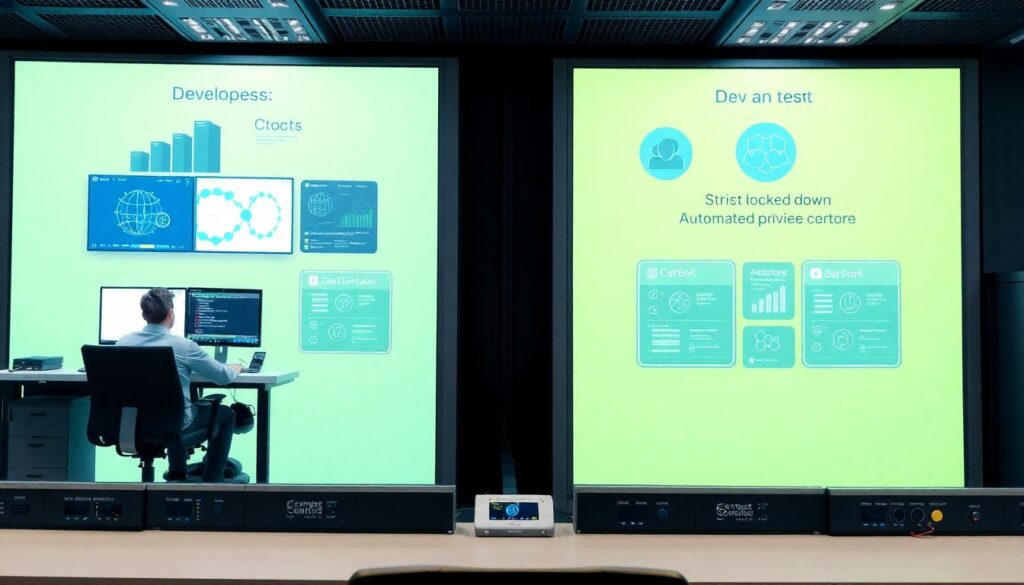
Use role-based access and separate environments so developers have enough access in dev and test, but much narrower rights in production. Automate privilege elevation workflows for rare admin tasks instead of granting broad, permanent permissions.
What is a realistic rollback plan for critical systems?
A realistic rollback plan describes how to redirect traffic, how to restore data and what time limits exist before rollback becomes unsafe. Test it in lower environments and define clear metrics that trigger rollback during production cutover.
How can I show executives that migration risks are under control?
Summarize your controls using an executive checklist covering inventory, architecture, data, IAM, operations and testing. Present simple dashboards for key indicators such as MFA coverage, backup tests passed and number of unresolved high-severity findings.
What minimum tools do I need for a secure cloud migration?
Start with cloud-native logging, key management, IAM, WAF and vulnerability scanning, then complement with specialized ferramentas de segurança para migração cloud if gaps remain. Ensure your team actually uses and monitors these tools, not just installs them.