
Use this security checklist to protect critical workloads during a migração de datacenter para nuvem segurança: classify data, design least-privilege access, encrypt in transit/at rest, segment networks, harden and patch workloads, and enable monitoring and incident response. Apply it before, during and after migration, especially when using serviços de migração de workloads críticos para nuvem.
Critical security checklist overview
- Critical – CISO / Security Lead: Approve a documented threat model and migration risk register covering each critical workload and data flow.
- Critical – Identity Team: Implement least-privilege roles and SSO for admins and applications in the target cloud.
- Critical – Data Owner: Classify data and require encryption in transit and at rest for all sensitive assets.
- High – Network Team: Design segmented networks, private connectivity and controlled egress paths from cloud to the internet.
- High – Platform Team: Enforce hardened images, baseline configurations and automated patching for all workloads.
- High – SecOps: Centralize logs, tune alerts and rehearse incident response for cloud-specific attack paths.
- Medium – Project Manager: Align timelines and change windows so security controls are in place before cutover.
Pre-migration risk assessment and prioritization
This checklist is relevant when you plan or run a checklist de segurança para migração para cloud for regulated or business-critical systems. It fits intermediate teams that already operate secure on‑prem environments and now move to IaaS/PaaS.
Do not use this as a replacement for local regulation, sectoral standards or detailed consultoria segurança cloud para workloads críticos when you handle highly regulated data (health, financial, government). In these cases, involve legal, compliance and an external auditor before approving migration.
Map on‑prem controls to cloud equivalents
Use the table below to identify gaps when moving from the datacenter to the cloud and to choose safer defaults instead of lifting and shifting legacy configurations.
| On‑prem control | Typical implementation | Cloud‑era equivalent | Risk if skipped |
|---|---|---|---|
| Perimeter firewall | Hardware firewall, VLAN ACLs | Cloud security groups / network security groups and layer‑7 firewalls per workload | Expanded attack surface and flat networks in cloud |
| Directory services | AD on‑prem, local accounts on servers | Cloud IAM plus federation/SSO back to corporate identity provider | Orphaned admin accounts and weak access control |
| Server hardening baseline | Manual builds, golden images on hypervisor | Hardened cloud images and policies (e.g., CIS baselines via templates) | Inconsistent security posture across instances |
| Central logging | Syslog server and SIEM | Cloud logging service feeding an existing or SaaS SIEM | Missing evidence for forensic investigations and audits |
| Encrypted storage | Full‑disk encryption with hardware keys | Cloud storage encryption with managed or customer‑managed keys | Data exposure if media or snapshots are accessed |
| DMZ for internet‑facing apps | Dedicated network zone and reverse proxies | Dedicated public subnets, WAF, API gateways and private backends | Direct exposure of backend workloads to the internet |
Risk-based prioritization of workloads
- Critical – Classify business impact per workload
Assign impact levels (e.g., critical, high, medium) for confidentiality, integrity and availability. Start the migração de datacenter para nuvem segurança effort with high‑impact workloads and data flows. - Critical – Identify shared dependencies
List shared services (databases, identity, message buses). Avoid migrating a dependency later than the workloads that need it, or you will create insecure temporary bridges. - High – Evaluate compensating controls
For each on‑prem control that has no exact cloud equivalent, decide on compensating controls (extra monitoring, reduced exposure, stronger authentication) before go‑live. - Medium – Decide migration sequence
Group workloads by dependency and risk. Migrate the least complex workloads first to validate the model, then apply hardened patterns to more critical systems.
Identity, access and least-privilege design for cloud workloads
Identity and access design is one of the melhores práticas de segurança em migração para nuvem because it limits blast radius when a credential is compromised. Plan these elements before granting any production access.
- Requirements – People and roles
- Named owners for each workload (application owner, data owner, technical owner).
- Dedicated cloud administrators (platform, network, security) with separate accounts from daily use.
- Clear segregation between build, run and security oversight teams.
- Requirements – Identity systems
- Corporate identity provider (e.g., Active Directory or cloud directory) with SSO to the cloud platform.
- Cloud IAM service to define roles, policies and service identities for applications and automation.
- Multi‑factor authentication enabled for all privileged and break‑glass accounts.
- Tools – Access control and policy
- Role‑based access control (RBAC) in the cloud platform with workload‑specific roles.
- Policy‑as‑code (e.g., Terraform, CloudFormation, Bicep) to version, review and approve changes.
- Central secrets manager to store API keys, database credentials, and certificates.
- Design practices – Least privilege in action
- Create separate projects/accounts/subscriptions for environments (dev, test, prod) and for critical workloads.
- Assign permissions to groups; avoid direct, long‑lived user‑to‑resource permissions.
- Use short‑lived access tokens and just‑in‑time elevation for rare admin tasks.
Data classification, encryption and secure transport
Before moving data, define how it will be classified, protected and monitored. This section turns that into a safe, concrete checklist to apply consistently across workloads.
Key risks and limitations to keep in mind
- Legal exposure: Moving regulated data to the wrong region or service can violate contracts or law.
- Key management complexity: Poorly managed encryption keys can lock you out of your own data.
- Shadow copies: Uncontrolled backups, exports and logs may leak sensitive information.
- Performance impact: Aggressive encryption without planning might affect latency‑sensitive workloads.
- Shared responsibility gaps: Cloud providers secure infrastructure, but you must secure how data is used.
-
Define and apply a simple data classification model (Critical)
Agree on 3-4 levels (for example: Public, Internal, Confidential, Restricted) and map existing on‑prem labels to them so teams can use the same vocabulary in cloud.- Tag cloud storage resources and databases with the chosen classification.
- Make classification a required field in migration change requests.
-
Choose regions and services according to data sensitivity (Critical)
For Restricted or Confidential data, select cloud regions that comply with your regulatory and contractual constraints, and avoid experimental or preview services.- Document permitted regions per classification level.
- Use policies to block deployment of sensitive data to disallowed regions.
-
Enforce encryption at rest with managed keys (High)
Enable storage and database encryption using the cloud provider’s managed or customer‑managed keys for all workloads above Public level.- Create dedicated key vaults or key management services per environment.
- Restrict key access to specific roles and log all key operations.
-
Secure data in transit with TLS everywhere (High)
Require TLS for all client‑to‑cloud and service‑to‑service connections; disable plaintext protocols unless absolutely necessary with documented exceptions.- Use managed certificates on load balancers, API gateways and web apps.
- For internal services, prefer mTLS where feasible to authenticate both sides.
-
Control data access paths and exports (High)
Limit who can export, snapshot or replicate data, especially for backups and analytics, to avoid shadow copies outside approved boundaries.- Use separate storage accounts or buckets for backup, with stricter access.
- Log and periodically review export, snapshot and share operations.
-
Mask and tokenize sensitive data in lower environments (Medium)
Do not replicate production secrets and personal data to dev/test; generate masked or synthetic datasets instead.- Automate masking in data pipelines used for non‑production.
- Block developers from accessing raw production exports unless approved.
-
Plan data destruction and retention policies (Medium)
Define how long to keep data and backups in each classification, and automate lifecycle rules in the cloud.- Use storage lifecycle policies to expire old objects and snapshots.
- Document secure wipe procedures for decommissioned resources.
Network architecture: segmentation, connectivity and egress controls
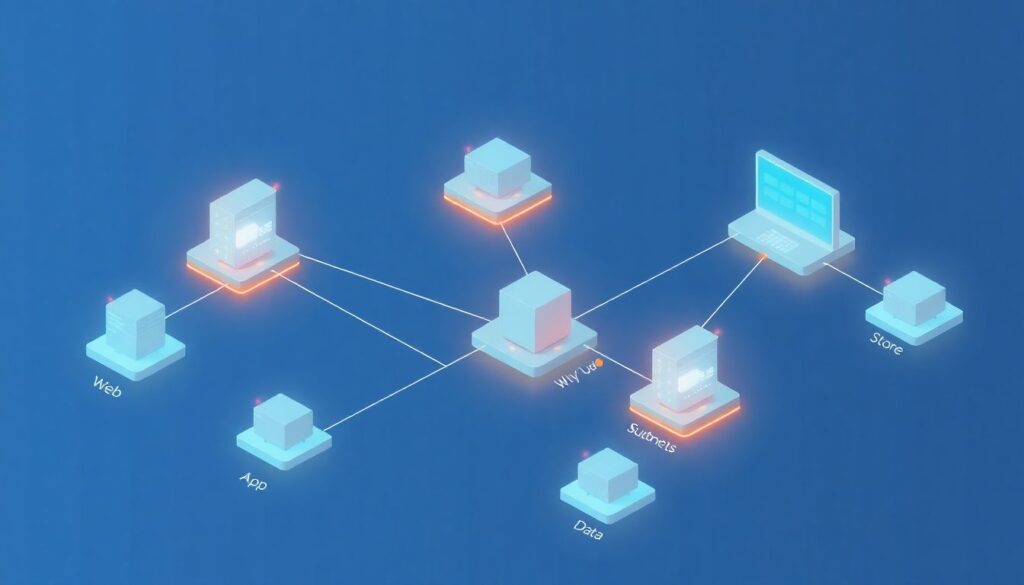
After designing your network, confirm it meets baseline security expectations with this targeted checklist.
- Critical – Owner: Network Team: Each critical workload runs in a dedicated virtual network or isolated segment, with separate subnets for web, app and data tiers.
- Critical – Owner: Network & Security: No workload management interfaces (SSH/RDP/admin consoles) are exposed directly to the internet; access is via VPN, bastion host or secure remote access service.
- High – Owner: Network Team: Security groups or equivalent controls enforce default‑deny inbound rules, allowing only specific ports and sources per workload.
- High – Owner: Security: Egress traffic to the internet is filtered or proxied; only required destinations and ports are allowed, especially for production databases and internal APIs.
- High – Owner: Network Team: Private connectivity (VPN or dedicated link) is used for communication between datacenter and cloud; no long‑term use of public IPs for system‑to‑system traffic.
- Medium – Owner: Platform Team: DNS is centralized and monitored; split‑horizon or private DNS is configured for internal services.
- Medium – Owner: Security: Network flow logs are enabled on all critical subnets and stored in a central, immutable location for investigations.
- Medium – Owner: Architecture: Public endpoints are fronted by WAF or API gateway, with rate limiting and basic bot/attack detection enabled.
- Medium – Owner: Security: Third‑party and partner connections are identified and reviewed; temporary tunnels are documented with explicit expiry dates.
Workload hardening, configuration baselines and patching
Common mistakes here undermine even strong network and identity designs. Use the list below to avoid typical pitfalls when securing workloads after migration.
- Critical mistake – No hardened base images: Lifting and shifting on‑prem VMs without rebuilding them from hardened templates leaves legacy vulnerabilities and unnecessary services enabled.
- Critical mistake – Manual configuration drift: Allowing administrators to change production settings by hand, without configuration management or infrastructure‑as‑code, creates inconsistent and unrepeatable states.
- High mistake – Missing or ad‑hoc patching: Relying on occasional manual patching instead of scheduled, automated updates results in long‑lived critical vulnerabilities.
- High mistake – Shared local admin accounts: Reusing the same local administrator credentials across instances increases the blast radius when one host is compromised.
- High mistake – Default service ports and banners: Leaving default ports, banners and sample apps active helps attackers identify technologies and known exploits quickly.
- Medium mistake – Ignoring hardening benchmarks: Not aligning with recognized baselines (for example, CIS profiles offered by your provider) misses many low‑effort hardening wins.
- Medium mistake – No integrity checking: Skipping file‑integrity monitoring or baseline comparison makes it harder to detect post‑compromise tampering.
- Medium mistake – Insecure temporary access: Using permanent firewall openings or long‑lived keys for short troubleshooting windows and forgetting to remove them.
- Medium mistake – Inconsistent OS and runtime versions: Running many different OS or runtime versions for the same workload complicates patching, support and incident response.
Monitoring, alerting, incident response and auditability

Different organizations will implement observability and response in different ways. Below are realistic options and when each is suitable.
- Option 1 – Extend existing SIEM to the cloud
Forward cloud logs (identity, network, workload, platform) into your current SIEM. This fits organizations that already have strong on‑prem monitoring and want unified investigations. - Option 2 – Use cloud‑native security monitoring
Adopt the provider’s native monitoring and threat‑detection tools, integrating only summaries or critical alerts back on‑prem. This is useful when your current SIEM cannot easily scale or lacks cloud parsers. - Option 3 – Hybrid approach with specialized SaaS
Send high‑value logs (identity, workload, data access) to a dedicated SaaS security platform while keeping operational logs in cheaper storage. This suits teams that need faster detection without fully replacing existing tools. - Option 4 – Managed detection and response service
Contract a provider to monitor and respond to alerts 24/7, integrating with your processes. This is appropriate when internal SecOps resources are limited but workloads are critical and always‑on.
Practical answers to common migration security concerns
How early should security be involved in a datacenter-to-cloud migration?
Security should be involved from the first planning workshop, ideally before selecting specific cloud services. Waiting until just before cutover often leads to rushed exceptions and insecure temporary solutions.
Do I need separate cloud accounts or subscriptions for critical workloads?
Yes, separate accounts or subscriptions reduce blast radius and simplify permissions, billing and audits. Place the most critical workloads in their own boundary with stricter controls and limited administrator access.
Is lift-and-shift acceptable for critical workloads?
Lift‑and‑shift can be acceptable only if you quickly apply hardening, patching and monitoring afterwards. For truly critical workloads, prefer at least a minimal modernization to align with cloud security patterns.
How do I handle legacy protocols that do not support encryption?
Wrap legacy protocols in secure tunnels such as VPN or application proxies, and restrict access to the smallest possible set of systems. Plan a clear roadmap to replace or upgrade these components.
What should I prioritize if I have limited security resources during migration?
Focus on identity and access management, network segmentation, encryption for sensitive data and centralized logging. These controls most directly limit blast radius and preserve evidence for later investigations.
When is external cloud security consulting recommended?
Engage consultoria segurança cloud para workloads críticos when you face strict regulatory requirements, complex multi‑cloud environments or a tight migration timeline. External experts can validate your design and highlight blind spots.
How do I know my migration is secure enough for go-live?
Use a documented checklist tied to risk levels, ensure all Critical and High items are implemented or explicitly accepted, and run at least one end‑to‑end test of incident detection and response before switching production traffic.