Secure CI/CD pipelines in cloud-native environments means hardening every hop from commit to production: source control, build systems, artifacts, deployments, secrets, and observability. This guide gives concrete, safe steps and checklists so intermediate teams can improve segurança em pipelines CI/CD without breaking delivery speed, reliability, or developer experience.
Security snapshot: core protections for cloud-native CI/CD
- Lock down source control: mandatory MFA, signed commits, protected branches, and least-privilege repo access.
- Isolate build runners, pin dependencies, and verify artifact integrity from build to registry to runtime.
- Add policy-based deployment gates, admission control, and Kubernetes RBAC aligned with DevSecOps practices.
- Centralize secrets in a vault, rotate regularly, and use short-lived, scoped credentials wherever possible.
- Instrument pipelines with logs, traces, and security alerts; keep incident playbooks ready and tested.
- Continuously apply melhores práticas de segurança em CI/CD cloud native using automation and guardrails instead of manual reviews.
| Risk in CI/CD path | Recommended control | Priority | Effort (estimate) |
|---|---|---|---|
| Compromised Git account | MFA, SSO, device checks, IP restrictions | High | Low |
| Malicious dependency | SBOM generation, dependency scanning, pinning versions | High | Medium |
| Build system takeover | Ephemeral runners, network isolation, hardening base images | High | Medium |
| Leaked secrets in code | Secrets scanning, central vault, pre-receive hooks | High | Low |
| Unauthorized production changes | Policy-as-code gates, change approvals, strong RBAC | High | Medium |
Threat modeling and attack surfaces specific to CI/CD
Threat modeling for CI/CD is most useful for teams that already have at least a basic pipeline running and a few services in production. It is less suited as a first step for very small prototypes or throwaway experiments where the architecture will radically change soon.
Focus on the specific attack surfaces that appear when you start asking como proteger pipeline CI/CD na nuvem across your Git provider, CI service, artifact registries, and Kubernetes or serverless platforms.
| Prep checklist item | Priority | Effort |
|---|---|---|
| List every system involved from developer laptop to production cluster | High | Low |
| Map all credentials used by the pipeline (tokens, keys, passwords) | High | Medium |
| Identify all external dependencies (package registries, images, APIs) | High | Medium |
| Document which roles or teams can modify pipelines and deployment config | Medium | Low |
| Check existing security tooling connected to CI/CD (scanners, SAST, DAST) | Medium | Low |
When this kind of modeling is not worth the effort:
- One-off demos or labs with no real data and no shared infrastructure.
- Short-lived feature spikes that run only in local or isolated test environments.
- Early experimentation where you know the tooling stack will be replaced soon.
Protecting source control, commits and supply chain provenance
To apply devsecops segurança em ambientes cloud native you need a hardened Git layer and strong provenance for every change. This is where many teams start, because compromised source control undermines any downstream controls, including the most advanced ferramentas de segurança para pipelines CI/CD.
| Required capability or tool | Priority | Effort |
|---|---|---|
| Git provider with MFA, SSO, and audit logs (GitHub, GitLab, Bitbucket, etc.) | High | Low |
| Commit signing (GPG or keyless/signing via Sigstore) | High | Medium |
| Branch protection rules and mandatory pull requests | High | Low |
| Code review and status checks enforcement in the main branch | High | Low |
| Dependency and secret scanning integrated with the repository | High | Medium |
| Provenance and artifact signing system (e.g. Sigstore, in-toto) | Medium | Medium |
Concrete actions to harden source control:
- Enforce MFA and SSO for all Git users, disabling basic authentication and personal access tokens without expiry.
- Create organization-wide branch protection rules on main and release branches, requiring reviews and passing checks.
- Enable commit signing in developer workflows and configure the server to mark unsigned commits as unverified.
- Turn on repository-level security scanning for dependencies and secrets and block merges on critical findings.
- Limit who can create or edit CI/CD configuration files (GitHub Actions, GitLab CI, Jenkinsfiles, Argo workflows).
- Introduce artifact and provenance signing so deployment systems only consume verified, trusted images and packages.
Securing build environments and artifact integrity
Before following the step-by-step instructions, prepare a minimal but clear plan for your build environments and artifacts so that melhorias in segurança em pipelines CI/CD can be rolled out safely and predictably.
| Preparation checklist | Priority | Effort |
|---|---|---|
| Decide which builds must run in isolated runners or dedicated VPCs | High | Medium |
| Choose a standard hardened base image for build containers | High | Low |
| List all artifact types you produce (containers, packages, binaries) | Medium | Low |
| Select registries and repositories where artifacts will be stored | Medium | Low |
| Ensure you have registry access logs and image scanning available | High | Medium |
-
Harden and isolate build runners
Use ephemeral, short-lived runners for untrusted or multi-tenant workloads, and run them in isolated networks or VPCs. Disable SSH access to shared runners, and restrict outbound traffic to only required package registries and APIs.
-
Standardize secure base images for builds
Define a minimal, patched base image per tech stack and block non-approved images in the pipeline. Keep Dockerfiles small, install only necessary tools, and run builds as a non-root user.
-
Pin and verify dependencies during build
Use lockfiles and version pinning to avoid unexpected dependency changes. Add a dependency scanner stage that fails the pipeline if high-risk vulnerabilities or suspicious packages are detected.
- Enable built-in dependency scanning in your CI platform where available.
- Cache dependencies carefully, and periodically refresh caches to pick up security patches.
-
Scan images and artifacts before publishing
Add a security scan stage for container images and other build outputs, enforcing policy thresholds. Store scan reports alongside artifacts to provide traceability and prove compliance.
-
Sign artifacts and enforce verification on pull
Use a signing system to attach cryptographic signatures to container images and packages at build time. Configure registries and deployment tools to verify signatures and reject unsigned or tampered artifacts.
-
Lock down artifact registries and repositories
Restrict who can push, delete, and retag images or releases, and enable immutable tags for production artifacts. Turn on registry access logs and integrate them into your central observability stack.
Deployment gates: policy enforcement, admission control and RBAC
Deployment gates are where you combine technical policies with organizational approvals so that only safe, compliant changes reach production clusters in the cloud.
| Deployment readiness check | Priority | Effort |
|---|---|---|
| Automated tests and security scans must pass before deploy jobs can start | High | Low |
| Policy-as-code engine evaluates manifests and Helm charts in CI | High | Medium |
| Kubernetes admission controllers validate and mutate incoming resources | High | Medium |
| RBAC is scoped so pipelines can deploy but not administer clusters | High | Low |
| Manual approval is required for high-risk changes or production hotfixes | Medium | Low |
- All deployment jobs require successful unit, integration, and security scan stages.
- Policy-as-code checks (for example using OPA or Kyverno) run in CI to validate Kubernetes manifests before merge.
- Cluster-level admission controllers enforce baseline policies (no privileged pods, required labels, resource limits).
- Service accounts used by CI have only the Kubernetes roles they need to deploy specific namespaces.
- Production namespaces are read-only for developers; changes flow only through the pipeline.
- Rollbacks are tested and automated so that you can quickly revert failed or suspicious deployments.
- Deployment histories and approvals are logged and retained for audits and incident investigations.
- For critical services, canary or blue-green strategies are the default, not the exception.
Secrets lifecycle: storage, rotation and ephemeral credentials

Secrets mismanagement breaks many otherwise solid estratégias de segurança em pipelines CI/CD, so treat secret handling as its own lifecycle with clear rules and automation.
| Common mistake | Priority to fix | Effort |
|---|---|---|
| Storing secrets directly in CI config files or environment variables | High | Medium |
| Hard-coding credentials in source code or scripts | High | Low |
| Reusing the same long-lived keys across environments and services | High | Medium |
| Lack of automated rotation and revocation workflows | High | Medium |
| Granting broad wildcard permissions to pipeline identities | High | Low |
| No logging on secret access or vault operations | Medium | Low |
- Keeping secrets in plain text inside Git repositories, even if private, instead of a dedicated vault.
- Allowing developers to share access keys in chat or documentation instead of issuing individual credentials.
- Using static cloud provider keys instead of identity-based, short-lived tokens.
- Letting CI service accounts have admin roles in cloud accounts or Kubernetes clusters.
- Skipping rotation for secrets used in non-production environments, even though pipelines can be pivot points.
- Not revoking or rotating credentials after incident response or team member offboarding.
- Storing encryption keys and encrypted data in the same account with no additional isolation.
- Using the same secret names and values across dev, staging, and production.
Observability, auditing and playbooks for incident containment
Strong observability and auditing let you detect abuse early and respond quickly when something goes wrong with CI/CD or runtime workloads.
| Observability option | When it is appropriate | Priority |
|---|---|---|
| Centralized logging and tracing platform | Most teams operating multiple services or clusters, with shared SRE or platform teams | High |
| Cloud-native provider monitoring tools | Small to medium teams heavily invested in a single cloud vendor and managed services | Medium |
| Lightweight open source stack (Prometheus, Loki, etc.) | Teams with strong in-house ops skills and need for customizable observability on a budget | Medium |
| Managed security information and event management (SIEM) | Organizations with formal compliance needs and dedicated security teams | High |
Alternative deployment patterns and monitoring approaches:
-
Full-stack cloud-native monitoring
Use your cloud provider monitoring, metrics, and logging services tightly integrated with managed Kubernetes and CI tools. This works well when your tooling footprint is already concentrated in one cloud and you want to avoid managing infrastructure.
-
Self-hosted observability stack
Run open source observability components inside your clusters or a dedicated monitoring environment. This option fits teams that need deep customization and are ready to manage capacity, scaling, and upgrades.
-
Hybrid SIEM plus pipeline-native alerts
Send CI/CD, Git, and cluster logs into a managed SIEM while keeping fast, developer-focused alerts inside your pipeline platform. This is a good balance when security and platform teams collaborate but have different tool preferences.
-
Minimalist monitoring for small workloads
For low-risk, low-traffic services, start with basic metrics, health checks, and alerting on critical failures, then evolve towards more advanced coverage as your usage grows.
Common implementation clarifications and quick answers
Where should I start if my CI/CD security is almost nonexistent?
Begin with account and access hardening: enforce MFA on Git and CI platforms, restrict who can modify pipelines, and protect main branches. Next, add basic scans for dependencies and secrets, then move on to artifact scanning and Kubernetes deployment gates.
How can I improve security without slowing developers too much?
Embed controls directly into the pipeline as automated checks and policy-as-code instead of manual approvals. Use fast, incremental scans on every commit and reserve heavier, full scans for nightly or pre-release pipelines so that feedback loops remain short.
Do I need different pipelines for dev, staging, and production?
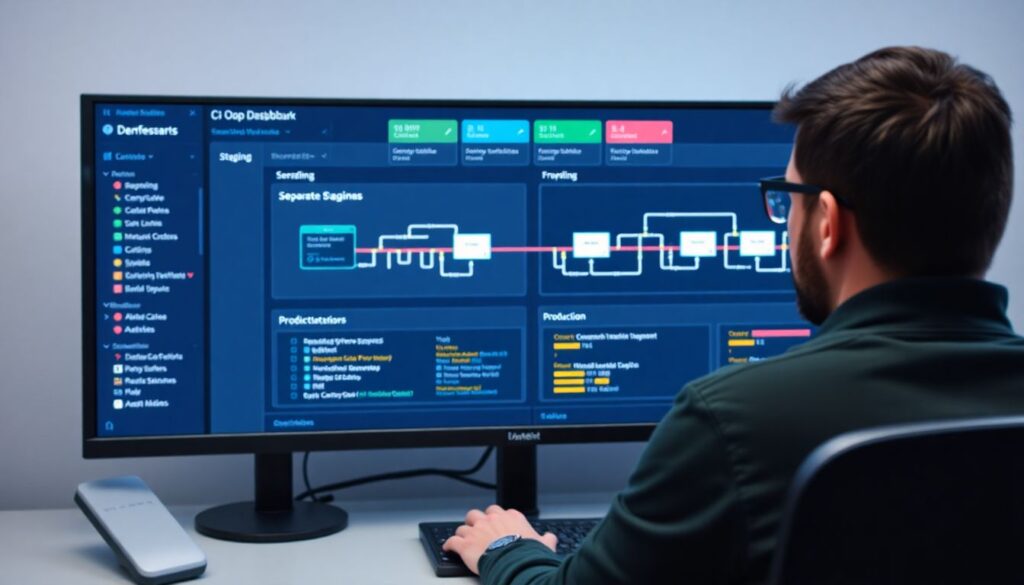
You can reuse most stages, but production should have stricter gates and RBAC. Typically, the same pipeline definition deploys to multiple environments using different credentials, namespaces, and approval rules, with the strongest controls applied to production.
Which tools are essential for securing cloud-native CI/CD?
At minimum you need a solid Git provider, a CI platform that supports secrets management and scanning, a secure artifact registry, and a way to enforce policies on deployments. On top of that, choose targeted ferramentas de segurança para pipelines CI/CD aligned with your stack.
How often should I review CI/CD security controls?
Review high-impact controls such as access policies, secrets, and deployment gates at least a few times per year or after major architecture changes. Also revisit controls after any security incident or near miss related to the pipeline.
Can I secure legacy pipelines, or do I need to rebuild everything?
You can usually harden legacy pipelines incrementally by adding MFA, scans, and basic policy checks. Over time, refactor the pipeline into smaller, versioned components and migrate to more cloud-native tooling where it provides clear security or reliability benefits.
How does DevSecOps change traditional CI/CD responsibilities?
DevSecOps spreads responsibility so that development, operations, and security teams jointly own the pipeline. Security engineers define policies and reusable modules, while developers consume them as standard templates instead of building ad-hoc pipelines.