
To quickly detect and respond to cloud security incidents, you need three things: prepared environments (inventory, IAM, baselines), automated monitoring with tuned alerts, and a clear triage and containment playbook. This guide focuses on practical, low‑risk steps that intermediate teams in Brazil can apply across major cloud providers.
Immediate action checklist for cloud-security incidents
- Confirm the incident: correlate at least two independent signals before acting.
- Isolate suspicious identities, workloads, and network paths with reversible changes.
- Preserve logs, snapshots, and configurations before modifying resources.
- Assess blast radius: impacted tenants, accounts, regions, and data types.
- Block attacker persistence (tokens, access keys, automation, webhooks).
- Patch root cause, rotate secrets, and validate baselines against drift.
- Document timeline, decisions, and evidence for later review and compliance.
Preparing cloud environments: inventory, IAM and baseline configurations
Goal: make your cloud environment observable and controllable so incident response is fast, repeatable, and low risk.
This preparation phase fits empresas that already treat segurança em nuvem para empresas as a continuous process, not a one‑time project. It is not ideal if your environment is in active outage, heavily misconfigured, or lacks any ownership; in those cases involve senior engineers or consultoria em segurança de infraestrutura cloud first.
Build and maintain a current cloud inventory
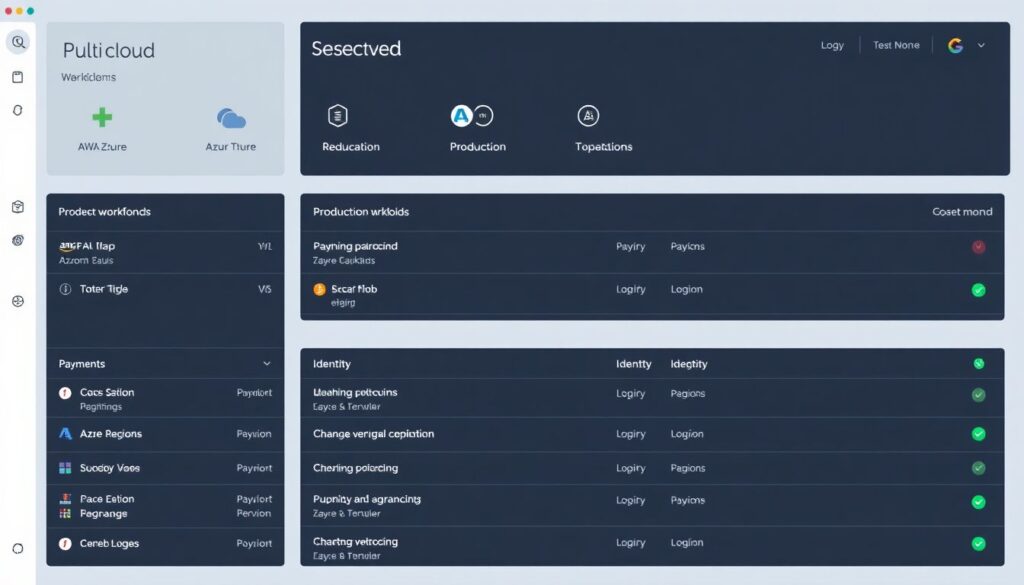
- List all cloud providers, subscriptions/accounts, regions, and critical workloads (production, payment, identity, logging).
- Enable resource tagging standards (e.g.
env=prod,owner=team-x,data=pii) for every service. - Use native tools like AWS Config, Azure Resource Graph, or GCP Asset Inventory to export regular inventories.
Next steps: generate a monthly inventory export and store it in a central, read‑only bucket for comparison during incidents.
Harden and scope IAM for incident control
- Create dedicated incident-response roles with read‑only plus minimal containment permissions (quarantine tags, security group updates, credential revocation).
- Require MFA and conditional access for admins and incident responders.
- Separate duties: identity management, network, and workload teams, with clearly documented escalation paths.
Next steps: test an incident-responder role in a non‑production account and confirm it can list logs, change security groups, and disable keys without full admin.
Define baseline configurations and guardrails
- Set organization‑level policies (e.g. disallow public buckets except specific tags, enforce encryption at rest, require logging).
- Create baseline templates (Terraform, CloudFormation, ARM/Bicep) for VPC/VNet, IAM roles, storage, and logging.
- Enable central logging accounts/projects where all audit and security logs are aggregated.
Next steps: choose one high‑risk area (e.g. object storage) and define a minimal baseline you can compare against after incidents to detect drift.
Automated detection: telemetry sources, alert tuning and SIEM playbooks
Goal: catch incidents early using automated signals, not manual log hunting.
Core telemetry you must enable
- Cloud audit logs (API calls, IAM changes, login attempts) for all accounts and tenants.
- Network telemetry (flow logs, firewall logs, WAF events) for production VPC/VNet and internet‑facing services.
- Endpoint and workload logs (EDR, OS logs, container logs, function invocation logs).
In pt_BR environments, serviços de monitoramento de segurança em cloud often combine native cloud tools (CloudTrail, Azure Activity Log, Cloud Logging), EDR agents, and a SIEM.
Mapping detection signals to tools and response times
| Detection signal | Example tools / sources | Target response time |
|---|---|---|
| Suspicious IAM activity (new admin, key creation, policy change) | Cloud audit logs, IAM analyzer, SIEM correlation rules | Investigate and decide action within 15-30 minutes |
| Unusual network egress or geo‑location | VPC/VNet flow logs, NIDS/NIPS, WAF, firewall logs | Containment decision within 30-60 minutes |
| Malware or exploit on workloads | EDR alerts, container security platform, OS logs | Host isolation or scaling action within 30 minutes |
| Data exfiltration anomalies | DLP, storage access logs, CASB, SaaS security tools | Access revocation and bucket restriction within 60 minutes |
| Control plane abuse or automation compromise | CI/CD logs, function logs, API gateways, SIEM use cases | Pipeline suspension and key rotation within 60 minutes |
Choosing and tuning detection tools
- Centralize telemetry in a SIEM or log analytics platform and define specific use cases, not just raw log ingestion.
- Adopt ferramentas de detecção de incidentes em nuvem that integrate with IAM, network, containers, and SaaS used by your business.
- Review top noisy alerts weekly and tune thresholds or suppression (e.g. known maintenance windows, trusted IP ranges).
Next steps: implement at least three high‑fidelity rules (e.g. new admin from unusual country, mass object downloads, API key used from unfamiliar ASN) and link each to a documented response playbook.
Triage workflow: prioritization, scope mapping and impact assessment
Goal: move from alert to confident decision quickly, without overreacting or missing real breaches.
-
Step 1 – Validate the alert with quick context
Confirm whether the alert is real by checking time, source, and known changes. Correlate with at least one other signal (e.g. audit log plus EDR alert) before starting heavy actions.
- Check change calendars and deployment pipelines for related events.
- Search SIEM for similar alerts in the last 24 hours.
-
Step 2 – Classify severity and business impact
Assign a severity level based on affected data (e.g. PII, payment), exposure (public vs internal), and current business impact (downtime, data modification, or exfiltration risk).
- Use a simple scale (Critical, High, Medium, Low) with clear criteria.
- Align with your empresa risk appetite and regulatory duties.
-
Step 3 – Map the technical scope
Identify which accounts, regions, services, and identities are involved. Focus on blast radius instead of every detail.
- List impacted accounts/subscriptions and cloud projects.
- Note all related resources: VMs, containers, serverless, databases, buckets.
- Record involved identities (users, roles, service principals, API keys).
-
Step 4 – Decide initial containment strategy
Choose actions that limit attacker movement and damage while keeping forensics and business continuity in mind. Prefer reversible, low‑risk changes at this stage.
- Examples: disable a single user, revoke specific tokens, restrict a security group, scale down non‑critical services.
- Avoid destructive actions like mass VM deletion unless absolutely necessary.
-
Step 5 – Preserve evidence before major changes
Capture logs, snapshots, and key configurations prior to reboots, patches, or re‑imaging. This is crucial in multi‑tenant clouds where logs may rotate quickly.
- Create snapshots or images of critical instances and disks.
- Export relevant audit logs and store them in a write‑once location.
-
Step 6 – Estimate data exposure and regulatory relevance
Evaluate if regulated data (e.g. personal data under LGPD) might be affected. Consider notification needs and consult legal/compliance when in doubt.
- Check access logs for read/download operations on sensitive storage.
- Document categories of data possibly accessed, not just specific records.
-
Step 7 – Escalate and communicate clearly
Share a concise status with stakeholders: what happened, what is impacted, what you are doing, and next expected update time.
- Use a standard template for incident updates.
- Maintain one primary communication channel to avoid confusion.
Fast-track mode for urgent cloud incidents
- Confirm the alert with one extra signal (e.g. audit + EDR) and assign a quick severity.
- Identify affected identities, accounts, and public‑facing resources only.
- Apply minimal, reversible containment (disable user, tighten security group, revoke tokens).
- Snapshot/log export, then check for sensitive data access in storage or databases.
- Escalate to security leadership or external consultoria em segurança de infraestrutura cloud if critical.
Containment strategies for IaaS, PaaS and serverless components
Goal: stop attacker actions safely across different cloud service models.
Use this checklist to verify that containment is complete but not excessively disruptive:
- IaaS workloads (VMs, containers) with suspicious activity are isolated via security groups, NSGs, or dedicated quarantine subnets instead of being deleted.
- Compromised VM or container images are removed from deployment pipelines and image registries, with new hardened images promoted.
- PaaS services (databases, storage, managed queues) have public endpoints restricted or firewalled to trusted ranges/VPN only.
- PaaS identity bindings (service accounts, access keys, connection strings) suspected of compromise are rotated and their old credentials revoked.
- Serverless functions with malicious or unknown code paths are disabled or restricted by IAM while you redeploy from a trusted source.
- API gateways and WAF rules are updated to block specific attacker IPs, user‑agents, or exploit patterns observed in logs.
- Any internet‑facing management interfaces (bastion hosts, remote desktops, admin portals) are reviewed and, if needed, restricted to VPN or SSO.
- Automated jobs and CI/CD pipelines connected to affected resources are paused until credentials and configurations are verified.
- All temporary containment changes (rules, tags, disables) are documented with clear owners and revisit dates.
Forensics and evidence preservation across multi-tenant clouds
Goal: keep enough high‑quality evidence to understand what happened and support legal or compliance needs.
Avoid these frequent mistakes when handling evidence in cloud incidents:
- Relying on default log retention and losing critical audit or network logs before analysis starts.
- Taking snapshots or images after cleaning or patching, which destroys original malicious artefacts and timelines.
- Analyzing disks or snapshots in the same production account without strict access controls or read‑only safeguards.
- Failing to correlate cloud control‑plane events with guest OS and application logs, leading to incomplete timelines.
- Ignoring SaaS logs (e.g. identity provider, email, collaboration tools) that often show initial access or lateral movement.
- Not documenting hash values, acquisition times, and who accessed which pieces of evidence.
- Exporting evidence to ad‑hoc locations instead of a dedicated, locked forensic bucket or project.
- Overlooking data localization or privacy rules when moving evidence across regions or providers.
- Sharing raw evidence widely inside the empresa instead of controlled, need‑to‑know access.
Recovery, remediation, and enforcement of post-incident hardening
Goal: restore safe operations and ensure the same incident cannot easily recur.
Option 1 – Rebuild from trusted templates
Recreate affected infrastructure from clean IaC templates or golden images. This is preferred when you have mature baselines and want strong guarantees that backdoors are removed.
Next steps: align templates with your soluções de resposta a incidentes de segurança na nuvem so rebuild is an explicit playbook step.
Option 2 – In‑place remediation with enhanced monitoring
Apply patches, configuration fixes, and key rotations to existing resources, then increase logging and monitoring temporarily. This suits environments where uptime requirements are strict and full rebuild is impractical.
Next steps: enable temporary, stricter serviços de monitoramento de segurança em cloud (additional rules, lower thresholds) for the affected scope for an agreed period.
Option 3 – Segmented migration to more secure architecture
Move critical workloads to a better‑secured account/landing zone or new architecture over time. Use the incident as a driver to adopt stronger segurança em nuvem para empresas patterns (zero trust, least privilege, centralized logging).
Next steps: prioritize high‑risk services (public storage, exposed management interfaces) and migrate them first with new guardrails.
Option 4 – Outsourced operations with strict SLAs

Engage managed detection and response or specialized consultoria em segurança de infraestrutura cloud when internal capacity is limited. Keep ownership of risk decisions, but outsource 24×7 monitoring and deep forensics.
Next steps: define SLAs for detection, response, and reporting, and ensure your providers support your chosen ferramentas de detecção de incidentes em nuvem and cloud platforms.
Common operational questions on cloud incident response
How fast should we respond to a high-severity cloud incident?
Aim to validate the alert within minutes and apply initial containment within an hour. Exact times depend on your risco profile, but set explicit targets per severity and review them after each incident.
When is it safe to shut down or delete compromised cloud resources?
Only after you have captured necessary evidence and confirmed the resource is not needed for immediate business continuity. Prefer isolation and rebuilding from clean templates instead of ad‑hoc deletion.
What if we do not have centralized logging already in place?
Start by enabling audit logs and basic network logs on your most critical accounts and projects, then expand. During an incident, prioritize collecting whatever logs are available before they rotate.
How do we coordinate across multiple cloud providers?
Use a single incident playbook that describes roles, severity, and communication, but include provider‑specific steps in appendices. Centralize logs and alerts into one SIEM to avoid fragmented visibility.
Should we inform customers about every cloud security incident?
Not every event requires external communication, but you must consider legal, contractual, and reputational factors. If customer data is likely exposed or service availability is impacted, involve legal and communication teams early.
How can smaller teams handle 24×7 cloud incident monitoring?

Automate as much as possible with cloud‑native alerts and a SIEM, and define clear on‑call schedules. When internal coverage is insufficient, consider managed services that provide round‑the‑clock monitoring.
What is the role of playbooks in incident response?
Playbooks turn policy into concrete, repeatable steps and reduce improvisation under pressure. Keep them short, tool‑specific, and regularly updated based on real incidents and exercises.