
A secure CI/CD pipeline with SAST, DAST, and SCA means every code change is automatically built, tested, scanned, and promoted only if security checks pass. You design the architecture, choose suitable tools, integrate scans into each stage, enforce fail-closed gates, protect secrets and artifacts, and continuously monitor and improve results.
Critical security checkpoints for CI/CD pipelines
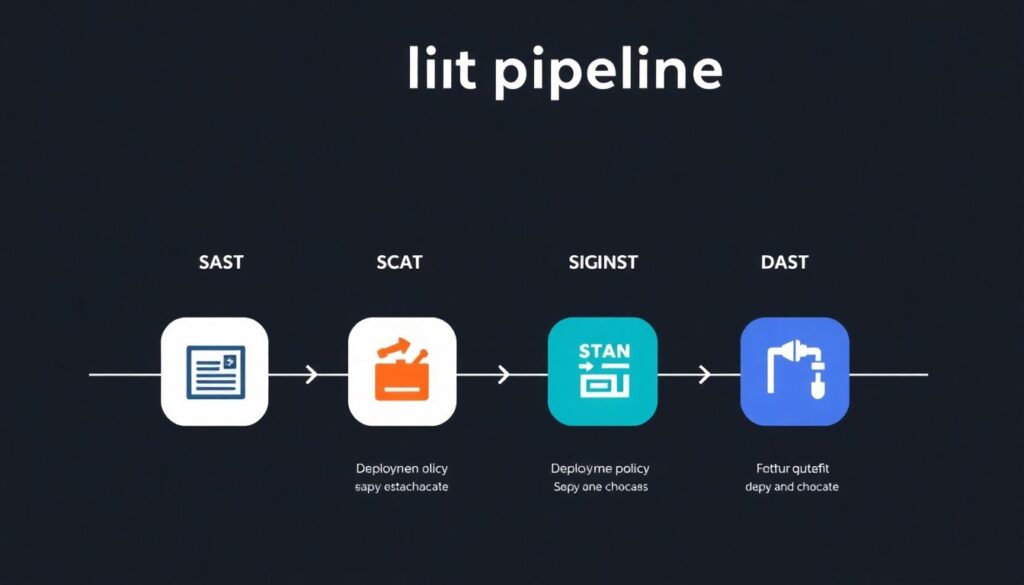
- Source stage: SAST and secrets scanning on every commit and merge request.
- Dependency stage: SCA on application libraries and container base images.
- Build stage: artifact signing and integrity verification.
- Pre-production stage: DAST against deployed test environments.
- Deployment stage: policy checks for configuration and infrastructure as code.
- Operations stage: monitoring, alerting, and incident response workflows.
Designing a secure CI/CD architecture
This guide targets intermediate DevOps / platform engineers in pt_BR contexts building a ci cd seguro com sast dast sca for web and API applications. It focuses on GitLab CI, GitHub Actions, and similar systems, but the patterns apply to most orchestrators.
Do not start a full production rollout if you lack:
- Basic automation maturity (reliable build and test pipelines already running).
- Clear ownership for security findings (who triages, who fixes, who approves risk).
- At least one non-production environment for DAST and destructive testing.
At a high level, your secure pipeline ci cd com analise de seguranca should:
- Keep CI runners in a separate, controlled network segment.
- Access code and registries via short-lived, scoped credentials only.
- Enforce immutable artifacts: build once, promote the same artifact across stages.
- Centralize logs and scan reports for audit and incident response.
Use a layered approach: integrate SAST early, SCA as part of build, and DAST in staging, forming the backbone of como implementar devsecops com sast dast sca without blocking developers unnecessarily.
Selecting and configuring SAST, DAST, and SCA tools
Before wiring scans into the pipeline, define what you need from ferramentas sast dast sca para devops and how they will operate at scale.
Risk matrix for CI/CD security scans
| Threat scenario | Likelihood (default) | Mitigation in the pipeline |
|---|---|---|
| Introduced critical code vulnerability | High | Mandatory SAST on merge requests with fail-closed gate for high severity issues. |
| Vulnerable open-source dependency | High | SCA on dependencies and container images, plus dependency update workflow. |
| Exposed secret in repository | Medium | Secrets scanning on commits and server-side pre-receive hooks. |
| Exposed staging environment via DAST testing | Medium | IP allowlists for DAST scanners and hardened, temporary test environments. |
| False positives blocking releases | Medium | Tuning, baselines, and risk-accepted suppressions reviewed by security. |
Tooling and access prerequisites
- SAST: language-aware analyzers compatible with your stack (for example Java, .NET, Node.js, Python) and able to run in containers or as CLI tools without internet access.
- DAST: web or API scanners that support authenticated crawls of your application in staging or ephemeral environments.
- SCA: dependency analyzers for package managers and container image scanners integrated with your artifact registry.
- Secrets scanning: tools capable of scanning git history and CI logs for keys, tokens, and passwords.
- Reporting: central dashboard or SIEM integration to aggregate SAST, DAST, and SCA results.
Baseline configuration choices
Select the melhores ferramentas para scans de codigo sast dast sca for your context by balancing:
- Coverage: languages, frameworks, and package managers supported.
- Performance: ability to complete scans within pipeline time budgets.
- Automation: CLI and API support, machine-readable output (JSON, SARIF).
- Security: ability to run fully offline and inside your network perimeter.
- Governance: role-based access, audit logs, and integration with ticketing systems.
Pipeline integration patterns and orchestration
Before implementing, consider these risks and constraints:
- Fail-open gates let vulnerable code reach production; safer default is fail-closed with controlled override mechanisms.
- Overly strict early rules can cause developer backlash; phase-in enforcement with clear communication.
- Long-running scans can block releases; separate fast checks per commit and deeper scans on schedules.
- Unscoped credentials in CI jobs expose your registries and cloud accounts.
- Lack of SLAs for triage and remediation leads to backlog growth and alert fatigue.
-
Model pipeline stages and security controls
Define a standard pipeline template for all services with stages such as: prepare, build, test, scan, package, deploy, and verify. Map which of SAST, DAST, SCA, and secrets scanning run in each stage.
- Prepare: checkout code, set up environment, fetch configuration.
- Scan: SAST, SCA, and secrets scanning on artifacts and code.
- Verify: DAST and smoke tests against deployed environment.
-
Add SAST into commit and merge-request workflows
Integrate SAST jobs early so that every push and merge request triggers fast static analysis. Prefer language-specific analyzers with CI-friendly exit codes.
# Example for GitLab CI sast: stage: scan image: registry.example.com/tools/sast:latest script: - sast-tool scan src --format sarif --out reports/sast.sarif artifacts: reports: paths: [reports/sast.sarif] allow_failure: false rules: - if: $CI_MERGE_REQUEST_ID -
Integrate SCA for dependencies and images
Run SCA on application dependencies during build and on container images before pushing to the registry. Keep these jobs parallel to SAST to limit pipeline time.
sca-deps: stage: scan image: registry.example.com/tools/sca:latest script: - sca-tool deps --lockfile package-lock.json --exit-on high allow_failure: false -
Wire DAST into pre-production environments
Create DAST jobs that deploy the application to an ephemeral or staging environment and then execute web or API scans. Limit scope to the target host and path.
dast: stage: verify image: registry.example.com/tools/dast:latest script: - dast-tool scan --url $STAGING_URL --auth token:$DAST_TOKEN allow_failure: false when: manual- Use IP allowlists or VPN so scanners can reach the environment securely.
- Schedule deeper DAST runs nightly to avoid impacting developer workflows.
-
Implement security gates and escalation paths
Enforce fail-closed behavior for high severity findings while allowing controlled overrides. Create a documented approval process for exception handling.
- High severity: pipeline fails, ticket auto-created, security team notified.
- Medium severity: warnings, but still deployable with recorded risk acceptance.
- Low severity: report only, batched remediation.
-
Standardize SLAs and reporting flows
Define and communicate SLAs for detection, triage, and remediation. For example, agree that critical issues from SAST, DAST, or SCA must be triaged in hours, not days, and remediated within short, pre-agreed timeframes.
- Automatically export scan results to your issue tracker.
- Dashboards per team showing open vs. resolved security findings.
- Monthly reviews of exceptions and accepted risks.
Automating policy enforcement and gating strategies
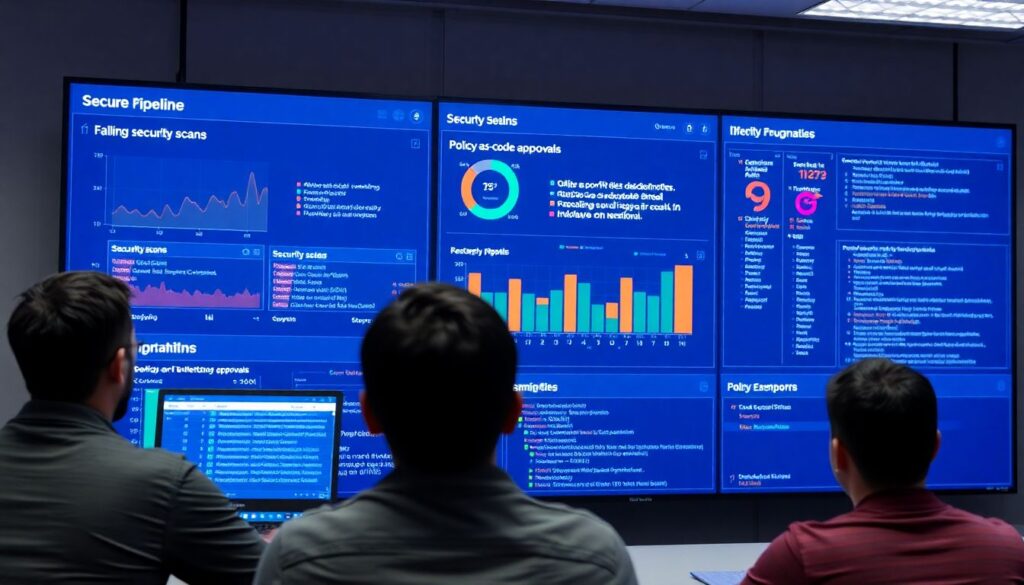
- All SAST, DAST, and SCA jobs are configured to fail-closed for high severity issues by default.
- Exception workflows exist and are documented, with approvals logged in your ticketing system.
- Security policies are defined as code (YAML, JSON, or policy-as-code tools) and stored in version control.
- Different project risk levels map to different policy bundles (for example internet-facing vs. internal APIs).
- Each pipeline clearly shows which policies were evaluated and which ones failed or passed.
- Non-compliant pipelines cannot deploy to production environments, even via manual overrides, without explicit risk acceptance.
- SLAs for triage and remediation are tracked: overdue critical findings are highlighted in dashboards.
- Scheduled jobs run full scans regularly to complement per-commit scans and validate that policies remain effective.
Managing secrets, credentials, and artifact integrity
- Storing long-lived access keys directly in CI variables instead of using a central secrets manager with rotation.
- Embedding credentials in source code, configuration files, or container images leading to leaks in SAST and DAST logs.
- Allowing CI runners to have broad permissions across projects and registries rather than least-privilege access.
- Skipping artifact signing and verification, making it impossible to guarantee that promoted artifacts are unmodified.
- Using the same credentials across development, staging, and production environments, which amplifies impact of compromise.
- Disabling TLS verification or using insecure registries for speed, exposing pipelines to man-in-the-middle risks.
- Not scanning artifact repositories and container registries with SCA tools, leaving old vulnerable artifacts available for reuse.
- Fail-open behavior when secrets scanning detects exposed tokens, instead of revoking them and blocking the pipeline.
Monitoring, incident response, and continuous improvement
You can combine several operating models depending on your team size and maturity.
- Central security operations with delegated fix owners: a security team monitors dashboards, triages SAST, DAST, and SCA alerts, and routes issues to service owners. This suits organizations with multiple product teams but limited security expertise in each squad.
- Embedded DevSecOps champions in squads: each team has at least one engineer responsible for the security of its pipelines, supported by shared tooling and guidance. This works well when you already practice frequent deployments and need autonomy.
- Platform-managed security as a service: a platform team offers pre-hardened CI/CD templates, default scan configurations, and guardrails. Individual teams consume them with minimal customization, ideal when standardization and compliance are key.
- Hybrid model with external MSSP support: outsourced security operations monitor findings around the clock, while internal teams focus on remediation. Useful when you need strong coverage but lack 24×7 internal capacity.
Common implementation pitfalls and quick fixes
How do I avoid pipelines becoming too slow with many scans?
Split checks into fast, blocking scans on each commit and deeper, non-blocking scans on schedules. Run SAST, SCA, and unit tests in parallel where possible, and reserve full DAST for nightly jobs or key branches.
What if SAST and DAST results contain many false positives?
Start with conservative rulesets, then tune over time by triaging findings and updating baselines. Use suppression files with review, and collaborate with security to adjust severity levels and rules without disabling entire categories.
How do I enforce security without blocking urgent hotfix releases?
Define an emergency release process with minimal but still mandatory checks, and require written risk acceptance by a product and security owner. After the hotfix, run full scans and schedule follow-up remediation if needed.
How can small teams manage all SAST, DAST, and SCA tools?

Prefer integrated platforms that bundle scans for code, dependencies, and containers, reducing operational overhead. Reuse shared pipeline templates and central configurations so teams do not maintain custom scripts for each tool.
What should I do when a secret is found in the repository?
Immediately revoke and rotate the exposed credential, then scrub it from git history if feasible. Add or tune secrets scanning to prevent similar issues and educate developers on safe patterns for configuration.
How do I decide which issues must block deployments?
Create a severity and asset criticality matrix with security and product owners. Typically, critical and high issues on internet-facing services are blocking, while medium issues may follow a separate remediation SLA without stopping all releases.
How can I show management that DevSecOps investment is working?
Track and report metrics such as time to triage, time to remediate per severity level, and reduction of repeated vulnerabilities. Use dashboards to illustrate how your ci cd seguro com sast dast sca reduces risk over successive releases.