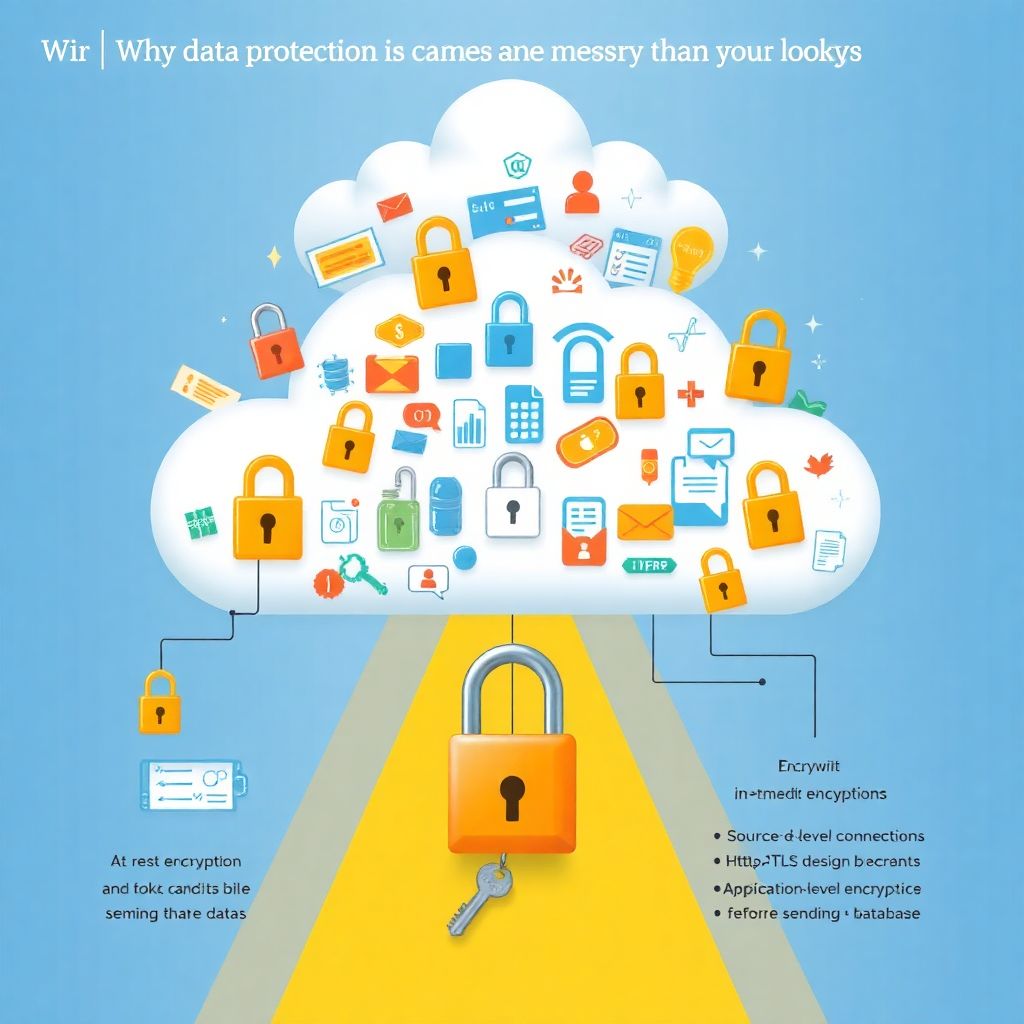
Why cloud data protection is messier than it looks
When you move real business data to the cloud, three questions immediately appear:
1. Who can see it?
2. Who *really* can see it?
3. What happens if it leaks anyway?
That last one hurts.
Proteção de dados sensíveis na nuvem para empresas não é только про «поставили галочку шифрования и забыли». It’s about combining encryption, tokenization, and masking in a way that fits your architecture, your team, and your regulatory pressure — and still lets the business do its job.
Let’s walk through this step by step, in plain language, and compare the main approaches along the way.
—
Step 1: Know what you’re actually protecting
Map your sensitive data before touching technology
Before choosing fancy tools, you need to know:
– What data is sensitive?
– Where it lives?
– Who uses it and why?
Think in categories:
– Personal data (names, emails, phone numbers, IDs)
– Financial data (cards, bank accounts, invoices)
– Health data
– Trade secrets (algorithms, pricing, source code, designs)
Then ask: does this data need to be:
– Just stored securely?
– Searched or filtered?
– Analyzed in bulk (analytics, AI, ML)?
– Shown partially (e.g., last 4 digits of a card)?
Those answers decide whether encryption, tokenization, or masking will work — or where each should be used.
Common mistake to avoid
Trying to “encrypt everything everywhere” without a plan.
You end up with a system that’s “secure” but unusable, so people start making unsafe shortcuts — like exporting CSVs to their laptops.
—
Step 2: Encryption – your default safety net
What encryption actually does for you
Encryption transforms data into unreadable text unless you have the key. In the cloud you’ll usually see:
– At-rest encryption – disks, object storage, database storage.
– In-transit encryption – HTTPS, TLS between services.
– Application-level encryption – the app itself encrypts certain fields.
Most cloud providers already offer soluções de criptografia em nuvem para dados confidenciais out of the box: KMS services, managed keys, HSMs, encrypted storage.
So why do people still leak data? Because keys, not algorithms, are usually the weak point.
Approach 1: Rely on cloud-provider-managed encryption
This is the default in AWS, Azure, GCP, etc.
Pros:
– Easy to enable.
– Little code change.
– Good baseline for compliance checklists.
– Scales with your storage and databases.
Cons:
– Protects mainly against “disk stolen” or low-level access.
– Cloud admins with enough privileges might still access decrypted data.
– Doesn’t protect you from your own application bugs, misconfigurations, or over-permissive roles.
In other words: great baseline, not enough for serious internal and external threats.
Approach 2: Application-level encryption
Here, your code encrypts specific fields (like card numbers or national IDs) *before* sending them to the database.
Pros:
– DB admins and many internal users see only ciphertext.
– Works even if storage layer is compromised.
– Good fit for “golden fields” that absolutely must be protected.
Cons:
– Harder to search, filter, or sort on encrypted fields.
– More key-management complexity.
– Requires careful design and discipline in the codebase.
Beginner tip
Start by encrypting the smallest, most critical set: e.g., card numbers, government IDs, health notes. Don’t try to redesign every table on day one.
—
Step 3: Tokenization – hiding data while keeping its shape
What tokenization solves that encryption doesn’t
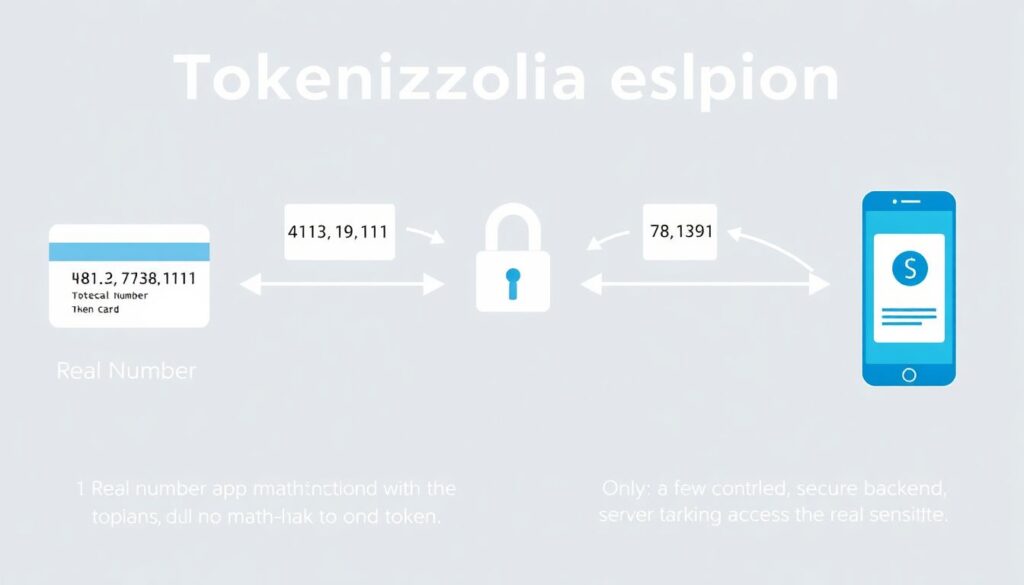
Tokenization replaces a real value (e.g., “4111 1111 1111 1111”) with a token that has no mathematical link to it (e.g., “8923 4411 7723 1349”). The mapping is stored in a secure token vault.
So your app works with tokens most of the time, and only a few controlled services ever see the real data.
This is where a plataforma de tokenização de dados na nuvem becomes attractive for medium and large businesses.
Approach 3: Centralized tokenization service
You have one central service that:
– Receives sensitive data.
– Generates a token.
– Stores the mapping securely.
– Returns tokens to apps.
Pros:
– Fantastic for PCI-DSS, banking, and strict privacy regions.
– Business systems can still operate on tokens (same length, formats).
– You can control de-tokenization with fine-grained access policies.
Cons:
– Adds latency (one more network call).
– Becomes a critical dependency (and potential bottleneck).
– Needs serious hardening and monitoring.
Approach 4: Library-based tokenization inside apps
Instead of a central service, each app uses a library that handles token creation and storage, maybe backed by a shared key-value or secrets store.
Pros:
– Lower latency (local operations).
– Easier to experiment in smaller teams.
Cons:
– Risk of inconsistent implementation between services.
– Harder to audit who can de-tokenize what.
– More places to misconfigure security.
Warning: Easy way to get this wrong
Treating tokenization as “fancy encryption” and storing the token and original value in the same database without strict separation. If an attacker gets that DB, they basically get the cleartext.
—
Step 4: Masking – protecting views, not just storage
What data masking is really for
Masking is about what people can see, not how the data is stored.
Instead of storing new values, you often keep the original data but display something like:
– Email: `j***@example.com`
– Card: ` 1234`
– Phone: `+55 *-1234`
Ferramentas de mascaramento de dados sensíveis em escala help you apply these rules across:
– Analytics dashboards
– Support tools
– Back-office panels
– Test and staging environments
Approach 5: Static data masking (copies)
You take a copy of production data, mask it, and use the masked copy in dev, test, or training.
Pros:
– Reduces risk in non-prod environments.
– Developers can work with “realistic” data shapes.
– No performance hit in production.
Cons:
– Needs regular refresh and re-masking.
– If you miss a column, you might expose live data.
– Sync and pipeline management can get tricky.
Approach 6: Dynamic masking (on-the-fly)
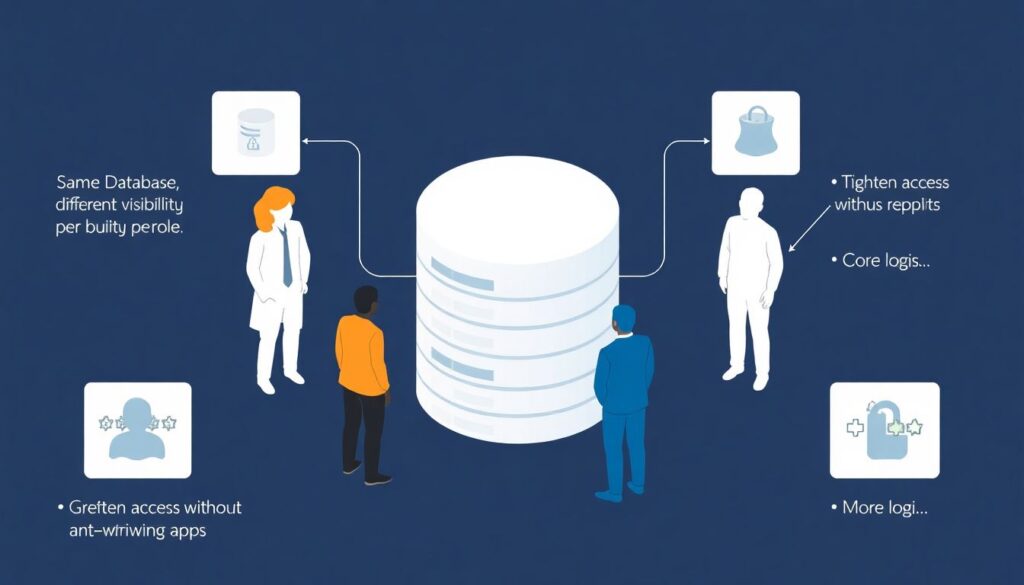
The data in the DB is real, but depending on who queries it, the database or proxy masks certain fields in real time.
Pros:
– Same database; different visibility per role.
– Great for support teams, analysts, and outsourced partners.
– You can tighten access without rewriting apps.
Cons:
– More logic at the DB/proxy layer.
– Can get complex with many roles, apps, and conditions.
– If misconfigured, someone might see too much.
Beginner tip
Start by masking views in admin and support tools. That’s where humans casually see data on screen — and where screenshots, photos, or shoulder surfing become real risks.
—
Step 5: Putting it together – when to use what
Let’s compare the three pillars in practical terms.
Encryption vs Tokenization vs Masking – different jobs
1. Encryption
Best for:
– Baseline protection of everything (storage, backups).
– Critical fields where only a few services need access.
Think of it as the lock on the safe.
2. Tokenization
Best for:
– Payment data, IDs, elements under heavy regulation.
– Architectures where most services should *never* see real data.
Think of it as keeping the valuables in another building and only handing out claim tickets.
3. Masking
Best for:
– Human-facing tools and less-trusted environments.
– Reducing “casual visibility” without breaking systems.
Think of it as blurred windows: the room is there, but you can’t see details.
A strong proteção de dados sensíveis na nuvem para empresas usually combines all three, not just one.
—
Step 6: Scaling these protections in the cloud
Architecting for scale, not just survival
As your user base and data volume grow, you’ll need:
– Centralized key management (preferably with HSM-backed KMS).
– Clear SLAs for tokenization services.
– Masking rules that are defined once but applied everywhere.
Many teams lean on serviços de segurança e compliance para dados na nuvem from their providers or third parties: managed KMS, DLP tools, CASB, cloud-native access control, and audit services. Use them — but don’t outsource your thinking.
Common scaling mistakes
– Ignoring performance:
Suddenly every request waits on a slow token service or crypto call.
– Fragmented policies:
Each team invents its own rules and tools. Five ways to mask an email, none documented.
– Over-trusting “internal” networks:
In modern zero-trust models, internal ≠ safe. Treat every service and user as potentially compromised.
—
Step 7: A simple rollout plan (without boiling the ocean)
Here’s a pragmatic path you can follow:
1. Identify your top 10–20 most sensitive fields.
Card numbers, national IDs, personal health notes, secrets.
2. Turn on and verify baseline encryption.
– Ensure at-rest and in-transit encryption everywhere.
– Centralize keys where possible (KMS, HSM).
3. Pick 1–2 fields for application-level encryption or tokenization.
– Implement either centralized tokenization or direct field encryption.
– Integrate with your existing auth and logging.
4. Introduce masking in human-facing tools.
– Partial display for support and admin UIs.
– Remove full visibility from roles that don’t truly need it.
5. Extend to non-production environments.
– Use static masking on prod copies.
– Block real sensitive data from dev/test as a rule.
6. Review and adjust every quarter.
– Track incidents, near-misses, and access patterns.
– Tighten roles, refine which fields need which protection.
7. Document, train, repeat.
– Developers: how to use crypto/token APIs correctly.
– Support and ops: how masking works and why it matters.
—
Choosing the right approach for your situation
If you’re a small or early-stage team:
– Start with:
– Provider encryption + HTTPS everywhere.
– Basic masking in dashboards.
– Add later:
– Application-level encryption for 1–2 ultra-sensitive fields.
If you’re a growing or regulated business:
– Introduce a plataforma de tokenização de dados na nuvem for payments or IDs.
– Use dynamic masking for analytics and support tools.
– Enforce strong key-rotation and least-privilege access to decryption.
If you’re a large, multi-team organization:
– Standardize:
– One key-management strategy.
– One tokenization service (well-governed and monitored).
– Central set of masking policies applied via shared libraries or a gateway.
– Integrate with broader serviços de segurança e compliance para dados na nuvem and SIEM/SOC processes.
—
Final thoughts: security that doesn’t fight your business
Good protection of sensitive cloud data is not about picking “the best” between encryption, tokenization, and masking. It’s about:
– Using encryption as a universal safety belt.
– Applying tokenization where almost nobody should see real data.
– Leveraging masking to limit human and low-trust visibility.
Do it in stages, keep it simple at first, and make sure your developers, operators, and security folks are aligned. When the business grows, your protection strategy should grow with it — not slow it down.