
To implement efficient IAM across AWS, Azure and GCP without losing control, centralize identities, standardize roles, and automate least privilege. Use a single IdP for authentication, enforce MFA, configure short‑lived credentials and apply policy‑as‑code. Continuously monitor, audit, and rehearse incident response for credential compromise and misconfiguration.
Core Principles for Multi‑Cloud IAM
- Use one primary identity provider for humans and workloads, then federate to AWS, Azure and GCP.
- Design a common role model, then map it to native IAM constructs in each cloud.
- Apply least privilege with policy‑as‑code, reviews, and time‑bound access.
- Separate authentication from authorization to simplify how to centralize autenticação e autorização em ambientes multicloud.
- Continuously log, monitor and alert on IAM changes and suspicious session activity.
- Plan for incident response specifically for token theft and key leakage scenarios.
Designing a Centralized IAM Reference Architecture
This architecture fits empresas in Brazil running workloads across AWS, Azure and Google Cloud that need consistent governance, auditability and compliance (LGPD, SOC, ISO, etc). It is ideal when you already have a corporate IdP and want gestão de identidade e acesso multicloud aws azure gcp with one control plane.
You should not fully centralize if:
- Each business unit operates legally isolated environments, with hard regulatory boundaries that forbid shared identity.
- You lack minimal IAM maturity (no IdP, no MFA, no process for joiners/movers/leavers).
- You are in early experimentation with only a few low‑risk accounts and have no need for cross‑cloud SSO yet.
- Critical third‑party systems can only integrate with native cloud accounts and not with an external IdP.
A typical reference architecture for soluções de segurança e iam para multi cloud corporativa in pt_BR context includes:
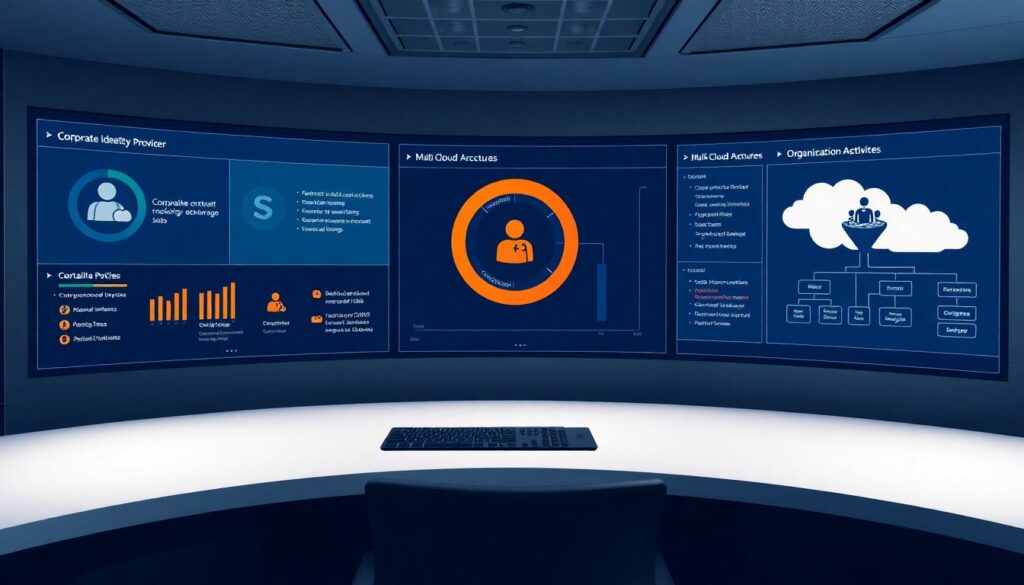
- Corporate IdP as the source of truth – Azure AD / Entra ID, Okta, Ping or similar, mastering human and service identities.
- Federation to each cloud – SAML/OIDC to AWS IAM Identity Center, Azure subscriptions, and Google Cloud organizations.
- Landing zones – A standardized account/subscription/project structure with baseline guardrails and delegated administration.
- Central policy pipeline – Git‑based repository for IAM policies and role definitions, with CI checks and approvals.
- Cross‑cloud logging – Central SIEM (e.g., Sentinel, Splunk, Elastic) ingesting CloudTrail, Azure Activity Logs, and Cloud Audit Logs.
Identity Federation and Cross‑Cloud Trust Models
To enable ferramentas de iam para múltiplas nuvens aws azure gcp in a secure and manageable way, you need a clear federation design and a small, well‑controlled set of trust relationships.
Core requirements and prerequisites
- Corporate identity provider
- Central directory for users and groups (Entra ID, Okta, Keycloak etc.).
- Support for SAML 2.0 and OIDC for single sign‑on.
- MFA enforcement and conditional access (by network, device, risk).
- Cloud organization structures
- AWS Organizations with multiple accounts.
- Azure management groups and subscriptions.
- Google Cloud organizations and folders with projects.
- Security tooling
- SIEM or log analytics to aggregate IAM logs from all providers.
- Secrets manager in each cloud for app credentials.
- Optional: centralized PAM for privileged and break‑glass accounts.
- Governance and processes
- Documented process for role requests, approvals and reviews.
- Change management for IAM policies (Git, code review, change tickets).
- Incident runbooks for access revocation and credential compromise.
Comparison of AWS, Azure and GCP IAM building blocks
| Aspect | AWS | Azure | Google Cloud |
|---|---|---|---|
| Main IAM entities | IAM users (legacy), roles, groups, policies; IAM Identity Center for SSO | Entra ID users/groups, service principals, Azure RBAC roles and role assignments | Google identities, groups, service accounts, IAM roles and bindings |
| Policy model | JSON policies with explicit Allow/Deny attached to roles/users/resources | Role definitions (built‑in/custom) and assignments at scope (mgmt group, subscription, resource group, resource) | Role bindings granting roles to members at project/folder/org or resource level |
| Federation options | SAML/OIDC to IAM Identity Center or directly to roles via web identity | Native integration with Entra ID; SAML/OIDC for third‑party IdPs | SAML/OIDC for workforce identity; workload identity federation |
| Strengths | Fine‑grained policies; strong account‑level isolation; good short‑lived role assumption | Tight integration with Microsoft stack; granular RBAC; PIM for just‑in‑time elevation | Simpler resource hierarchy; strong service account model and workload identity features |
| Limitations | Policy syntax can become complex; legacy users still common in older setups | Many overlapping built‑in roles; easy to over‑grant at high scopes | Service account key sprawl risk if not using keyless federation |
When evaluating plataformas de gerenciamento de identidades para aws azure e google cloud, align features like lifecycle automation, group‑based provisioning, and conditional access with the native IAM capabilities summarized in the table.
Unified Access Provisioning and Role Mapping Strategy
Before step‑by‑step implementation, understand key risks and constraints of a centralized approach:
- Misconfigured trust can allow unintended cross‑cloud access escalation.
- Over‑reliance on one IdP makes it a single point of failure if not hardened.
- Broad, reusable roles can silently grow into admin‑level access.
- Inconsistent logging makes incident investigation across clouds slow or impossible.
- Poor offboarding processes leave dormant but valid access in one or more clouds.
-
Define common personas and access patterns – Start from people and workloads, not from cloud services.
- List typical personas: developer, DevOps, data engineer, security analyst, auditor, external vendor.
- For each persona, enumerate required actions (read logs, deploy infrastructure, query DBs, manage secrets).
- Identify high‑risk actions (e.g., key management, policy edits, billing changes) to treat separately.
-
Design a cross‑cloud role catalogue – Create a small, stable set of roles independent of any specific provider.
- Examples:
cloud-viewer,app-operator,platform-admin,security-analyst,billing-reader. - Define for each role: scope (prod/non‑prod), allowed operations, and exclusion of break‑glass privileges.
- Document roles in a repo and review them with security, platform, and main squads.
- Examples:
-
Map global roles to AWS, Azure and GCP privileges – Translate the catalogue into concrete IAM constructs.
- AWS: create IAM roles or SSO permission sets; attach least‑privilege policies implementing each global role.
- Azure: define custom RBAC role definitions when built‑ins are too broad; assign at correct scope.
- GCP: compose custom roles or reuse predefined roles; bind them to groups or workforce identities.
-
Implement IdP groups as the primary binding mechanism – Avoid per‑user assignments in the clouds.
- Create IdP groups per global role and environment (for example,
g-cloud-viewer-prod). - For each cloud, configure SAML/OIDC claims mapping IdP group membership to IAM roles or assignments.
- Standardize naming conventions across providers to simplify audits and automation.
- Create IdP groups per global role and environment (for example,
-
Automate provisioning and deprovisioning – Use SCIM or APIs to sync groups and accounts.
- Connect HR system → IdP to automatically create, update and remove users.
- Automate adding/removing users to role groups based on department, job, and project flags.
- Ensure account disablement in IdP immediately revokes sessions and cloud access.
-
Introduce time‑bound and just‑in‑time elevation – Avoid permanent admin memberships.
- Use Azure PIM or equivalent to grant temporary high‑privilege roles with approval and logging.
- For AWS and GCP, implement elevation via short‑lived roles or dedicated break‑glass paths.
- Log every elevation in the SIEM and periodically review usage.
-
Test mappings with least‑privilege scenarios – Validate in non‑production before rollout.
- For each persona, perform common tasks and ensure they succeed without errors.
- Attempt forbidden actions and verify they are correctly blocked and logged.
- Iterate slowly, adding permissions only when a real need appears.
-
Roll out incrementally with clear communication – Start with read‑only and low‑risk roles.
- Onboard one business unit or environment at a time.
- Provide runbooks and short guides to users explaining how to access each cloud via SSO.
- Collect feedback and adjust roles before wider rollout.
Policy Lifecycle: Versioning, Testing and Safe Deployment
Use this checklist to verify your IAM policy lifecycle is safe and controlled across AWS, Azure and GCP:
- Policies and role definitions are stored in Git with branches, pull requests and code review.
- Every change references a ticket or change request with risk assessment and rollback plan.
- Static analysis tools (linters, policy validators) run in CI for each provider before merge.
- Automated tests attempt both allowed and denied actions using synthetic identities in non‑production.
- Deployment pipelines apply policies to staging first, then to production with manual approval gates.
- Policy changes to critical scopes (organization, management groups, org‑level in GCP) require dual approval.
- There is a documented emergency rollback procedure for mis‑applied policies in each cloud.
- Audit logs clearly show who changed which policy, in which environment, and when.
- Scheduled access reviews verify that old policies and roles are removed or tightened regularly.
- Break‑glass accounts are tested and updated to ensure they still work if the main IdP is unavailable.
Enforcing Least Privilege at Scale with Automation

Common mistakes that weaken least‑privilege enforcement in multi‑cloud environments:
- Reusing broad built‑in roles like full admin at high scopes (organization, management group, folders) to “simplify” access.
- Granting exceptions per user instead of adjusting group‑based roles and personas.
- Leaving legacy IAM users with long‑lived access keys in AWS instead of migrating to roles and SSO.
- Using static service account keys in GCP or app passwords in Azure instead of workload identity or managed identities.
- Disabling or relaxing MFA for privileged roles to avoid friction during incidents or maintenance windows.
- Allowing direct console logins with high privileges instead of scoped role assumption from lower‑privilege sessions.
- Ignoring “read‑only” access, which can still leak sensitive configuration, secrets locations or internal architecture.
- Not automating detection of unused roles and permissions, leading to noisy and over‑permissive policy sets.
- Centralizing logs but not configuring actionable alerts on suspicious privilege escalations and policy edits.
- Mixing production and non‑production access in the same roles, making it impossible to separate risk levels.
Monitoring, Auditing and Incident Response Across Clouds

There are different patterns to orchestrate monitoring and incident response for multi‑cloud IAM; choose based on team skills, tools and regulatory needs:
- Central SIEM with cloud‑native collectors – Forward CloudTrail, Azure Activity Logs and GCP Audit Logs into a single SIEM (for example, Sentinel or Splunk). Best when you already have a mature SOC and need unified correlation and reporting.
- Hybrid model using cloud‑native security centers – Use AWS Security Hub, Microsoft Defender for Cloud and Google Security Command Center locally, then send their alerts to a light central aggregator. Suitable when teams are cloud‑specific but security leadership wants a consolidated view.
- Managed MDR or co‑managed SOC – Outsource monitoring of IAM events to a provider experienced in multi‑cloud. Useful for smaller teams in Brazil that lack 24×7 capacity but still require strong soluções de segurança e iam para multi cloud corporativa.
- Compliance‑focused logging only – Centralize logs mainly for retention and audit, with minimal active monitoring, plus targeted detections for high‑risk IAM events. Works as an interim step when budget is limited but regulatory evidence is mandatory.
Common Implementation Concerns and Answers
How do I start centralizing IAM if I already have separate setups in each cloud?
Begin by connecting a single IdP to all clouds for interactive user SSO. Then standardize a small set of global roles and map them to existing permissions. Gradually migrate users from local accounts to IdP‑based access, starting with non‑production environments.
Is one identity provider enough for critical multi‑cloud workloads?
One IdP is fine if it is highly available, secured with MFA, and has clear break‑glass procedures. For critical workloads, combine it with native cloud identities (roles, managed identities, service accounts) and short‑lived tokens instead of relying only on IdP‑issued long‑lived credentials.
How can I reduce risk from long‑lived access keys and tokens?
Inventory all keys and tokens, rotate or revoke unnecessary ones, and move to role assumption and workload identity wherever possible. Enforce automatic expiration, configure alarms for unused or overly permissive credentials, and use central secrets managers instead of embedding keys in code.
What is the safest way to give temporary admin access across clouds?
Implement just‑in‑time elevation: users request temporary roles, approvals are logged, and access automatically expires. Use Azure PIM, custom workflows or ticket‑driven automations to grant short‑lived AWS and GCP admin roles, and monitor all elevated sessions with enhanced logging.
How do I handle external vendors that need access to multiple clouds?
Create vendor‑specific IdP groups and least‑privilege roles for each cloud, separated from internal personas. Use time‑bound access, IP/device restrictions where possible, and ensure contracts require secure identity practices and incident notification for credential compromise.
What should my first incident response runbook for IAM cover?
Include procedures for suspected account takeover, token or key leakage, and mis‑applied policies. Each runbook should detail steps to revoke sessions, rotate credentials, isolate affected resources, review logs, and communicate with internal stakeholders and, if needed, regulators.
Can I keep some small teams using native IAM without centralization?
Yes, for isolated experiments or low‑risk labs, native IAM per cloud is acceptable. Clearly label these environments, limit data sensitivity, and ensure they cannot reach production. As soon as they become business‑critical, migrate them to the centralized IAM model.