
Hardening managed Kubernetes on EKS, GKE and AKS means locking down identity, network, workload and supply chain paths before going to production. This guide gives a practical, low-risk checklist you can apply cluster-by-cluster, aligned with melhores práticas de segurança kubernetes gerenciado for teams running in Brazil (pt_BR) and similar environments.
Pre-deployment hardening checklist for managed Kubernetes
- Restrict API access to private endpoints, enforce RBAC least privilege, and integrate with cloud IAM (AWS IAM, Google Cloud IAM, Azure AD).
- Choose a supported CNI, enable Kubernetes NetworkPolicy, and lock ingress/egress with cloud firewalls and routing rules.
- Turn on Pod Security Admission with baseline/restricted modes and limit capabilities, privilege and host access by default.
- Keep node images and control plane versions updated; automate patching and secure bootstrapping workflows.
- Use signed images, private registries and CI/CD policy gates to verify image provenance before deployment.
- Centralize audit logs, configure alerts for high‑risk actions, and maintain incident playbooks for common scenarios.
- Review periodically with internal expertise or serviços de consultoria em segurança kubernetes when running critical workloads or meeting compliance like LGPD.
| Area | Pass condition | Fail signal | Remediation summary | EKS / GKE / AKS notes |
|---|---|---|---|---|
| API & identity | API private, RBAC roles minimal, SSO via cloud IAM | Public API open, many users bound to cluster-admin | Restrict CIDRs, audit roles, migrate to least-privilege groups | Use aws-auth (EKS), GKE RBAC + Google Groups, AKS AAD integration |
| Network policies | All namespaces have default deny + explicit allows | Any pod can reach any other, no NetworkPolicy objects | Roll out namespace-by-namespace, starting with staging | Ensure CNI supports policies on your cluster flavor |
| Workload policies | Pod Security Admission enforced; no privileged containers | Pods with hostPath, privileged or NET_ADMIN capabilities | Move to restricted profiles; refactor manifests and Helm charts | Use built-in enforcement; avoid deprecated PSP everywhere |
| Supply chain | Images signed and scanned pre-deploy | Latest tags and public hub images used in production | Pin digests, enforce signing and scanning in CI/CD | Use cloud-native registries and admission controls |
| Observability | Central logs, alerts, and runbooks tested | Only default metrics; alerts missing or noisy | Define SLOs, create alerts per risk, test incident flows | Leverage cloud monitoring suites for managed clusters |
Cluster access and identity: API server, RBAC and cloud IAM integration
This part of kubernetes security hardening eks gke aks is suitable for almost all managed clusters before production. It is not appropriate to skip these steps unless a cluster is strictly ephemeral for testing and holds no sensitive data, or you already front everything with a separate strong zero trust layer.
- Consolidate who can touch each cluster – Map personas (platform, SRE, developers, security, read‑only auditors). For each persona, decide if they really need kubectl access or can work via GitOps / CI pipelines only.
- Lock down the Kubernetes API endpoint – Prefer a private endpoint reachable only from VPN, peered VPC/VNet or bastion.
- EKS: Set
endpointPublicAccess=falseor tightly scopedpublicAccessCidrs. - GKE: Use Private clusters, authorized networks for any residual public control plane.
- AKS: Use Private cluster mode and NSG rules to restrict management traffic.
- EKS: Set
- Integrate with cloud IAM / SSO – Avoid local Kubernetes users whenever possible.
- EKS: Manage mappings in the
aws-authConfigMap, map IAM roles not users where possible. - GKE: Use Google identity, groups and IAM bindings with
gcloud container clusters get-credentials. - AKS: Prefer Azure AD‑enabled clusters and AAD groups mapped to RBAC roles.
- EKS: Manage mappings in the
- Implement least‑privilege RBAC – Start from cluster‑admin only for break‑glass.
- Create
ClusterRole/Roleobjects with minimal verbs and resources. - Bind groups, not individuals, via
RoleBinding/ClusterRoleBinding. - Use labels per namespace (e.g.
env=prod) and group‑specific roles referencing them via policies.
- Create
- Audit and rotate kubeconfig access – Ensure expired engineers lose access automatically, and API audit logs show which IAM principal executed sensitive actions.
Network defenses: CNI choices, network policies and ingress/egress controls
These controls are the base for hardening cluster kubernetes na aws azure google cloud, and are safe to apply incrementally. You will need the following before starting:
- Admin access to the cloud account and Kubernetes cluster (kubectl + cloud CLI).
- Knowledge of which CNI is running (AWS VPC CNI, GKE VPC‑native, Azure CNI, Cilium, Calico, etc.).
- Permissions to update cluster settings, node pools and security groups / firewall rules.
- Access to DNS, ingress controllers and any external load balancers used by the cluster.
- An inventory of namespaces and critical workloads, including which services require external exposure.
Recommended steps and tools (ferramentas de segurança para kubernetes gerenciado) include:
- Use a CNI with strong NetworkPolicy support (e.g. Cilium, Calico, Azure CNI powered by Cilium, GKE Dataplane V2).
- Implement default‑deny NetworkPolicy per namespace, then explicit allow rules between services.
- Combine Kubernetes NetworkPolicy with cloud firewalls: security groups (EKS), VPC firewall rules (GKE), NSGs (AKS).
- Harden ingress via managed load balancers and WAF; restrict egress with egress gateways or NAT + firewall rules.
- Use policy testing tools (e.g.
kubectlplugin / policy simulator) to validate connectivity before rollout.
Workload security: pod security admission, capabilities and runtime constraints
Before the step‑by‑step procedure, complete this short preparation checklist to avoid breaking workloads when applying pod security changes:
- Confirm your cluster version supports Pod Security Admission (recent Kubernetes) and PSP is not the only control.
- Inventory workloads needing elevated privileges (e.g. CNI, storage drivers, host monitoring agents).
- Ensure you can deploy to a non‑production environment that mirrors production policies.
- Have Git access to Helm charts and manifests to change pod specs quickly.
- Set up at least one policy tool (like Gatekeeper or Kyverno) in audit mode to preview violations.
- Enable Pod Security Admission in audit or warn mode first – Configure namespace labels to apply baseline or restricted policies without immediately blocking pods.
- Label a test namespace with e.g.
pod-security.kubernetes.io/enforce=restrictedand matchingaudit/warnlevels. - Observe which deployments violate the policy using Events and audit logs.
- Label a test namespace with e.g.
- Define namespace tiers with matching security levels – Group workloads by risk.
- Use
restrictedfor most application namespaces andbaselinefor less critical or legacy apps. - Keep dedicated
system/infrastructurenamespaces for CNIs and storage drivers that need extra privileges.
- Use
- Remove unnecessary privileges and capabilities from pods – Adjust pod and container specs.
- Set
securityContext.privileged=falseeverywhere except vetted system workloads. - Drop all Linux capabilities by default using
capabilities.drop: ["ALL"], then add only what is required. - Avoid
hostNetwork,hostPID,hostIPCunless strictly needed.
- Set
- Enforce seccomp and AppArmor profiles where supported – Limit syscalls and file access.
- Use the RuntimeDefault seccomp profile via
securityContext.seccompProfile.type=RuntimeDefault. - On nodes that support AppArmor, apply pre‑defined profiles via pod annotations.
- Use the RuntimeDefault seccomp profile via
- Apply runtime safety constraints on all containers – Reduce blast radius of a compromise.
- Use
readOnlyRootFilesystem=truewhere possible and mount writable volumes only where needed. - Set resource
requestsandlimitsto prevent noisy neighbors and some DoS scenarios. - Run as non‑root with
runAsNonRoot=true,runAsUserset, and avoid hostPath mounts.
- Use
- Validate and enforce with a policy engine – Move from best‑effort to guaranteed enforcement.
- Install a policy engine (e.g. Gatekeeper, Kyverno) in audit mode first to detect misconfigurations.
- Gradually switch critical policies (no privileged, no hostPath, required labels) to enforce mode.
- Integrate policy checks into CI/CD to block non‑compliant manifests before they reach the cluster.
Control plane & node hygiene: patching, node hardening and secure bootstrapping
Use this concise checklist to verify your control plane and node hygiene meets a minimal bar before production rollout or as part of kubernetes security hardening eks gke aks programs.
- Control plane versions are supported by the cloud provider; no cluster is on a deprecated minor version.
- Node pools use a managed image from the provider; custom images are documented and maintained.
- Automatic or scheduled upgrades are configured for control plane and node pools with maintenance windows appropriate for your region (e.g. pt_BR business hours avoided).
- SSH access to nodes is disabled by default, or limited via bastion/jump hosts with strong authentication.
- OS‑level hardening baselines (e.g. CIS for Linux) are applied or covered by managed node images.
- Disk encryption is enabled for node volumes and etcd / control plane storage where the provider supports it.
- User‑managed components (DaemonSets, sidecars) are not breaking kubelet or node upgrades.
- Bootstrap scripts (cloud‑init, user‑data) are stored in version control, peer‑reviewed and free of secrets.
- Secrets are stored using cloud KMS integrations or external secret managers, not embedded in node bootstrap scripts.
- Cluster autoscaler and node taints/labels are configured so that critical system pods always have capacity during rolling upgrades.
Supply chain protection: image provenance, registry policies and CI/CD gates
Supply chain mistakes are some of the most common ways that hardening cluster kubernetes na aws azure google cloud fails in practice. Avoid these frequent errors:
- Using
:latesttags in production instead of pinned, immutable image tags or digests. - Pulling images directly from public registries without mirroring through a private, controlled registry.
- Allowing developers to push images from laptops instead of CI‑built, reproducible pipelines.
- Skipping vulnerability scans for application and base images before deployment.
- Not signing images or failing to verify signatures at admission time in the cluster.
- Lacking policies that prevent running images from unapproved registries or projects.
- Embedding secrets in container images (config files, environment variables baked into Dockerfile).
- Ignoring SBOM (Software Bill of Materials) and dependency management, making it hard to respond to new CVEs.
- Letting CI/CD service accounts have overly broad cluster roles instead of namespace‑scoped, purpose‑built permissions.
- Not testing rollback paths, so a bad image or broken security change is hard to revert quickly.
Observability and response: audit logs, alerting, and incident playbooks

Different teams and budgets call for different observability and response setups in ambientes Kubernetes gerenciados. Consider these alternative patterns and when they fit:
- Cloud‑native only stack – Use provider logging/monitoring (CloudWatch + GuardDuty, Cloud Logging/Monitoring + SCC, Azure Monitor + Defender for Cloud). Good for small to mid‑size teams starting kubernetes security hardening eks gke aks with minimal tooling overhead.
- Centralized multi‑cluster security platform – Adopt a commercial or open‑source platform that aggregates posture, runtime events and policy across clusters. Fits organizations running many clusters or multiple clouds, who need unified governance and ferraments de segurança para kubernetes gerenciado at scale.
- Hybrid model with SIEM integration – Forward Kubernetes audit logs, application logs and cloud security events to a central SIEM. Works well when the security team already operates a SIEM and wants to correlate Kubernetes with broader infrastructure and LGPD‑related events.
- GitOps‑centric observability – Use Git as the single source of truth for configuration, including alert rules and runbooks. Suitable for teams already doing GitOps, where changes to alerts and incident procedures must be reviewed and auditable.
Practical operational questions about hardening managed clusters
How do I start hardening an existing production cluster without downtime?
Begin with read‑only controls: enable audit logs, deploy policy engines in audit mode, and label a non‑critical namespace with stricter Pod Security Admission. Observe impact, then roll out changes gradually, using maintenance windows for any modifications that can affect network or node behavior.
Should I use different hardening profiles for dev, staging and production?
Yes. Keep the policy types aligned but change enforcement levels. For example, enforce strict Pod Security Admission and NetworkPolicy in production, warn or audit in dev. This keeps environments similar while allowing developer experimentation and lowering the risk of broken pipelines.
When does it make sense to bring in serviços de consultoria em segurança kubernetes?
Consider external help when you have regulated workloads, many clusters across aws, azure and google cloud, or limited in‑house Kubernetes security experience. Consultants can accelerate baselining, tool selection and reviews, but internal teams should still own daily operations and continuous improvements.
Can managed Kubernetes security features replace traditional network firewalls?
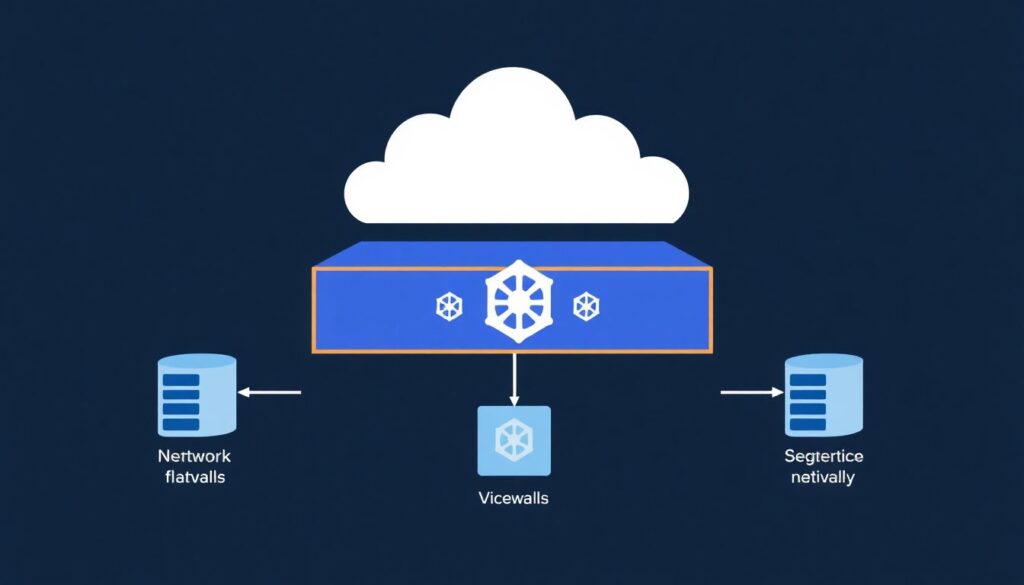
No. Kubernetes NetworkPolicy and admission controls complement but do not replace cloud firewalls, VPC/VNet segmentation and WAFs. Use both layers: cloud networking for coarse‑grained isolation, Kubernetes policies for fine‑grained pod‑level access inside the cluster.
How often should I review my RBAC roles and policies?
Review RBAC at least on a fixed cadence (for example quarterly) and whenever team membership or responsibilities change. Automate detection of cluster‑admin bindings and overly broad roles so you can quickly identify and remediate privilege creep.
What is the safest way to test new security policies?
Use a staging cluster or namespace that mirrors production, enable new policies in audit or warn mode, and run representative workloads and tests. Only switch to enforce once you have validated logs and no longer see unexpected denials.
How do I choose between different ferramentas de segurança para kubernetes gerenciado?
Prioritize coverage for your cloud (EKS, GKE, AKS), integration with existing CI/CD and observability, and ease of policy management for your team. Run short proof‑of‑concepts using real clusters and workloads instead of relying only on feature lists or marketing material.