
Cloud monitoring and logging for incident detection means collecting metrics, logs and traces from all your cloud workloads into a resilient, searchable and alert-enabled stack. You design an observability architecture, standardize telemetry, implement safe pipelines, and tune alert rules so that real incidents are detected fast without flooding teams with noise.
Prioritized detection objectives and signal hierarchy
- Prioritize life-of-business risks first: production outages, data loss, security incidents and billing anomalies must drive your monitoring and logging coverage.
- Define a clear signal hierarchy: metrics for availability, traces for latency and dependency failures, logs for detailed investigation and forensics.
- Use SLOs and user journeys to decide where to deploy plataformas de observabilidade em nuvem com alertas em tempo real.
- Standardize fields, severities and correlation IDs so that soluções de logging em cloud para detecção de incidentes remain searchable across all services.
- Continuously prune noisy alerts and promote only reliable, high-fidelity signals into on-call paging policies.
Architectural patterns for scalable cloud observability
Scalable cloud observability usually follows three patterns: centralized (one stack per organization), federated (per domain/team) or hybrid (shared core plus team add-ons). All rely on consistent telemetry standards and robust pipelines that separate ingestion from storage and query.
Centralized approaches fit small and mid-size empresas starting in cloud, or when you adopt serviços gerenciados de monitoramento e logging em cloud from a single provider (for example, AWS CloudWatch plus an external SIEM). They simplify governance, RBAC and cost control, and work well when teams share tools and SLAs.
Federated or hybrid architectures make sense when you have many squads, multiple business units or complex compliance constraints, especially in melhores práticas de monitoramento e logging em ambientes multicloud. Each domain can choose its own ferramentas de monitoramento em nuvem para empresas, while still forwarding critical events to a central incident view.
Avoid fully centralized designs when:
- Latency between regions is high and you require local incident triage in each region.
- Data sovereignty prevents exporting raw logs to a single country or account.
- Autonomous teams need to experiment rapidly without waiting for central platform changes.
Avoid fully federated designs when:
- Security incidents require global correlation across workloads and regions.
- Execs need unified SLO dashboards and KPIs for regulators or customers.
- You lack staff to operate many distinct observability platforms.
Centralized vs federated logging: trade-offs and selection criteria
Selecting between centralized, federated or hybrid logging depends on data volume, jurisdictions, team autonomy and the cost of delayed incident detection. The table below summarizes typical trade-offs.
| Model | Architecture overview | Cost profile | Operational risks | When it fits |
|---|---|---|---|---|
| Centralized | All logs, metrics and traces sent to a single shared platform (managed or self-hosted). | Economies of scale; may spike with ingest-heavy workloads if cost controls are weak. | Single point of failure, noisy multi-tenant querying, risk of over-privileged access. | Small/medium organizations, single-cloud, homogeneous tech stack, strong central SRE team. |
| Federated | Each domain/team runs its own stack; limited or no cross-domain aggregation. | Higher fixed overhead per team; flexible tuning and retention by domain. | Fragmented view, duplicated effort, weak global incident correlation. | Large enterprises, regulated units, acquisitions with distinct stacks. |
| Hybrid | Shared backbone for security and business KPIs; teams keep local stacks for details. | Balanced: central costs for core signals, per-team costs for deep debug data. | More complex routing, need for clear ownership and change management. | Multicloud, global operations, need for shared security plus team autonomy. |
Before choosing, ensure you have:
- Clear ownership: who runs the core observability platform, and who onboards new workloads.
- Access to cloud audit logs and billing APIs in all relevant accounts, subscriptions and projects.
- Security approval for log export, retention policies and cross-region data transfer.
- Networking in place (VPC peering, PrivateLink, VNet peering, Cloud VPN) for safe log transport.
- At least one reference platform for each cloud: for example, CloudWatch + OpenSearch on AWS, Azure Monitor + Log Analytics on Azure, and Cloud Logging + Cloud Monitoring on GCP.
Telemetry pipelines: ingesting metrics, traces and logs reliably
Well-designed telemetry pipelines reduce data loss, control costs and improve detection. They also introduce their own risks if misconfigured: blind spots, backpressure and unintentional data exposure.
Key risks and constraints to keep in mind:
- Pipeline outages can silently block alerts; always monitor the monitor with heartbeat checks.
- Overly broad logging may capture secrets or personal data; apply redaction and minimization.
- Network misconfigurations can expose log endpoints to the public internet; prefer private networking.
- Unbounded ingestion into managed services can trigger unexpected bills; enforce quotas and budgets.
- Weak authentication between agents and collectors can allow spoofed or tampered telemetry.
-
Baseline requirements and SLOs
Clarify which incidents you must reliably detect and the maximum allowed detection delay. This anchors all pipeline decisions.
- Define SLOs for alert delivery latency (for example, within a few minutes for P1 incidents).
- List critical services, regions and tenants that require guaranteed coverage.
- Agree on retention periods for metrics, traces and logs separately.
-
Classify telemetry by criticality
Not all data is equal. Classify telemetry into tiers and route accordingly so that important signals are never throttled by low-value noise.
- Tier 0: security and audit logs, load balancer logs, billing anomalies.
- Tier 1: production application logs and metrics tied to user-facing SLOs.
- Tier 2+: verbose debug logs, dev/test workloads, batch-job traces.
-
Design ingestion topology
Choose agents, collectors and transport with failure modes in mind. Prefer local buffering and encrypted transport.
- Use host or sidecar agents (for example, the OpenTelemetry Collector) to batch and compress data.
- Send telemetry to an internal message bus (Kinesis, Kafka, Pub/Sub) before indexing when volumes are high.
- Separate security-focused sinks (SIEM, central logging) from product analytics sinks.
-
Harden and test the pipeline
Secure endpoints, add backpressure controls and validate end-to-end delivery with synthetic events before trusting alerts.
- Enforce TLS, mutual authentication and scoped API keys for all telemetry producers.
- Enable rate limits and dead-letter queues for malformed data.
- Inject test logs and verify they appear in dashboards and alerts within the target SLO.
-
Implement retention and cost controls
Keep enough data to investigate incidents without creating unbounded storage or privacy risk.
- Apply shorter retention and sampling for verbose logs; keep security and audit logs longer.
- Use lifecycle rules to move old data to cheaper storage tiers.
- Set budgets and alerts for ingestion and storage costs per environment.
-
Validate end-to-end incident detection
Regularly simulate failures and verify that the right alerts fire and reach the on-call person through your plataformas de observabilidade em nuvem com alertas em tempo real.
- Run game days where you deliberately break dependencies and check telemetry coverage.
- Measure mean-time-to-detect (MTTD) and compare against your SLOs.
- Log and track any gaps as work items for the observability team.
Example runbook snippets for major cloud providers

The following are minimal, safe starting points you can adapt. Always restrict IAM permissions and test in non-production first.
AWS: shipping VPC Flow Logs and application logs
# 1. Enable VPC Flow Logs to CloudWatch Logs (via console or CLI).
# 2. Attach IAM policy allowing only required log actions to the instance role.
# 3. Install and configure CloudWatch Agent on EC2:

sudo yum install -y amazon-cloudwatch-agent

cat > /opt/aws/amazon-cloudwatch-agent/etc/amazon-cloudwatch-agent.json <<EOF
{
  "logs": {
    "logs_collected": {
      "files": {
        "collect_list": [
          {
            "file_path": "/var/log/app/app.log",
            "log_group_name": "prod-app-logs",
            "log_stream_name": "{instance_id}"
          }
        ]
      }
    }
  }
}
EOF

sudo systemctl restart amazon-cloudwatch-agent
Azure: sending logs to Log Analytics workspace
# 1. Create a Log Analytics workspace in the same region as your workloads.
# 2. Use Diagnostic settings to send Activity Logs, platform logs and metrics.
# 3. Install the Azure Monitor agent on VMs or scale sets.

# Example: assign a Diagnostic setting to an App Service to send logs and metrics:
# Portal: App Service -> Monitoring -> Diagnostic settings -> Add -> Send to Log Analytics
GCP: Cloud Logging and metrics for GKE
# 1. When creating a GKE cluster, enable Cloud Logging and Cloud Monitoring.
# 2. Limit logs to necessary workloads by configuring logging exclusion filters.
# 3. Use Metrics Explorer to build SLO-based charts and bind them to alerting policies.
Tooling map: matching open-source and managed services to needs
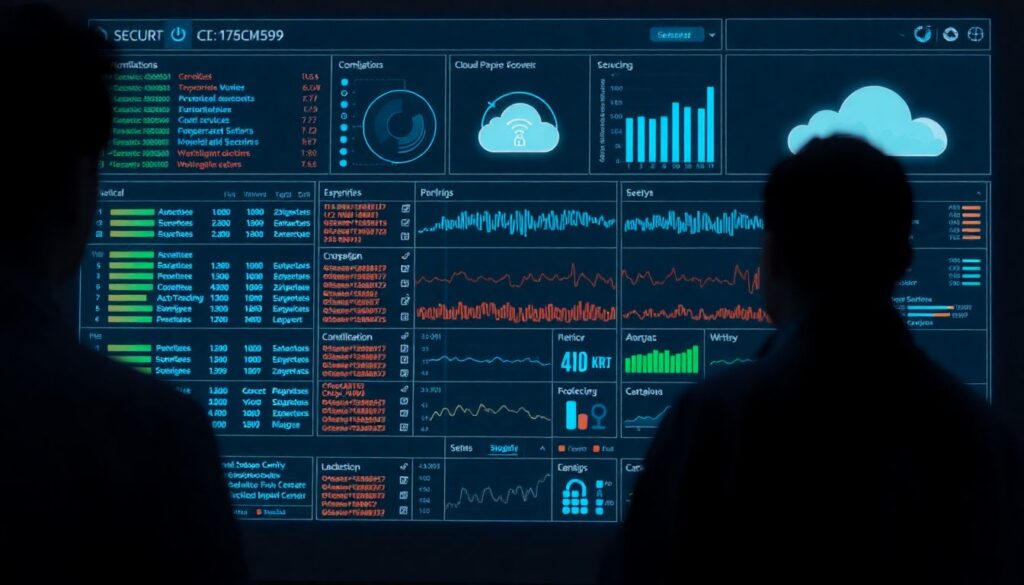
Use this checklist to validate that your tooling covers detection, investigation and compliance across your environments and clouds.
- Confirm at least one managed observability backbone per cloud (for example, serviços gerenciados de monitoramento e logging em cloud such as CloudWatch, Azure Monitor, Cloud Logging).
- Ensure your open-source stack (for example, Prometheus, Loki, Tempo, OpenSearch) can ingest from all relevant environments, including on-prem and multicloud.
- Verify that your soluções de logging em cloud para detecção de incidentes support structured logs (JSON) with consistent fields.
- Check that alerting integrates with on-call tools (email, chat, pager) and supports per-team routing.
- Confirm that dashboards expose SLOs, error budgets and business-level KPIs, not just infrastructure metrics.
- Validate that sensitive logs are encrypted at rest and in transit, with auditable access controls.
- Ensure you can run ad-hoc queries across clouds, at least for high-value signals (security and billing).
- Confirm that plataformas de observabilidade em nuvem com alertas em tempo real can suppress flapping alerts and implement maintenance windows.
- Review licensing and quotas for all ferramentas de monitoramento em nuvem para empresas to avoid sudden ingestion throttling.
- Document a minimal common schema so that logs and metrics remain portable between providers.
Alerting strategy, SLO-driven thresholds and incident detection rules

Alerting is where observability meets people. Poorly configured rules either miss real incidents or burn out the on-call team.
- Relying only on static CPU or memory thresholds, instead of SLO-based error rate and latency alerts tied to user impact.
- Sending every alert to a single global channel, making it impossible to see which team owns which incident.
- Not distinguishing between P1 (page immediately) and lower-priority alerts (email or ticket only).
- Creating overly complex multi-condition rules that are hard to debug and silently stop firing.
- Ignoring cloud-native anomalies like rapid spend increases, region outages or quota exhaustion.
- Failing to rate-limit alerts during cascading failures, causing alert storms and missed key signals.
- Leaving default alert thresholds from sample dashboards without validating them in your environment.
- Not revisiting and pruning alerts after each incident, resulting in ever-growing noise.
- Using logs only for post-mortem analysis instead of defining specific log patterns that should trigger incident alerts.
Post-incident analysis, remediation playbooks and continuous tuning
After each incident, treat observability as a first-class topic in your reviews. Strengthen both architecture and process.
- Enhanced cloud-native stack only: For small teams in a single cloud, lean heavily on the provider’s own monitoring plus targeted custom dashboards and alerts. This reduces maintenance risk and uses default guardrails.
- Open-source centric observability layer: When you need deep customization or vendor flexibility, run Prometheus-compatible metrics, distributed tracing and log aggregation yourself, while still using cloud-native features for basic safety signals.
- Managed observability platform: For organizations lacking SRE bandwidth, adopt a third-party SaaS observability solution that integrates multiple clouds and normalizes data, then map all detection rules and SLOs into that platform.
- Security-anchored observability with SIEM-first flow: In highly regulated contexts, treat SIEM as the primary sink for critical telemetry and feed summarized operational signals into your app dashboards to keep incident detection aligned with security operations.
Across all options, keep a simple runbook per critical service describing where logs live, how to pivot from alerts to traces to logs, and how to safely capture extra telemetry during an ongoing incident without overloading the system.
Operational clarifications for common monitoring challenges
How much logging is enough for reliable incident detection?
Capture all security, audit and access logs, plus structured application logs around requests, errors and external calls. Avoid logging sensitive payloads or excessive debug data in production; instead, make debug logging togglable and time-limited.
How do I prioritize which services to monitor first in multicloud?
Start from user-facing and revenue-critical paths, regardless of cloud. Implement melhores práticas de monitoramento e logging em ambientes multicloud by defining a minimal, consistent set of metrics and logs across providers, then expand coverage to supporting and batch services.
When should I move from cloud-native tools to a dedicated observability platform?
Consider migrating when teams struggle to correlate incidents across accounts or clouds, when you duplicate dashboards for each provider, or when compliance requires unified retention and access control policies across all telemetry.
How do I avoid alert fatigue for the on-call team?
Classify alerts by severity, tie paging only to clear user impact, and routinely remove or downgrade noisy rules. Favor fewer, high-quality alerts backed by robust detection rules rather than broad, speculative alerts.
What is the safest way to test detection rules in production?
Use controlled chaos experiments and synthetic traffic that mimics failures without harming real users, such as intentionally failing a small percentage of non-critical requests. Monitor carefully and roll back immediately if impact exceeds predefined guardrails.
How should I handle logs that may contain personal or sensitive data?
Apply data minimization, mask or hash identifiers where possible, and segregate high-risk logs in restricted-access projects or accounts. Coordinate with legal and security teams to set retention and deletion policies aligned with local regulations.
What if my team lacks observability expertise?
Start with managed cloud services and vendor best-practice templates, then gradually introduce more advanced components. Document simple playbooks and invest in basic training so engineers can use dashboards and logs safely during incidents.