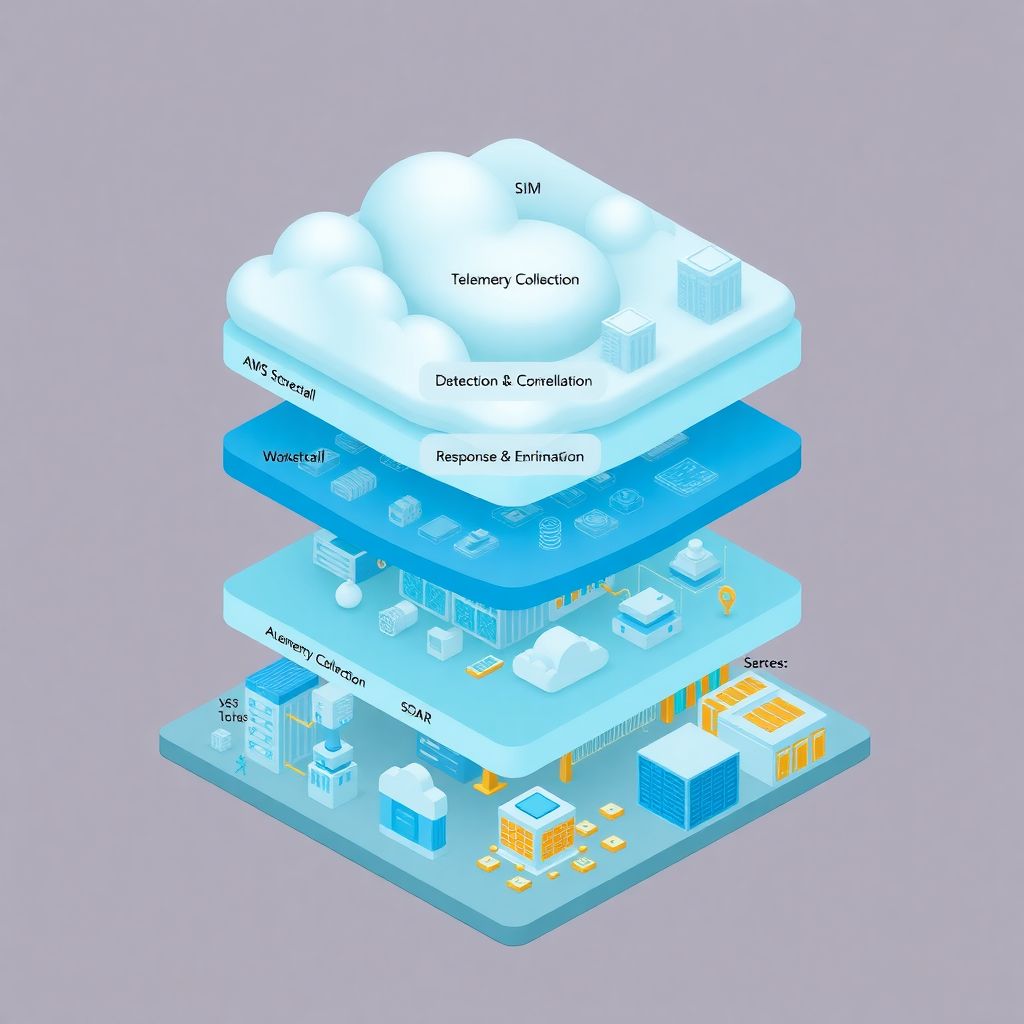
Why cloud incident monitoring is a completely different game
Cloud changed everything about how we build and run systems — but a lot of teams still try to monitor and respond to incidents like it’s 2012 on‑prem.
In a data center, you “own” the network, the hardware, often even the hypervisor. In cloud, you’re working in a shared-responsibility model, with ephemeral resources, APIs everywhere and a ton of managed services.
That means:
– Logs are scattered across dozens of services
– IPs and hosts are short‑lived
– Many attacks happen at the identity and configuration layer, not just the network
A traditional SOC that stares at firewalls and endpoint AV simply doesn’t see half of what’s going on.
Monitoring and incident response in cloud needs a modern SOC architecture, tuned for telemetry, automation and identity-centric detection.
Let’s go through how that looks in practice.
—
Core principles of a modern cloud SOC
A “modern SOC” for cloud isn’t just a room with big screens. It’s an architecture and a set of workflows built around a few non‑negotiable principles:
– Cloud-first telemetry: logs and events from cloud-native services, not just servers
– Identity-centric detections: focus on IAM, keys, tokens, roles, SSO
– Automation by default: playbooks, SOAR, Lambda/Functions for containment
– API-driven everything: ingest, enrich, respond through APIs
– Shared responsibility aware: understand where your CSP ends and you begin
If your SOC doesn’t meet these, you’ll either miss incidents or drown in noise.
—
Reference architecture: how a cloud-aware SOC is actually wired
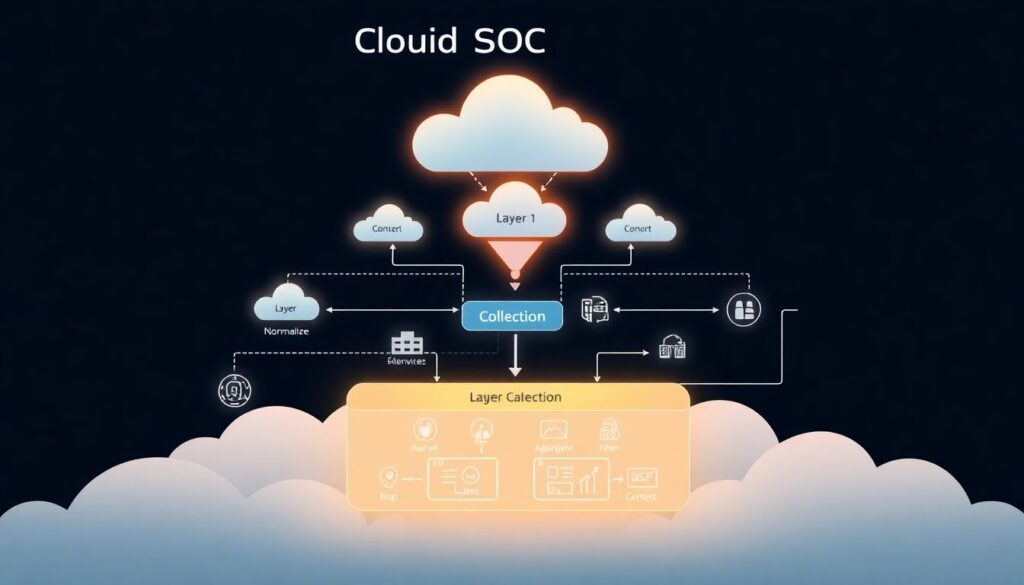
Think of a cloud SOC architecture in four big layers:
1. Collection – get all the signals
2. Normalization & correlation (SIEM) – make sense of them
3. Detection & enrichment – turn data into findings
4. Response & automation (SOAR) – act quickly and consistently
We’ll walk through each with practical examples.
—
Layer 1: Telemetry collection in cloud environments
This is where a lot of people stumble. They turn on some logs, ship them “somewhere”, and call it a day. In cloud, partial visibility is almost as bad as zero visibility.
You want broad and deep coverage of:
– Cloud control plane (who changed what, where and when)
– Data access (buckets, DBs, secrets)
– Identity (auth successes and failures, role assumptions, token use)
– Workloads (containers, VMs, serverless, managed services)
– Network (VPC flows, WAF, API gateways, load balancers)
Practical example: minimum viable telemetry in AWS
A realistic “minimum” for an AWS-heavy environment:
– CloudTrail: org-wide, all regions, data events for S3 and Lambda at least
– VPC Flow Logs: at least for public subnets and critical internal segments
– ELB / API Gateway / WAF logs: to understand app-layer attacks
– GuardDuty: managed threat detection for anomalies and known patterns
– EKS / ECS logs: from containers (stdout/stderr) and control plane
– OS-level logs: via CloudWatch Agent or another log shipper on EC2
You then forward all this into your ferramentas SIEM para monitoramento de cloud, or into a central log store (like S3) that your SIEM ingests from.
—
Technical detail: sample log volume planning
For a mid-size SaaS (50–100 engineers, 100+ microservices, multi-account AWS):
– CloudTrail: 20–80 GB/day
– VPC Flow Logs: 50–150 GB/day (depends heavily on traffic)
– WAF/API/ALB logs: 10–50 GB/day
– Container logs: 30–100 GB/day
Total: commonly in the 150–300 GB/day range.
If your SIEM pricing is based on GB/day, this is not a side detail — it shapes your whole design.
—
Layer 2: SIEM for cloud – what actually works
A SIEM in 2026 isn’t just a glorified syslog box. For cloud, you need:
– Native support for cloud providers (AWS, Azure, GCP)
– Ability to parse cloud-specific formats (CloudTrail, Activity Logs, etc.)
– Good query performance on high-volume events
– Built-in or community detection rules for cloud abuse
Some teams build on open-source (e.g., OpenSearch + custom pipelines), others rely on commercial ferramentas SIEM para monitoramento de cloud like:
– Splunk with cloud apps and add-ons
– Microsoft Sentinel (especially in Azure-heavy shops)
– Google Chronicle
– Sumo Logic, Devo, Exabeam, etc.
The right answer depends on your skills, budget and where your workloads actually live.
—
Real-world scenario: going from “logs everywhere” to actionable SIEM
One fintech I worked with had:
– Logs in CloudWatch
– Separate logs in Datadog
– Audit logs in S3 “for compliance”
– An underused SIEM with only partial data
They had alerts firing, but when a suspected compromise popped up, it took them 6–8 hours to manually pivot between tools.
What changed things:
1. Defined a single source of truth: all security-relevant logs must land in the SIEM or a dedicated data lake it can query.
2. Standardized fields: `user`, `source_ip`, `account_id`, `resource_arn`, `action`, `result`. Even if the original log didn’t have them, they were inferred or mapped.
3. Added context from CMDB/asset inventory and IAM: “this role belongs to Team X, used only by service Y, from these regions.”
4. Built 10–15 core detection queries focused on high-impact risks (privilege escalation, unusual geography, public S3 changes, etc.) rather than 500 generic rules.
Incident handling time dropped to under 2 hours for complex cases and ~15–20 minutes for common ones.
—
Layer 3: Detection and threat modeling for cloud
“More alerts” is not the goal. “Fewer, higher-quality alerts” is.
In a cloud SOC, you prioritize:
– Misconfiguration detection: public buckets, overly permissive security groups, wildcard IAM policies
– Credential and key abuse: unusual use of access keys, long-lived tokens, new countries/ASNs
– Privileged role anomalies: admin roles assumed at odd hours or by unusual principals
– Abuse of managed services: e.g., Lambda used for crypto-mining or data exfiltration, atypical BigQuery queries, suspicious Azure Logic Apps calls
—
Technical detail: examples of high-value cloud detections
Some concrete detection patterns that usually pay off:
– Impossible travel / unusual geo
– Same IAM user or federated identity authenticating from 2 distant countries within < 1 hour.
- Suspicious IAM modifications
– Creation or update of policies containing `”Action”: “*”` and `”Resource”: “*”`, especially tied to non-admin identities.
– New API usage by an existing principal
– A service account suddenly using `iam:PassRole`, `sts:AssumeRole`, or `kms:Decrypt` for the first time.
– Mass enumeration or access patterns
– Large bursts of `ListBuckets`, `DescribeInstances`, or scanning-style requests.
– Logging turned off or reduced
– Disablement of CloudTrail, GuardDuty, Security Center, or logging for key services.
These are exactly the types of queries your SIEM should run continuously.
—
Layer 4: Response and automation (SOAR + cloud-native)
Detection without response is just expensive observability.
For cloud, the fastest wins come from automating:
– Containment: isolate a resource, revoke credentials, cut network access
– Notification: let humans know on Slack/Teams with all context attached
– Evidence capture: snapshot, export logs, preserve configurations
Modern plataformas de resposta a incidentes em nuvem (SOAR tools) usually integrate with cloud APIs and your SIEM so you can orchestrate all of this.
Examples of response actions:
– Disable an IAM user or rotate access keys
– Quarantine an EC2 instance by moving it to an isolated security group
– Pause a compromised container deployment
– Apply a “deny all” SCP temporarily to a suspicious AWS account
– Block an IP or user-agent in WAF across multiple regions
—
Practical example: automated response playbook
Scenario: your SIEM triggers on “possible credential theft” for an AWS IAM user.
A good automated playbook:
1. Trigger on the SIEM alert (via webhook or API).
2. Enrich:
– Pull CloudTrail events for that user over last 24–72 hours
– Check geolocation and ASN of source IPs
– Check whether this user is linked to a human, machine, CI system, etc.
3. Decision (automated threshold + human approval):
– If anomalous country + admin privileges → auto-escalate to high severity
4. Contain (semi-automated):
– Disable access keys (or add deny policy)
– Invalidate sessions if possible (depends on provider and auth method)
5. Preserve evidence:
– Copy associated logs to a dedicated “evidence” bucket with WriteOnce/immutability
6. Notify:
– Post in incident Slack channel with a summary, links to queries and timeline
Done right, this can go from detection to containment in under 5 minutes.
—
Buying vs building: SOC as a Service and MSSP for cloud
Not every company can or should build a 24/7 cloud SOC from scratch.
That’s where soluções de segurança gerenciada para cloud (MSSP) and SOC providers come in.
If you’re mostly in the cloud, it often makes sense to contratar SOC as a Service para ambiente em nuvem rather than staff your own night shift. Typical benefits:
– 24/7 coverage without hiring 6–10 analysts
– Pre-built content for major cloud platforms
– Established runbooks and triage playbooks
– Faster time to value (weeks instead of 12–18 months)
The trade-offs:
– Less control over tooling and very custom detections
– Need to manage access and privacy carefully
– Response speed might be slower than an in-house, fully-embedded team for deeply internal incidents
—
What to check when evaluating managed cloud SOC providers
Key questions to ask potential providers of serviços de monitoramento de segurança em cloud:
– Which cloud platforms do you support natively (AWS, Azure, GCP, others)?
– How do you ingest logs — directly from my accounts, or via my SIEM?
– What are your SLA numbers for:
– Alert triage (e.g., P1 in 15 minutes, P2 in 1 hour)
– Escalation to my team
– How many cloud-specific use cases do you provide out of the box, and can I customize them?
– How do you handle evidence preservation and forensics support?
– Can you integrate with my ticketing, chat, and CI/CD tools?
Good providers will answer these clearly and ideally show you sample playbooks.
—
Tooling stack: putting the pieces together
Let’s sketch a concrete, realistic stack for a mid-size company (100–500 people, mostly in AWS and Azure):
– Cloud-native security services:
– AWS GuardDuty, Security Hub, Macie
– Azure Defender / Microsoft Defender for Cloud
– Central SIEM (one of the major ferramentas SIEM para monitoramento de cloud)
– SOAR / automation: a dedicated platform or built-in SOAR from your SIEM
– Endpoint / EDR on cloud VMs and developer endpoints
– Vulnerability management integrated with CI/CD and container registries
– Identity provider logs (Okta, Entra ID, etc.) as first-class telemetry
On top of that, you might add serviços de monitoramento de segurança em cloud from an MSSP or SOC-as-a-Service provider if you don’t have 24/7 coverage in-house.
—
Technical detail: minimum data your SOC should always see
Regardless of specific tools, your SOC should always have:
– Cloud audit logs (CloudTrail, Azure Activity, GCP Audit Logs)
– Authentication logs from IdPs and VPNs / ZTNA solutions
– Admin actions in CI/CD (who deployed what, from where)
– Logs from key data stores (S3, Blob storage, databases with sensitive data)
– Alerts from cloud-native security tooling (GuardDuty, Defender, etc.)
If any of these are missing, you’ll have blind spots in investigations.
—
Real incident stories from cloud environments
Story 1: “Just a test bucket” that cost a six-figure bill
A small product team created an S3 bucket for experimenting with logs. They:
– Named it something generic
– Left it public “just for now” to debug integrations
– Forgot about it
A couple of weeks later:
– Attackers found the bucket via automated scanning
– Uploaded and executed a crypto-miner workload via a chain of misconfigurations
– Exploited over-permissive IAM roles to spin up high-end instances
The clue: GuardDuty and VPC Flow logs showed unusual outbound connections and known mining pool IPs.
The SOC, using their SIEM, correlated this with a sudden 8x increase in EC2 costs in one region.
Because they had plataformas de resposta a incidentes em nuvem tied into their environment:
– The incident was detected in under 20 minutes
– A playbook automatically:
– Stopped the offending EC2 instances
– Applied a “deny all” policy to the suspicious role
– Tagged all affected resources for investigation
Final bill impact: still painful, but contained to a few thousand dollars instead of tens of thousands.
Key lesson: misconfigured storage or IAM is often the real attack vector — not just open ports.
—
Story 2: Compromised developer account via OAuth app
In another company, a developer granted access to a “productivity” browser extension that requested broad OAuth scopes. The attackers:
1. Stole browser session cookies
2. Accessed the SSO portal as that user
3. Obtained tokens for some internal apps and indirectly for cloud console access
Detection came from:
– SIEM rule for “new device + unusual ASN” connecting to the console
– Azure AD / Okta risk events showing impossible travel
– Cloud audit logs showing the attacker trying a few privilege-escalation IAM actions
The SOC’s response:
– Verified suspicious activity (couple of failed escalations, some describes)
– Triggered playbook to revoke sessions and require re-auth with MFA
– Rotated sensitive credentials and reviewed recent deployments tied to that user
Total incident duration: ~3 hours from initial access to full containment, with no production impact, because identity logs and cloud logs were correlated in near real time.
—
Pragmatic roadmap: how to mature your cloud SOC in 6–12 months
You don’t need to build a “perfect” SOC on day one. Focus on a staged, practical approach.
Phase 1 (0–3 months): get visibility and basics in place
– Turn on and centralize:
– Cloud audit logs in all accounts / subscriptions
– VPC / NSG flow logs for critical networks
– WAF / API gateway logs
– Deploy a SIEM (or improve your current one) with basic cloud parsers
– Start with 5–10 high-value detection rules focused on:
– Privilege escalation
– Public resource exposure
– Logging tampering
– Suspicious geo / ASN / impossible travel
Phase 2 (3–6 months): automate and integrate
– Add a SOAR or at least scripted automation (Lambda, Functions, etc.)
– Implement 3–5 core playbooks:
– Suspicious IAM user activity
– Public bucket / storage exposure
– Anomalous API usage for sensitive services
– Crypto-mining / cost anomalies
– Integrate your SOC tooling with:
– Ticketing (Jira, ServiceNow)
– Chat (Slack, Teams)
– On-call (PagerDuty, Opsgenie)
Phase 3 (6–12 months): optimize and possibly partner
– Expand to full 24/7 coverage using either:
– Internal shifts and follow-the-sun teams, or
– soluções de segurança gerenciada para cloud (MSSP) or a partner to handle nights/weekends
– Refine detection content based on:
– Your real incidents and near-misses
– Red team / purple team exercises
– Periodically review:
– Log coverage and retention (cost vs value)
– Playbook efficiency (how long to contain, how often to escalate)
If you decide to contratar SOC as a Service para ambiente em nuvem, do it on top of these foundations. Outsourcing doesn’t replace the need to have your environment instrumented and your responsibilities clearly mapped.
—
Closing thoughts: cloud SOC is about speed and context
Modern cloud environments move fast: dozens of deploys a day, ephemeral infrastructure, SaaS services plugged in and out all the time.
A modern SOC for cloud isn’t about collecting “all logs forever” or hunting every fancy APT. It’s about:
– Seeing the right signals from your cloud platforms
– Enriching them with identity and asset context
– Detecting misconfigurations and abuse early
– Responding automatically where it’s safe, and quickly with humans where it’s not
If you design your architecture around these principles, choose the right ferramentas SIEM para monitoramento de cloud, and leverage serviços de monitoramento de segurança em cloud or MSSP support where it makes sense, you can handle cloud incidents with confidence — without needing a 100-person security team.