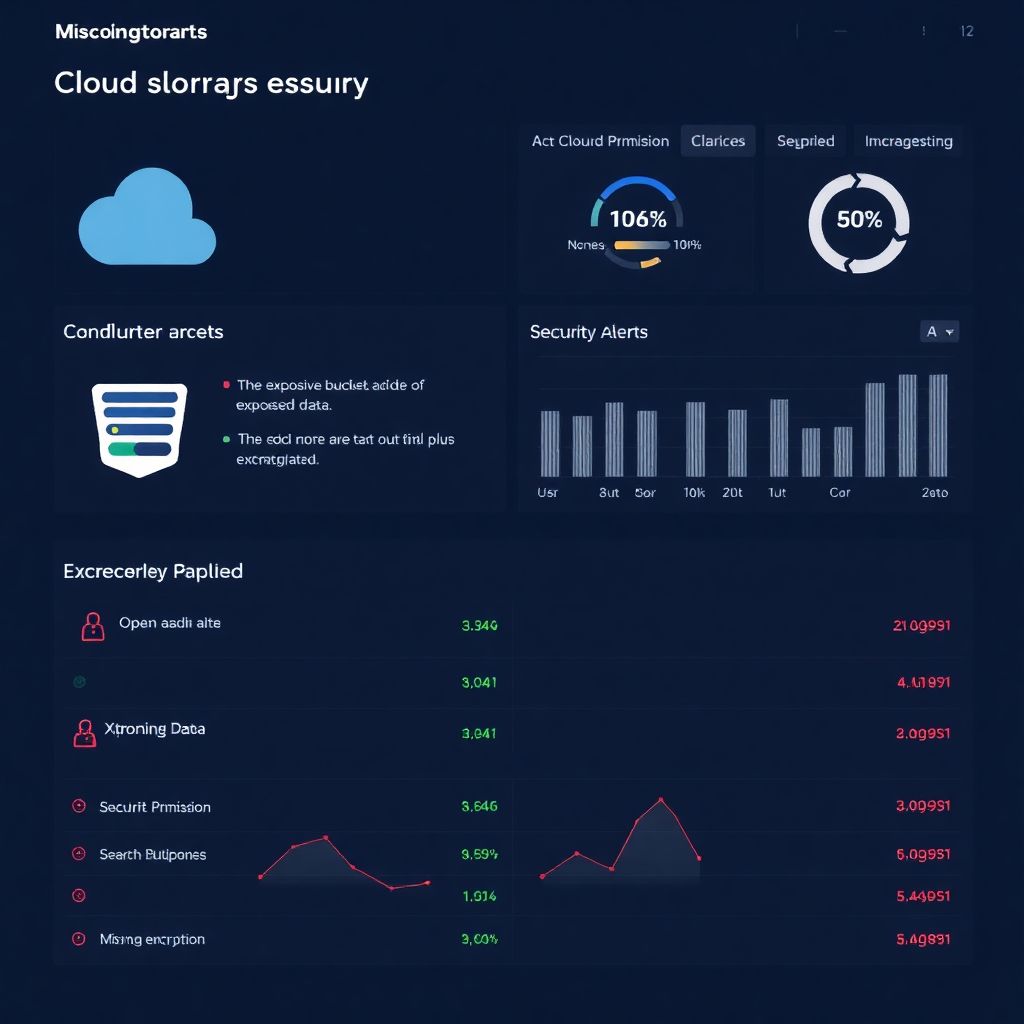
Misconfigured cloud buckets usually expose data publicly, grant excessive permissions, skip encryption, or lack logging and lifecycle controls. To avoid the most common erros de configuração em cloud storage, standardize private‑by‑default settings, use least‑privilege IAM, enforce encryption at rest and in transit, enable logging, and regularly audit configurations with automated tools.
Critical misconfiguration overview and consequences
- Public buckets or objects unintentionally exposed to the internet allow anonymous reading or even writing of sensitive data.
- Over‑permissive IAM roles, ACLs and policies enable lateral movement and privilege escalation across cloud resources.
- Missing or misconfigured encryption at rest and in transit weakens proteção de dados em armazenamento cloud para empresas.
- Poor lifecycle and retention rules lead to unexpected data loss or uncontrolled cost growth and compliance issues.
- Disabled or incomplete logging hides breaches and prevents effective incident response and forensic analysis.
- Broken replication, versioning and cross‑region setups create silent data divergence and complicated disaster recovery.
| Misconfiguration | Likely root cause | Quick mitigation |
|---|---|---|
| Public bucket listing and object reads | Legacy ACLs, testing shortcuts, lack of governed templates | Set bucket to private, remove public ACLs, use a strict bucket policy and block public access at account level. |
| Overly broad IAM policies (e.g., s3:*) | Copy‑pasted examples, pressure to “make it work” quickly | Replace wildcards with explicit actions, use IAM roles per application, review effective permissions. |
| No encryption at rest | Default settings left unchanged, performance fears | Enable provider‑managed keys on all buckets and enforce via organization policy. |
| Guest or weak TLS enforcement | Direct access via IP, missing HTTPS redirects | Require HTTPS only, configure HSTS at the application or CDN layer, disable insecure endpoints. |
| No versioning or lifecycle policies | Ad‑hoc bucket creation without templates | Enable versioning, define retention and transition rules per data class. |
| Logging disabled | Cost concerns and misunderstanding of log value | Turn on access logs and audit trails for critical buckets, centralize them in a dedicated log account. |
Public exposure and ACL misuses: causes and fixes
This section applies to teams managing S3, GCS, Azure Blob or similar, especially where many buckets are created by different squads. It is not suited for use cases that intentionally require anonymous public content distribution without any authentication, such as some static public websites with separate, tightly scoped buckets.
Typical high‑risk patterns include:
- Unrestricted public read or write through legacy ACLs.
- Bucket policies granting access to “*”, including anonymous users.
- Account‑level public access blocks disabled for “flexibility”.
Safe remediation examples and quick checks:
- AWS (como configurar bucket s3 com segurança):
aws s3api put-public-access-block --bucket my-bucket
  --public-access-block-configuration BlockPublicAcls=true,IgnorePublicAcls=true,
BlockPublicPolicy=true,RestrictPublicBuckets=true
One‑line checklist: ensure the bucket policy has no Principal:”*” with Effect:”Allow” for GetObject.
- GCP:
gsutil iam ch -d allUsers:objectViewer gs://my-bucket
One‑line checklist: confirm
allUsersandallAuthenticatedUsersare absent from bindings. - Azure Blob:
az storage container set-permission
  --name my-container --public-access off --account-name myaccount
One‑line checklist: validate containers are not set to
bloborcontaineraccess for private data.
Recommended baseline boas práticas de segurança для buckets na nuvem:
- Use private‑by‑default bucket templates and deployment pipelines.
- Block public access at account/project level and allow only explicit, reviewed exceptions.
- Separate buckets for public static assets from buckets storing internal or sensitive data.
- Run weekly automated scans for public buckets across all accounts and projects.
IAM roles, policies and permission escalation vectors
To control IAM risks around buckets and cloud storage, you will need:
- Access to your cloud IAM console and CLI with permissions to list roles, policies and bindings.
- A central place (Git repo or policy library) where IAM policies are defined as code.
- At least one environment for testing policy changes without affecting production.
- Optionally, ferramentas para auditoria и monitoramento de buckets cloud, such as AWS Access Analyzer, GCP Policy Analyzer, Azure Defender for Cloud, and open‑source tools like Prowler or ScoutSuite.
Fast checks and safe hardening actions:
- Identify over‑broad roles:
aws iam list-policies --scope Local
One‑line checklist: remove policies containing “s3:*”, “storage.*”, or “Microsoft.Storage/*” where not strictly necessary.
- Limit role assumption paths:
aws iam get-role --role-name AppRole
One‑line checklist: review trust policies to avoid “Principal:*”, and restrict to specific services or accounts.
- Use separate roles per application: ensure each service has its own role with least privilege actions and bucket‑level resource scoping.
- Centralize audit roles: grant read‑only storage inspection permissions to a dedicated security account or project only.
Encryption pitfalls: at-rest, in-transit and key management
- Classify data and choose encryption defaults
Identify buckets with personal, financial, or internal‑only information, and mark them as “sensitive” in your inventory. For all sensitive classes, plan to enforce encryption at rest with provider‑managed keys by default. - Enable encryption at rest on all new buckets
Configure templates so all future buckets use managed keys:- AWS: in CloudFormation or Terraform, set
BucketEncryptionwithSSEAlgorithm: AES256or KMS. - GCP: set
uniformBucketLevelAccessand configureencryption.defaultKmsKeyNameif using CMEK. - Azure: ensure
supportsHttpsTrafficOnlyis true andencryption.services.blob.enabledis true.
- AWS: in CloudFormation or Terraform, set
- Backfill encryption for existing buckets safely
Turn on default encryption without rewriting all objects immediately. The platform will transparently encrypt new writes, and you can re‑copy older data later if needed. - Force HTTPS and secure transport
Require TLS for all applications accessing storage:- Block access to HTTP endpoints where possible and configure clients with
https://URLs only. - Use load balancers or CDNs with TLS termination and strict security policies.
- Block access to HTTP endpoints where possible and configure clients with
- Simplify key management before using customer-managed keys
Start with cloud‑managed keys unless you already operate a mature KMS process. When adopting customer‑managed keys:- Define key rotation schedules and access controls centrally.
- Avoid per‑bucket keys unless there is a clear regulatory requirement.
- Continuously verify encryption posture
Use periodic scans or policy‑as‑code tools (AWS Config rules, GCP Organization Policy, Azure Policy) to detect any unencrypted buckets or non‑TLS access paths, then remediate in the same sprint.
Fast-track encryption and transport hardening
- Set provider‑managed encryption as default for all new buckets in your templates or organization policies.
- Enable encryption on all existing critical buckets first, then on the rest in waves.
- Update applications to use only HTTPS endpoints and test end‑to‑end connectivity.
- Apply cloud policies that deny bucket creation without encryption and block non‑TLS access.
Lifecycle rules, retention and accidental deletions
Use this checklist to verify lifecycle and retention are correctly configured and do not introduce unexpected risk.
- Each bucket has documented purpose, data owner and intended retention period.
- Versioning is enabled for buckets holding critical or user‑generated data.
- Lifecycle rules do not immediately delete the current version of objects; they either transition to cheaper tiers first or only delete previous versions.
- Deletion rules are tested in a non‑production bucket with fake data before applying to production.
- Legal hold or retention lock features (if available) are enabled for compliance‑sensitive buckets.
- No lifecycle policy uses “0 days” or similarly aggressive settings on active data classes.
- Backup and disaster recovery buckets are explicitly excluded from automatic deletion policies.
- Teams receive alerts for large‑scale deletions or unusual object churn in important buckets.
- There is a written recovery procedure explaining how to restore deleted data from versions or backups.
Observability gaps: logging, monitoring and alerting missteps
Frequent errors that hide storage incidents and make investigations harder:
- Access logging for buckets is disabled, so read and write events are not captured anywhere.
- Audit logs for IAM changes and bucket policy edits are not enabled at the organization or account level.
- Logs are written into the same account and even the same bucket being monitored, creating a single point of failure.
- There are no alerts for public exposure changes, such as a bucket becoming world‑readable.
- Metrics for request volume, errors and latency are not tracked per critical bucket.
- Security tools for bucket monitoring are deployed but not tuned, generating too many false positives.
- Retention of logs is too short, making it impossible to investigate older incidents.
- Developers and SREs lack clear runbooks explaining how to respond to suspicious storage activity.
Practical improvements and one‑line remediation checks:
- Centralize logs: route bucket access logs and audit logs to a dedicated log project or account; ensure cross‑account access is read‑only.
- Create focused alerts: trigger notifications when any bucket policy adds public principals or when delete operations spike.
- Integrate with SIEM: forward critical storage events to your SIEM with parsers for each cloud provider.
Replication, versioning and cross-region consistency errors
Different replication and versioning strategies fit different risk and cost profiles. Consider these alternatives and when they are appropriate:
- Single‑region with versioning only
Use when you mainly need protection against accidental deletions and overwrites, and your business can tolerate a regional outage. Costs are lower and configuration complexity is minimal. - Asynchronous cross‑region replication
Choose for stronger disaster recovery when losing a whole region is unacceptable. Be aware of eventual consistency and plan for replication lag in your application design and incident procedures. - Multi‑region or dual‑region managed storage
Prefer when you want the provider to abstract replication details, at the cost of less granular control. Good for read‑heavy workloads with global users and moderate RPO/RTO goals. - Backup‑oriented replication to cold storage
Use separate backup buckets or archives in a different account or project, focusing on immutability and cost efficiency instead of low latency or immediate failover.
In all options, enable versioning where possible, clearly document RPO/RTO expectations, and regularly test restore or failover procedures, not only initial setup.
Operational clarifications and concise solutions
How often should I audit my cloud buckets and storage settings?

Run an automated security scan at least weekly and after any large infrastructure change. For highly sensitive environments, integrate checks into every deployment pipeline so misconfigurations are blocked before reaching production.
What is the safest default for new buckets created by development teams?
Set all new buckets to private by default, enable encryption at rest, deny public ACLs and policies, and apply a minimal lifecycle rule preventing unlimited growth. Provide a separate, clearly named bucket template for public static content only.
Do I always need customer-managed keys for encryption?
No. Provider‑managed keys are usually sufficient and easier to operate for many workloads. Move to customer‑managed keys only when regulations or internal policies require tighter key control and you already have mature KMS processes.
How can I quickly detect if any bucket is publicly exposed?
Use your cloud provider's native analyzers or inventory tools to list all public buckets, and schedule these checks to run regularly. Complement them with external scanners that test from the internet perspective to catch configuration drifts.
What is a simple way to prevent accidental mass deletion?
Enable bucket versioning and configure soft‑delete style lifecycle rules instead of immediate hard deletion. Add approval workflows or change management for any policy updates that could alter deletion behavior.
Should I keep logs in the same account as production data?
Prefer a separate logging or security account or project, with restricted access. This separation reduces the risk that a compromised workload can tamper with its own logs during an attack.
When does cross-region replication become necessary?
It becomes important when your business impact of losing a full region is unacceptable, or when compliance requires data to exist in multiple locations. Evaluate added cost and complexity against your recovery time and recovery point objectives.