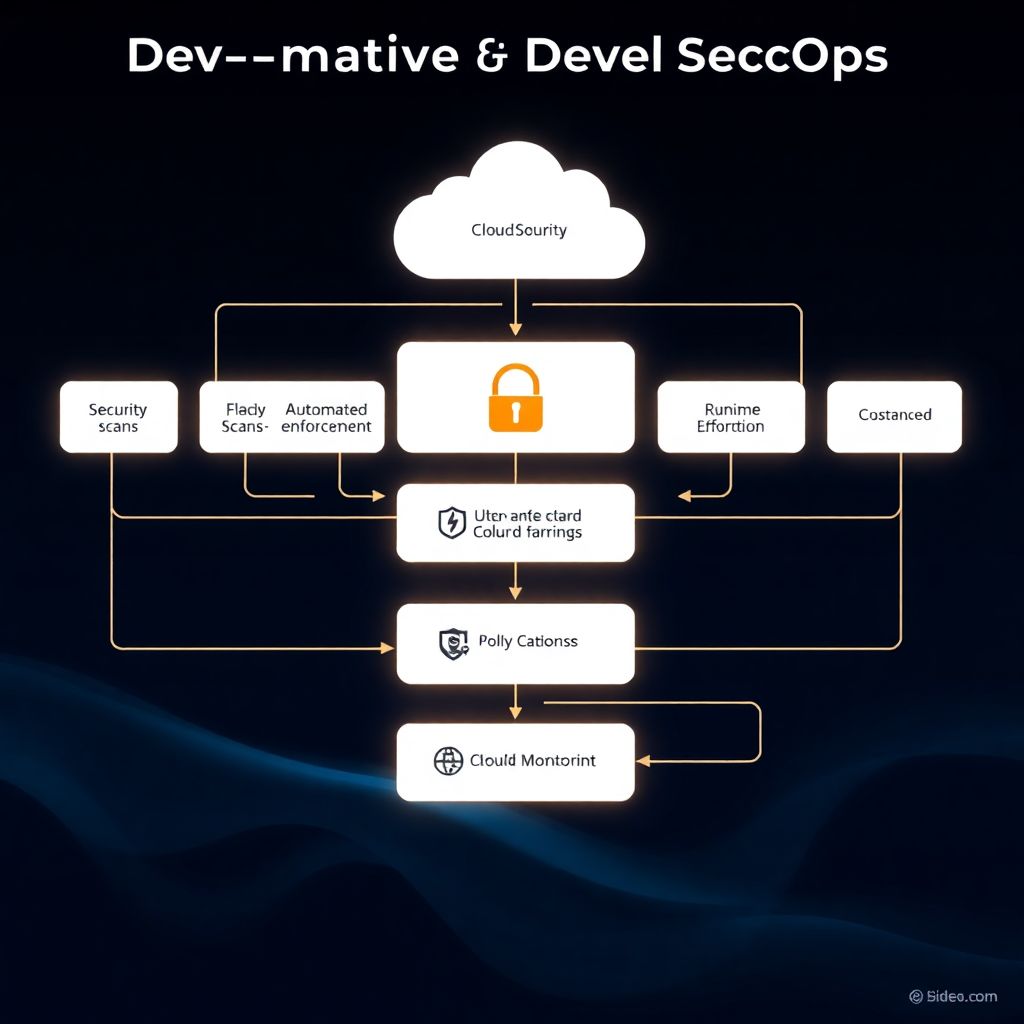
To build a secure DevSecOps pipeline for cloud-native applications, start by designing your CI/CD around security stages, then integrate automated SAST, DAST and SCA in continuous integration, add shift-left tests in developer workflows, enforce policy-as-code in delivery, and monitor runtime in Kubernetes or serverless across AWS, Azure or other clouds.
Security milestones overview for a DevSecOps pipeline
- Define a cloud-native architecture where every CI/CD stage has an explicit security objective and output.
- Integrate SAST, SCA and basic DAST into the main CI pipeline to block high-risk issues early.
- Automate environment provisioning and configuration baselines for secure test and staging clusters.
- Instrument Kubernetes or serverless runtimes with IDS/IPS, logging and anomaly detection.
- Adopt policy-as-code to standardise approvals, compliance gates and infrastructure rules.
- Continuously measure security findings, MTTR and pipeline health; iterate based on metrics.
Designing cloud-native architecture for secure CI/CD
This pipeline design is best for product teams deploying frequently to AWS, Azure or GCP, using containers, Kubernetes and managed services. It suits teams that want serviços DevSecOps para aplicações cloud native fully embedded into daily development instead of one-off penetration tests.
You should not start with a complex DevSecOps architecture if:
- Your application is still a prototype or proof of concept with no real users or data.
- You lack any CI/CD foundation; first stabilise a simple build/test/deploy flow.
- The team has almost no automation experience and relies only on manual operations.
- There is no minimal security ownership (no one to triage findings or manage credentials).
For intermediate teams in Brazil working with microservices, containers and Kubernetes, this approach offers a structured path, whether you do everything in-house or use consultoria DevSecOps integração contínua testes de segurança to accelerate setup.
Compact tool and role mapping for a cloud-native DevSecOps pipeline
| Pipeline area | Typical tools (examples) | Primary role | Notes |
|---|---|---|---|
| Source & PR checks | GitHub Actions, GitLab CI, Bitbucket Pipelines | Developers | Run unit tests, SAST, SCA on each push/merge request. |
| Static security scanning | Semgrep, SonarQube, CodeQL | AppSec engineer | Maintain rules, triage false positives, onboard teams. |
| Dependency & image scanning | Trivy, Grype, Snyk | Platform engineer | Gate builds on critical CVEs in app and container layers. |
| DAST & API testing | OWASP ZAP, Burp (automation), Postman CLI | Security engineer | Nightly scans on staging; target main user flows and APIs. |
| Runtime protection | Falco, AWS GuardDuty, Azure Defender | Cloud/SRE | Alert on abnormal behaviour and K8s policy violations. |
| Policy & compliance | Open Policy Agent, Conftest, Checkov | DevOps + Compliance | Enforce IaC and deployment rules as code in CI/CD. |
Teams without internal AppSec expertise often rely on uma empresa especializada em DevSecOps para Kubernetes to select, tune and operate many of these components during the first iterations.
Integrating SAST, DAST and SCA into continuous integration
To integrate security tests safely into CI/CD for aplicações cloud-native, you need a minimal, well-scoped set of tools and access rights that match your risk profile and regulatory needs.
Prerequisites and environment requirements
- Version control: GitHub, GitLab or Bitbucket with protected main branches and pull/merge requests.
- CI/CD engine: GitHub Actions, GitLab CI, Jenkins, Azure DevOps or similar, already running unit tests.
- Cloud accounts: At least one non-production account or subscription for implementação pipeline DevSecOps em nuvem AWS Azure (for example an AWS sandbox account and an Azure test subscription).
- Kubernetes cluster: A managed K8s service (EKS, AKS, GKE) or local (kind, k3d, Minikube) for integration and runtime tests.
- Container registry: ECR, ACR, GCR or Docker Hub with private repositories and basic RBAC.
- Secrets management: AWS Secrets Manager, Azure Key Vault, HashiCorp Vault or CI-native secrets, never plain-text secrets in repos.
Tooling for core security scans
- SAST (Static Application Security Testing): Semgrep, CodeQL, SonarQube or language-specific linters with security rules.
- SCA (Software Composition Analysis): Trivy, Grype, OWASP Dependency-Check or Snyk for libraries and container images.
- DAST (Dynamic Application Security Testing): OWASP ZAP in headless mode or another scanner that supports automation against staging URLs.
- Container and K8s security: Trivy or kube-bench for container/Kubernetes benchmarks; Checkov or kube-score for manifests.
- Infrastructure as Code scanning: Checkov, tfsec, Terrascan or similar tools for Terraform, CloudFormation, ARM/Bicep, Helm.
Minimal CI permissions and safety constraints
- CI runners must only have access to non-production cloud accounts and Kubernetes namespaces.
- DAST scanners should target only test or staging URLs, never production endpoints.
- Service principals (AWS IAM roles, Azure service principals) used by CI should have least-privilege permissions for build and deploy operations.
- Logs from scanners must avoid capturing secrets; ensure redaction is enabled where available.
Example CI snippets for security integration
Examples below illustrate safe patterns for ferramentas DevSecOps CI CD para aplicações cloud using Docker-based scanners.
GitHub Actions: SAST with Semgrep
name: ci-security
on: [push, pull_request]

jobs:
  semgrep-sast:
    runs-on: ubuntu-latest
    steps:
      - uses: actions/checkout@v4
      - uses: returntocorp/semgrep-action@v1
        with:
          config: "p/r2c-ci"
          audit_on: "push"
        env:
          SEMGREP_APP_TOKEN: ${{ secrets.SEMGREP_APP_TOKEN }}
GitLab CI: SCA and image scan with Trivy
sca_and_image_scan:
  image: aquasec/trivy:latest
  stage: test
  script:
    - trivy fs --exit-code 1 --severity HIGH,CRITICAL .
    - trivy image --exit-code 1 --severity HIGH,CRITICAL $CI_REGISTRY_IMAGE:$CI_COMMIT_SHA
  allow_failure: false
  only:
    - merge_requests
    - main
DAST in staging with OWASP ZAP (GitHub Actions)
zap-dast:
  runs-on: ubuntu-latest
  needs: deploy-to-staging
  steps:
    - name: ZAP Baseline Scan
      uses: zaproxy/[email protected]
      with:
        target: https://staging.example.com
        cmd_options: "-a -J zap-report.json"
      env:
        GITHUB_TOKEN: ${{ secrets.GITHUB_TOKEN }}
Shift-left testing: automation patterns and developer workflows
The objective of this section is to implement safe, shift-left security checks that developers can run locally and in CI with predictable feedback times.
-
Standardise branch and pull request workflows
Define a simple branching model (for example main + feature branches) and enforce pull/merge requests for all changes. This is the backbone that lets you attach security checks at the right time.
- Protect main branch from direct pushes.
- Require at least one code review plus passing CI checks.
-
Add local security helpers for developers
Provide safe, opt-in tools developers can run before pushing code, to reduce noise in CI and catch obvious problems earlier.
- Add language-specific linters (ESLint, Pylint, golangci-lint) with security rules to project devDependencies.
- Document simple commands, such as
npm run lint:securityormake security-check.
-
Implement pre-commit hooks with non-blocking security checks
Use pre-commit or Husky (for JavaScript) to automatically run fast checks on changed files only. Keep these hooks quick and avoid network access to ensure they are safe and usable.
- Run secret scanners (for example
gitleaks) only on staged files. - Run fast SAST rules that complete in seconds.
- Run secret scanners (for example
-
Attach SAST and SCA to pull/merge requests
Configure CI so that SAST and SCA run on each pull/merge request, commenting results directly in the diff. Restrict blocking conditions to critical issues at first to avoid overwhelming the team.
- Block merges on secret leaks, injection vulnerabilities or critical CVEs.
- Mark medium issues as warnings to be fixed over time.
-
Introduce ephemeral test environments per branch
Use your CI/CD and cloud provider to create short-lived, isolated environments for feature branches. This lets you run DAST and integration tests without touching shared staging.
- Generate unique namespaces in Kubernetes (for example
feature-<branch>). - Destroy environments automatically after merge or inactivity.
- Generate unique namespaces in Kubernetes (for example
-
Automate API and DAST tests in non-production
Once ephemeral or staging environments are stable, schedule DAST and API tests. Limit the scope to known paths and do not run aggressive payloads against shared test data.
- Store target URLs and credentials in secrets, never hard-coded in pipelines.
- Ensure scanners run outside office hours to reduce performance impact.
-
Close the feedback loop with triage rules
Define who receives security findings and how they are prioritised. Without triage, the volume of alerts will make DevSecOps efforts ineffective.
- Route critical findings to an on-call security or SRE rotation.
- Use labels such as
security-highin your issue tracker.
Fast-track mode for shift-left adoption
For teams that want a minimal, fast rollout, you can use this shortened path:
- Protect main branch and require pull/merge requests with passing CI.
- Add one SAST and one SCA job to CI, running on pull/merge requests only.
- Create a simple
make securitycommand that runs linters and dependency checks locally. - Schedule a nightly DAST scan against staging with a small, whitelisted URL list.
- Review findings weekly with a joint Dev + Ops + Security meeting.
Runtime protection and continuous monitoring in cloud environments
Use this checklist to validate that runtime monitoring in your cloud-native environment covers the essential areas, while staying safe for production workloads.
- All production Kubernetes clusters (EKS, AKS, GKE) and nodes are onboarded to a central logging system with retention and secure access.
- Container runtime threat detection (for example Falco or cloud-native equivalents) is deployed in at least one non-production environment first, with rules tuned before going to production.
- AWS GuardDuty, Azure Defender for Cloud or similar cloud-native threat detection is enabled for all production accounts/subscriptions.
- Network policies or security groups restrict east-west and north-south traffic; there is no unrestricted ingress from the internet to pods.
- Kubernetes admission controls (for example OPA Gatekeeper or Kyverno) prevent privileged containers, hostPath mounts and unsafe capabilities.
- Alerting is integrated with your incident channel (Slack, Microsoft Teams, email or PagerDuty), and noisy rules are iteratively reduced.
- Production secrets are stored in a managed secrets service; no direct environment-variable secrets configured via plain YAML in Git.
- Audit logs for Kubernetes API, IAM changes and CI/CD deployments are collected and can be correlated by application, commit and ticket.
- Disaster recovery procedures for clusters and critical data are documented and tested at least in lower environments.
- There is a runbook describing how to respond to suspected container compromise or credential leakage.
Policy-as-code, compliance gates and automated auditing
Common mistakes in this area reduce the impact of DevSecOps efforts and create friction between teams.
- Writing complex policy-as-code rules without first documenting simple, human-readable policies that teams can agree on.
- Deploying OPA, Conftest or Checkov with "deny all" style rules that suddenly block every pipeline, instead of phasing them in as warnings.
- Embedding cloud account credentials directly into policy checks, instead of using role-based access and secure secrets management.
- Running IaC checks only locally or ad-hoc, not as a mandatory stage in CI/CD before provisioning infrastructure.
- Applying the same strict policies to experimental sandbox environments as to production, which slows down innovation without reducing major risk.
- Ignoring auditability: not storing policy evaluation results and CI logs in a place that compliance teams can access later.
- Failing to maintain policies: security rules are added but never reviewed when cloud providers release new services or features.
- Hard-coding policy exceptions in code or CI configuration, instead of centralising them in controlled allow-lists with expiration.
- Not aligning policy severity with business impact, making trivial misconfigurations block critical hotfix releases.
Failure modes, metrics and iterative improvement of the pipeline
There is no single perfect DevSecOps pipeline. Depending on team maturity, regulatory pressure and budget, different alternatives may fit better.
- Managed DevSecOps services from cloud providers
Use native services such as AWS CodePipeline, AWS Security Hub, Azure DevOps and Defender for Cloud for an integrated but opinionated approach. This works well if you are mostly on one cloud and prefer convention over flexibility. - Full open-source stack with internal ownership
Combine tools like GitLab CI, Trivy, Semgrep, OWASP ZAP, Falco and OPA. This offers high flexibility and low licence cost, but requires strong in-house skills and time to maintain configurations and upgrades. - Hybrid model with specialised vendors
Adopt commercial scanners or platforms for critical parts, while keeping CI/CD and infrastructure under your control. A balanced choice if you want faster results and dedicated support without full lock-in. - External DevSecOps consultancy for bootstrap
Engage consultoria DevSecOps integração contínua testes de segurança to design the initial architecture, select tools and create playbooks, then transition ownership to internal teams. This is often effective for the first implementação pipeline DevSecOps em nuvem AWS Azure when your team is still learning.
Practical answers to common implementation hurdles
How can we keep CI security scans fast enough for developers?
Split checks into tiers: fast SAST, SCA and linters on pull/merge requests, and heavier DAST or full container scans on nightly or scheduled pipelines. Limit scope to changed modules where possible, and tune rules to reduce unnecessary patterns.
Is it safe to run DAST against staging environments?
It is safe if staging is isolated from production, data is anonymised and scanners are configured to avoid destructive actions. Coordinate test windows, run with dedicated test users and monitor logs to ensure no unexpected side effects occur.
Do we need Kubernetes before starting DevSecOps?
No, you can implement DevSecOps for traditional VMs and PaaS first. However, if you plan to adopt containers soon, design your policies, tooling and observability with Kubernetes in mind, or use ajuda de uma empresa especializada em DevSecOps para Kubernetes.
Which metrics should we track to see if DevSecOps works?
Monitor number and severity of security findings over time, mean time to remediate (MTTR), percentage of builds blocked by security gates and coverage of services onboarded to the pipeline. Use these metrics to guide tool tuning and training priorities.
How do we handle false positives from SAST and SCA?
Introduce a triage process where security or senior developers classify new findings, then suppress confirmed false positives via configuration or inline annotations with justification. Regularly review suppression lists to avoid hiding new, real issues.
Can small teams adopt these practices without dedicated security staff?
Yes, start with a minimal toolset and focus on automation that requires little manual tuning. Developers and DevOps can own most of the workflow, and you can bring external serviços DevSecOps para aplicações cloud native periodically for review and training.
How do we avoid breaking production when tightening policies?
Always evaluate new policies in report-only or warning mode first in non-production pipelines, compare results across several sprints, and only then switch them to blocking for specific environments. Communicate planned changes and provide remediation guidance.