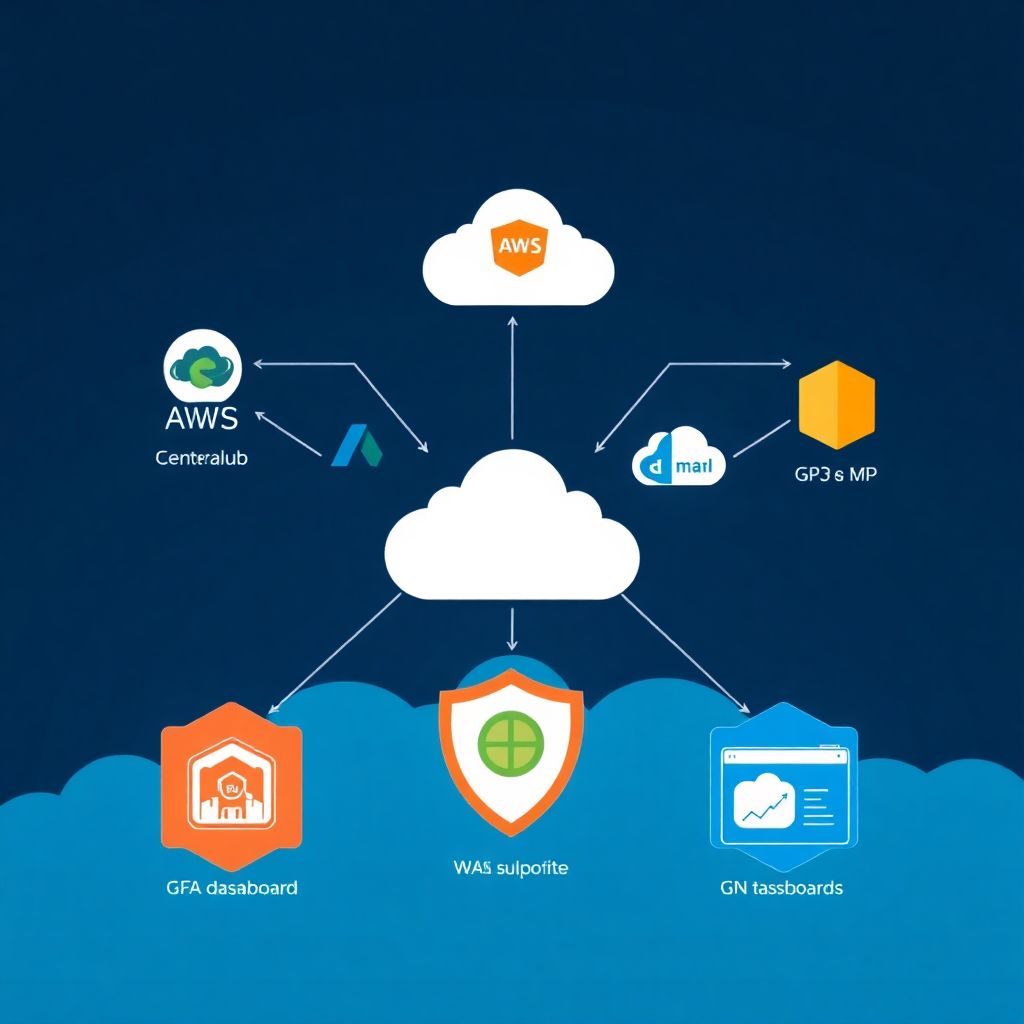
To implement secure identity and access management (IAM) in AWS, Azure, and GCP, start by centralizing identities, enforcing least privilege, and standardizing authentication and authorization patterns. Use native cloud IAM capabilities, strong MFA, and consistent role designs. Continuously monitor, audit, and refine permissions across all environments to maintain segurança and compliance.
Critical IAM Principles for Multi-Cloud Environments
- Adopt a unified identity source and SSO so users authenticate once and access AWS, Azure, and GCP consistently.
- Implement strict least-privilege and just-in-time access instead of long-lived admin rights.
- Use strong MFA everywhere, including console access, CLI, and privileged operations.
- Prefer roles and temporary credentials over static keys or passwords in code.
- Standardize naming, tagging, and role patterns across clouds for easier gestão de identidade e acesso IAM AWS Azure GCP.
- Continuously monitor, log, and review access to detect drift and misuse early.
Designing a Least-Privilege Model Across AWS, Azure, GCP
Least-privilege IAM is ideal when you run workloads in multiple clouds and need clear separation of duties, compliance with LGPD or similar regulations, and controlled access for internal teams and partners. It is not a quick fix for chaotic environments with no inventory, no ownership, or missing basic security hygiene.
Situations where you should postpone a strict least-privilege rollout:
- You lack an up-to-date inventory of accounts, subscriptions, and projects across AWS, Azure, and GCP.
- Critical workloads are undocumented, and you do not know who owns which resource.
- There is no basic logging or monitoring; you cannot safely test permission reductions.
- All users currently share generic admin accounts and you have no identity provider yet.
Once minimal hygiene is in place, incrementally design least-privilege:
- Group users by job function (e.g., Dev, Ops, Sec, FinOps, Support) and define responsibilities.
- Map each function to needed actions in each cloud (e.g., EC2 administration, Azure VM operations, GCP Cloud Storage management).
- Create reusable role templates per function and cloud, using managed policies as a baseline then tightening them.
- Apply separation of duties for sensitive actions (key management, IAM administration, billing changes).
- Introduce just-in-time elevation (Privileged Access Management) for rare, high-risk tasks.
Centralizing Identity: Options and Trade-offs
Centralized identity makes serviços de IAM em nuvem AWS Azure GCP easier to operate, but requires planning, network connectivity, and governance. Below is what you typically need.
| Provider | Prep Steps | Key Tools / Services | Validation Checks |
|---|---|---|---|
| AWS |
|
|
|
| Azure |
|
|
|
| GCP |
|
|
|
To centralize identity reliably, you will need:
- A corporate IdP (e.g., Entra ID, Okta, Ping, Keycloak) acting as the single source of truth for users and groups.
- Network connectivity and DNS so each cloud can reach your IdP for SAML/OIDC federation.
- Clear lifecycle processes for joiners, movers, leavers to keep cloud access in sync.
- Access to each cloud's org-level configuration: AWS Organizations management account, Azure tenant root, GCP organization admin.
Trade-offs to consider:
- Central IdP with SSO to all clouds: best for consistency, but increases dependency on IdP availability.
- Per-cloud native identities synced from HR: more resilient if one IdP fails, but more complex lifecycle management.
- Hybrid: central IdP for humans; native service principals / workload identities in each cloud for automation.
Authentication Methods: MFA, SSO, and Federation
Before changing authentication flows, prepare safely. Use this mini pre-flight checklist so that melhores práticas de segurança IAM na nuvem are respected without locking users out.
- Inventory critical admin accounts and ensure at least two admins per cloud have working MFA.
- Document existing SSO/federation settings and emergency break-glass accounts.
- Test new flows with a pilot group before enabling org-wide.
- Coordinate cutover times with operations and support teams.
- Define rollback steps for each cloud if SSO integration fails.
-
Standardize your primary identity provider
Choose one IdP (typically Entra ID or another enterprise IdP) as the central source of users and groups. All human access to AWS, Azure, and GCP should originate from this IdP using SAML or OIDC federation.
- Ensure HR and directory sync are configured and audited.
- Create security groups aligned to job functions, not to individuals.
-
Enable MFA for all privileged and remote access
Configure MFA policies at the IdP level so they apply uniformly across clouds. Require MFA for all admins, developers, and any user with access to production workloads.
- Prefer app-based authenticators or FIDO2 keys; avoid SMS when possible.
- Enforce step-up MFA for sensitive actions (e.g., IAM changes, key management).
-
Configure SSO and federation to AWS, Azure, and GCP
For AWS, configure SAML integration from your IdP to AWS IAM Identity Center or individual AWS accounts. For Azure, your IdP may already be Entra ID. For GCP, set up SAML or OIDC federation to Cloud Identity or Google Workspace.
- Map IdP groups to AWS Permission Sets, Azure AD roles/RBAC groups, and GCP IAM roles.
- Ensure sign-out and session lifetime policies match your security requirements.
-
Lock down legacy and local accounts
After SSO is working, reduce reliance on local cloud users. In AWS, avoid IAM users for humans; in Azure and GCP, avoid unmanaged external accounts.
- Convert generic local admin accounts to named, federated identities where possible.
- Keep 1-2 "break glass" local accounts per cloud with strong MFA and offline storage.
-
Continuously review login telemetry and anomalies
Leverage each platform's sign-in logs to detect suspicious authentication patterns. Integrate with your SIEM for cross-cloud correlation.
- Monitor impossible travel, atypical devices, and brute-force attempts.
- Adjust conditional access or sign-in risk policies as threats evolve.
Authorization Controls: Roles, Policies, and Conditional Access

Use this verification checklist to confirm that authorization is consistent and safe once SSO and role patterns are deployed across clouds.
- Each human user receives access only via groups mapped to roles; there are no direct role assignments to individuals except for tightly controlled exceptions.
- Admin rights are split into separate roles (e.g., IAM admin, network admin, billing admin) to preserve separation of duties.
- AWS policies avoid wildcards like
"Action": "*"and"Resource": "*"except in carefully documented break-glass roles. - Azure RBAC uses built-in roles where possible, with custom roles created only when strictly needed and reviewed regularly.
- GCP IAM permissions are granted at the organization or folder level only when necessary; project-level access is the default.
- Conditional access or equivalent (Azure Conditional Access, IdP policies) enforces location, device, and risk-based controls for privileged actions.
- Service accounts and workload identities use narrowly scoped roles and are rotated or revalidated periodically.
- There is an approved process to request access, with automatic expiry or scheduled reviews for temporary and high-privilege roles.
Secrets and Credential Management Best Practices

Below are common mistakes when using ferramentas de gestão de acesso e identidade na nuvem and secrets stores in AWS, Azure, and GCP. Avoiding them dramatically improves your IAM security posture.
- Storing cloud API keys or passwords in source code repositories, CI/CD configs, or configuration files without encryption.
- Using long-lived IAM access keys for automation instead of roles, instance profiles, or workload identities.
- Mixing human and machine identities by sharing service accounts between apps or letting humans use service account keys.
- Not using native secret managers (AWS Secrets Manager/SSM Parameter Store, Azure Key Vault, GCP Secret Manager) and instead building a custom, unencrypted solution.
- Failing to rotate secrets regularly, especially database passwords, API tokens, and SSH keys.
- Granting broad read access to secrets vaults, allowing many apps or users to see sensitive credentials they do not need.
- Logging secrets accidentally in application logs, debugging traces, or error messages.
- Not restricting outbound network access from workloads, which allows exfiltration even if a secret is compromised.
Monitoring, Auditing, and Incident Response for IAM
Several implementation patterns can support monitoring and response; choose the combination that matches your maturity, budget, and whether you use internal teams or consultoria implementação IAM multi cloud.
- Centralized SIEM collecting all IAM logs – Aggregate AWS CloudTrail, Azure Activity/Entra ID logs, and GCP Cloud Audit Logs into one SIEM. Best where you have a security operations team capable of writing detections and runbooks.
- Cloud-native monitoring per provider – Use Amazon GuardDuty/CloudWatch, Azure Monitor/Defender, and Google Cloud Monitoring/SCC independently. Suitable when teams are organized per cloud and cross-cloud correlation is less critical.
- Managed detection and response (MDR) service – Outsource triage and some response actions to a provider specialized in cloud IAM threats. Useful for smaller teams or when 24/7 coverage is required but you lack internal SOC capabilities.
- Hybrid: SIEM plus selective MDR – Keep control of log collection and storage while outsourcing specific use cases (e.g., privileged access abuse) for higher assurance and faster response.
Practical Troubleshooting and Common Implementation Questions
How do I start if my IAM in AWS, Azure, and GCP is already messy?
Begin with an inventory: list accounts/subscriptions/projects and identify owners. Enable logging everywhere, then stabilize access by creating a few standardized admin roles. Only after that, slowly refactor users and permissions into group-based, least-privilege patterns.
What is the safest way to migrate to SSO without locking everyone out?
Implement SSO for a small pilot group first and keep local admin accounts with MFA as a fallback. Document rollback steps, schedule changes during low-traffic windows, and communicate clearly with users about new login URLs and MFA requirements.
Should developers have admin access in production accounts?

Generally no. Developers should have read-only access to production and write/admin access only in non-production environments. Use just-in-time elevation for rare troubleshooting cases and ensure all privileged actions are logged and reviewed.
How often should I review IAM roles and policies across clouds?
Perform at least quarterly access reviews for high-privilege roles and semi-annual reviews for standard roles. Align reviews to business events such as reorganizations or major project changes, which typically alter access needs.
Are custom roles better than built-in roles?
Use built-in roles as much as possible because they are maintained by the provider. Create custom roles only when built-in roles are clearly too broad or too narrow, and document their purpose, scope, and owner.
What should I monitor first if I have limited time?
Prioritize monitoring of sign-in events, privileged role assignments, policy changes, and creation or use of long-lived access keys. These areas provide maximum insight into potential account compromise and privilege escalation.
When is external IAM consulting worth the investment?
External consulting is valuable when you lack internal multi-cloud expertise, face strict compliance deadlines, or need to accelerate a redesign. Use partners to build initial patterns and train your team rather than creating permanent dependence.