
Cloud threat hunting means proactively querying your cloud logs and telemetry to find stealthy attacks in near real time. Start small: pick one cloud provider, one critical workload and a few high‑value hypotheses. Use SIEM/SOAR, well‑defined playbooks and safe, reversible actions so investigations never disrupt production services.
Essential hunting objectives and success criteria
- Define a narrow, business‑relevant hunting scope (critical accounts, crown‑jewel workloads, regulated data).
- Ensure continuous collection and retention of cloud telemetry before starting any hunts.
- Use written playbooks so every hunt is repeatable, auditable and safe for production.
- Prioritize techniques that detect misuse of legitimate credentials and native cloud services.
- Integrate findings with incident response, ticketing and knowledge base updates.
- Measure hunts by quality of findings and reduced dwell time, not just query counts.
- Continuously refine detections based on false positives, red‑team results and post‑incident reviews.
Cloud Threat Hunting Primer: defining scope, assets, and risk model
Cloud threat hunting em cloud serviços gerenciados and self‑managed environments shares the same principle: you look for attackers who already bypassed preventive controls. For intermediate teams in Brazil (pt_BR context), focus on AWS, Azure, or GCP accounts hosting customer data, payment systems, or production APIs.
When it is a good fit:
- You already centralize cloud logs (e.g., CloudTrail, Azure Activity Logs, GCP Audit Logs) into a SIEM.
- You have basic incident response defined (on‑call, communication channels, escalation paths).
- You can modify IAM, network rules, and compute configurations in a controlled, documented way.
- You have at least minimal automation: scripts, runbooks, or SOAR playbooks to apply containment.
When you should not start active hunting yet:
- No log retention or heavy gaps in telemetry for key accounts and regions.
- No separation between production and test environments, making safe experimentation difficult.
- No approval process for containment actions, risking outages when accounts are locked or keys revoked.
- No inventory of cloud assets, identities, and external exposures (you cannot hunt what you cannot list).
For teams just beginning, a curso de threat hunting em nuvem com certificado can help align concepts, but you still need internal playbooks and access to real telemetry to become effective.
Telemetry and Data Sources to Prioritize for Real-Time Hunting
Before running hunts, validate that you can safely inspect the following telemetry from your environment. Start with one cloud provider and expand.
Account and control-plane logs
- Management plane operations: account creation, role assumption, permission changes, policy updates.
- Authentication and access events: logins, MFA prompts, failures, sign‑ins from new locations or devices.
- Key and certificate usage: API keys, access keys, and KMS operations tied to sensitive data.
Data-plane and workload telemetry
- Compute: VM/container start/stop, image changes, metadata service access, suspicious process activity.
- Storage: object read/write, permission changes, bucket/container exposure, cross‑account access.
- Database: admin logins, schema changes, bulk export, slow/unusual queries.
Network and perimeter logs
- Firewall and security groups: rules opened to the internet, changes outside change windows.
- Load balancers and API gateways: error spikes, path brute‑forcing, anomalous user‑agents.
- DNS and proxy logs: C2‑like domains, TOR exit nodes, anomalous destinations from cloud workloads.
Identity, SaaS, and management layers
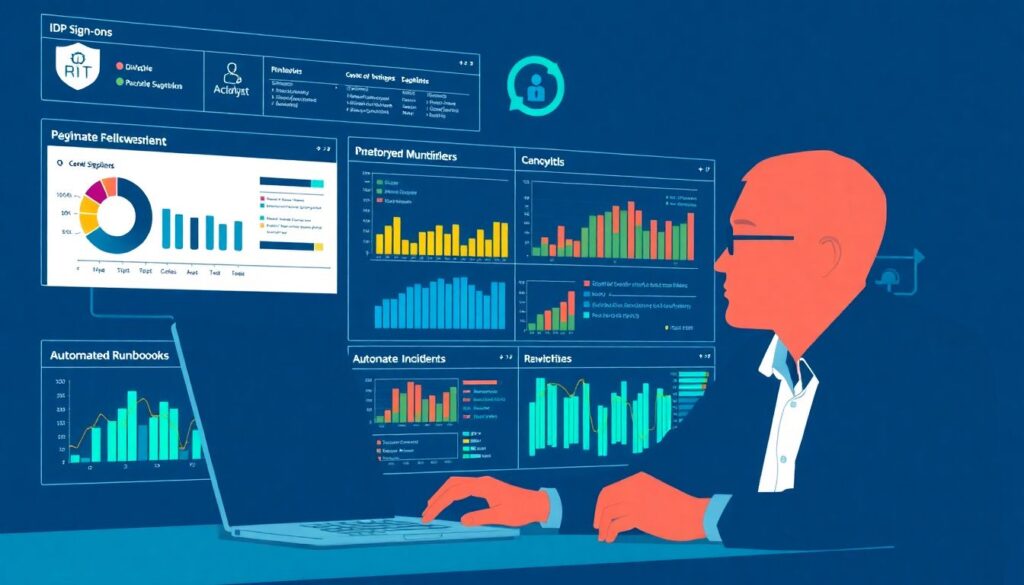
- IdP logs: single sign‑on to cloud consoles, privilege elevation, new device enrollments.
- DevOps tools: CI/CD pipeline changes, deployment keys, build‑script modifications.
- Ticketing and ITSM: hunting findings should open tickets and link to runbooks.
Telemetry and tools comparative matrix
The table below compares common telemetry types and where they are usually analyzed, including plataformas SIEM e SOAR para threat hunting em tempo real.
| Telemetry / Function | Typical Source in Cloud | Primary Analysis Tool | Best Use in Real-Time Hunting |
|---|---|---|---|
| Control-plane audit logs | CloudTrail, Azure Activity, GCP Audit Logs | Central SIEM | Detect role abuse, new keys, risky configuration changes. |
| Authentication and IdP events | Cloud auth logs, IdP logs | SIEM + UEBA module | Spot impossible travel, MFA bypass attempts, credential stuffing. |
| Endpoint and workload telemetry | EDR/agent, container runtime logs | EDR console + SIEM | Correlate process anomalies with cloud API usage. |
| Network flows and firewall logs | VPC Flow Logs, NSG logs, firewall appliances | NDR or SIEM | Identify data exfiltration, lateral movement paths. |
| Orchestration and automation | SOAR, runbooks, serverless automation | SOAR platform | Enforce safe, repeatable responses to hunting findings. |
Hypothesis-Driven Detection Techniques and Query Patterns
Use this preparation checklist before running any hypothesis‑driven hunt so every step stays safe and auditable:
- Confirm you have read‑only access to all relevant logs and monitoring data.
- Identify the environment(s) affected (production, staging, specific accounts, regions).
- Agree on allowed containment actions and approval levels in advance.
- Prepare a tracking document or ticket to log hypotheses, queries, and results.
- Test any new query on a limited time range or low‑risk environment first.
- Ensure on‑call responders know a hunt is in progress and how to escalate.
Below is the safe, step‑by‑step method to run hunts with clear hypotheses and queries.
-
Frame a precise, attacker-centric hypothesis.
Express the hypothesis as a sentence describing what the attacker would do and how it appears in logs. Avoid vague goals like “look for bad stuff”; be specific about actions, identities, and resources.- Example: “An attacker uses a compromised admin account to create a backdoor IAM user and access S3 data from a new country.”
- Document the hypothesis in your tracking ticket, including assumed attacker objectives.
-
Translate the hypothesis into observable signals.
List concrete events, fields, and entities that must appear if the hypothesis is true. This keeps queries simple and targeted.- Entities: IAM users/roles, IP addresses, device fingerprints, resource IDs, regions.
- Events: policy updates, user creation, new key generation, failed logins, data read/export operations.
- Fields: source IP, user agent, geolocation, MFA status, error codes, request parameters.
-
Design minimal, testable queries in your SIEM.
Start from a narrow time window and small subset of accounts. Use filters instead of complex correlations at first so you can validate results quickly and safely.- Run queries in “preview” mode when available, to avoid generating alerts or automated actions.
- Log each query and its purpose in the hunt record for reproducibility.
-
Iterate queries based on patterns and noise.
After the first run, review matches and tune filters to reduce noise while preserving suspicious activity. Never delete results; mark them as benign or interesting with notes.- Use whitelists for known admin tools, jump‑hosts, and automation accounts.
- Add filters for business hours, approved change windows, or expected IP ranges.
-
Pivot using related telemetry and context.
For each suspicious event, pivot to other data sources to confirm or refute the hypothesis. Maintain read‑only access whenever possible while you are still confirming.- From IAM changes to storage access logs: did the new role start reading sensitive buckets?
- From login anomalies to EDR: did the same account spawn unusual processes on VMs?
- From network anomalies to DNS logs: are there rare destinations or dynamic DNS domains?
-
Apply safe containment and validation steps.
When evidence supports the hypothesis, move to containment using pre‑approved playbooks. Prefer reversible actions and work closely with service owners.- Quarantine credentials by rotating keys or forcing password resets with MFA.
- Restrict access using temporary network rules or role changes instead of deleting resources.
- Communicate actions and their potential impact before executing, especially in production.
-
Close the loop with detection updates and documentation.
After each hunt, update detection rules, runbooks, and training content. Summarize what worked, what was noisy, and which gaps still exist.- Create or refine SIEM rules and SOAR playbooks based on reliable patterns you validated.
- Capture lessons in an internal wiki and in onboarding material for new analysts.
Tools, Integrations and a Comparative Matrix for Hunting Platforms
Selecting ferramentas de threat hunting em ambiente cloud is not just about features; it is about safe integration with your stack and workflows. Use this checklist to validate your platform and integration choices.
- Confirm your SIEM ingests all relevant cloud audit, auth, network, and workload logs with sufficient retention.
- Verify that SOAR integrations can perform only approved containment actions in production accounts.
- Check that search and correlation performance are acceptable for near real‑time threat hunting in large datasets.
- Ensure support for multiple cloud providers (AWS, Azure, GCP) and common SaaS used in your organization.
- Validate role‑based access control so hunters have read‑only analytics access and limited action permissions.
- Confirm that the platform can version and share saved queries, dashboards, and playbooks across teams.
- Test integration with ticketing and chat tools to automatically create and track investigation tasks.
- Assess built‑in content (detections, hunt packs, enrichments) tailored for Brazilian regulations and data residency when relevant.
- Review audit logs of the SIEM/SOAR itself to detect misuse of administrative capabilities.
- Plan training sessions or internal labs using playbooks de threat hunting para segurança em cloud so analysts can practice safely.
Playbooks: step-by-step investigations for common cloud incidents
Below are common mistakes to avoid when building and executing playbooks for cloud threat hunting so your actions stay safe and predictable.
- Starting playbooks without clear prerequisites, such as required logs, approvals, and backups for critical configurations.
- Running destructive commands (e.g., deleting keys, shutting down workloads) directly from the SIEM or SOAR without validation.
- Mixing production and test environments in the same playbook, which can lead to accidental impact.
- Skipping an explicit “detection query” step and jumping straight into containment without confirming the signal.
- Not documenting each investigation step, making it impossible to reconstruct actions during post‑incident reviews.
- Ignoring asset owners and business stakeholders, leading to surprise downtime and loss of trust in the hunting program.
- Failing to include a containment checklist, causing analysts to improvise high‑risk manual actions under pressure.
- Reusing on‑prem playbooks without adapting to cloud‑native services, identity models, and shared‑responsibility boundaries.
- Not testing playbooks periodically (for example, using simulations or tabletop exercises) to ensure they still work with current tooling.
- Leaving out rollback steps, which are essential if a containment action negatively affects legitimate users.
When designing your own playbooks de threat hunting para segurança em cloud, ensure every one has at least: prerequisites, a detection query template, structured investigation steps, and a containment checklist with rollback actions.
Operationalize hunting: automation, metrics, alert tuning and runbooks
There are alternative ways to operationalize cloud threat hunting, depending on your maturity, tooling, and staffing. Consider the options below and choose the safest path for your team.
-
Internal hunting team with SIEM/SOAR automation.
Ideal when you already have skilled analysts and platforms SIEM e SOAR para threat hunting em tempo real. Focus on strong governance, safe action scopes, and continuous playbook improvement. -
Co‑managed or MSSP‑assisted hunting.
Use external experts for query development and initial hunts, keeping final containment decisions and high‑risk actions inside your organization. -
Cloud‑provider native services plus light custom content.
Rely on managed detection, then add custom queries and runbooks for your unique workloads and regulatory obligations. -
Training‑first approach with gradual automation.
For teams early in their journey, invest in a structured curso de threat hunting em nuvem com certificado and internal labs, then gradually apply automation and SOAR integrations as confidence grows.
Operational clarifications and rapid troubleshooting tips
How often should we run cloud threat hunting sessions?
For most intermediate teams, schedule hunts at least monthly, with additional ad‑hoc hunts after major incidents or architecture changes. As automation and coverage improve, you can move to weekly thematic hunts focusing on specific attack surfaces or hypotheses.
Can we run hunts safely in production environments?

Yes, as long as queries are read‑only and containment steps follow documented, approved playbooks. Always prefer reversible actions, like temporary role restrictions or network rules, and communicate with asset owners before executing high‑impact steps.
What if we lack complete cloud logging coverage today?
Start by closing the most critical gaps, such as account audit logs and authentication events. Document limitations clearly in each hunt, and avoid drawing strong conclusions from environments or time ranges where telemetry is missing or unreliable.
Which team should own cloud threat hunting in a mid-size company?
Ownership usually sits with the security operations or SOC function, in close collaboration with cloud platform and DevOps teams. Make sure responsibilities for log management, playbook maintenance, and containment approvals are written, agreed, and reviewed regularly.
How do we avoid being overwhelmed by false positives?

Start with well‑scoped hypotheses, use small time ranges, and quickly tag recurring benign patterns. Convert reliable findings into tuned detections; for noisy ones, add contextual filters or move them to lower‑priority, manual review queues.
Do we need a dedicated tool for threat hunting, or is SIEM enough?
A SIEM with robust search, dashboards, and export capabilities is usually enough to begin. Over time, you can add SOAR, EDR, and NDR integrations for richer context and safer, automated responses without replacing the SIEM.
How should we measure the success of our hunting program?
Track metrics like number of validated findings, time from suspicion to containment, playbooks improved or created, and detection rules added. Use these to justify investments and guide where to expand coverage or automation next.