
To implement DevSecOps in a CI/CD pipeline for cloud-native applications, embed security checks at every stage: threat modeling in feature design, SCA/SAST/DAST in CI, strict secrets management, image signing and artifact protection in registry, policy-as-code for gates, plus automated compliance reporting. Start small with one service, then standardize across your platform.
Security checkpoints overview for CI/CD
- Define threat modeling as part of feature refinement and architecture for every new or changed service.
- Automate SCA, SAST and DAST in the CI pipeline with clear pass/fail thresholds and break-the-build rules.
- Centralize secrets, enforce image signing, and protect artifacts in dedicated registries and storage.
- Use ephemeral, production-like environments to validate runtime behavior, policies and K8s configurations.
- Apply policy-as-code for IaC, K8s manifests and pipelines, with conditional deployment gates.
- Generate automated compliance evidence and immutable audit trails for every release to cloud.
Integrating threat modeling into feature workflows
Threat modeling tied to feature workflows fits teams already running CI/CD and deploying to Kubernetes or other cloud-native runtimes. It is ideal when you are building microservices, handling sensitive data, or migrating to a plataforma CI CD com segurança integrada para aplicações em nuvem.
Avoid starting formal threat modeling when you have no stable architecture, no CI yet, or the application is a short-lived prototype. In these cases, focus first on basic hardening, automated tests, and a minimal set of ferramentas devsecops para pipeline ci cd aplicações nativas em nuvem, then evolve toward deeper modeling.
To integrate threat modeling into delivery without blocking flow:
- Add a lightweight threat checklist to refinement. For each user story or epic, quickly ask what data it touches, which external services it calls, and what could go wrong.
- Use architecture diagrams as code. Keep simple diagrams or ADRs (Architecture Decision Records) in the repo. Update them when adding new APIs, queues, or third-party services.
- Tag stories that introduce or expose sensitive assets. Mark them (for example, with a “sec-review” label) so a security champion reviews acceptance criteria.
- Connect to CI labels and paths. Use folder structure (for example, /payments, /auth) and labels to trigger extra security jobs only for high-risk areas.
- Leverage external expertise when needed. For complex cloud-native designs, consider serviços de consultoria devsecops para ci cd em nuvem or an empresa especializada em implementação devsecops cloud native to review initial models and patterns.
Automating SCA, SAST and DAST inside CI pipelines
To automate SCA, SAST and DAST for cloud-native services, you need three categories of prerequisites: CI access and permissions, tooling, and target environment access.
- CI access and permissions
- Admin or maintainer rights in your CI (GitHub Actions, GitLab CI, Jenkins, Azure DevOps, etc.).
- Ability to create or modify shared pipeline templates for standardization.
- Credentials or tokens to read/write to artifact registries and Git repos.
- Security tools and integrations
- SCA: Use language-specific or multi-language SCA tools integrated as CLI or official CI plugins.
- SAST: Choose scanners that understand your languages and cloud-native frameworks; many have native actions or jobs for GitHub and GitLab.
- DAST: For HTTP APIs and web UIs, pick tools that run against ephemeral review apps or staging URLs.
- IaC/K8s scanning: Include scanning for Terraform, CloudFormation, Helm charts and Kubernetes manifests.
- Prefer ferramentas devsecops para pipeline ci cd aplicações nativas em nuvem that can run in containers and scale across multiple repos.
- Environment and runtime access
- Network access from CI runners to test environments (K8s clusters, staging URLs, mock services).
- Service accounts with least-privilege access for deployment and scanning, not personal accounts.
- Integration with your soluções devsecops gerenciadas para kubernetes e microsserviços, if you are using managed security services.
- Baseline CI configuration examples
- GitHub Actions: separate jobs for
sca,sast,dast, each using official actions; setcontinue-on-error: falsefor critical severities. - GitLab CI: use the built-in security templates or custom
.gitlab-ci.ymlincludes; enable the Security Dashboard. - Jenkins: use Pipeline-as-code (
Jenkinsfile) and wrap scanners in shared libraries, running them inside Docker agents.
- GitHub Actions: separate jobs for
Secrets management, image signing and artifact protection
Follow these steps to secure secrets, images and artifacts in a cloud-native CI/CD flow safely.
- Centralize secrets in a dedicated secrets manager. Stop storing secrets in repo variables or plain environment files.
- Use the cloud provider secret store (AWS Secrets Manager, Azure Key Vault, GCP Secret Manager) or an external vault.
- Give CI runners a short-lived identity (OIDC, workload identity) to fetch secrets on demand.
- Document how each pipeline job retrieves secrets; avoid copying secrets between jobs.
- Restrict and rotate CI credentials. Every token used by the pipeline must be scoped and rotated.
- Create separate service accounts per environment (dev, staging, prod) with least privilege.
- Set rotation policies and automate rotation where supported.
- Log all access to secrets and review unusual patterns regularly.
- Introduce container image signing in the build stage. Ensure all images are signed as part of the CI process.
- Pick a signing tool compatible with your registry and Kubernetes admission controls (for example, Notary v2, Cosign).
- Store signing keys in hardware-backed or managed key services, not in the repo or CI variables.
- Add a CI job that signs the image after successful tests and uploads both image and signature to the registry.
- Enforce signature verification at deployment. Configure your platform to run only trusted images.
- Use Kubernetes admission controllers or policy engines to verify image signatures before scheduling pods.
- Block unsigned images and log the rejection reason for troubleshooting.
- Test policies first in a non-production cluster, then roll them out gradually.
- Protect build artifacts and SBOMs. Treat build outputs as sensitive assets with integrity requirements.
- Store artifacts (manifests, SBOMs, binaries) in a versioned, access-controlled artifact repository.
- Generate SBOMs during the build and store them alongside images for future vulnerability analysis.
- Limit write permissions to pipeline identities; most users need read-only access.
- Harden your CI runners and agents. Ensure the environment that builds and signs code is trustworthy.
- Use ephemeral runners whenever possible, destroying them after each job or batch of jobs.
- Keep build agent images minimal, updated, and scanned for vulnerabilities.
- Separate runners for production pipelines from those used for experiments or forks.
- Integrate with your Kubernetes security controls. Link image protections to runtime enforcement.
- Align registry access policies with cluster network policies to prevent pulling images from unapproved registries.
- Use your soluções devsecops gerenciadas para kubernetes e microsserviços to continuously check cluster configuration and image usage.
Fast-track mode: minimal secure pipeline setup
- Move all secrets to a managed secrets store and let CI jobs fetch them using short-lived identities only.
- Adopt image signing in CI with one supported tool and enforce verification in a non-production K8s cluster.
- Store artifacts and SBOMs in a single registry with read-only access for most users.
- Use ephemeral CI runners and keep them patched and scanned regularly.
Shift-left runtime considerations and ephemeral environment testing

Use this checklist to confirm your runtime-focused DevSecOps controls are effective for cloud-native workloads.
- Every merge request or main-branch change can spin up an ephemeral environment mirroring production dependencies and K8s configuration.
- DAST, API security tests and basic performance checks run automatically against the ephemeral environment.
- IaC and K8s manifests are scanned before environment creation, and misconfigurations block the deployment.
- Logs and traces from ephemeral environments are shipped to the same observability stack as production, clearly tagged as non-prod.
- Security findings from runtime tests are visible in the same dashboards as SCA/SAST results, not in a separate silo.
- Tearing down ephemeral environments is automatic and timely, ensuring no dangling resources or exposed endpoints.
- Feature flags, test accounts and debugging configuration in ephemeral environments are clearly separated from production settings.
- Access to ephemeral environments is limited to the delivery team and specific roles; no public exposure unless required for tests.
- For at least one critical service, deployment is allowed only after all ephemeral-environment checks pass.
Enforcing policies with policy-as-code and conditional gates
Common mistakes when introducing policy-as-code and conditional gates in a CI/CD pipeline for cloud-native apps:
- Writing overly complex policies on day one, instead of starting with a few critical rules (for example, block public S3 buckets, require image signatures).
- Hard-coding environment-specific values into policies, making them difficult to reuse across clusters and projects.
- Failing to separate “warn” and “block” policies, causing frustration when every minor deviation breaks the pipeline.
- Running policy checks only in production stages, instead of early in pull/merge requests where changes are cheaper to fix.
- Ignoring developer feedback and not providing clear error messages that show which policy failed and how to fix it.
- Not versioning policies alongside the code and IaC they govern, leading to mismatches between rules and actual configurations.
- Omitting tests for the policies themselves, so changes to rules can break deployments unexpectedly.
- Overlooking integration with existing plataforma ci cd com segurança integrada para aplicações em nuvem capabilities and duplicating native checks.
Automating compliance reporting and immutable audit trails
There are several practical options to automate reporting and auditability in a DevSecOps-enabled CI/CD pipeline; choose based on your environment and maturity level.
- CI-native security and compliance dashboards. Use built-in or marketplace features of your CI to aggregate SCA/SAST/DAST and pipeline runs into compliance views. This is suitable when you want a fast start with minimal tooling overhead.
- Centralized logging and SIEM integration. Ship all pipeline logs, security scan results and deployment events into a centralized logging platform or SIEM. This works best when you already maintain such a platform for operations and want unified monitoring.
- Dedicated DevSecOps platforms. Adopt a empresa especializada em implementação devsecops cloud native or third-party tools that overlay your CI, K8s and cloud accounts, providing predefined controls and evidence exports. This is useful for regulated environments with recurring audits.
- Managed security and compliance services. Use serviços de consultoria devsecops para ci cd em nuvem or soluções devsecops gerenciadas para kubernetes e microsserviços when you prefer to outsource continuous tuning, policy updates and reporting, focusing your team on development.
Common implementation hurdles and practical fixes
How do we start DevSecOps without slowing every deployment?
Begin by securing the main branch pipeline for one critical service: add SCA and SAST, centralize secrets, and sign images. Run new checks in “report-only” mode first, then progressively turn them into hard gates once teams are comfortable.
What if developers see security scans as noise?
Tune tools to focus on high and critical issues and integrate findings into existing issue trackers. Set SLAs for fixing the most severe problems and allow lower-severity items to be addressed in batches or refactoring cycles.
How can we handle multiple languages and frameworks in one monorepo?
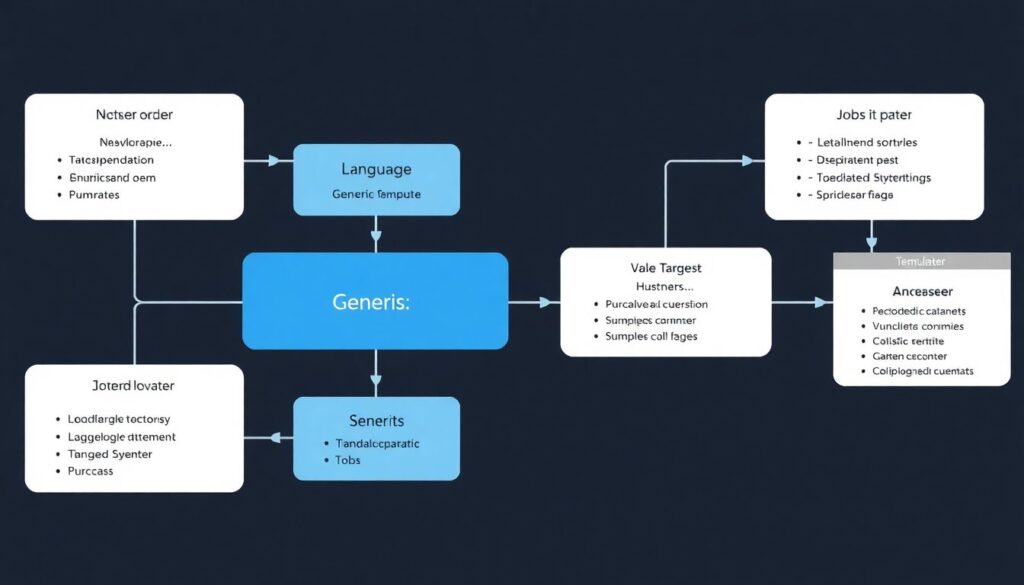
Use a layered approach: a generic security job template plus language-specific jobs triggered by path filters. Standardize on a small set of tools that support your primary stacks and run additional scanners only where they add clear value.
What do we do when scans are too slow for the CI pipeline?
Split scans into fast “gate” checks and deeper scheduled scans. Run lightweight SCA/SAST on every push and reserve full-scope or DAST scans for nightly or on-demand runs against stable branches or staging environments.
How do we protect secrets when contributors fork the repository?
Configure CI so that forks do not receive production secrets or deployment permissions. Use environment-specific tokens, limit secrets to internal branches, and rely on mock services or redacted values for external contributions.
How can we align DevSecOps across multiple cloud providers?
Keep policies, IaC patterns and security checks as cloud-agnostic as possible and encode provider differences through modules and variables. Where needed, use a single DevSecOps platform or managed service that integrates with all target clouds.
When should we bring in external DevSecOps expertise?
Engage external specialists when designing your first production-ready pipeline, onboarding Kubernetes at scale, or preparing for strict regulatory audits. Short, targeted engagements can validate your approach and provide reusable patterns for future projects.