
To choose the best open source tools for cloud security, combine 3-5 focused components instead of seeking one suite: a discovery/config layer, vulnerability scanning, IaC and CI/CD checks, runtime protection, and identity/secrets management. Prioritize low-ops, agentless options first, then add higher-touch tools only where risk and scale justify them.
Cost‑driven summary for selecting cloud security OSS

- Start with asset discovery and misconfiguration checks; without accurate inventory, other ferramentas open source para segurança em cloud will have blind spots.
- For most Brazilian SMB and mid-size teams, Trivy plus lightweight IaC scanners are usually the melhores ferramentas de segurança em nuvem open source baseline.
- Favor agentless, API-based scanners to reduce operational overhead and hidden costs in multi-cloud environments.
- Use Falco or equivalent only where you run sustained container workloads; serverless-only stacks can rely more on configuration and IAM hardening.
- Centralize identity, RBAC and secrets early with mature soluções open source para segurança em ambientes cloud such as Vault and Keycloak.
- Continuously reevaluate tools based on team capacity, not only feature checklists, to avoid fragile setups of ferramentas gratuitas de segurança para cloud computing.
Asset discovery and config management: open‑source options
For intermediate teams in pt_BR regions, reliable asset discovery and configuration visibility are critical before deciding como proteger ambiente cloud com ferramentas open source. Use these criteria to compare and shortlist tools:
- Cloud coverage and integrations: Native support for AWS, Azure, GCP, and common Kubernetes distributions without heavy customization.
- Agentless vs agent-based: Agentless tools (API-based) cut ops cost and are easier to introduce in heterogeneous environments.
- Configuration benchmarks: Built-in checks for CIS, vendor best practices, and support for custom rules in code.
- Multi-account and multi-project support: Ability to scan large account hierarchies, tenants, and subscriptions in one run.
- Data model and query language: Structured inventory with SQL-like or graph queries to answer complex questions efficiently.
- Reporting and export: Easy export to JSON, CSV, or direct integration with SIEM and ticket systems.
- Operational footprint: How much maintenance, scheduling, and recurring tuning are needed.
- Scalability and performance: Ability to handle thousands of resources per cloud without timeouts or complex sharding.
- Community and ecosystem: Active development, documentation, and examples targeted at cloud-native environments.
The table below compares popular open source discovery and configuration tools on license, integrations, and cost drivers.
| Tool | License | Main focus | Cloud integrations | Ops effort | Typical cost drivers |
|---|---|---|---|---|---|
| CloudQuery | MPL-2.0 | Cloud asset inventory as SQL tables | AWS, Azure, GCP, Kubernetes and others via plugins | Moderate: deploy runner and schedule sync jobs | Compute for scheduled runs, storage for snapshots |
| ScoutSuite | GPL-2.0 | Multi-cloud security posture assessment | AWS, Azure, GCP, more via evolving support | Low: on-demand scans from analyst workstation or CI | Engineer time to triage findings and re-run checks |
| Prowler | Apache-2.0 | CIS-style benchmarks and compliance checks | AWS, Azure, GCP, Kubernetes (partial) | Low to moderate: configure accounts and pipelines | CI minutes, central storage for reports, tuning rules |
| Osquery | Apache-2.0 | Host and container inventory via SQL | Any cloud via installed agents on VMs and nodes | High: agent lifecycle, fleet management, upgrades | Ops labor on agent management and backend infra |
| Steampipe | AGPL-3.0 | Unified query across cloud APIs with SQL | AWS, Azure, GCP, SaaS providers via plugins | Low: single binary plus plugin configuration | Compute for frequent queries and dashboard backends |
For budget-first teams, Prowler or ScoutSuite are simple starting points; CloudQuery or Steampipe become attractive when you need richer querying or want to feed a central data warehouse.
Vulnerability scanning and prioritization tailored for cloud stacks
Below is a comparison of widely used open source vulnerability scanners and where each fits best in a cloud-focused stack.
| Variant | Best fit for | Pros | Cons | When to choose |
|---|---|---|---|---|
| Trivy | Teams needing one tool for containers, OS packages, IaC, and registries | Very easy to use, fast scans, broad target support, good defaults for CI | Findings can be noisy without custom policies and baselines | Pick as default scanner for most Kubernetes and container-centric stacks |
| Grype | Container-heavy workloads where SBOM workflows matter | Tight Syft integration, SBOM-driven scans, good for supply chain pipelines | More moving parts if you do not already manage SBOMs | Use when supply chain transparency and SBOM reuse are priorities |
| Clair | Organizations running own container registry services | Registry-native scanning, can integrate at image push time | Needs registry plumbing, more operations than single-binary scanners | Choose when you self-host registries and want inline scanning |
| OpenVAS / Greenbone Community | Network and host vulnerability scanning across hybrid environments | Mature engine, wide protocol coverage, useful for legacy and on-prem | Heavier to operate, less cloud-native, UI can feel dated | Add when you need external-style network scans in addition to container checks |
| OpenSCAP | Compliance-oriented VM and host scans | Strong for compliance benchmarks and host configuration checks | Limited container focus, steeper learning curve | Use for regulated environments with strong OS hardening requirements |
Most intermediate teams will do well to standardize on Trivy or Grype first, then layer in OpenVAS or OpenSCAP where traditional infrastructure or strict compliance is still relevant.
IaC and pipeline security: static analysis and policy as code
Infrastructure as Code and CI/CD pipelines are ideal control points for cloud security. Use static analysis and policy-as-code tools to block issues before deployment, balancing budget and operational effort.
| Tool | License | Main focus | Cloud and IaC support | Cost and ops characteristics |
|---|---|---|---|---|
| Checkov | Apache-2.0 | Static analysis of IaC templates | Terraform, CloudFormation, Kubernetes, ARM/Bicep, serverless | Low cost; runs in CI; rule tuning requires some investment |
| tfsec | MIT | Terraform security scanning | Terraform-focused; works for multi-cloud via providers | Very lightweight; minimal maintenance; best for Terraform-only teams |
| Terrascan | Apache-2.0 | Policy-based IaC scanning | Terraform, Kubernetes, Helm, others via extensible policies | Moderate: richer policy model, more integration possibilities |
| Open Policy Agent (OPA) | Apache-2.0 | General-purpose policy engine | Admission control, APIs, CI, microservices | Flexible but needs engineering time to design and maintain policies |
| Conftest | Apache-2.0 | File-based policy checks using OPA Rego | YAML/JSON, Kubernetes manifests, CI config files | Lightweight; great for CI; complexity lives in Rego rules |
Practical scenario-based guidance to combine these tools effectively:
- If you are Terraform-heavy with a small team and tight budget, then start with tfsec in CI for almost zero operational overhead.
- If you run mixed IaC (Terraform, CloudFormation, Kubernetes), then use Checkov as your main IaC scanner and gradually enable only the checks aligned with your policies.
- If you need fine-grained admission control in Kubernetes, then add OPA Gatekeeper to enforce policies at deploy time, complementing static analysis.
- If your organization requires centralized, reusable policies across multiple systems, then invest in a more premium design based on OPA + Conftest, reusing the same Rego rules in CI, admission controllers, and runtime authorization.
- If you are a budget-first startup, then combine Trivy for IaC and container scanning with a minimal Checkov ruleset to avoid overloading engineers with alerts.
- If you are a larger, regulated enterprise, then treat IaC scanning and OPA-based policy as a strategic platform and dedicate engineering time to a shared policy library from the start.
Runtime protection for containers and serverless with OSS
Runtime protection catches what slips past static analysis, but it is easy to overspend on complexity. Use this practical, cost-aware checklist to decide which open source options to deploy.
| Tool | License | Main runtime capability | Cloud and platform focus | Operational and cost aspects |
|---|---|---|---|---|
| Falco | Apache-2.0 | Behavioral detection for containers and hosts | Kubernetes, container runtimes, Linux hosts | Moderate: rule tuning, event routing, and sensor updates |
| KubeArmor | Apache-2.0 | Runtime enforcement with kernel-level policies | Kubernetes workloads | Moderate to high: policy engineering and testing |
| Cilium (with Tetragon) | Apache-2.0 | eBPF networking, observability, and security events | Kubernetes networking and runtime security | Higher: CNI operations plus runtime observability management |
| Wazuh | GPL-2.0 | Host intrusion detection and log-based monitoring | Cloud VMs, containers, on‑prem servers | Higher: agents, central cluster, index/storage tuning |
- Map your workloads: if you are mostly serverless and managed PaaS, prioritize configuration, IAM, and logging before any runtime agents.
- For small Kubernetes clusters, start with Falco using default rules and send alerts to an existing log stack or chat tool to minimize new infrastructure.
- If you need strong container isolation and enforcement, evaluate KubeArmor but budget time for designing and testing strict policies.
- When Kubernetes networking and observability are also pain points, consider Cilium with Tetragon as a unified premium option, accepted only if you have SRE bandwidth.
- For many VMs across clouds and on‑prem, add Wazuh or integrate cloud-native IDS features instead of deploying multiple runtime agents.
- Reassess quarterly: remove noisy rules and unused sensors to keep alert fatigue and infrastructure cost under control.
Open‑source approaches to identity, RBAC and secrets management
Identity and secrets are high-impact, and picking the wrong open source primitives can become expensive to rework. Watch for these common mistakes when you select and deploy tools.
| Tool | License | Primary role | Cloud alignment | Cost-related considerations |
|---|---|---|---|---|
| Keycloak | Apache-2.0 | Identity provider and access management | Integrates with Kubernetes, gateways, and SaaS apps | Needs reliable DB and upgrades; can replace many paid IdP features |
| Dex | Apache-2.0 | OpenID Connect identity service | Common in Kubernetes clusters as auth backend | Lightweight, but often depends on external IdP for user store |
| HashiCorp Vault (Community) | Mozilla Public License | Secrets management and encryption | Cloud-agnostic; strong integrations with Kubernetes and CI | Operationally non-trivial; needs HA, storage, and access governance |
| Sealed Secrets | Apache-2.0 | Encrypting Kubernetes secrets in Git | Kubernetes-centric; works with GitOps flows | Very low infrastructure cost; keys management still critical |
| External Secrets Operator | Apache-2.0 | Syncing secrets from external stores into Kubernetes | Integrates with cloud secret managers and Vault | Depends on external secret store costs and reliability |
- Choosing fully self-managed identity (e.g., Keycloak) without realistic estimates of operations, backups, and upgrades.
- Ignoring native cloud IdP and secret managers that can complement ferramentas open source para segurança em cloud with less maintenance.
- Mixing too many RBAC models (cloud IAM, Kubernetes RBAC, custom app roles) without a clear mapping strategy.
- Storing long‑lived credentials instead of adopting short‑lived, federated identities for CI/CD and automation.
- Underestimating migration complexity from ad‑hoc secrets in environment variables to Vault or Sealed Secrets.
- Not standardizing on a small, documented set of authentication flows (OIDC, SAML) across services.
- Allowing per‑team DIY solutions for secrets, which leads to duplicated effort and fragmented controls.
- Over‑provisioning admin roles in cloud consoles and Kubernetes, making audits and least privilege unmanageable.
Total cost of ownership and operational tradeoffs for budget teams
For most intermediate teams in Brazil, a pragmatic, budget-first combination is: Prowler or ScoutSuite for posture, Trivy as default scanner, Checkov or tfsec for IaC, Falco only where Kubernetes runs critical workloads, and Keycloak plus Vault or native secret managers for identity and secrets, added gradually as capacity allows.
Practical answers to common deployment and choice doubts
How many open source cloud security tools should a small team run?
Start with three to five: posture scanning, vulnerability scanning, IaC checks, and one identity or secrets component. Add runtime protection and advanced policy engines only when you have clear use cases and enough operational capacity.
Can open source tools replace commercial cloud security platforms?
They can cover a large portion of technical controls, but you trade license cost for engineering and operations effort. For some teams, a hybrid approach using OSS plus a focused commercial product for visibility or compliance reporting is more sustainable.
What is the lowest-effort way to begin securing a new cloud account?
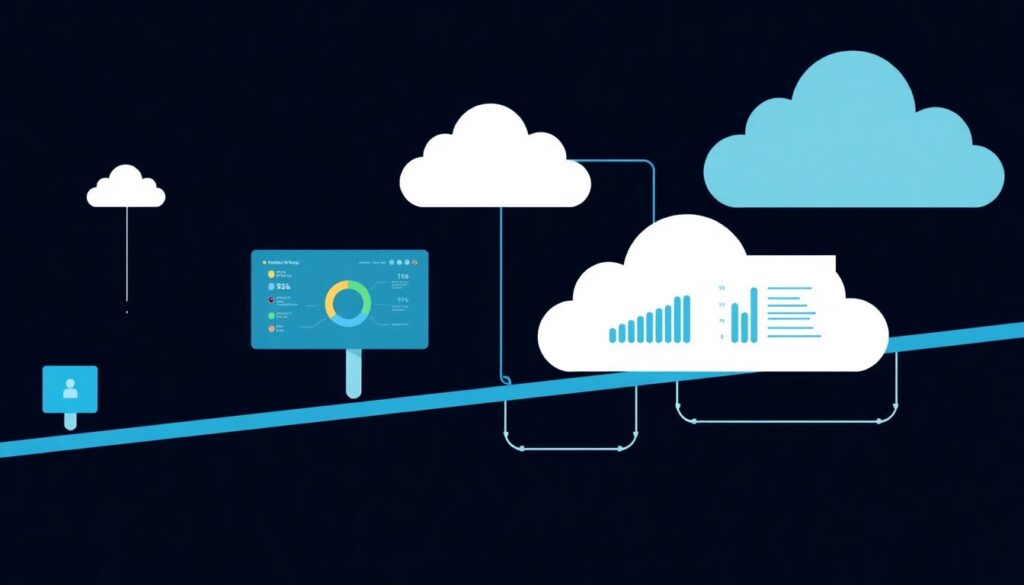
Enable cloud-native logging and basic guardrails, then run Prowler or ScoutSuite for configuration issues, and Trivy on your container images. This combination gives quick wins with low effort and can be integrated into CI/CD later.
How should I prioritize between IaC scanning and runtime tools?
Prioritize IaC and pipeline scanning first; they are cheaper to run and prevent misconfigurations before deployment. Add runtime tools like Falco later to catch behavioral anomalies and defense-in-depth gaps.
When does it make sense to use Vault instead of only cloud secret managers?
Vault becomes attractive when you need consistent secrets workflows across multiple clouds, on‑prem, and Kubernetes, or when you require advanced features like dynamic credentials and encryption-as-a-service that cloud-native managers do not provide uniformly.
Is Kubernetes required to benefit from these open source security tools?
No. Many tools, such as Prowler, ScoutSuite, Trivy, and OpenVAS, work fine with VMs and serverless-only stacks. Kubernetes-focused tools are only necessary when you actually run containers and clusters in production.
How do I avoid alert fatigue with open source scanners?
Start with a minimal baseline of checks, disable noisy rules quickly, and integrate scanners into CI with clear severity thresholds. Review findings weekly, not continuously, until the backlog is under control.