
Use this guide to harden AWS, Azure and Google Cloud with safe, repeatable steps: lock down identities, segment networks, harden workloads, configure managed services securely, protect pipelines and ensure logging plus incident playbooks. The focus is practical checklists and patterns your security team in Brazil can apply quickly.
Critical hardening targets for cloud security
- Establish strict account, IAM and SSO baselines before deploying production workloads.
- Segment networks with private connectivity and cloud firewalls, avoiding direct internet exposure.
- Standardize hardened images and container baselines, validated in CI/CD.
- Apply encryption, keys and access controls consistently to storage and databases.
- Automate policies, scanning and drift detection using IaC and pipeline gates.
- Centralize logs, alerts and incident playbooks across AWS, Azure and Google Cloud.
Account and Identity Foundations: IAM, SSO, and least privilege
This foundation suits teams running multi-account or multi-subscription environments, or planning serviços gestão segurança em nuvem para empresas with centralized control. It is less suitable to delay or skip: if you cannot manage identities and permissions safely, you should not move regulated or sensitive workloads into cloud yet.
| Aspect | AWS | Azure | Google Cloud |
|---|---|---|---|
| Org structure | Organizations, OUs, SCPs | Management Groups, Subscriptions | Organization, Folders, Projects |
| Human identities | IAM users (legacy), Identity Center (recommended) | Entra ID users, PIM for roles | Google Workspace / Cloud Identity users |
| Service identities | IAM roles, instance profiles | Managed identities, service principals | Service accounts, Workload Identity |
| SSO | IAM Identity Center with IdP | Entra ID + SSO to subscriptions | Google Workspace SSO or external IdP |
| Baseline policies | AWS-managed policies, SCP guardrails | Built-in RBAC roles, custom roles | Predefined IAM roles, custom roles |
| MFA | MFA for root, users, SSO | MFA via Entra policies | MFA via Workspace / Cloud Identity |
Identity hardening checklist
- Disable or avoid long-lived IAM users and access keys. Prefer SSO and roles/managed identities/service accounts.
- Ensure MFA is required for all human accounts, especially admins and break-glass users.
- Create least-privilege custom roles for operations, instead of using Owner/Administrator/FullAccess.
- Isolate production into dedicated accounts, subscriptions or projects with stricter guardrails.
- Enable access review processes at least quarterly (or automated with your IdP) for all elevated roles.
Quick remediation pattern for identities
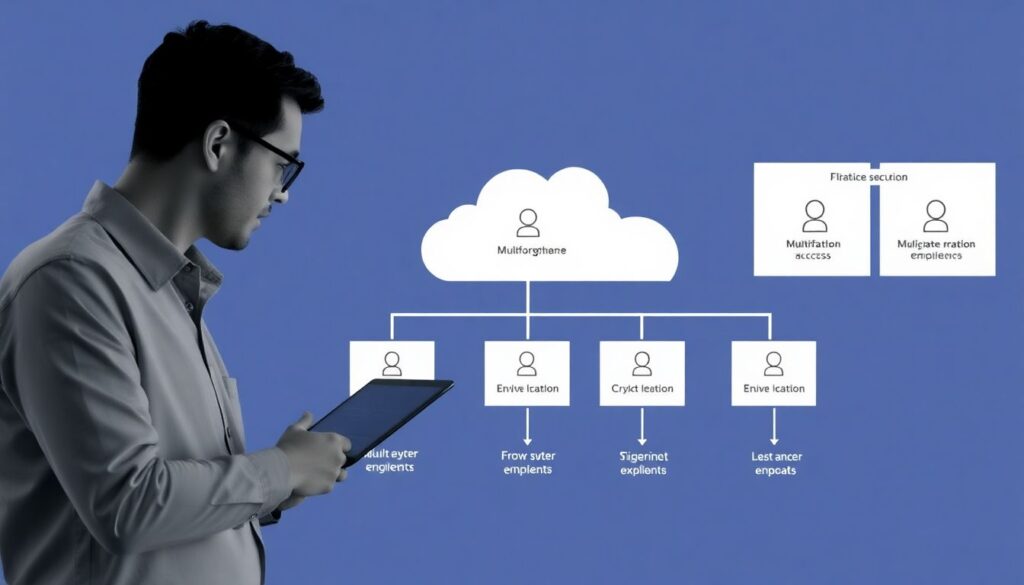
Pick one critical workload, identify all human and service identities touching it, then replace direct credentials with role assumption, managed identities or Workload Identity. Tighten their permissions to the minimal set and enforce MFA via your IdP.
Network and Perimeter Controls: VPCs, firewalls, and private connectivity
You will need basic design decisions, tooling and approvals before changing network paths. At minimum, the security team needs access to cloud consoles, CLI, Terraform or Bicep/Deployment Manager repos, plus coordination with whoever manages on-premises networks and VPNs in your empresa especializada em segurança e compliance em nuvem.
| Control | AWS | Azure | Google Cloud |
|---|---|---|---|
| Virtual networks | VPC, subnets | Virtual Network, subnets | VPC Network, subnets |
| Security policies | Security Groups, NACLs | NSG, ASG | VPC firewall rules |
| Private connectivity | VPN, Direct Connect, PrivateLink | VPN Gateway, ExpressRoute, Private Link | Cloud VPN, Interconnect, Private Service Connect |
| Edge protection | ALB/NLB, AWS WAF, Shield | Application Gateway, Azure WAF, DDoS Protection | Cloud Load Balancing, Cloud Armor |
| Egress control | NAT Gateway, egress-only, VPC endpoints | NAT Gateway, Firewall, Private endpoints | Cloud NAT, egress rules, PSC |
Network preparation checklist
- Obtain updated network diagrams for on-premises and each cloud environment.
- Confirm which CIDR ranges are reserved and avoid overlaps when creating new VPCs/VNets.
- Ensure you can manage DNS zones and records for internal services.
- Enable access to WAF and firewall configuration consoles or APIs for the security team.
- Agree on change windows with operations to modify internet-facing load balancers safely.
Quick remediation pattern for networks
Identify all public-facing workloads, front them with a managed load balancer and WAF, restrict direct instance access, then gradually move internal services to private subnets with VPN or Direct Connect/ExpressRoute/Interconnect to on-premises.
Workload Hardening: OS, containers, serverless and image pipelines
This section turns baseline policies into concrete steps for virtual machines, containers and serverless functions, using common ferramentas de segurança cloud aws azure google cloud or native tooling where possible.
| Workload type | AWS | Azure | Google Cloud |
|---|---|---|---|
| VMs | EC2, SSM, AMIs | Virtual Machines, Azure Automanage, Images | Compute Engine, OS Config, Images |
| Kubernetes | EKS, ECR, security groups | AKS, ACR, Azure Policy for AKS | GKE, Artifact Registry, GKE security posture |
| Serverless | Lambda, IAM roles, layers | Functions, Managed identities | Cloud Functions, Cloud Run, service accounts |
| Image pipeline | CodeBuild, CodePipeline, image scanning | DevOps, Container scanning, Defender | Cloud Build, Cloud Deploy, container analysis |
Step-by-step workload hardening
-
Standardize base images for VMs
Create hardened images with your baseline OS config and security agents.
- AWS: build AMIs with EC2 Image Builder or Packer and store in a central account.
- Azure: use Azure Image Builder and Shared Image Gallery.
- Google Cloud: create custom images and share at org/folder level.
-
Enforce configuration management
Apply configuration-as-code for OS hardening instead of ad-hoc changes.
- Leverage SSM State Manager, Azure Automanage or OS Config for baseline policies.
- Use Ansible/Chef/Puppet/Salt for more complex environments.
-
Secure containers and registries
Lock registries and enforce image scanning in your pipelines.
- Restrict ECR/ACR/Artifact Registry access to CI/CD and cluster nodes only.
- Enable built-in image scanning and block high-risk images from promotion.
-
Harden Kubernetes clusters
Reduce blast radius and ensure node and pod security.
- Disable public control planes when possible; use private endpoints plus VPN or peering.
- Apply Pod Security Standards or equivalent admission policies.
- Limit cluster-admin and use namespace-level RBAC for teams.
-
Restrict serverless permissions and entry points
Ensure functions do only what they must.
- Grant minimal IAM roles/managed identities/service accounts per function.
- Expose functions behind API Gateways or HTTP proxies with authentication.
-
Integrate vulnerability management
Feed vulnerability findings into your incident and patching process.
- Connect native scanners and third-party tools into a central dashboard.
- Define SLOs for patching based on risk, not on arbitrary dates.
Fast-track hardening mode for busy teams
- Freeze new images: define one hardened image per OS and enforce its use in IaC.
- Enable image scanning in all registries and block deployments from unscanned images.
- Disable public Kubernetes control planes and serverless functions where feasible.
- Prioritize patching internet-facing hosts and workloads first.
Quick remediation pattern for workloads
Choose the top three most exposed workloads, move them to hardened images or containers, attach minimal roles/service accounts, then enforce patching via SSM, Automanage or OS Config with automatic reboots in agreed change windows.
Platform Services Configuration: storage, databases and managed services
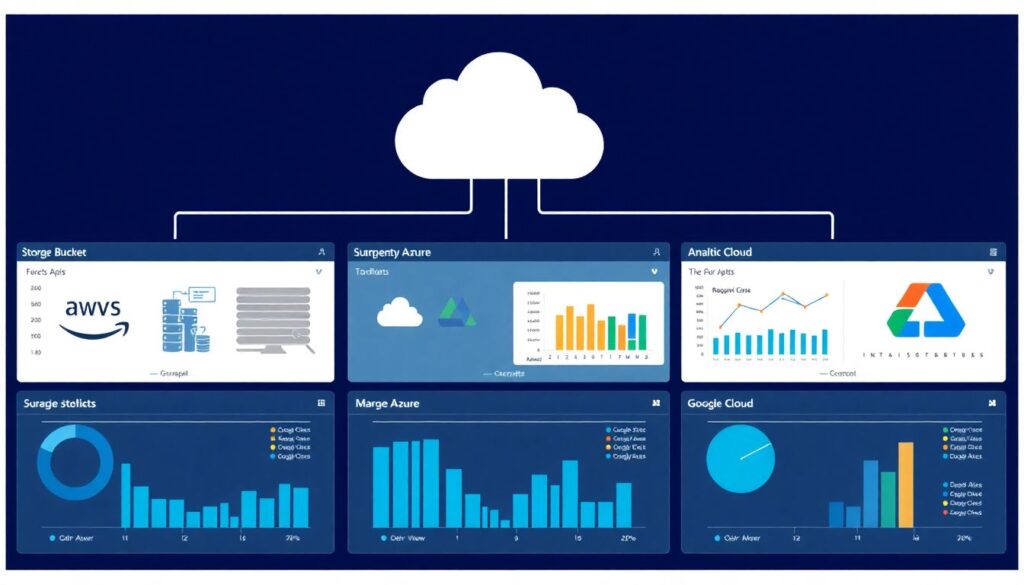
This section focuses on verifying that platform services such as storage buckets, managed databases and analytics platforms follow strict security baselines, whether configured manually or via IaC or consultoria hardening cloud aws azure gcp engagements.
| Service type | AWS | Azure | Google Cloud |
|---|---|---|---|
| Object storage | S3 buckets | Storage Accounts, Blob containers | Cloud Storage buckets |
| Relational DB | RDS, Aurora | Azure SQL, PostgreSQL, MySQL | Cloud SQL, AlloyDB |
| NoSQL | DynamoDB | Cosmos DB | Firestore, Bigtable |
| Analytics | Redshift, EMR | Synapse, Databricks (managed) | BigQuery, Dataflow |
Configuration validation checklist
- Verify all storage buckets and blobs block public access unless formally approved and documented.
- Ensure encryption at rest is enabled for all storage and databases, preferably with customer-managed keys.
- Confirm that databases are not directly exposed to the internet; require private endpoints or bastion/jump hosts.
- Check that backup and snapshot policies exist and are retained in line with business requirements.
- Validate that log and audit storage has immutable features enabled (versioning, retention locks, WORM).
- Ensure IAM/RBAC for databases uses roles and groups rather than local, unmanaged user accounts.
- Review cross-account or cross-project sharing for data services and eliminate any unnecessary trust.
- Confirm monitoring and alerting is enabled on storage and database anomalies (sudden read/write spikes, permission changes).
Quick remediation pattern for platform services
Run a cloud configuration assessment (native security center or CSPM) focusing on public storage, unencrypted databases and internet-exposed endpoints; remediate by blocking public access, enabling encryption and forcing private access through VPN or private links.
Automation, IaC and CI/CD Security: templates, scanning and safe deployment
This section covers how to embed security into Infrastructure as Code and pipelines, protecting you even as team size grows or you adopt a curso segurança em nuvem aws azure google cloud to train engineers.
| Area | AWS | Azure | Google Cloud |
|---|---|---|---|
| IaC templates | CloudFormation, CDK, Terraform | Bicep, ARM, Terraform | Deployment Manager, Terraform |
| Policy as code | Config, SCPs, third-party tools | Azure Policy, Blueprints | Org Policy, Config Controller |
| CI/CD | CodePipeline, CodeBuild, others | Azure DevOps, GitHub Actions | Cloud Build, Cloud Deploy, others |
Common mistakes in automation and pipelines
- Storing long-lived cloud keys inside pipeline variables or source code instead of using workload identity or OIDC.
- Allowing pipelines to run with full admin permissions across accounts, subscriptions or projects.
- Skipping IaC security scanning for templates and Kubernetes manifests before deployment.
- Not enforcing code review or approvals for security-sensitive changes such as networks, IAM or public access.
- Mixing production and non-production deployments from the same project or subscription without guardrails.
- Ignoring drift detection, so manual console changes silently bypass IaC controls.
- Running pipelines from self-hosted agents without hardening or network isolation.
Quick remediation pattern for automation
Introduce mandatory security scanning for IaC and container images in pipelines, move pipeline authentication to short-lived tokens or workload identities, and create separate deployment projects/accounts for production with stronger approval rules.
Detection, Logging and Incident Playbooks: telemetry, alerting and forensics
This section highlights different ways to centralize and operationalize detection across clouds, whether in-house or using serviços gestão segurança em nuvem para empresas provided by an external SOC or empresa especializada em segurança e compliance em nuvem.
| Telemetry | AWS | Azure | Google Cloud |
|---|---|---|---|
| Audit logs | CloudTrail, CloudTrail Lake | Activity Logs, Diagnostic Settings | Audit Logs, Admin Activity |
| Metrics & logs | CloudWatch Logs & Metrics | Log Analytics, Azure Monitor | Cloud Logging, Cloud Monitoring |
| Security analytics | Security Hub, GuardDuty | Defender for Cloud, Sentinel | Security Command Center, Chronicle |
Alternative operating models for detection
- Central in-house SOC: suitable for larger organizations that want full control; centralize all logs into one SIEM, normalize events from AWS, Azure and Google Cloud and run custom use cases.
- Co-managed SOC with a provider: combine internal context with external expertise; useful if you lack cloud security specialists but still want visibility and decision power.
- Fully outsourced monitoring: appropriate for smaller teams focused on product delivery; ensure clear SLAs and that playbooks cover containment actions in every cloud.
- Hybrid per-business-unit model: each BU has local monitoring for its specific workloads, while a central team maintains org-wide controls, data lake and high-severity incident handling.
Quick remediation pattern for logging and incidents
Enable organization-wide audit logs and central logging projects or accounts in all clouds, forward critical alerts to a single incident channel, and write short, actionable playbooks for your top three threats (key compromise, public data leak, suspicious admin activity).
Practical clarifications and recurring blockers
How do I prioritize hardening across three clouds with a small team?
Start with shared controls: identities, network perimeter and logging. Apply the same policy intent in AWS, Azure and Google Cloud, then gradually refine platform-specific details. Focus first on internet-facing workloads and high-value data stores.
Can I rely only on native cloud security services?
Native services are a strong baseline and should be enabled, but you may still need external tools for advanced analytics, multi-cloud correlation or compliance reporting. Integrate both into a single view for operations.
How does this guide relate to external consulting or training?
Use it as a checklist when engaging consultoria hardening cloud aws azure gcp or selecting a curso segurança em nuvem aws azure google cloud. It helps you ask concrete questions about identities, networks, workloads and logging.
What should we document during hardening?
Document baseline policies, exception processes, diagrams, and owner contacts per system. Keep this in version control together with IaC so changes are traceable and reviewed.
How often should we review our configurations?
Review high-risk areas such as public access, admin roles and logging at least quarterly or after major architecture changes. Automate continuous checks through policies and configuration assessment tools whenever possible.
Is multi-cloud making security harder by default?
It adds complexity, but consistent patterns reduce the burden. Standardize on a small set of architectures, tools and process templates that work similarly in each provider.
Where do we start if we have almost no documentation?
Begin with discovery: list accounts, subscriptions and projects, then map internet-facing assets and critical data stores. Use cloud inventory and logging to reconstruct what exists before enforcing strict changes.