Why bucket misconfiguration is still the easiest way to leak everything
If something in your cloud setup is going to leak data, odds are it’s not a zero‑day exploit.
It’s a bucket with the wrong permissions.
S3, GCS, Azure Blob, MinIO, Backblaze — different brands, same story: one checkbox, one wildcard (`*`), and suddenly your customer database is indexed by search engines or scraped by bots in minutes.
This guide is a practical walk‑through of secure configuration for buckets and object storage to avoid data leaks, with a few unconventional ideas you probably don’t see in standard docs. I’ll stay vendor‑neutral, but call out specifics where it helps.
—
First, let’s align on terms (without the buzzword fog)
Short, clear definitions before we touch any policy:
– Bucket / Container: A logical “folder” in object storage. It doesn’t behave like a filesystem directory; it’s more like a key‑value namespace (key = object name, value = file + metadata).
– Object storage: Cloud service that stores blobs (files) as objects accessed via API/HTTP, not via POSIX filesystem calls.
Think: S3, Google Cloud Storage, Azure Blob, DigitalOcean Spaces, MinIO.
– Public bucket: A bucket (or objects inside it) accessible without authentication. “Public” might mean:
– Open to the entire internet
– Open to all accounts inside a provider
– Or open to “authenticated users”, which is often misunderstood
– Access policy: JSON/YAML/ACL rules like “Principal X can perform Action Y on Resource Z under Condition C”.
– Encryption at rest: Data encrypted on disk. Usually handled by the provider; you just enable or configure keys.
– Encryption in transit: HTTPS/TLS for all traffic to/from your bucket.
– Data leakage / vazamento de dados: Any exposure of data to someone who shouldn’t have it, whether accidental (misconfig) or malicious.
When we talk about configuração segura de buckets em nuvem, we’re basically talking about how not to shoot yourself in the foot with those pieces.
—
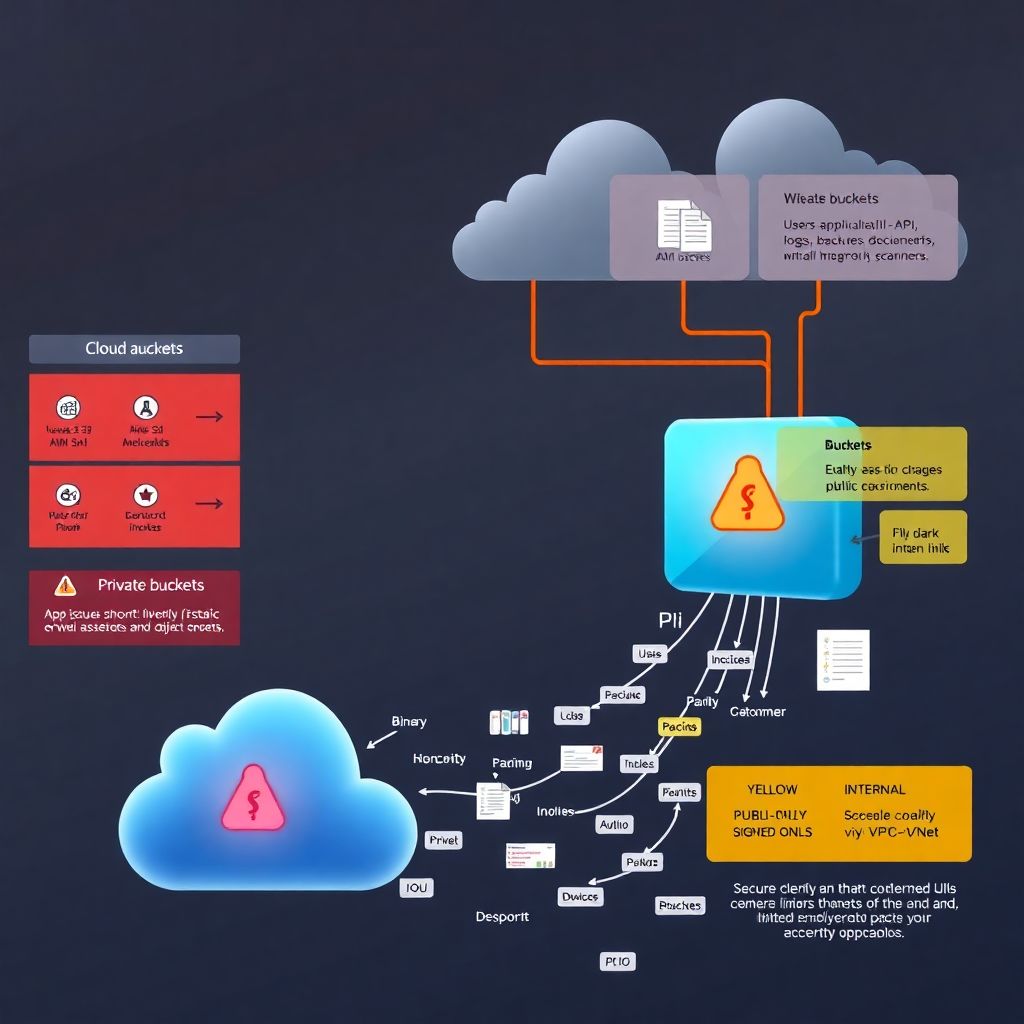
Text‑only diagram: how data actually flows
Picture the simplest architecture:
– Users → App/API → Cloud Storage
Now, let’s model it as a verbal diagram:
1. Actors
– User (browser/mobile)
– Application backend (API servers)
– Cloud Identity system (IAM)
– Object Storage (buckets)
2. Flow (secure version)
– User authenticates → App issues JWT/session.
– App checks authorization → decides user can read `object-X`.
– App requests short‑lived signed URL or directly streams object from storage.
– User never talks to bucket anonymously; always via:
– API proxy, or
– pre‑signed URL with limited scope and expiry.
3. Flow (leaky version)
– Developer gets lazy under deadline.
– Bucket is set to “public read” so frontend can fetch images directly.
– Someone uploads PII to the same bucket “just for now”.
– Search engines and scanners discover the open bucket; data is copied out silently.
This diagram clarifies a core rule: the app is the gatekeeper; the bucket is not your authentication layer.
—
Public vs private: the only safe default
Short rule:
> Every bucket is private by default, and stays that way unless there’s a very hard reason to do otherwise.
That means:
– Website assets? Use a dedicated, public‑only bucket, and treat it as you would a static CDN origin: no PII, ever.
– Everything else? Private — even if “it’s just logs”, because logs often contain secrets.
Unconventional twist:
Create three separate storage “zones” across providers or accounts:
1. Public‑only zone
– Technically impossible to store sensitive data there (enforced by tagging + policies).
2. Internal zone
– Accessible only from your VPC/VNet or via specific service identities.
3. Secrets zone
– Only a few tightly controlled roles and KMS keys can touch it.
This is like color‑coding buckets: red (public), yellow (internal), black (sensitive). Humans make fewer mistakes when categories are obvious.
—
IAM, ACLs, and why “AuthenticatedUsers” is a trap
All major clouds have two overlapping systems:
– IAM policies / roles: attach to users, groups, or service accounts.
– Bucket ACLs / resource policies: attach directly to the bucket or object.
The most common misconfigurations:
– Granting read to `*` (everyone).
– Using the “all authenticated users” group / principal (in some clouds, that literally means anyone with an account in that cloud provider, not just your org).
– Combining ACLs + IAM in ways that nobody fully understands anymore.
Safer approach:
– For most use cases, disable object‑level ACLs and rely only on bucket policies + IAM roles.
– Create narrow roles per service, e.g.:
– `app-images-reader`
– `app-reports-writer`
– `analytics-logs-reader`
– Never share access keys between services; use instance roles, workload identities, or managed identities.
A clean mental model:
> “No human user talks to buckets directly in production. Only apps and automated jobs do.”
If a developer needs to debug, they request temporary access via your internal tooling, and it auto‑expires.
—
Static sites, uploads and the “dual bucket” antipattern
A subtle but dangerous pattern:
– Same bucket is used for:
– Public static assets (JS/CSS/images)
– User uploads (invoices, documents, etc.)
It starts as “temporary” and becomes permanent.
Fix: always separate these:
– Bucket A – public assets
– Public read allowed.
– CI pipeline is the only writer.
– Bucket B – user uploads (private)
– No public ACL.
– Accessed only via API / signed URLs.
Even if the cloud console UI is “easy”, document this as a hard architectural rule. Have code reviews fail if a new public bucket is reused for uploads.
—
How to think about data classification for buckets
Before any toggle or JSON policy, decide what kind of data you’re storing. Four practical tags:
– `PUBLIC`: can be exposed to everyone (marketing images).
– `INTERNAL`: only your team / company employees.
– `CONFIDENTIAL`: customer data, logs with identifiers.
– `SECRET`: credentials, crypto keys, backups of very sensitive systems.
Then:
– Map each classification to:
– Required encryption (provider‑managed vs customer‑managed keys).
– Allowed network paths (public internet vs private link).
– Monitoring level (alerts for every access vs sampled).
One unconventional idea:
Enforce classification via bucket name convention and policy.
For example:
– Buckets matching `*-public`:
– Policy: forbid PUT of files with certain extensions (`.sql`, `.csv`, `.xls`, `.pem`).
– Policy: forbid server‑side encryption using your “secret” KMS keys (so backups can’t land there).
– Buckets matching `*-secret`:
– Deny any public ACL or anonymous access at the policy level.
– Only allow KMS keys in a separate “high‑security” keyring.
This makes it physically harder (policy‑wise) to misplace data.
—
Network controls: not just “it’s on the internet, so whatever”
Object storage is usually public‑endpoint by design, but that doesn’t mean you can’t narrow access:
– Use VPC/VNet endpoints where possible, and restrict bucket access to these endpoints.
– Deny traffic from known cloud scanners or regions you don’t serve (basic geofencing).
– For internal systems, allow only private paths; don’t go over the public internet if you can avoid it.
Unconventional trick:
> Treat “public access” like a feature flag, not a checkbox.
For example:
– You hold public access in a separate infrastructure repo with approvals.
– A change that makes a bucket public must:
– Contain justification in code comments.
– Be approved by security or platform engineering.
– Auto‑generate a ticket to revisit in 30 or 60 days.
Public buckets then become *temporarily allowed exceptions*, not the baseline.
—
Encryption: more than just “enabled” or “disabled”
All major providers let you choose:
– Provider‑managed keys (easiest).
– Customer‑managed keys (CMK) via their KMS.
– Sometimes customer‑supplied keys (CSK).
Reasonable baseline:
– Turn on default encryption at rest for every bucket.
– Use CMKs for anything above “INTERNAL”.
To raise the bar:
– Separate KMS keyrings for:
– Prod vs non‑prod.
– High‑sensitivity vs normal data.
– Restrict key usage so that:
– Only specific roles can decrypt.
– Even if someone misconfigures a bucket’s ACL, the attacker hits encrypted blobs they can’t decrypt.
Unconventional solution:
Key rotation as a kill switch.
If you suspect a misconfiguration:
– Temporarily disable decryption on the KMS key or rotate to a new one.
– This immediately “bricks” data access for the leaked bucket (and, yes, for your app too) until you fix the policies.
This is a powerful “break glass” move during incident response.
—
Logging and detection: assume someone will open a bucket by mistake
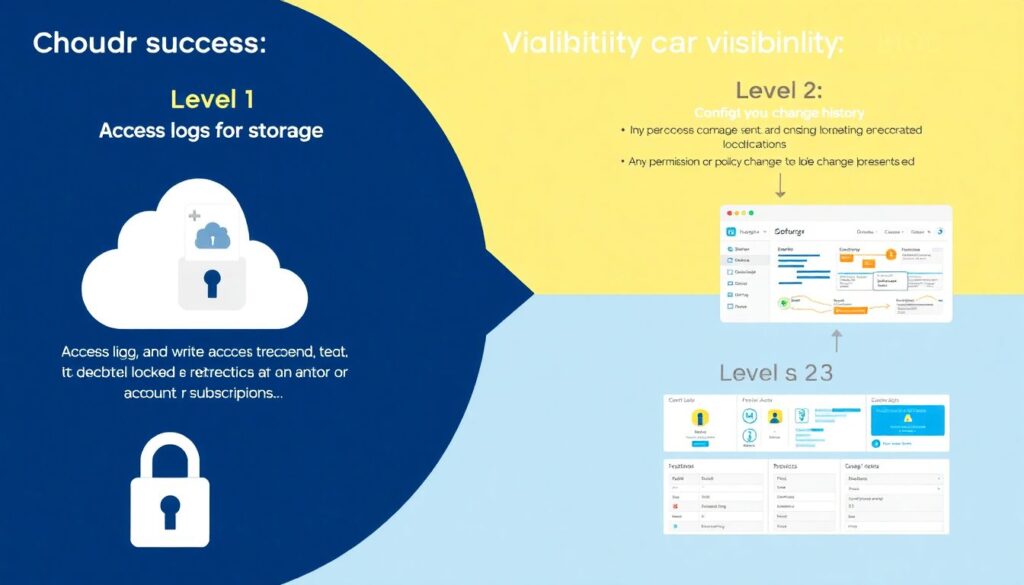
You want three levels of visibility:
1. Access logs for buckets
– Every read/list/write is logged to a dedicated, locked‑down logging bucket.
– That logging bucket is *itself* highly restricted and ideally in another account/subscription.
2. Config change history
– Any permission or policy change is recorded (CloudTrail, Activity Logs, Audit Logs, etc.).
– Alerts for:
– Bucket becomes public.
– Policy includes `Principal: “*”`.
– Public ACLs added.
3. Automated scanners
– Use native or third‑party tools that:
– Continuously crawl your storage configs.
– Flag new public buckets or objects.
– Optionally auto‑fix.
This is where ferramentas para segurança de armazenamento em nuvem really shine: they’re boring until the day they catch “test‑backup‑full-prod-db.zip” sitting in a public bucket.
—
Unconventional controls that actually work in real life
Here are a few less common ideas that drastically lower the chance of a leak.
1. “Honey buckets” as early‑warning traps
Create a few deliberately misconfigured but fake buckets:
– Names that look juicy: `prod-backups`, `billing-exports`, `hr-documents`.
– Attach fake objects with realistic names, but harmless data.
– Monitor for:
– Access from outside your known IP ranges.
– Listing attempts.
– Known scanner user agents.
If anyone stumbles onto them (human or bot), you get high‑signal alerts that your namespace is being probed — without risking real data.
—
2. Policy linting as part of CI/CD
Instead of editing bucket policies in the console:
– Store all IAM and bucket policies in Git.
– Use linters / policy engines (OPA, Checkov, tfsec, Cloud Custodian, etc.) to:
– Forbid wildcards in `Principal` or `Action`, except whitelisted use cases.
– Reject policies that allow `s3:ListBucket` + `s3:GetObject` to everyone.
– Enforce tagging rules (“no bucket without `data_classification` tag”).
Now, when someone proposes a new bucket or updates a rule, the pipeline itself will reject unsafe configs before they hit production.
—
3. Named “data owners” per bucket
Every bucket must have:
– `owner_team`
– `owner_contact`
– `data_classification`
– `retention_policy`
If the bucket becomes public, the alert goes not just to security, but:
– Directly to the owner team’s channel or on‑call.
This turns storage security from “security’s problem” into a shared responsibility, but with clear names attached.
—
Vendor specifics and cross‑provider thinking
While the details differ (AWS S3 vs GCP Storage vs Azure Blob), you can treat them generically with a few layers:
– API layer
– Use SDKs with minimal necessary permissions.
– Avoid hard‑coded credentials; rely on workload identities.
– Policy layer
– Write policies in Terraform, Pulumi, or CloudFormation equivalents.
– Keep them reviewed like application code.
– Monitoring layer
– Centralize logs from all providers.
– Use a SIEM or at least a log search tool for cross‑cloud visibility.
This also makes migrations easier: if your “storage contract” is defined in code, moving buckets between clouds is just implementation work, not a security redesign.
—
Concrete examples: safe vs unsafe patterns
Unsafe setup (all too common)
– Single bucket `myapp-prod`:
– Static assets.
– User uploads.
– Periodic DB exports.
– Access:
– Public read on the bucket for demo convenience.
– Frontend uploads directly to the bucket with client‑side credentials.
– Monitoring:
– None or default logs that nobody looks at.
Result: one intern drops a database export for “just a quick test”. A search engine finds it. End of story.
—
Safe(ish) setup with minimal effort
– Buckets:
– `myapp-assets-public` (PUBLIC)
– `myapp-uploads-confidential` (CONFIDENTIAL)
– `myapp-backups-secret` (SECRET)
– Access:
– `myapp-assets-public`:
– Only CI/CD pipeline can write.
– Public read allowed.
– `myapp-uploads-confidential`:
– No public access.
– App backend issues signed URLs for uploads/downloads.
– `myapp-backups-secret`:
– Only backup service account can write.
– Decrypt only via KMS with restricted roles.
– Monitoring:
– Alerts if any new public bucket appears.
– Alerts if backups bucket ever gets a public ACL (blocked by policy anyway).
Not perfect, but already miles better — and still simple.
—
Fitting this into your security program
If your org already has:
– IAM standards,
– VPC/networking guidelines,
– Data classification,
…then object storage needs to “plug in” instead of being treated as a side quest.
For small and mid‑size teams, bringing in a consultoria segurança buckets e storage em cloud for a short engagement can be surprisingly effective: they help you set a baseline, codify a few policies, and then you enforce and maintain internally.
—
Answering the main question: how do we actually prevent leaks?
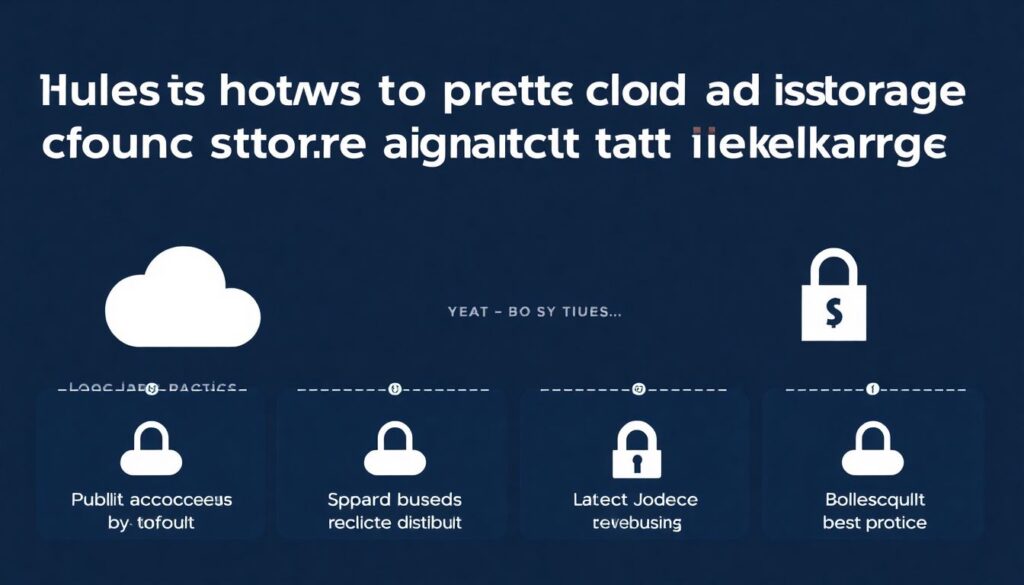
Pulled together, here’s how to proteger storage em cloud contra vazamento de dados in a very practical way:
– Lock down public access by default; require explicit approvals and time limits.
– Separate buckets by purpose and sensitivity; never mix static assets with PII or backups.
– Use IAM roles and bucket policies, not ad‑hoc ACLs and shared access keys.
– Encrypt everything by default; use CMKs and treat KMS as a control plane, not just a checkbox.
– Log every access and every config change; alert aggressively on public exposure.
– Add policy linting and scanning tools into your CI/CD and production environment.
– Make people explicitly responsible for each bucket (owners, classification, retention).
Layer on top the melhores práticas de segurança para buckets S3 e cloud storage, and then extend them with a few unconventional ideas like honey buckets, KMS kill switches, and classification‑enforced naming.
If you implement even 60–70% of what we just went through, it becomes genuinely hard to leak data “by accident” — which is exactly the goal.
Комментарии