
To implement secure cloud key and secret management, combine a managed KMS for most encryption, an HSM for hardware-backed keys, and a managed secret vault for application credentials. Start with a clear key lifecycle, enforce least-privilege access, enable auditing, and test incident-response procedures before moving any production workload.
Critical Principles for Cloud Key and Secret Management
- Separate roles: platform admins, security admins, and application owners must have distinct, least-privilege permissions.
- Use a cloud-native serviço de gerenciamento de chaves kms na nuvem as the default for data encryption keys.
- Reserve HSMs for high-assurance keys, regulatory constraints, and root-of-trust scenarios only.
- Store application credentials exclusively in a cofre de segredos gerenciado na nuvem para aplicações, never in code or CI logs.
- Define and automate key rotation and retirement; never create keys without an expiry and owner.
- Log, monitor, and alert on all key and secret access, especially decrypt and export operations.
- Plan multi-cloud from day one if you expect a plataforma de gestão de chaves e segredos cloud enterprise or hybrid deployment.
Overview of KMS, HSM and Secret Vault Architectures
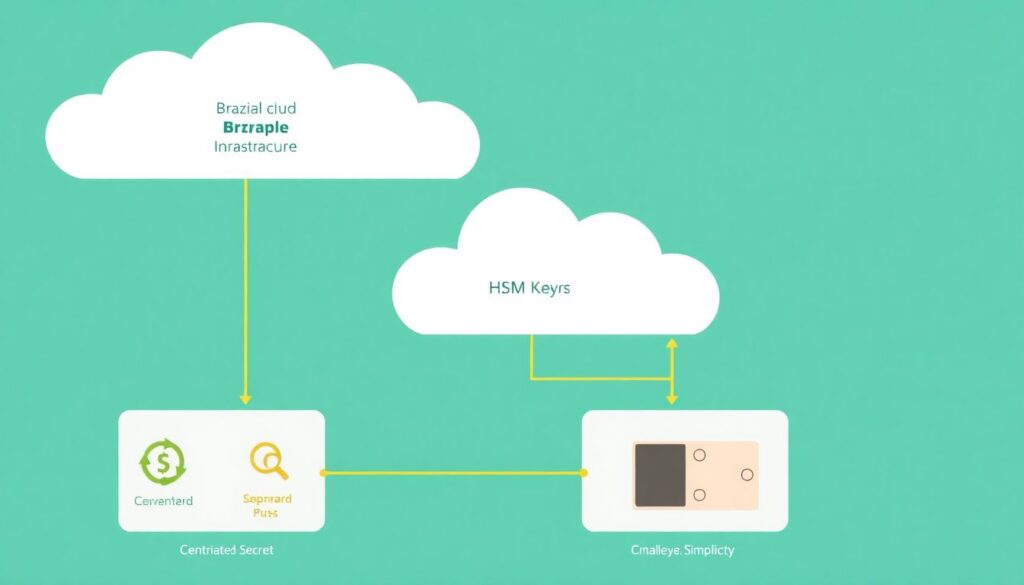
For most Brazilian organizations adopting cloud, the safe baseline is: managed KMS for envelope encryption, HSM for a small set of root keys, and a secret vault for dynamic application secrets. This architecture balances compliance (for example LGPD), cost, and operational simplicity.
A typical setup in a public cloud uses three managed building blocks:
- KMS (Key Management Service): orchestrates keys used by storage, databases, queues, and applications, often integrated across the provider.
- HSM (Hardware Security Module): a tamper-resistant device for generating and protecting high-value keys, often backing KMS or used directly.
- Secret vault: API-based store that supplies credentials, API keys, and tokens to applications at runtime.
Use a solução hsm em cloud para criptografia de dados when you must prove hardware-backed protection or keep customer master keys segregated, for example for banking, payment, or government workloads. Use only KMS when your regulator accepts managed cryptography with strong access controls and audit logs.
Some scenarios where an HSM-heavy architecture is not appropriate:
- Small teams without 24/7 operations: HSMs add complexity, capacity planning, and strict change management.
- Workloads without strong compliance drivers: managed KMS alone is usually enough and easier to automate.
- Latency-sensitive microservices that do many cryptographic calls per request: remote HSM calls can be too slow.
The question como implementar kms hsm e cofre de segredos em ambiente cloud should always start from data classification, regulatory requirements, and which teams can operate the stack reliably.
| Capability | Managed KMS | Cloud HSM | Secret Vault |
|---|---|---|---|
| Main purpose | Key orchestration and envelope encryption | Hardware-rooted key protection and crypto operations | Secure storage and delivery of credentials and tokens |
| Typical use | Encrypt databases, buckets, volumes, backups | Root keys, signing keys, highly regulated data | DB passwords, API keys, OAuth tokens, certificates |
| Operational effort | Low | Medium to high | Low to medium |
| Performance | Optimized, often with built-in caching | Slower, network call per operation | Suited for occasional secret fetch, not per-request encryption |
| Best for | Default choice for most data-at-rest encryption | Compliance-critical, hardware-trust, or customer-managed keys | Application configuration secrets and runtime access |
Designing a Key Lifecycle: Generation, Rotation and Retirement
Before enabling any single key, define the lifecycle you will enforce. This avoids orphan keys, compliance gaps, and difficult migrations later.
Prerequisites and access needed
- Cloud accounts and subscriptions identified for production, staging, and development.
- Roles for:
- Security administrators (define policies, approve key usage, manage HSMs).
- Platform/DevOps engineers (integrate KMS and secret vault with services and CI/CD).
- Application owners (consume keys and secrets via APIs).
- Enabled audit logging in the cloud (for example, CloudTrail, Activity Logs, Cloud Audit Logs) with a retention period aligned to internal policy.
- Chosen providers for:
- KMS (managed service from your cloud).
- Cloud HSM (native or partnered hardware-backed module).
- Secret vault (cloud-native or a third-party vault service).
Key lifecycle design checklist
- Define data classes and owners so each key maps to a clear business context.
- Choose key hierarchy: root keys in HSM, master keys in KMS, data keys for specific resources.
- Set rotation intervals by data sensitivity instead of a single global period.
- Specify what happens on key compromise: who responds, how to re-encrypt, and how to revoke access.
- Define retirement rules: when keys are disabled, archived, and eventually destroyed.
- Decide which keys can be exported (ideally none, except for very controlled migration or backup scenarios).
- Document everything in a short runbook and link it in internal wikis and CI/CD pipelines.
Implementing Hardware-backed Keys with HSMs
The following sequence assumes a cloud-managed HSM cluster that integrates with your KMS and is suitable for Brazilian production workloads needing higher assurance.
- Prepare governance and access control Define HSM administrators, crypto officers, and auditors as separate roles. Use strong MFA for all HSM-related accounts and restrict access by network and IP where the provider allows it.
- Provision the HSM cluster safely In your cloud console, create an HSM cluster only in production-approved regions. Place it in dedicated subnets, attach minimal security groups or firewalls, and ensure logs are enabled from day one.
- Initialize and harden the HSM Run the provider-specific initialization process to create security domains and admin credentials. Change default passwords and PINs immediately, store recovery materials in offline, split knowledge (for example, two different people) locations.
- Create root and master keys in the HSM Generate a small number of root or customer master keys directly inside the HSM. Mark them as non-exportable if possible and tag each key with owner, purpose, and data classification labels.
- Integrate HSM with your managed KMS Configure the KMS to use HSM-backed keys as customer-managed keys. Test by encrypting and decrypting small sample data sets, verifying logs that show the HSM is actually used.
- Restrict applications to indirect use Ensure applications never call the HSM directly unless required. Prefer using KMS APIs which internally call the HSM, simplifying IAM, throttling, and retry behavior.
- Automate rotation and health checks Implement scripts or IaC (Terraform, CloudFormation, Bicep) that define HSM key rotation policies, alarms for capacity, and metrics like latency and error rates.
- Document break-glass and disaster recovery Describe, in a short runbook, how to restore HSM access if administrators lose credentials, and how to recover or re-create keys while remaining compliant with internal and LGPD requirements.
Быстрый режим: minimal steps for safe HSM onboarding
- Create a cloud HSM cluster in a production region, with logging and network restrictions enabled.
- Generate one non-exportable root key inside the HSM and integrate it with your KMS as a customer-managed key.
- Point a non-critical workload to use that KMS key, validate encryption, decryption, and audit logs.
- Automate key creation and rotation via IaC, then expand to more sensitive workloads.
Managing Application Secrets: Vaults, Access Patterns and Policies
Once keys are stable, move to secrets: all application passwords, tokens, and API keys must live in a centralized vault, never in config files or code repositories.
Validation checklist for a production-ready secret vault
- Every application has a mapped identity (for example, service account, managed identity, workload identity) used to authenticate to the vault.
- Each secret has a clear owner, description, and expiration date; there are no anonymous or undocumented entries.
- Least-privilege policies are enforced: applications can only read the specific secrets they need, not wildcard paths.
- Secret access is done at runtime through the vault API or sidecar, not baked into container images or AMIs.
- Rotation processes exist for database passwords, API keys, and certificates; rotation can be triggered without application downtime.
- Audit logs show which identity accessed which secret, from where, and when, with alerts on unusual patterns.
- Backups of vault configuration and metadata exist, with tested restore procedures, but secrets are not casually exported.
- CI/CD pipelines fetch secrets from the vault during deployment using short-lived tokens, not static credentials.
- Secrets with similar sensitivity are grouped logically to simplify policy management and reviews.
- There is a clear incident response plan for leaked credentials, including revoke, rotate, and notify steps.
Operational Workflows: Deployment, Auditing and Incident Response
Healthy key and secret management depends less on tools and more on disciplined daily operations. These are frequent mistakes that lead to incidents.
- Running ad-hoc key creation from consoles instead of codifying keys and policies in infrastructure-as-code.
- Granting broad KMS or vault admin roles to DevOps teams for convenience, without separation of duties.
- Leaving rotation disabled or set to "manual" for critical keys and secrets because applications were not designed for change.
- Ignoring KMS and vault audit logs until after an incident, instead of integrating them with SIEM and alerts early.
- Using the same KMS keys and vault instances for production and non-production environments.
- Allowing key export or import without strong business justification, documentation, and dual control.
- Not testing disaster recovery scenarios, such as a region outage or accidental key deletion.
- Embedding bootstrap credentials for the vault itself in source code, images, or cloud-init scripts.
- Failing to decommission keys and secrets related to retired applications, leaving a long tail of forgotten access paths.
Cross-cloud and Hybrid Strategies: Interoperability and Migration
Many Brazilian organizations use more than one cloud, or keep on-premises workloads for regulatory or latency reasons. In these cases, avoid a design that locks keys and secrets to a single provider when you know you must move later.
- Provider-native in each cloud: Use each cloud's KMS, HSM, and vault independently, and connect them through well-documented migration procedures. This is suitable when each business unit owns its own stack and cross-cloud moves are rare.
- Centralized third-party vault: Run a cross-cloud vault platform that integrates with native KMS in each environment. This fits when you want common policies and workflows for secrets while reusing provider KMS for encryption-at-rest.
- On-premises HSM with cloud KMS integration: Keep root keys in on-premises HSMs, and derive cloud KMS keys from them. This works for highly regulated sectors that must prove on-premises control of root material.
- Gradual migration strategy: When moving between clouds, start by re-encrypting new data with the target KMS and vault while keeping a read-only path to the old environment, rather than bulk key export and risky mass re-encryption.
Practical Concerns and Ready Solutions
How do I choose between KMS and HSM for a new project?
Start with managed KMS by default and only introduce HSM when a regulator, audit finding, or strong internal policy requires hardware-backed keys. If you cannot clearly explain why you need HSM to your security team, KMS is almost always sufficient.
Can I share the same KMS keys across different environments?
No, keep separate keys and often separate KMS instances or projects for production, staging, and development. Shared keys make it impossible to restrict access properly and complicate incident response if test environments are compromised.
How often should I rotate keys and secrets?
Use shorter periods for highly sensitive data and long-lived credentials, and longer periods for low-risk uses. Align with internal policy instead of arbitrary numbers, and ensure your applications can tolerate rotation without downtime before enforcing it.
Do I need a vault if I already use KMS?
Yes, KMS manages encryption keys, not arbitrary credentials. You still need a dedicated vault to store database passwords, API keys, and tokens, and to provide them dynamically to applications with granular access policies.
What is the safest way to bootstrap applications with vault access?
Use cloud-native identities such as managed identities or service accounts, mapped to vault roles. Avoid placing initial credentials in environment variables or files; let the platform provide identity to the workload automatically at runtime.
How do I migrate secrets from one vault to another?
Export only what is necessary in encrypted form, then import into the new vault with new ownership and expiration metadata. Run both systems in parallel until all applications use the new vault, then revoke and securely delete the old entries.
What should I monitor to detect misuse of keys and secrets?

Monitor failed decryption attempts, access from unusual locations or identities, unusually frequent secret reads, and configuration changes to KMS, HSM, and vault policies. Route these logs to a central SIEM with specific alerts for administrative actions.