
Continuous cloud security monitoring combines metrics, centralized logs, real-time alerts and event correlation to detect and respond to threats quickly. Start by defining business‑aligned security objectives, then choose ferramentas de monitoramento contínuo de logs em nuvem and SIEM platforms, configure safe alert thresholds, build correlation rules and automate only well‑tested, reversible responses.
Monitoring objectives and acceptance criteria
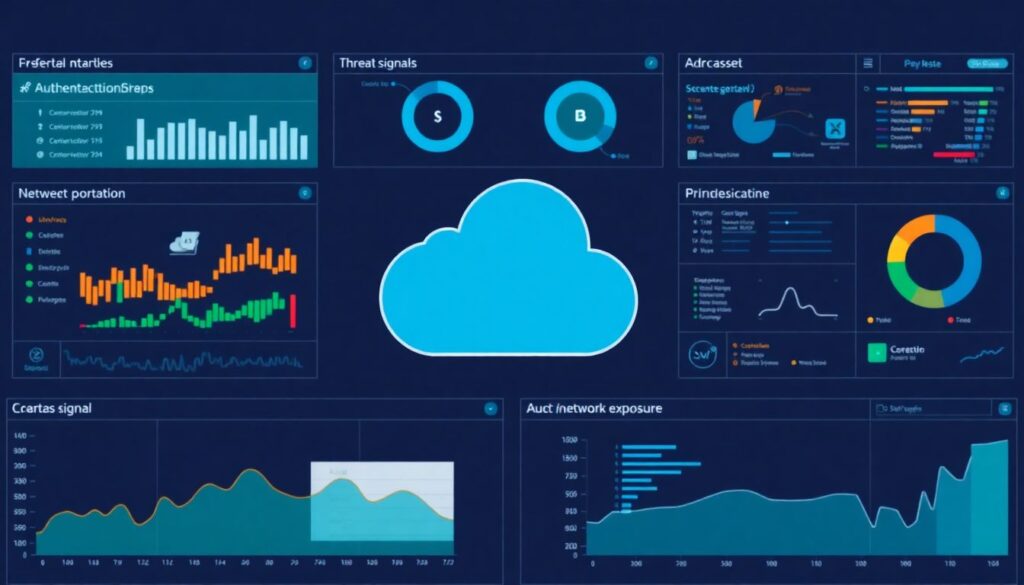
- Define which assets, data and regions in your cloud must be under monitoramento de segurança em cloud em tempo real and which can be sampled.
- Translate threat models into measurable signals: authentication, privileges, data access, network exposure, workload integrity.
- Set clear detection time targets and acceptable false positive rates per alert type.
- Choose melhores métricas para monitoramento de segurança em cloud that leadership understands (risk‑reduction, incident impact, coverage).
- Document when to escalate to on‑call vs. ticket queue, aligned with business impact and SLAs.
- Agree on retention and privacy constraints for security logs across regions (including Brazil‑specific requirements).
Designing a metrics taxonomy for cloud security
This approach fits companies running production workloads in AWS, Azure, GCP or local providers, with at least basic logging already enabled. It is especially useful when adopting plataformas SIEM para correlação de eventos em cloud or migrating from on‑prem monitoring.
A formal taxonomy is not ideal when you lack basic asset inventory or have no one to maintain dashboards; in that case, first stabilize logging, minimal alerts and incident response before investing heavily in detailed metrics.
Core dimensions of your metrics taxonomy
- Coverage metrics (are we seeing enough?)
- Percent of critical accounts, projects and regions sending logs to your SIEM.
- Percent of workloads with endpoint / agent coverage (EDR, CWPP, etc.).
- Gaps by environment type: production, staging, development, supplier accounts.
- Detection performance (are we fast enough?)
- Mean time to detect (MTTD) for high/medium/low severity alerts.
- Alert volume per hour/day by severity and cloud provider.
- Correlation coverage: proportion of alerts created by correlation vs. single events.
- Response effectiveness (are we containing damage?)
- Mean time to respond (MTTR) and to contain for priority incidents.
- Ratio of incidents auto‑contained by playbooks vs. manual handling.
- Re‑opened incidents due to incomplete containment or rollback issues.
- Noise control and quality (can the team sustain it?)
- False positive rate per alert type and per business unit.
- Analyst time per alert (investigation + triage), per severity.
- Number of active correlation rules and playbooks with owners and last review dates.
- Business alignment (does leadership see value?)
- Incidents impacting customer‑facing services vs. internal‑only systems.
- High‑risk changes detected before vs. after going to production.
- Executives’ view: simple KPIs derived from melhores métricas para monitoramento de segurança em cloud, such as reduction in unauthorized access attempts and misconfiguration exposures.
Examples of practical metric categories
| Metric category | Typical metric examples | When it matters most |
|---|---|---|
| Identity & access control | Failed logins, MFA bypass attempts, privilege escalations, new key creations. | Cloud accounts used by many teams; external access from Brazil and abroad; strong fraud risk. |
| Configuration & posture | Public buckets, open security groups, internet‑exposed databases, unencrypted storage. | Regulated data in cloud; frequent infrastructure‑as‑code changes and multi‑account setups. |
| Data access & exfiltration | Large downloads, unusual export jobs, cross‑region data moves, sharing to external accounts. | Sensitive customer or payment data; strict data‑residency in pt_BR contexts. |
| Workload integrity | New binaries, suspicious child processes, reverse shells, crypto‑mining indicators. | Internet‑facing APIs and microservices; CI/CD pipelines deploying multiple times per day. |
| Network & perimeter | Denied firewall rules, WAF blocks, anomalous outbound traffic, TOR/VPN origins. | Hybrid connectivity, B2B integrations, and organizations with a history of perimeter abuse. |
Centralized logging: ingestion, normalization and retention
For effective monitoramento de segurança em cloud em tempo real, you need consistent, centralized logging across providers and accounts. The combination of ferramentas de monitoramento contínuo de logs em nuvem with a SIEM or data lake is the foundation for queries, correlation and alerts.
Required tools, access and architecture
- Cloud provider logging services
- AWS: CloudTrail, CloudWatch Logs, VPC Flow Logs, ELB logs, Config.
- Azure: Activity Logs, Diagnostic Settings, Azure Monitor, NSG Flow Logs.
- GCP: Cloud Audit Logs, VPC Flow Logs, Cloud Logging.
- Central SIEM or log analytics platform
- Cloud‑native: AWS Security Hub + OpenSearch, Azure Sentinel, Chronicle, etc.
- Third‑party plataformas SIEM para correlação de eventos em cloud, sized for your log volume and retention needs.
- Ingestion and transport mechanisms
- Agent‑based collectors for OS / container / application logs.
- Agentless integrations: subscriptions, sinks, Kinesis/Event Hub, Pub/Sub, webhooks.
- Secure channels with encryption in transit and strict IAM roles or service principals.
- Normalization, parsing and enrichment
- Common schema (e.g., ECS‑like) across identity, network, workload and SaaS logs.
- Parsers for JSON, syslog, HTTP, and common cloud audit formats.
- Enrichment: geoIP, asset owner, business unit, sensitivity level, environment tag.
- Storage, retention and lifecycle policies
- Hot storage for quick queries (shorter retention), cold storage for investigations and compliance (longer retention).
- Per‑log‑type retention based on risk and legal needs in pt_BR jurisdictions.
- Access controls, encryption at rest and detailed access logging for the log platform itself.
- Minimum access required for the security team
- Read access to all security‑relevant logs, across production and non‑production.
- Capability to create and maintain parsers, detection rules and dashboards.
- Audited, change‑controlled write access only for a small, trusted group.
Comparison of metrics, log types and alert actions
| Metric or signal | Primary log source | Typical alert action |
|---|---|---|
| Multiple failed logins from new country | Cloud identity logs, IdP logs | Create medium‑severity alert, notify on‑call, require MFA re‑verification. |
| New admin role assigned outside change window | CloudTrail / Activity Logs | High‑severity alert; open incident; verify requester; optional auto‑revoke if policy allows. |
| Large export from sensitive storage bucket | Storage access logs, CASB logs | High‑severity alert; suspend export role; request manager approval for continuation. |
| Unusual outbound traffic to rare destinations | VPC Flow Logs, firewall logs, DNS logs | Medium or high alert depending on domain reputation; block at firewall if confirmed malicious. |
| Execution of known malicious binary hash | EDR / workload agent logs | Critical alert; isolate workload; trigger malware response playbook. |
Alert pipelines: thresholding, deduplication and escalation rules
Before describing the concrete steps, consider these risk‑aware constraints. They keep your alert pipeline safe, explainable and maintainable for Brazilian and global teams.
- Never enable automatic account lockouts or resource deletions solely based on a single event.
- Start with conservative thresholds and limited scope in production to avoid alert floods.
- Ensure every automated action is fully auditable and reversible with a simple rollback runbook.
- Document in Portuguese and English what each alert means and who owns it.
- Test new rules in “monitor only” mode before they can trigger any blocking control.
Step‑by‑step configuration of a safe alert pipeline
- Map threat scenarios to concrete signals
Map your top threat scenarios (credential theft, data exfiltration, privilege abuse, misconfigurations) to specific log events and fields.- Example: malicious OAuth consent → identity logs + unusual IP + new OAuth app.
- Use your SIEM or log platform search to confirm that these fields exist and are reliable.
- Define initial detection rules with clear conditions
For each scenario, write a simple query and explicit thresholds. Start with higher sensitivity but limited scope.- Use structured conditions (e.g., user type, geography, business unit) instead of generic “anywhere”.
- Prefer allowlists (known admin tools, corporate IPs) over over‑broad blocklists.
- Implement noise‑reduction and deduplication
Add logic that groups related events into a single alert and filters obvious benign patterns.- Group by user, source IP and time window (e.g., 5-15 minutes) to avoid dozens of duplicates.
- Suppress repeats after the first alert for a defined cooldown period.
- Assign severities and escalation paths
Define severity based on business impact, not just technical anomaly level. Map each severity to escalation behavior.- Low: ticket only, no paging.
- Medium: ticket + Slack/Teams channel, office‑hours triage.
- High/Critical: page on‑call, open incident, executive notification if data at risk.
- Wire alerts to communication channels safely
Connect your SIEM or ferramentas de monitoramento contínuo de logs em nuvem to paging and collaboration tools.- Use separate channels for test vs. production alerts.
- Ensure on‑call rotation is configured with backup contacts and local time‑zone coverage for pt_BR teams.
- Add guarded automatic actions for low‑risk cases
For clearly low‑risk, high‑volume scenarios, add auto‑responses with strict guardrails.- Example: auto‑disable API keys created without tags, but only in non‑production environments.
- Log every automatic action and require manual review within a set time window.
- Run staging tests and “monitor only” phases
Deploy new alert rules first in a test or shadow mode where they generate internal metrics but no real pages.- Review 1-2 weeks of data to measure false positives and missing detections.
- Only then move rules to active mode and update runbooks accordingly.
- Document ownership, runbooks and exceptions
For each alert type, document: owner, description, example payloads, triage steps and known benign patterns.- Keep this documentation close to the alert (e.g., linked from the SIEM).
- Track exceptions and temporary suppressions with clear expiry dates.
Event correlation: building context and prioritizing incidents
Use correlation to connect weak signals into meaningful incidents and reduce noise. Properly configured plataformas SIEM para correlação de eventos em cloud can prioritize what matters most without hiding important anomalies.
Checklist to validate your correlation logic
- Correlation rules are explicitly tied to documented threat scenarios, not just technical convenience.
- Each correlation rule combines at least two different log types (e.g., identity + network, workload + storage).
- Time windows for correlation are justified: long enough to catch real attacks, short enough to avoid irrelevant groupings.
- Output alerts include business context: asset owner, data sensitivity, environment, and criticality.
- Analysts can easily see the list of underlying events, not only the final correlated alert.
- Correlation does not fully replace raw event alerts for legally or compliance‑critical activities.
- There is a clear process to tune or disable correlation rules when they generate systematic false positives.
- Simulated attack paths (e.g., red‑team, purple‑team exercises) appear as single, coherent incidents in the SIEM.
- Metrics exist for “incidents created via correlation vs. single‑event alerts” to show added value.
- Operations teams understand, in simple language, why correlation raised priority for a given incident.
Automated response: playbooks, orchestration and safe rollbacks
Automated responses can reduce time to containment, but they introduce risks if not carefully designed. When adopting soluções de alertas de segurança em nuvem para empresas and SOAR tools, focus first on low‑risk, reversible actions.
Common pitfalls to avoid in automation
- Triggering destructive actions (deleting resources, revoking all access) based on uncorroborated single events.
- Automating manual runbooks that were never tested end‑to‑end in realistic cloud environments.
- Missing explicit rollback steps for every action, such as re‑enabling accounts or restoring firewall rules.
- Running the orchestration tool with excessive permissions (e.g., full admin in every account and subscription).
- Ignoring local regulatory constraints or internal policies about what may be done automatically in production regions.
- Allowing developers or non‑security staff to add playbooks directly in production without peer review.
- Lack of rate limits or safety valves, causing broad outages when automation loops on faulty conditions.
- No separation between “notify only”, “enrich event” and “contain incident” levels of automation.
- Not logging orchestration steps in a tamper‑evident way, making investigations and audits difficult.
- Failing to communicate automated behavior to stakeholders, leading to confusion when resources are modified.
Program metrics: KPIs, dashboards and continuous tuning
Full automation and complex dashboards are not the only way to achieve continuous monitoring. Depending on size, budget and maturity, consider these alternative setups.
Alternative approaches to continuous cloud security monitoring
- Lightweight monitoring with focused alerts
Use native cloud alerts plus a few critical custom rules, without a full SIEM.
Suitable for small teams or startups operating mostly in a single provider, where simplicity and low cost matter more than exhaustive coverage. - Managed detection and response (MDR) for cloud
Outsource log monitoring and incident triage to a specialized provider that integrates with your cloud and SaaS.
Works well for organizations in Brazil that lack 24×7 coverage but still need strong monitoramento de segurança em cloud em tempo real. - Hybrid SOC with periodic expert reviews
Keep day‑to‑day monitoring in‑house with basic dashboards, and schedule quarterly expert reviews of rules, metrics and coverage.
Useful when you have some security staff but limited deep expertise in correlation, automation or SIEM tuning. - Data‑driven posture tools plus minimal SIEM
Combine CSPM/CNAPP tools for configuration risk with a small SIEM instance for identity and workload alerts.
Appropriate when misconfigurations and exposed services are your main concern, and high‑complexity correlation is not yet necessary.
Operational clarifications and uncommon scenarios
How many log sources should I onboard before creating correlation rules?

Start with the main three: cloud audit logs, identity provider logs and network or flow logs. Once these are stable and searchable, add workload and storage logs, then implement correlation. Correlation with too few sources often adds complexity without real detection gains.
What if my SIEM cannot handle all cloud logs in real time?
Prioritize high‑value logs for real‑time ingestion (identity, admin actions, internet‑facing workloads) and send lower‑value logs in batch. Use storage tiers and sampling where appropriate. Revisit retention and parsing to reduce volume before considering tool replacement.
How do I choose between native cloud alerts and third‑party solutions?
Use native alerts for simple, provider‑specific risks and compliance checks. Add third‑party soluções de alertas de segurança em nuvem para empresas or SIEM when you need multi‑cloud coverage, custom correlation, and unified incident workflows. Consider integration effort, local support in pt_BR, and total cost of ownership.
Can I rely only on anomaly detection and machine learning?
No. Use ML‑based anomaly detection as a complement to rule‑based alerts mapped to your threat models. Always maintain a minimal set of deterministic rules for known bad patterns and regulatory requirements, and continuously validate anomaly models against real incidents.
What is the safest way to start with automated response?
Begin with non‑intrusive actions: enrich alerts, add context, create tickets and send notifications. Then progress to reversible containment in non‑production, and finally production. Every step should include tests, approvals and clearly documented rollback paths.
How often should I tune alert thresholds and correlation rules?
Review critical rules at least monthly and after every major architecture or product change. For lower‑risk rules, quarterly reviews may be enough. Always trigger an ad‑hoc review if analysts report systematic false positives or missed detections.
What if legal or privacy teams limit my log collection?
Work with them to anonymize or pseudonymize sensitive fields, restrict access, and separate regions when needed. Focus on collecting security‑relevant metadata instead of full payloads, and ensure policies are clearly documented and auditable.
Комментарии