A practical cloud-workload vulnerability program inventories all cloud assets, continuously scans code and infrastructure, prioritises by risk, and drives fast but safe remediation. For pt_BR organisations this means integrating scanners and tickets into existing DevOps, using runtime signals from production, and measuring outcomes with realistic KPIs instead of chasing perfect coverage.
Primary goals for a cloud-workload vulnerability program
- Maintain a single, accurate inventory of all cloud workloads and their owners across accounts and regions.
- Continuously detect vulnerabilities from code to runtime, covering VMs, containers and serverless.
- Prioritise findings by exploitability and business impact, not only by raw CVSS scores.
- Embed safe, repeatable remediation workflows into existing ITSM and DevOps processes.
- Automate low-risk fixes while enforcing approvals for impactful changes in production.
- Track KPIs that reflect risk reduction and support a cadence of continuous improvement.
Scoping workloads and creating an authoritative cloud asset inventory
Start by defining which cloud environments, workloads and teams are in scope. Build an authoritative inventory by integrating cloud provider APIs, CMDB and tagging standards. This is the minimum foundation for gestão de vulnerabilidades em nuvem that avoids blind spots and unclear ownership.
This approach fits companies already running production workloads in AWS, Azure, GCP or private cloud, including Kubernetes and serverless. It is less useful if you have only experimental test accounts, no persistent workloads, or no capacity to act on discovered issues.
| Workload type | Primary tooling | Key data sources |
|---|---|---|
| VMs / IaaS | Agent-based vulnerability scanners, cloud-native security tools | Cloud APIs (EC2, Compute Engine), OS agents, CMDB |
| Containers / Kubernetes | Image scanners, Kubernetes admission controllers | Registry metadata, Kubernetes API, Helm manifests |
| Serverless (FaaS) | Function code scanners, CSPM | Cloud function APIs, deployment pipelines |
| PaaS databases / storage | CSPM, configuration analyzers | Cloud resource inventory, config exports |
Three-step checklist for scope and inventory
- List all cloud providers, accounts, regions and projects that host production or sensitive data.
- Enable resource inventory APIs (e.g., AWS Config, Azure Resource Graph, GCP Asset Inventory) and export to a central store.
- Define mandatory tags (owner, business unit, criticality) and enforce them with policies or CI/CD checks.
Threat and risk model tailored to containers, VMs, and serverless
Build a simple but explicit threat model for each workload type: VMs, containers and serverless. Combine likely attacker paths, misconfigurations and software flaws with business impact to prioritise remediation. This models real risk instead of just accumulating scanner findings.
To do this safely and effectively you need access to architecture diagrams, cloud accounts (read-only), and security logs. Engage product owners and SREs early so that melhores práticas de segurança para workloads em nuvem are aligned with how teams actually deploy and operate services.
Three-step checklist for risk modelling
- For each critical application, map data flows, external exposure (internet vs. internal) and authentication boundaries.
- Identify key threats per workload type, such as container escape, lateral movement on VMs, or event injection in serverless.
- Assign qualitative risk levels (e.g., high/medium/low) based on impact and ease of exploitation, and document them in a shared wiki.
Selecting and composing scanners: SCA, SAST, SCA, CSPM and runtime telemetry
Choose a small, composable set of scanners that cover code (SAST, SCA), infrastructure (IaC scanners, CSPM) and runtime (agent-based or agentless telemetry). Integrate them so results map back to workloads and owners in your inventory. Avoid overlapping tools that create noisy, untriaged alerts.
In pt_BR organisations asking como implementar programa de gestão de vulnerabilidades na cloud, start from existing DevOps tools and extend them with cloud-native scanners. Select ferramentas de vulnerability management para workloads cloud that can export findings via API to your ticketing or SIEM instead of introducing yet another isolated console.
-
Define coverage requirements per workload type
Decide which analysis types you need: SAST, SCA, container image scanning, IaC scanning, CSPM and runtime agents or eBPF. Prioritise depth over breadth for your most critical workloads.
- For public-facing APIs, emphasise SAST, SCA and runtime protections.
- For internal batch jobs, emphasise OS and dependency patching.
-
Shortlist tools that integrate with your stack
Compare tools based on SCM (GitHub/GitLab/Bitbucket) integration, CI plugins and cloud provider support. Prefer a solução de gestão de vulnerabilidades cloud para empresas that supports your primary languages and frameworks.
- Check availability of CLI scanners for CI.
- Verify support for your cloud provider APIs and Kubernetes distributions.
-
Set up SCA and SAST in code repositories
Configure repository-native security where possible (e.g., GitHub Advanced Security) or a third-party app. Ensure pull requests are scanned and critical issues block merges, with clear guidance for developers.
# Example GitHub Action for SCA - name: Dependency scan uses: vendor/sca-action@v1 with: severity-threshold: high fail-on-severity: true -
Configure container and image scanning
Integrate image scanning into the build pipeline and registry. Block promotion of vulnerable images to production registries based on a risk policy.
# Example container scan stage (GitLab CI) container_scan: stage: test image: vendor/container-scanner:latest script: - scan --severity-threshold high ./Dockerfile allow_failure: false -
Deploy CSPM for cloud configuration baselines
Enable a CSPM tool to continuously evaluate cloud accounts against benchmarks. Feed misconfiguration findings into the same workflow as software vulnerabilities.
- Start with read-only permissions.
- Limit initial scope to non-production to tune noise levels.
-
Enable safe runtime telemetry
Deploy lightweight agents or agentless collectors to obtain runtime context such as process activity, network flows and exploited vulnerabilities. Use this data to prioritise and de-duplicate scanner output.
- Roll out gradually per environment (dev > staging > prod).
- Verify no sensitive payload data is exported to third-party SaaS.
Fast-track mode for small teams

- Enable repository-integrated SCA/SAST in your main Git platform for critical services first.
- Add container image scanning to the production build pipeline and registry only.
- Turn on a basic CSPM with read-only access to production accounts.
- Integrate all findings into a single ticketing queue with simple severity-based SLAs.
Three-step checklist for scanner selection
- Confirm each workload type (VM, container, serverless) has at least one code-level and one infrastructure-level scanning control.
- Ensure every tool can export findings via API or webhook to your existing ITSM or backlog system.
- Review licences and data residency to align with your organisation’s compliance requirements in Brazil.
Embedding vulnerability checks into CI/CD and build pipelines
Shift vulnerability detection as early as possible into CI/CD without blocking developers unnecessarily. Use pipeline stages to run SAST, SCA, container and IaC scans, with policy-based gates for higher-risk branches or environments. Reserve strict blocking for production-facing changes.
To keep adoption smooth, integrate with existing pipeline tools and provide clear, actionable messages when builds fail. This makes gestão de vulnerabilidades em nuvem feel like a normal quality check instead of a separate security process.
Pipeline integration verification checklist
- SAST runs on every pull/merge request for critical repositories.
- SCA runs on every dependency update or at least daily scheduled builds.
- Container images are scanned before being pushed to production registries.
- IaC templates (Terraform, CloudFormation, ARM/Bicep) are scanned in CI before apply.
- Security scan failures return clear error messages with links to remediation docs.
- Production deployment pipelines block on high-risk findings, with an emergency override procedure.
- Security scan durations are within acceptable limits for developers (e.g., parallelised where possible).
- Pipeline configurations are version-controlled and reviewed like application code.
Three-step checklist for CI/CD rollout
- Start with one representative product team and integrate scans into their existing CI/CD workflow.
- Collect feedback, tune thresholds and document patterns in reusable pipeline templates.
- Roll out templates to other teams with short enablement sessions and example MR/PRs.
Remediation workflows, ticketing, and automated mitigation patterns
Design clear remediation paths so vulnerabilities flow from detection to closure with defined owners and SLAs. Integrate scanners with ticketing systems, use standard playbooks and automate low-risk mitigations such as configuration changes or WAF rules. Maintain human approval for changes that affect availability or data flows.
When choosing a solução de gestão de vulnerabilidades cloud para empresas, prioritise native integrations with your ITSM and collaboration tools used in Brazil (like Jira, Azure DevOps, ServiceNow, or Trello). This keeps remediation close to where engineering teams already work.
Common mistakes in remediation design
- No single queue or view of all vulnerabilities, causing duplicate work and lost issues.
- Assigning remediation to generic groups instead of specific teams or service owners.
- Lack of documented SLAs per severity, leading to arbitrary delays and escalations.
- Over-automation that applies patches or config changes without staged testing.
- No linkage between tickets and deployments, making it hard to confirm actual fixes.
- Ignoring business context, treating all critical CVSS scores as equally urgent.
- Failing to notify stakeholders about risk acceptance decisions or deferrals.
- Not closing the loop with developers by sharing root causes and secure patterns.
Three-step checklist for remediation workflows
- Integrate vulnerability tools with your ITSM to auto-create tickets including asset, owner and severity.
- Define remediation SLAs per severity and workload criticality, and agree them with engineering leadership.
- Implement simple automation for low-risk fixes and ensure every change is traceable and reversible.
Measurement: KPIs, dashboards, and a continuous improvement cadence
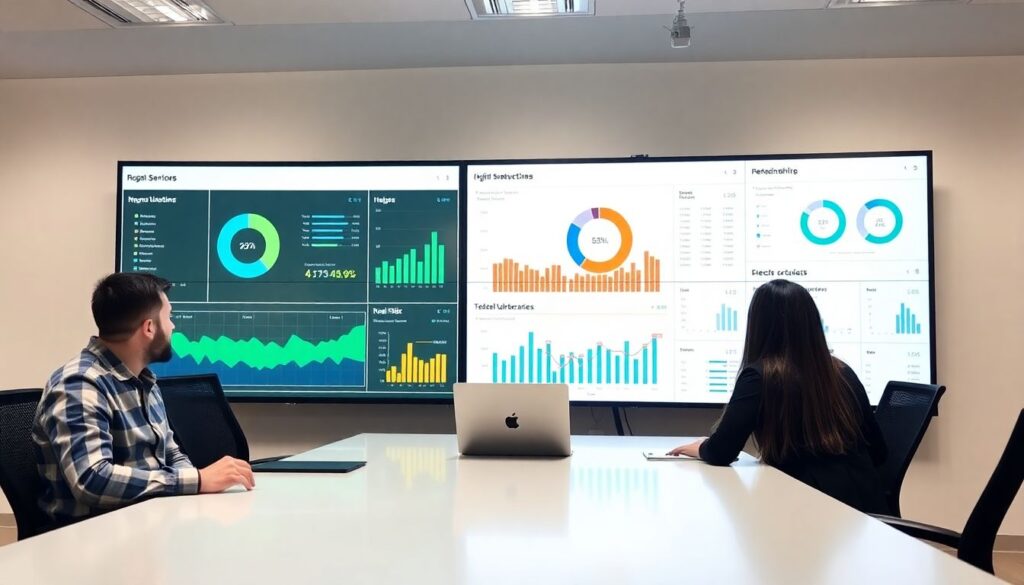
Measure the program by how it reduces exploitable risk rather than how many findings you create. Focus KPIs on remediation speed, coverage of critical workloads and reduction of recurrent issues. Use dashboards to support regular reviews and decisions, not just to impress stakeholders.
There are several valid approaches to measurement. Choose the one that best matches your maturity, scale and available data sources across cloud providers and DevOps platforms in Brazil.
Alternative measurement approaches
-
Lean, outcome-focused KPIs
Track a small set of high-signal indicators such as median time to remediate high-risk vulns in internet-facing systems. Suitable for teams that want simple, actionable metrics and avoid complex BI setups.
-
Operational risk dashboards
Build dashboards that combine vulnerability data with asset criticality and exposure. Works well when you have a central security data lake or SIEM that already ingests scanner output and cloud inventories.
-
DevSecOps team scorecards
Create per-team scorecards showing coverage, backlog trend and SLA adherence. Effective when you want friendly competition and transparent accountability among product squads.
-
Compliance-oriented reports
Produce periodic reports aligned with frameworks used in Brazil-based audits. Best when you must demonstrate melhores práticas de segurança para workloads em nuvem to regulators or enterprise customers.
Three-step checklist for continuous improvement
- Select 3-5 KPIs and ensure they are easily obtainable from your current tools.
- Schedule regular reviews (monthly or quarterly) with engineering and security leadership.
- Each review, choose one specific bottleneck to improve (e.g., slow patching on a given platform) and track progress.
Practical implementation pitfalls and concise remedies
How do I prioritise which cloud workloads to include first?
Start with internet-facing services and those processing sensitive or regulated data. Use your asset inventory and business input to rank systems by impact, then extend coverage to supporting services once the essentials are stable.
What if scan results overwhelm my team with thousands of findings?
Apply filters for asset criticality, exploitability and age, and ignore low-risk issues at first. Define a cut-off policy (for example, only high and selected medium issues on critical assets) and review it regularly as capacity grows.
How can I avoid slowing down developers with security checks?
Run fast, incremental scans on pull requests and schedule heavier scans out of band. Provide clear remediation guidance in the same tools developers already use, and involve tech leads when defining blocking thresholds.
Is agent-based scanning safe for production workloads?
Yes, if you use supported agents, follow vendor hardening guides and roll out gradually. Start in non-production, monitor resource overhead and errors, and only then enable in production with clear rollback procedures.
How do I handle third-party managed services and SaaS?
Focus on configuration, access control and vendor risk management instead of internal scanning. Ensure logging, least privilege access and data encryption are in place, and request regular assurance reports from providers.
What if different teams use different cloud providers?
Standardise on common processes and KPIs while allowing provider-specific tools underneath. Use a central data lake or reporting layer that normalises findings from all scanners and clouds.
How often should we review and update our vulnerability program?
Review at least annually, or after major architecture or threat changes. Use post-incident lessons and audit results to refine scope, tooling and workflows.