
Hardening containers and Kubernetes in the cloud means shrinking the attack surface with repeatable controls: minimal images, strict access, locked‑down runtime, segmented networking, and solid logging. Start by standardizing baselines, scanning images, enforcing least privilege, and validating everything with automated policies, so segurança em containers kubernetes na nuvem becomes measurable, not aspirational.
Core hardening goals and measurable outcomes
- Define a baseline benchmark (e.g., CIS profiles or internal standard) for clusters and images.
- Reach 100% of workloads built from minimal, trusted base images only.
- Ensure all Pods run without root filesystem write access unless explicitly justified.
- Require signed images and verify signatures before admission to Kubernetes.
- Limit network paths so each workload communicates only with explicitly defined services.
- Centralize logs and security events with retention long enough to investigate incidents.
- Test incident playbooks for compromised containers at least once per release cycle.
Threat modeling and pre-deployment checklist for containerized workloads
- List business-critical workloads and data handled by each containerized service.
- Identify all external dependencies (APIs, databases, third‑party SaaS, queues).
- Map entry points: ingress controllers, public load balancers, VPNs, and jump hosts.
- Decide acceptable blast radius if a single Pod, Namespace, or node is compromised.
- Align on compliance or corporate policies that affect cluster configuration.
- Choose tooling for continuous threat discovery and scanning before deployment.
- Define owners for each application and Kubernetes Namespace with clear responsibilities.
This stage fits teams preparing or expanding clusters in the cloud and asking como proteger containers docker e kubernetes without over‑engineering. It is not ideal when you lack any inventory of services, owners, or environments; fix basic asset management first, then refine threat modeling.
Quick threat modeling flow for Kubernetes workloads
- List components: Pods, Services, Ingress, databases, external APIs.
- For each component, define assets (data, credentials, secrets) and trust level.
- Identify attackers: external internet, internal users, cloud admins, supply chain.
- Find abuse paths: exposed ports, weak RBAC, privileged containers, broad network access.
- Map mitigations to controls: NetworkPolicy, PodSecurity, RBAC, PSP replacement, cloud IAM.
Minimal pre-deployment hardening checklist
- Namespaces defined per application or team, not shared “default” for production workloads.
- Resource requests/limits set for all Pods to reduce noisy neighbor and DoS impact.
- PodSecurity admission or equivalent policy enforcing non‑root, no privileged containers.
- Secrets stored in Kubernetes Secrets or external vault, never in images or ConfigMaps.
- Ingress configured with TLS and HSTS for internet‑facing workloads.
- Basic NetworkPolicies at least denying all cross‑Namespace traffic by default.
# Example: label a namespace for PodSecurity restricted profile
kubectl create namespace payments
kubectl label namespace payments
  pod-security.kubernetes.io/enforce=restricted
  pod-security.kubernetes.io/audit=restricted
Secure image build pipeline: provenance, minimal base, and vulnerability control

- Standardize on a small set of minimal base images (distroless, alpine, or vendor‑approved).
- Require Dockerfiles to be stored and reviewed in version control.
- Integrate image scanning into CI for vulnerabilities and misconfigurations.
- Sign images and enforce verification in the cluster admission phase.
- Remove root login, package managers, and shells from production images where possible.
- Use SBOM (Software Bill of Materials) to track libraries and licenses.
- Limit who can push to production registries via IAM or registry ACLs.
To implement hardening kubernetes melhores práticas in the build stage, you need: a container registry (cloud or self‑hosted), CI/CD platform, access to base image repositories, and ferramentas de segurança para kubernetes e containers such as Trivy, Grype, or commercial scanners integrated with pipelines.
Building minimal, traceable images safely
Use multi‑stage builds, drop unnecessary tools, and keep one process per container. For example:
# Example multi-stage Dockerfile
FROM golang:1.22 AS builder
WORKDIR /src
COPY . .
RUN go build -o app ./cmd/app

FROM gcr.io/distroless/base-debian12
COPY --from=builder /src/app /app
USER 1000:1000
ENTRYPOINT ["/app"]
Then, integrate scanning and signing in CI:
# Example CI snippet (pseudo-code)
trivy image --exit-code 1 my-registry/app:latest
cosign sign my-registry/app:latest
In Kubernetes, enforce signed images only using an admission controller (e.g., policy engine): reject Pods if cosign signature is missing or invalid.
Runtime protection: least-privilege, seccomp, AppArmor, and capabilities
- Confirm Kubernetes version supports seccompProfile and PodSecurity admission or an alternative.
- Inventory workloads that currently run privileged or with hostPath mounts.
- Enable audit logs to observe what Pods are doing before strict enforcement.
- Choose a baseline seccomp profile (e.g., RuntimeDefault) for most workloads.
- Decide which Namespaces can contain higher‑risk system components.
- Prepare a rollback plan if a restrictive profile breaks functionality.
- Disable privilege escalation and root where possible
Configure pods withrunAsNonRoot,runAsUser, andallowPrivilegeEscalation: false. This is a safe default for most application workloads and drastically reduces kernel attack surface.securityContext: runAsNonRoot: true runAsUser: 1000 allowPrivilegeEscalation: false - Apply a default seccomp profile
Use the runtime's default seccomp profile for all Pods unless they need special syscalls. Start in audit mode if you are unsure of compatibility.securityContext: seccompProfile: type: RuntimeDefault - Harden with AppArmor where supported
On compatible nodes, create AppArmor profiles and assign them via Pod annotations. Use a permissive (complain) mode first to identify required rules before switching to enforce.metadata: annotations: container.apparmor.security.beta.kubernetes.io/app: runtime-default - Drop unnecessary Linux capabilities
By default, containers get a set of capabilities. Explicitly drop all and add back only what is needed for the application.securityContext: capabilities: drop: ["ALL"] add: ["NET_BIND_SERVICE"] - Eliminate host-level access for application Pods
AvoidhostNetwork,hostPID,hostIPC, and broad hostPath mounts. If host mounts are unavoidable, constrain them to the minimal required directory as read‑only. - Enforce via PodSecurity or policy engines
Use PodSecurity restricted mode or Gatekeeper/Kyverno policies to ensure workloads follow least‑privilege rules. Start with audit violations, monitor, then enable enforce mode once violations are addressed.
# Example Kyverno policy fragment to block privileged pods
apiVersion: kyverno.io/v1
kind: ClusterPolicy
metadata:
  name: disallow-privileged
spec:
  validationFailureAction: enforce
  rules:
  - name: validate-privileged
    match:
      resources:
        kinds: ["Pod"]
    validate:
      message: "Privileged containers are not allowed."
      pattern:
        spec:
          containers:
          - securityContext:
              privileged: "false"
Kubernetes control plane and access governance: RBAC, IAM, and admission controls
- Inventory all cluster roles, role bindings, and service accounts in every cluster.
- Map human users and groups from cloud IAM or IdP to Kubernetes RBAC roles.
- Decide which admission controllers and policy engines you will standardize on.
- Enable API server audit logging and secure log delivery to a central platform.
- Create separate clusters or at least Namespaces for dev, staging, and production.
- Document emergency access procedures and log their use.
To verify that control plane hardening aligns with hardening kubernetes melhores práticas, use measurable checks instead of assumptions.
Access and governance verification checklist
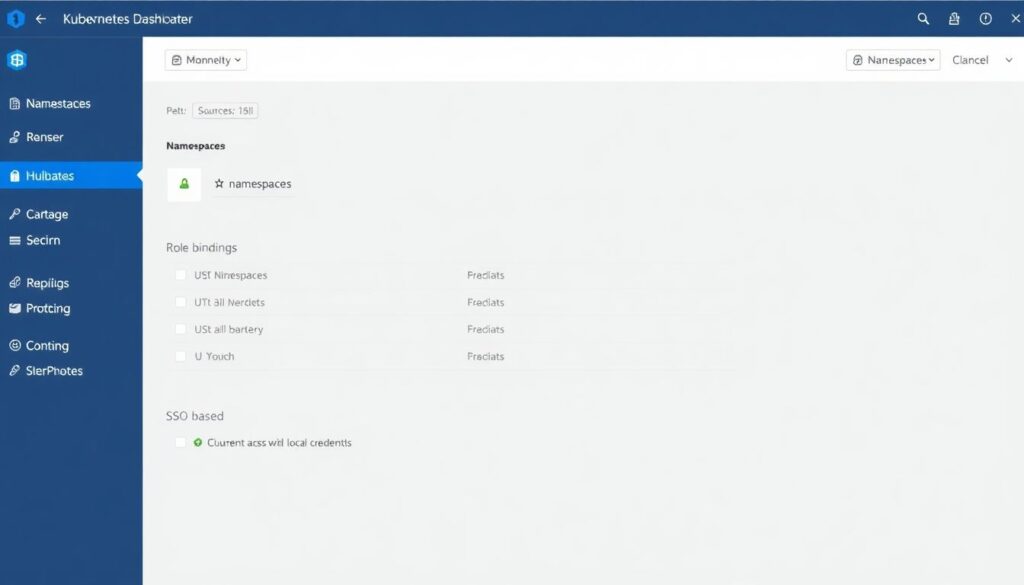
- No user or service account has
cluster-adminrights in production except a small break‑glass account. - Each application Namespace has scoped Roles and RoleBindings for its own service accounts only.
- All human access uses SSO and short‑lived credentials, not static kubeconfig files stored locally.
- Admission controls block Pods that do not comply with required labels, securityContext, or image registries.
- API server endpoints are private or behind controlled ingress, not directly exposed to the internet.
- Cloud IAM roles used by worker nodes and system components have least privilege for required services only.
- Audit logs show who changed RBAC, NetworkPolicies, and Ingress objects, with timestamps.
- Third‑party serviços de consultoria em segurança kubernetes, if used, have read‑only or time‑boxed access.
# List cluster-admin bindings
kubectl get clusterrolebindings
  | grep cluster-admin

# Check which subjects can list secrets in a namespace
kubectl auth can-i list secrets --all-namespaces --as system:serviceaccount:default:default
Network segmentation and ingress/egress hardening for clusters
- Confirm your CNI plugin supports NetworkPolicies (Calico, Cilium, etc.).
- Identify which services must be reachable from the internet and which are internal only.
- Map traffic flows between Namespaces and external dependencies (DB, cache, APIs).
- Decide default stance: deny‑all east‑west traffic unless explicitly allowed.
- Standardize TLS everywhere: ingress, service mesh, and external connections.
- Review current security groups, firewalls, or cloud network policies around cluster nodes.
Network controls are often misconfigured, weakening segurança em containers kubernetes na nuvem even when workloads are hardened. Avoid these common mistakes.
Frequent network hardening pitfalls

- Running production workloads without any NetworkPolicies, relying only on cloud firewalls.
- Allowing wide egress to the internet instead of whitelisting required external endpoints.
- Sharing the same Namespace for unrelated applications, making segmentation impossible.
- Exposing NodePort services directly to the internet rather than using managed load balancers or Ingress.
- Skipping TLS termination at ingress or between services, relying on plaintext in internal networks.
- Not tightening cloud security groups around worker nodes, leaving SSH and high ports open.
- Omitting DNS and service discovery restrictions, enabling Pods to reach non‑authorized FQDNs.
- Forgetting to protect kube-dns/CoreDNS and metrics endpoints, which can leak internal topology.
# Example: default deny in a namespace
apiVersion: networking.k8s.io/v1
kind: NetworkPolicy
metadata:
  name: default-deny-all
  namespace: payments
spec:
  podSelector: {}
  policyTypes:
  - Ingress
  - Egress
# Allow only traffic from frontend pods
apiVersion: networking.k8s.io/v1
kind: NetworkPolicy
metadata:
  name: allow-frontend
  namespace: payments
spec:
  podSelector:
    matchLabels:
      app: api
  ingress:
  - from:
    - podSelector:
        matchLabels:
          app: frontend
Detection, logging and incident playbooks for compromised containers
- Enable cluster‑wide logging for Kubernetes events, audit logs, and container stdout/stderr.
- Decide which security signals you will collect: syscalls, network, process, or file activity.
- Choose who receives alerts and how on‑call is structured.
- Document clear containment procedures for compromised Pods or nodes.
- Test log search and correlation for at least one realistic attack scenario.
- Align with existing SOC/SIEM processes from your organization.
There is no single best way to implement detection and response; several patterns work, depending on your environment and budget.
Alternative approaches for detection and incident handling
- Cloud‑native logging and basic alerting
Use managed logging services from your cloud provider, forward Kubernetes and container logs, and add simple alerts for anomalies (e.g., repeated 5xx errors, failed auth). This is suitable for smaller teams starting with como proteger containers docker e kubernetes without heavy tooling. - Dedicated container security platforms
Adopt specialized ferramentas de segurança para kubernetes e containers that monitor runtime behavior (process, network, syscalls) and provide policy‑based alerts. Good for regulated or higher‑risk workloads that require detailed visibility. - Full SOC + SIEM integration
Ship all cluster logs, audit events, and security alerts into a central SIEM, with correlation rules and runbooks. Fit for larger organizations with existing SOC that already handles other cloud and on‑prem systems. - Managed security and consulting services
Engage serviços de consultoria em segurança kubernetes to design, implement, and periodically review your posture. Best when internal teams lack time or in‑depth Kubernetes expertise but still need strong guarantees.
# Example: enable audit logs flag on API server (managed clusters differ)
kube-apiserver
  --audit-log-path=/var/log/kubernetes/audit.log
  --audit-policy-file=/etc/kubernetes/audit-policy.yaml
Common implementation queries and quick resolutions
How strict can I set PodSecurity or policies without breaking everything?
Start in audit mode with restricted settings and observe violations for a few sprints. Fix images and manifests, then enable enforce mode in non‑production, and finally in production once deployment pipelines are green.
Do I need a service mesh to secure traffic between services?
No, but a mesh helps with mTLS and observability. At minimum, configure NetworkPolicies and TLS at ingress. Add a mesh later if you require zero‑trust features, traffic shaping, or fine‑grained service identity.
Which workloads are too risky to run in the same cluster?
Highly privileged system services, multi‑tenant workloads, and internet‑facing untrusted code are best isolated in separate clusters or at least dedicated Nodes and Namespaces with stronger policies and monitoring.
How often should I scan container images for vulnerabilities?
Scan on every build and regularly rescan images stored in registries, because new CVEs appear after the image is created. Automate rescans and trigger rebuilds when high‑risk vulnerabilities are discovered.
Is it safe to allow direct kubectl access to developers in production?
Limit kubectl in production to read‑only operations for most developers and use strong RBAC plus auditing. For changes, rely on GitOps or CI/CD pipelines so every modification is reviewed and traceable.
What is the fastest way to reduce attack surface in an existing cluster?
Apply default‑deny NetworkPolicies, enforce non‑root and no privileged Pods for new deployments, and start scanning images. These three actions quickly cut exposure without a full redesign.
How do I validate that my hardening changes did not harm performance?
Baseline latency and resource usage before changes, then run the same load tests after each hardening step. Use metrics from your monitoring stack to compare and adjust limits or policies if regressions appear.