
Use layered backups with immutability, air‑gapping and strong encryption; define RPO/RTO per business process; automate a tested recovery runbook across regions and accounts; and continuously monitor for anomalies. Combine backup em nuvem contra ransomware with strict access controls, regular restore tests and clear incident playbooks integrated with your cloud providers.
Critical Backup and Recovery Concepts for Ransomware Defense
- Keep at least one immutable, logically or physically air‑gapped copy of critical workloads in a separate cloud account, region or provider.
- Encrypt all backup data in transit and at rest, with keys managed in a dedicated KMS and separated from workload credentials.
- Define realistic RPO and RTO per application and verify them through scheduled recovery drills, not only through documentation.
- Implement automated runbooks for ransomware recovery, including isolation steps, restore flows and post‑incident validation checks.
- Continuously monitor backup jobs, retention and anomaly signals to detect mass encryption, deletion or unusual access patterns.
- Align soluções de disaster recovery cloud para empresas with compliance, contractual SLAs and budget, balancing redundancy and cost.
Designing Immutable and Air-Gapped Backup Architectures
| Preparation Item | Description | Owner Role |
|---|---|---|
| Workload inventory | List of critical VMs, databases, object storage buckets and SaaS data. | Application owner |
| Business impact map | Priority ranking with target RPO/RTO for each service. | Business stakeholder |
| Backup platform choice | Selected serviços de backup e recuperação em cloud para negócios or native tools. | Cloud architect |
| Isolation plan | Separate accounts, subscriptions or projects for backup storage. | Cloud security engineer |
| Retention policy draft | Rules for daily, weekly and monthly versions and legal holds. | Compliance officer |
This architecture is ideal for Brazilian SMB and mid‑market companies hosting most workloads in public cloud and needing backup em nuvem contra ransomware. It is less suitable when you have strict data residency that forbids extra regions, or extremely latency‑sensitive on‑prem workloads without stable links to the cloud.
Goal and design principles
Goal: guarantee at least one ransomware‑resilient backup copy that cannot be modified or deleted by compromised credentials or malware. Focus on blast radius reduction, clear separation of duties and predictable recovery paths.
Core design patterns for immutability
- Use object lock or immutable backup features:
- AWS: S3 Object Lock with compliance or governance mode for backup buckets.
- Azure: Immutable blob policies with time‑based retention and legal hold.
- GCP: Bucket retention policies and locked retention for long‑term copies.
- Prefer vendor tools that support immutability:
- Enable write‑once, read‑many (WORM) or append‑only settings on backup repositories.
- Disallow privileged users from shortening retention without a change process.
- Harden deletion paths:
- Require multi‑factor approval for deleting backup vaults or buckets.
- Use cross‑account or cross‑project ownership for immutable stores.
Implementing air‑gapping in cloud environments
- Logical air‑gap:
- Create a dedicated backup account, subscription or project with separate identity provider groups.
- Block interactive logins for most users; only backup service principals should have write access.
- Use network controls (VPC peering rules, firewall) to limit inbound paths to backup endpoints.
- Physical or provider‑level gap:
- Replicate critical backups to a second region with independent control plane.
- Optionally, store a minimal set of monthly backups in another cloud provider via gateways.
Verification of architecture effectiveness
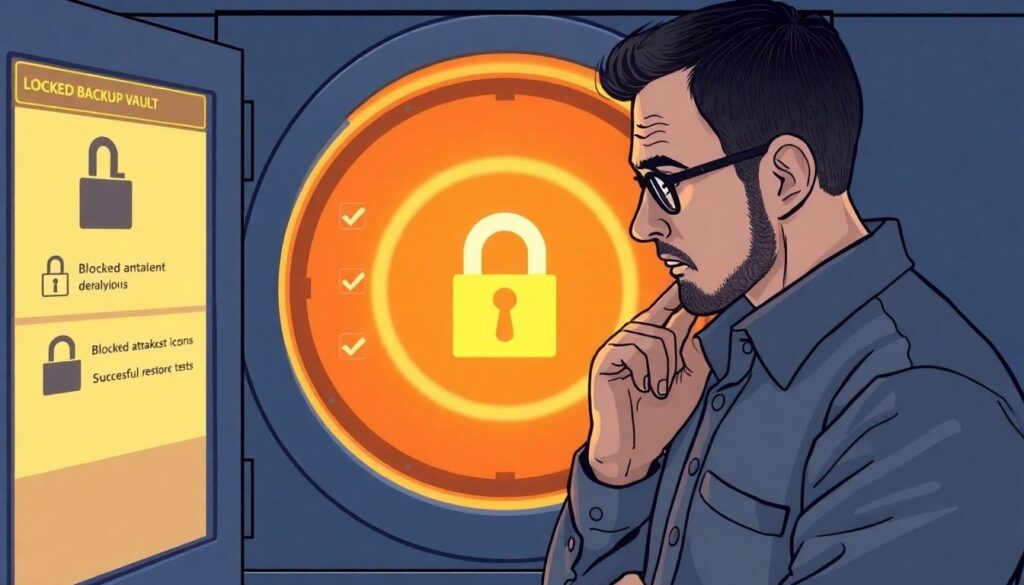
- Simulate a compromised production account and confirm:
- Attackers cannot list or delete backups in the backup account.
- Immutable retention prevents rollback or early deletion.
- Run test restores from the isolated storage to a sandbox account or VPC at least quarterly.
- Track metrics: number of immutable copies per workload, age of last verified restore and mean backup success rate.
Encryption, Key Management and Secure Storage Policies
| Preparation Item | Description | Owner Role |
|---|---|---|
| KMS design | Plan for cloud KMS keys, rotation and separation of environments. | Security architect |
| Key ownership model | Definition of who can create, rotate and revoke backup keys. | Security officer |
| Backup tool integration | Configuration steps for KMS integration with backup platform. | Backup administrator |
| Access control matrix | Mapping between roles and allowed actions on keys and vaults. | IAM engineer |
| Incident plan for keys | Procedure for key compromise or required revocation. | IR lead |
Goal and prerequisites
Goal: make backups unreadable to attackers while keeping restores fast and controlled. Prerequisites include access to your cloud KMS, admin rights on the backup solution and an agreed key rotation policy aligned with compliance requirements in Brazil.
Configuring encryption for cloud backups
- Transit encryption:
- Force TLS for all backup traffic and API calls.
- Disable legacy protocols and weak ciphers in backup gateways or proxies.
- At‑rest encryption:
- Enable server‑side encryption with customer‑managed keys for backup buckets and vaults.
- For databases and VM snapshots, use native encryption integrated with KMS.
Key management practices
- Use distinct keys per environment (prod, staging, dev) and per major system group.
- Rotate keys on a fixed schedule; document how backup and recovery jobs handle key changes.
- Use role accounts and service principals for key usage, not human users.
- Limit key deletion and rotation approval to a small, audited group with strong MFA.
Secure storage and policy enforcement
- Define policies that enforce encryption by default for all new backup containers and vaults.
- Block public access to backup storage; use private endpoints and IP allowlists.
- Log all key usage and backup storage access into a central SIEM for anomaly detection.
- Review effective permissions regularly to ensure least privilege for backup agents and admins.
Recovery Orchestration: RTO, RPO and Automated Playbooks
| Preparation Item | Description | Owner Role |
|---|---|---|
| Critical service list | Ranked list of applications with target RTO and RPO. | Business owner |
| Runbook template | Standard structure for ransomware recovery instructions. | Incident response lead |
| Access to backup console | Verified credentials and MFA for backup and DR tools. | Backup operator |
| Isolation capabilities | Scripts or procedures to isolate infected networks and accounts. | Network engineer |
| Communication plan | Who is notified, when, and by which channel during recovery. | IT manager |
Goal and minimal prerequisites
Goal: define a repeatable plano de recuperação de desastres ransomware em nuvem that restores priority services within agreed RTO and RPO. Prerequisites: tested backups, clear ownership per step and documented dependencies between components such as identity, networking and data stores.
Vendor-neutral ransomware recovery runbook template
Use the following structure for each critical service:
- Scope and impact: short description, affected regions or accounts, business owner.
- Decision criteria: when to trigger full restore, partial restore or failover.
- Isolation steps: exact actions to stop spread, including firewall, account locks and credential resets.
- Restore steps: ordered sequence for data, application and configuration recovery.
- Validation checks: how to confirm data integrity and user functionality.
- Rollback and cleanup: decommissioning of infected resources and log collection.
Step-by-step orchestration procedure
- Identify and declare the ransomware incident
Confirm indicators of compromise such as mass encryption, ransom notes and abnormal CPU or I/O on cloud workloads. Declare the incident, open a ticket and assign an incident commander who coordinates technical and communication tasks. - Isolate affected systems and accounts
Immediately contain the spread while keeping forensic data.- Disable compromised user accounts and rotate keys used by automation.
- Quarantine infected VMs by removing them from production subnets or scaling groups.
- Block suspicious IPs and domains at firewalls, security groups and web gateways.
- Assess blast radius and select restore point
Determine which workloads and backups are safe to restore.- Review backup logs to confirm successful, anomaly‑free jobs.
- Choose restore points before the first encryption events while staying close to target RPO.
- Prioritize services by business criticality and dependency order, such as identity and database layers first.
- Restore foundational services and data
Recover identity, networking and core data platforms.- Restore directory and identity services into a clean network segment.
- Recover databases or storage volumes from verified backups into isolated subnets.
- Apply latest clean application schemas or migrations if needed.
- Bring up application tiers and validate
Rebuild application servers, containers or functions using clean images and pipelines.- Deploy application code from trusted repositories with security scans enabled.
- Connect restored apps to recovered databases and verify configuration secrets.
- Run smoke tests and critical business scenarios with application owners.
- Cut over users and monitor for regression
Move user traffic to the recovered environment in a controlled way.- Update DNS, load balancers or routing rules with fallback options.
- Monitor performance, error rates and security alerts for at least one full business cycle.
- Communicate status to stakeholders and document deviations from planned RTO and RPO.
- Post-incident review and improvement
After stabilization, analyze what worked and what failed in the recovery.- Update the runbook with timing, bottlenecks and new automation opportunities.
- Adjust backup schedules, retention and coverage based on lessons learned.
- Feed findings into security hardening and user awareness programs.
Cloud-specific examples
- AWS: use AWS Backup to restore EBS snapshots and RDS instances into a dedicated recovery VPC, then reattach them to fresh EC2 instances built from golden AMIs.
- Azure: restore Recovery Services Vault backups of VMs and SQL databases into a clean subscription and virtual network, using Azure Policy to enforce hardened baselines.
- GCP: use Backup for GKE and Filestore snapshots to rebuild clusters and storage in a different project, then switch traffic via Cloud Load Balancing and updated DNS.
Testing, Validation and Data Integrity Verification Procedures
| Preparation Item | Description | Owner Role |
|---|---|---|
| Test schedule | Calendar for backup restore drills and integrity checks. | IT operations manager |
| Sandbox environment | Isolated cloud account or VPC for restore tests. | Cloud engineer |
| Test cases | Defined scenarios per workload, including ransomware simulations. | Application owner |
| Monitoring dashboards | Views for job status, restore times and failure rates. | NOC team |
Checklist for continuous validation
- Run full restore tests for each critical workload on a defined frequency and record actual RTO and RPO.
- Verify application‑level integrity by comparing record counts, checksums or sample business transactions.
- Test at least one full ransomware recovery path per year, including isolation and cutover steps.
- Confirm that restores from immutable copies work even if production accounts are assumed compromised.
- Automate basic restore verification, such as scriptable health checks or API calls after each test.
- Track backup job success and failure trends and investigate recurring partial or slow jobs.
- Periodically test key rotation and ensure old backups remain decryptable as required.
- Document every test with date, scope, results and improvements and share with management and auditors.
Operational Controls: Access, Monitoring and Anomaly Detection
| Preparation Item | Description | Owner Role |
|---|---|---|
| Role definitions | Clear separation between backup admins, security and auditors. | IT governance |
| Logging configuration | Centralized collection of backup, storage and KMS logs. | SIEM engineer |
| Anomaly rules | Criteria for suspicious deletion, encryption or access behavior. | Security operations |
| Alert routing | On‑call rotations and escalation paths. | SecOps lead |
Frequent mistakes to avoid

- Using the same admin accounts and credentials for production and backup platforms, increasing blast radius.
- Allowing broad write and delete permissions on backup buckets or vaults for application roles.
- Not monitoring for anomalous backup patterns such as sudden drops in data volume or massive file changes.
- Ignoring alerts from backup tools or treating failed jobs as low‑priority issues.
- Leaving backup consoles exposed to the internet without network controls and strong MFA.
- Failing to align IAM roles with least privilege, resulting in overpowered service accounts.
- Not correlating backup events with endpoint and network telemetry when investigating ransomware.
- Omitting cloud‑native security tools that detect unusual encryption workloads in compute or storage services.
- Relying on a single monitoring dashboard without independent sanity checks or audits.
Cost, Compliance and SLA Considerations for Cloud Backups
| Preparation Item | Description | Owner Role |
|---|---|---|
| Cost model | Estimation of storage, transfer and operation costs for backups. | FinOps analyst |
| Compliance mapping | Alignment with local Brazilian data protection and sector rules. | Compliance officer |
| SLA matrix | Required availability and restore times per service. | Service manager |
Alternative approaches and when to use them
- Native cloud backup with cross-region replication
Use built‑in tools from your provider with replication to another region and tiered storage. This fits when you want simple operations, tight integration and predictable billing, and when melhores estratégias de segurança e backup cloud can be implemented using policies and automation inside one provider. - Third-party multi-cloud backup platforms
Adopt independent serviços de backup e recuperação em cloud para negócios that support multiple clouds and on‑prem. This is appropriate when you need centralized policy control, cloud‑to‑cloud replication and an abstraction layer for future migrations. - Hybrid approach with on-prem plus cloud offsite
Keep fast local backups for operational restores and replicate encrypted copies to cloud storage. Choose this when bandwidth is limited but you still require soluções de disaster recovery cloud para empresas to cover regional outages or site loss. - Service-based DR with managed providers
Engage a managed service provider that offers a turnkey plano de recuperação de desastres ransomware em nuvem with contractual SLAs. This can work well for smaller teams in Brazil that lack in‑house expertise but still need strong backup em nuvem contra ransomware coverage.
Practical Troubleshooting and Quick Guidance
How often should I test cloud ransomware recovery?
Test critical services at least a few times per year, with at least one scenario that simulates a real ransomware attack. Include full restores, isolation steps and validation that users can work normally after the exercise.
What if ransomware encrypts my backups as well?
If immutable and air‑gapped copies were configured, use those as your primary restore source. If not, prioritize containment, involve incident response experts and review whether any older offline or offsite copies exist outside the compromised environment.
Do I need separate backup tools for each cloud provider?
Not necessarily. You can use native tools in each provider or choose a multi‑cloud solution that centralizes policies. Decide based on your team skills, reporting needs and how many platforms you operate in production.
Which workloads should be prioritized in a ransomware incident?

Start with identity services, core databases and messaging or integration platforms that many applications depend on. Then restore high‑impact business applications according to your predefined RTO and RPO priorities.
How can I know if my RPO and RTO are realistic?
Run timed recovery drills and measure how long each step takes, from incident declaration to user validation. Compare actual values with targets and adjust either the targets or your automation and resourcing until they align.
Are cloud backups enough, or do I still need local copies?
For many organizations, cloud backups with proper immutability are sufficient. Local copies can still be useful for very fast restores or regulatory requirements, but they must be protected with the same ransomware‑resilient principles.
What is the first action when I detect ransomware in cloud workloads?
Immediately isolate suspected systems and accounts to stop the spread while preserving evidence. Then activate your incident runbook, including contacting stakeholders and starting the assessment of safe restore points.