
A practical runbook de resposta a incidentes em nuvem for pt_BR teams should define clear scope, roles, decision gates, and safe, reversible actions. Start from a simple modelo de runbook para resposta a incidentes em cloud, connect it to your monitoring and ticketing tools, document per-service containment steps, and rehearse with simulations before production use.
Critical Preconditions and Response Objectives
- Define priority objectives: protect users and data first, then contain the incident, restore core services, and only afterward collect deeper forensic evidence.
- Limit the initial scope of your guia passo a passo runbook de incidentes em ambiente cloud to the top 5-10 critical services you actually run.
- Establish minimum access and tooling per role (SRE, CloudOps, Sec) before the first incident, not during it.
- Align the runbook with existing SLAs and RTO/RPO so “severity” and escalation decisions are consistent across teams.
- Prefer safe, reversible actions (e.g., detach, snapshot, isolate) over destructive ones (e.g., terminate, wipe) in default flows.
- Test each procedure in a staging or sandbox environment and record the expected time-to-complete for realistic planning.
Scope: Cloud Assets, Services, and Account Boundaries
This guide explains como criar runbook de incidentes em infraestrutura cloud for intermediate teams operating in Brazilian contexts, using mainstream providers (AWS, Azure, GCP or similar). It targets production SaaS, APIs, internal apps, and data platforms hosted in the cloud.
Focus your runbook on:
- Infrastructure-as-a-Service resources: VMs/instances, block storage, network security groups, load balancers.
- Managed services: databases, object storage, queues, container services (EKS/AKS/GKE, ECS, serverless).
- Identity and access: IAM users/roles, SSO integrations, keys, service principals.
- Core management planes: cloud accounts, subscriptions, projects, landing zones.
Do not overextend the scope in these situations:
- If you lack basic monitoring or logging in an area, create a minimal observability plan before runbook automation.
- If on-prem or legacy systems are dominant, maintain a separate document; do not mix everything into one massive runbook.
- If multiple cloud providers are used but managed by different teams, keep provider-specific sections clearly separated.
For most organizations, melhores práticas para resposta a incidentes em infraestrutura em nuvem include starting with one provider and one high-value workload, then progressively expanding coverage.
Detection and Triage: Alerts, Prioritization, and Initial Evidence
Before writing any detailed step, list the concrete prerequisites for detection and triage. This will become part of your runbook de resposta a incidentes em nuvem and must be maintained as your environment evolves.
Preparation checklist: access, owners, and tools
| Required Access | Primary Runbook Owner (Role) | Main Tools / Consoles |
|---|---|---|
| Read-only to cloud console, logs, metrics, security alerts | Sec (Security Analyst) | Cloud Security Center, SIEM, provider security hub |
| Change permissions for network, instances, containers | CloudOps (Cloud Engineer) | Cloud portal, CLI, Terraform/Infra-as-Code, Kubernetes dashboard |
| Database and storage management rights | SRE (Site Reliability Engineer) | DB consoles, backup tools, storage browser |
| Incident ticketing and status page control | Incident Manager (IM) | ITSM, chat, incident dashboard, status page |
| Approval for high-risk actions (e.g., region-wide changes) | Sec Lead / CISO delegate | Change management system, messaging tools |
Core detection inputs
Document in your modelo de runbook para resposta a incidentes em cloud at least these inputs:
- Cloud-native alerts: security center, guard services, anomaly detectors, WAF events.
- Logs and metrics: application logs, VPC flow logs, audit logs, CPU/latency/error metrics.
- External reports: customer tickets, internal user reports, automated uptime checks.
Triage requirements and safe starting point
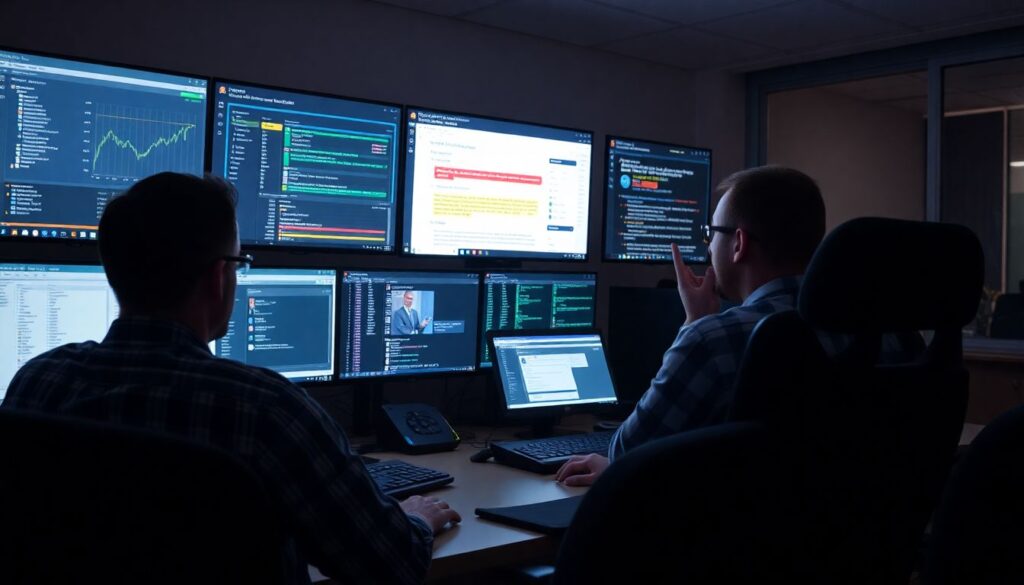
- Ensure on-call roles (SRE, CloudOps, Sec) are always reachable with rotation defined.
- Have a standard incident channel template in chat with sections for timeline, hypotheses, actions.
- Prepare read-only dashboards per critical service with key metrics and recent changes.
- Define severity levels (SEV-1..SEV-4) and map them to response time and escalation rules.
Initial triage should always start with read-only investigation: confirm the alert, look at metrics and logs, and only then consider containment actions.
Containment and Mitigation: Concrete Steps per Service Type
The following numbered procedure is a generic, safe guia passo a passo runbook de incidentes em ambiente cloud. Adapt times and exact tools to your provider, and test in non-production first.
Minimal preparation checklist before executing steps
- Confirm you are in the correct account/subscription/project and region.
- Verify you are using a controlled admin role, not a personal account.
- Open the incident ticket and dedicated chat channel.
- Start an incident log (time, actor, action, reason) before making changes.
- Identify the business owner of the affected service and invite them to the channel.
-
Classify the incident and appoint an Incident Manager (5-10 minutes)
Sec or CloudOps classifies the incident severity based on user impact, data sensitivity, and spread potential. The first responder becomes Incident Manager (IM) until officially replaced.
- SEV-1 or suspected data breach: mandatory IM and Sec involvement.
- SEV-2 infra degradation: SRE and CloudOps co-lead with IM.
-
Stabilize access and capture volatile context (10-15 minutes)
Before containment, ensure you can reconstruct what happened. This step focuses on safe evidence collection without deep forensic complexity.
- Export main logs around the incident window (application, audit, network).
- Take screenshots of key dashboards if exporting is not immediate.
- Record current configurations for affected resources (security groups, IAM roles, scaling rules).
-
Isolate compute resources without destroying them (10-20 minutes)
For suspicious VMs, containers, or serverless functions, prioritize isolation over termination. CloudOps executes, Sec validates that the blast radius is reduced.
- Remove instances from public load balancers or target groups.
- Restrict security groups or firewall rules to only admin IP ranges.
- For containers: cordon and drain nodes, or scale the service to zero while leaving underlying artifacts intact.
Optional example (generic CLI idea, adapt to your provider):
cloudcli compute instance update --id <instance-id> --remove-from-lb --restrict-sg isolated-sg
-
Protect data stores and backups (15-30 minutes)
SRE leads this step, with Sec approving changes that affect data confidentiality and integrity.
- For databases: revoke suspicious credentials, rotate passwords/keys used by the compromised workload.
- For object storage: temporarily block public access, enforce versioning and retention if available.
- Validate that existing backups or snapshots are recent and accessible; create an additional snapshot if safe.
-
Block attacker pathways at the network and identity layers (15-30 minutes)
Focus on the smallest set of changes that cut off malicious activity without causing unnecessary outages. Sec owns decisions; CloudOps performs technical changes.
- Add or tighten WAF rules based on offending IPs, paths, or signatures.
- Disable or rotate compromised IAM users, keys, service principals, and tokens.
- Enforce MFA for high-privilege roles if not already active.
-
Restore capacity using clean images or templates (30-90 minutes)
Instead of “fixing in place”, redeploy from trusted templates or images. This reduces the chance of persistence mechanisms surviving.
- Use approved golden images or hardened container images.
- Apply Infrastructure-as-Code (e.g., Terraform) to recreate resources with known-good configuration.
- Gradually reintroduce traffic using blue/green or rolling deployment strategies.
-
Monitor closely for recurrence and confirm containment (30-60 minutes)
After mitigation, increase logging and alerting thresholds temporarily. SRE and Sec jointly confirm that indicators-of-compromise no longer appear.
- Set short-interval dashboards to watch key metrics and security alerts.
- Track any new similar alerts; if they appear, roll back to isolation steps.
- Only downgrade severity after an agreed “observation window” passes without signs of re-compromise.
Recovery and Validation: Restoring Cloud Workloads Safely
Use this checklist during and after recovery to ensure workloads are safe, functional, and aligned with melhores práticas para resposta a incidentes em infraestrutura em nuvem.
- Confirm restoration source integrity: images, backups, and templates come from trusted, version-controlled repositories.
- Validate configuration drift: compare new infrastructure against baseline policies (network rules, IAM, encryption settings).
- Run automated tests: smoke tests, health checks, and basic functional tests for main user flows.
- Verify performance: CPU, memory, latency, and error rates are back to normal or within defined SLOs.
- Check logging and monitoring: ensure logs are flowing, dashboards are updated, and alerts are active for the restored components.
- Review access paths: confirm that emergency or temporary access (IPs, accounts, firewall exceptions) has been removed.
- Validate data consistency: spot-check critical tables, buckets, or message queues for corruption or anomalies.
- Confirm external dependencies: payment gateways, third-party APIs, and messaging services are reachable and healthy.
- Update the incident ticket with a clear “service restored” time and remaining known risks or limitations.
- Communicate with stakeholders: provide concise impact summary, what changed, and whether any user action is required.
Communications, Responsibilities, and Escalation Matrix
Even a strong technical runbook can fail if roles and communication paths are unclear. Avoid these common mistakes while designing your runbook de resposta a incidentes em nuvem.
- Not naming an Incident Manager early: without a clear IM, decisions become fragmented and slow.
- Mixing channels: using multiple chat threads and emails instead of a single primary incident room.
- Skipping decision gates: escalating or involving executives without clear criteria based on severity and impact.
- Ignoring role clarity: not specifying who (SRE, CloudOps, Sec, Product Owner) can authorize service shutdowns or data-related actions.
- Over-sharing technical details with external stakeholders: status pages should be simple, factual, and avoid sensitive information.
- Under-documenting timelines: failing to record “who decided what and when” makes post-incident analysis weak.
- Neglecting handovers: long incidents suffer when shifts change without a formal, documented handover process.
- Leaving legal and privacy teams out: especially for potential data breaches where notification obligations may apply.
- Relying on single points of failure: only one person knows the scripts or specific cloud console paths.
Post-Incident Analysis, Remediation Backlog, and Runbook Updates
After every significant incident, refine your modelo de runbook para resposta a incidentes em cloud and create a concrete backlog of improvements. Different approaches can work depending on team maturity and incident volume.
-
Lightweight timeline review for low-severity issues
For SEV-3/SEV-4 incidents, a short timeline review with SRE and Sec might be enough. Capture what worked, what failed, and one or two actionable improvements.
-
Structured post-incident review for major events
For SEV-1/SEV-2, run a blameless analysis session. Identify root causes, contributing factors, and specific mitigations (e.g., new alerts, autoscaling rules, IAM hardening) and rank them in a remediation backlog.
-
Runbook refactoring and consolidation
If you discover duplicate or contradictory instructions across documents, consolidate into a single cloud-focused runbook and link specialized playbooks (e.g., DDoS, ransomware, leaked key) as subpages.
-
Automation-first enhancement
When patterns repeat (e.g., isolating instances, rotating keys), invest in scripts or orchestration. This turns manual steps from your como criar runbook de incidentes em infraestrutura cloud guide into safe, repeatable actions.
Practical Clarifications and Rapid Guidance
How detailed should an incident runbook for cloud infrastructure be?
Describe each step in enough detail that an intermediate engineer familiar with your platform can execute it safely, but avoid copying full vendor documentation. Focus on decisions, roles, and your environment’s specifics: account names, tags, main dashboards, and escalation gates.
How often should I review and update my cloud incident runbook?

Review it after every significant incident and on a regular schedule (for example, quarterly). Any time you add new critical services, accounts, or regions, add or adjust corresponding sections in the runbook before moving them to production.
Can one runbook cover multiple cloud providers?
Yes, but keep provider-specific procedures clearly separated. Use a common top-level structure and then create dedicated subsections for AWS, Azure, GCP, or others, including console names, CLI commands, and service terminology specific to each provider.
How do I train the team to follow the runbook consistently?
Run short tabletop exercises and technical game days using realistic scenarios. Rotate roles (IM, SRE, CloudOps, Sec) during practice so that people understand responsibilities and gain confidence executing the documented steps.
What if we lack some of the tools mentioned in this guide?
Start with what you have available, such as the native cloud console and basic logging. As you mature, incrementally add a SIEM, centralized observability, and Infrastructure-as-Code to reduce manual work and align your process with industry practices.
How do I handle sensitive data and privacy in incident communication?
Keep sensitive technical and personal data in controlled internal channels and avoid placing it in email or public tickets. Involve legal or privacy teams early for incidents that may involve regulated data or mandatory notifications.
When should I involve external partners or the cloud provider’s support?
Escalate to external support when the incident involves suspected platform-level issues, large-scale outages, or when you hit the limits of internal expertise. Document clear criteria and contact paths in the runbook to avoid delays during critical events.